Help Center › Phone & WhatsApp
MatPilot AI on WhatsApp: answer enquiries while you teach
MatPilot AI can answer WhatsApp messages from members and new enquiries for you, so a question about a trial class at ten at night gets an answer straight away.
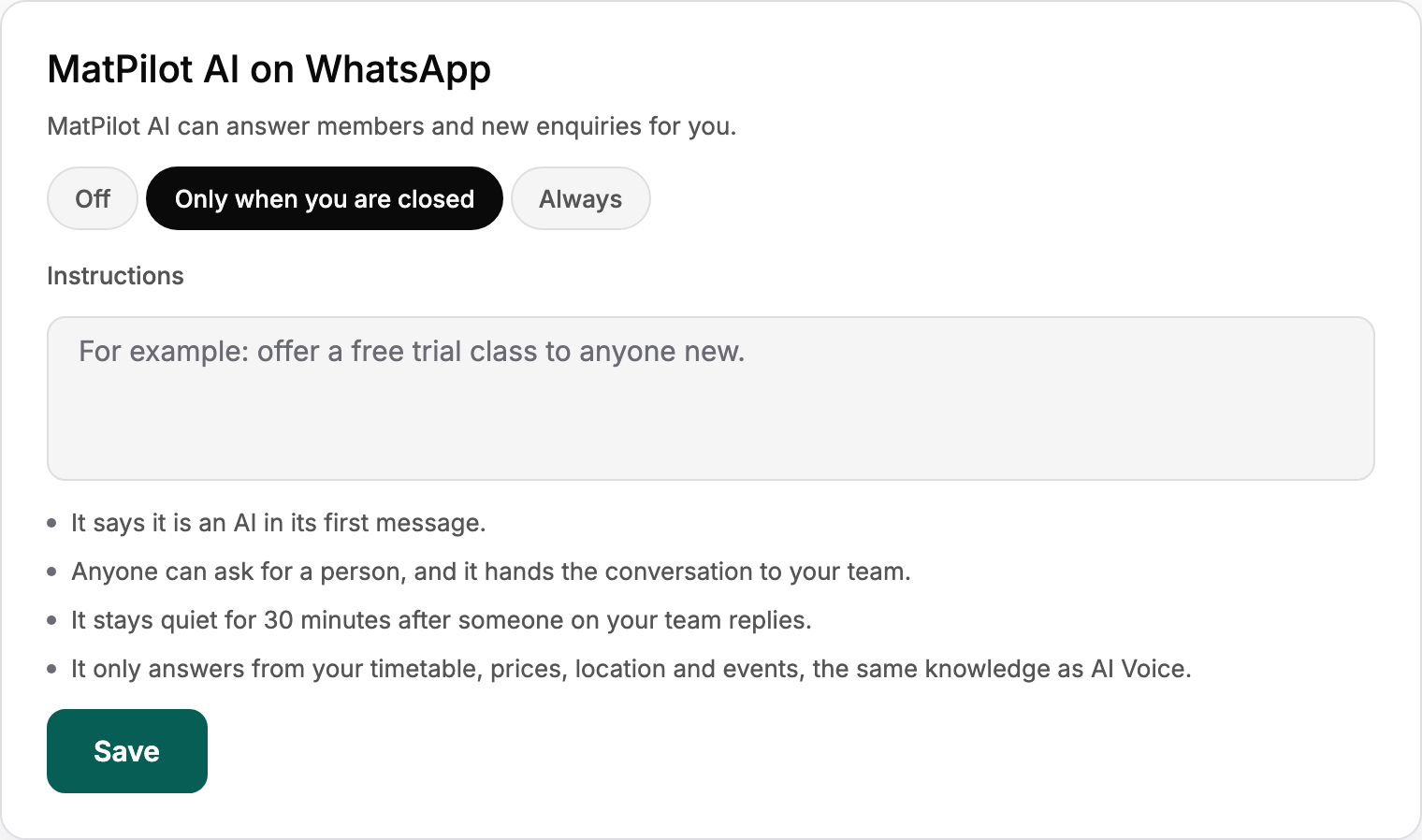
Choose when it answers
In Settings, Phone, WhatsApp, under MatPilot AI on WhatsApp:
- Off: only your team answers.
- Only when you are closed: it answers outside your opening hours, the ones set in Call Forwarding.
- Always: it answers every message.
Owners and managers can change it.
Tell it what to say
Use Instructions to steer it, for example: offer a free trial class to anyone new. Then choose Save.
The rules it follows
- It says it is an AI in its first message.
- Anyone can ask for a person, and it hands the conversation to your team.
- It stays quiet for 30 minutes after someone on your team replies.
- It only answers from your timetable, prices, location and events.
Its replies show in the conversation marked MatPilot AI, so you can always see exactly what it said. The This month card counts its replies beside your messages.