What is the AI co-pilot?
What makes it different
Most AI chatbots give you information. The MatPilot co-pilot actually does things:
- Creates membership plans
- Promotes members to new belt ranks
- Sends push notifications and emails to your members
- Suspends or reactivates memberships
How it works
The co-pilot is powered by AWS Bedrock (Claude). When you ask it to do something, it:
- Analyses your request in the context of your gym's data
- Asks clarifying questions if needed, one at a time
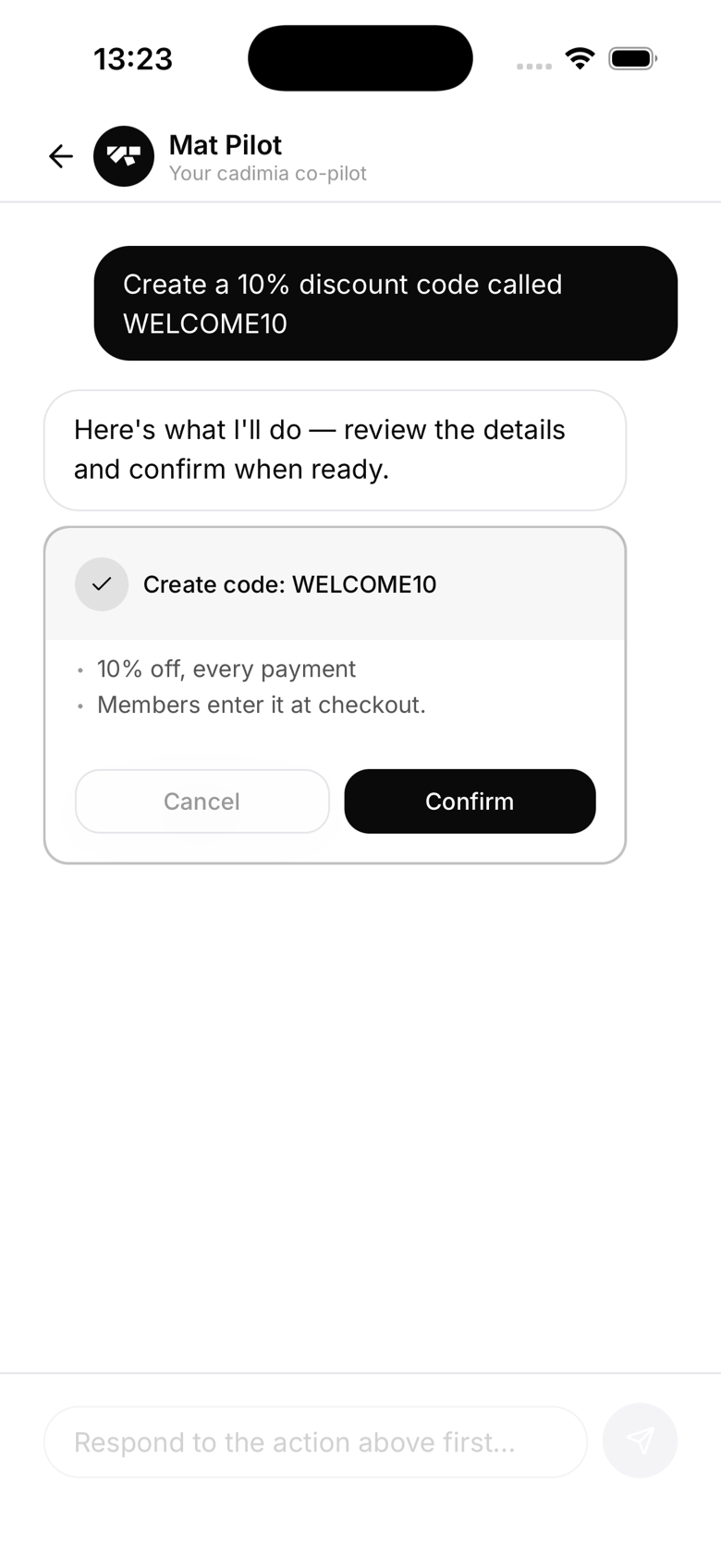
- Shows you a preview of the action it's about to take
- Executes only after you confirm
Safety first
The co-pilot never takes action without your approval. Every action goes through a preview step where you see exactly what will happen. You confirm or cancel before anything changes, and suspending a member's access gets an extra orange warning since it's more sensitive.
Accessing the AI
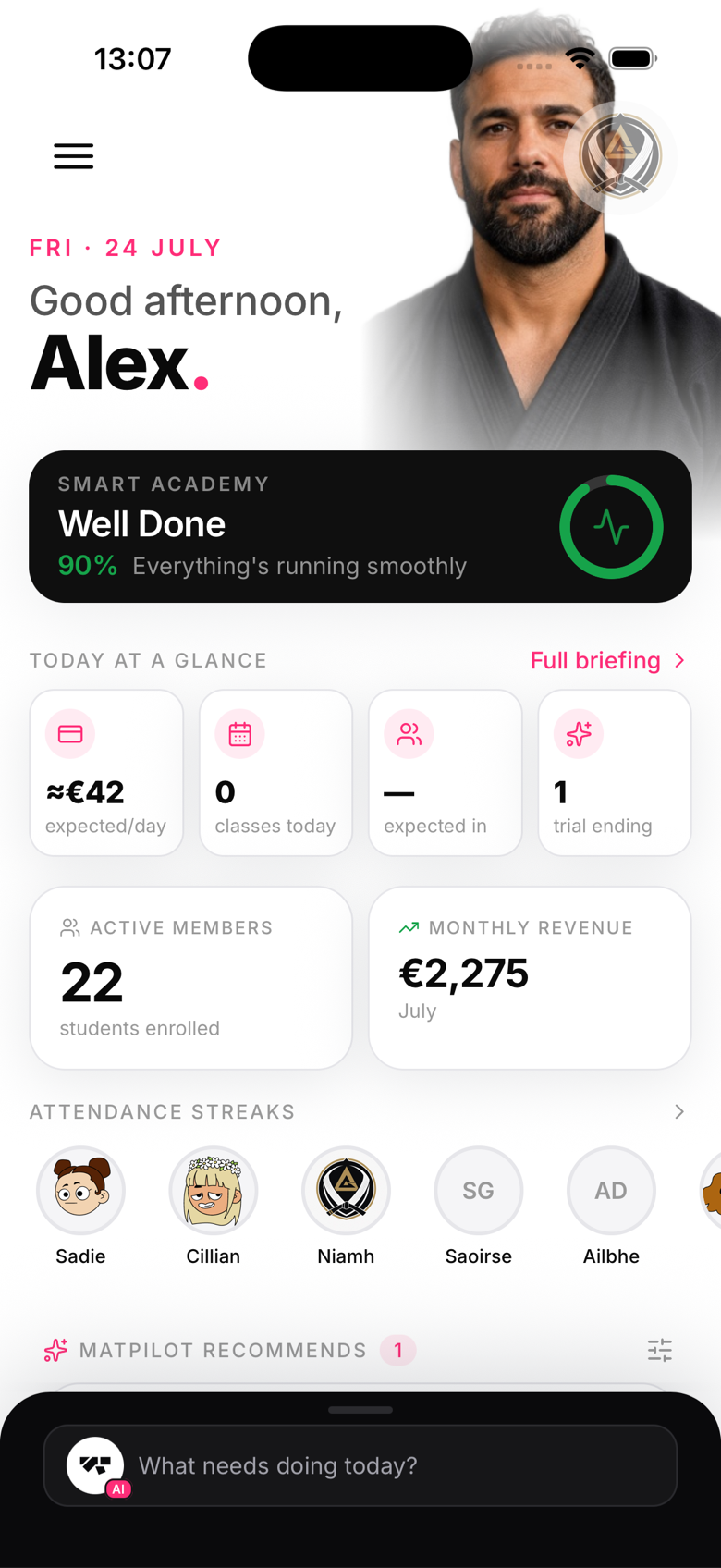
The AI lives in a command bar at the bottom of the owner app, on every main screen. Tap it to expand the chat and type your request.
The morning briefing
Every morning, MatPilot also shows a separate briefing card on your home screen, a plain-English summary of what happened overnight and what needs attention today. It's a related but distinct feature: it's generated automatically from your gym's live numbers, and it isn't something you chat with the way you do with the AI assistant.