Help Center › Membership Plans
Creating a membership plan
How to create a plan
- Go to Academy → Plans → + New plan
- Fill in:
- Name, e.g. "Unlimited Monthly", "Kids BJJ Term"
- Price, the amount charged per billing period
- Billing interval, weekly, monthly, quarterly, six-monthly, or annual
- Trial period, optional free trial in days
- Description, shown to members during checkout
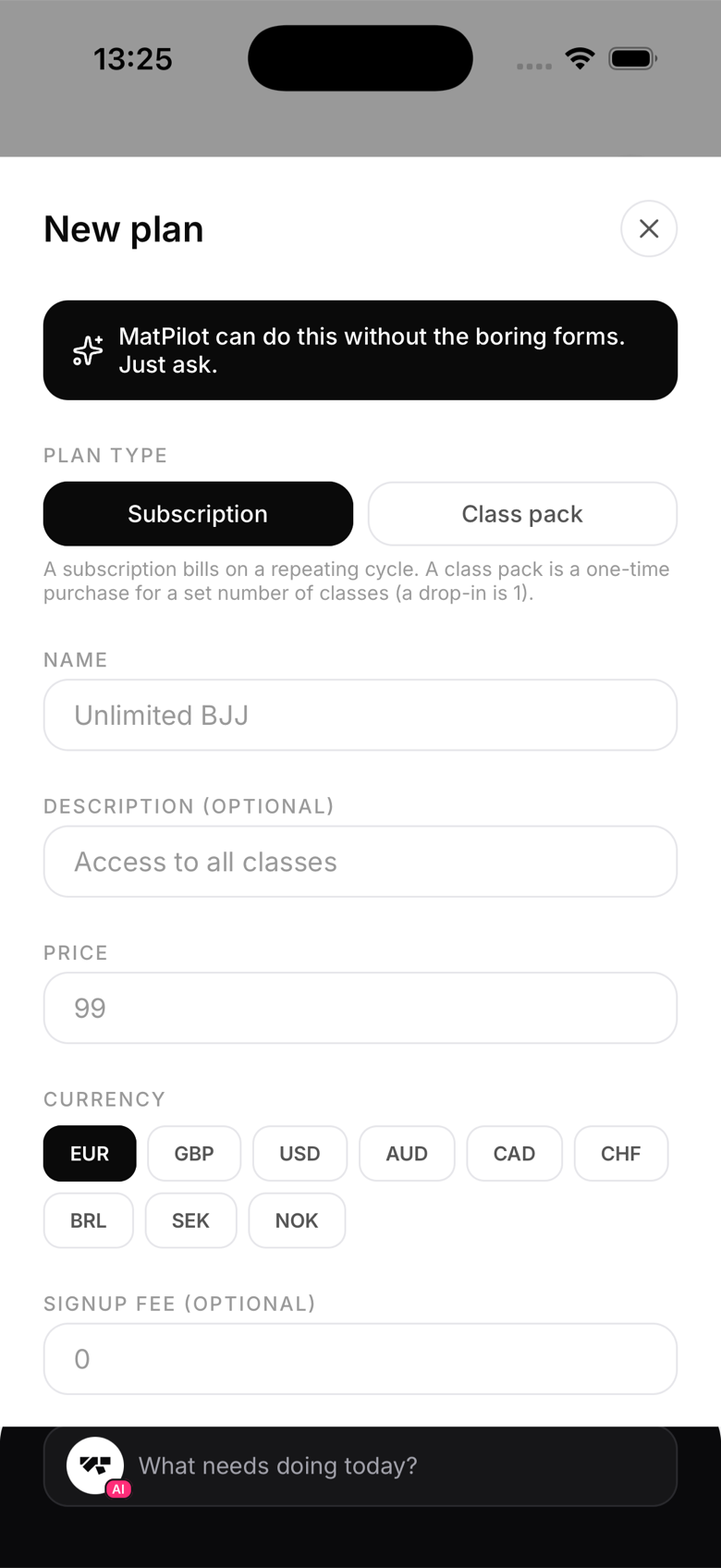
Plan types
- Recurring, charged on a fixed interval (weekly, monthly, quarterly, six-monthly, or annual). Best for unlimited or capped-access memberships.
- Class pack, a one-time purchase that grants a set number of class credits instead of recurring billing. Each check-in decrements the balance. See "Class packs and credit bundles" for how these work.
Access rules
Every recurring plan can be unlimited or capped to a set number of classes per week, for example a "2x per week" plan priced below your unlimited option. Set this when creating the plan, and change it any time.
Publishing a plan
New plans go active the moment you save them, there's no draft stage to toggle later. If you're not ready to sell a plan yet, hold off creating it until you are. Active plans appear in the member's plan selection screen immediately.
Archiving a plan
When you retire a plan, archive it from the plan list. Archiving deactivates its Stripe price so no one can subscribe to it again, but members already on it keep their subscription untouched. Archiving currently can't be undone from the app, so only archive a plan you're sure you're done with.
Editing a plan
You can change a plan's name and description at any time. Price or interval changes create a new Stripe price behind the scenes.
When you change the price of a plan that has members on it, MatPilot asks who pays the new price before saving, with the numbers for that plan:
- New signups only: everyone on the plan today keeps paying what they pay now. Nothing re-bills silently.
- Update the subscribers: today's subscribers pay the new price from their next renewal. Nothing extra is charged for the rest of the current cycle and there is no proration.
Two things the dialog also tells you. A member on an agreed rate keeps it either way, because a list-price change never overwrites a price you negotiated. And a member whose subscription is not live in Stripe is left alone. After saving, a summary says how many moved, how many kept an agreed rate, and names anyone whose subscription could not be updated. The AI's price tools follow the same rules.