Help Center › Membership Plans
Setting a trial period
Adding a trial to a plan
When creating or editing a plan, set the Trial period in days. Common values: 7 days, 14 days, 30 days.
What members experience
- Member selects a plan with a trial
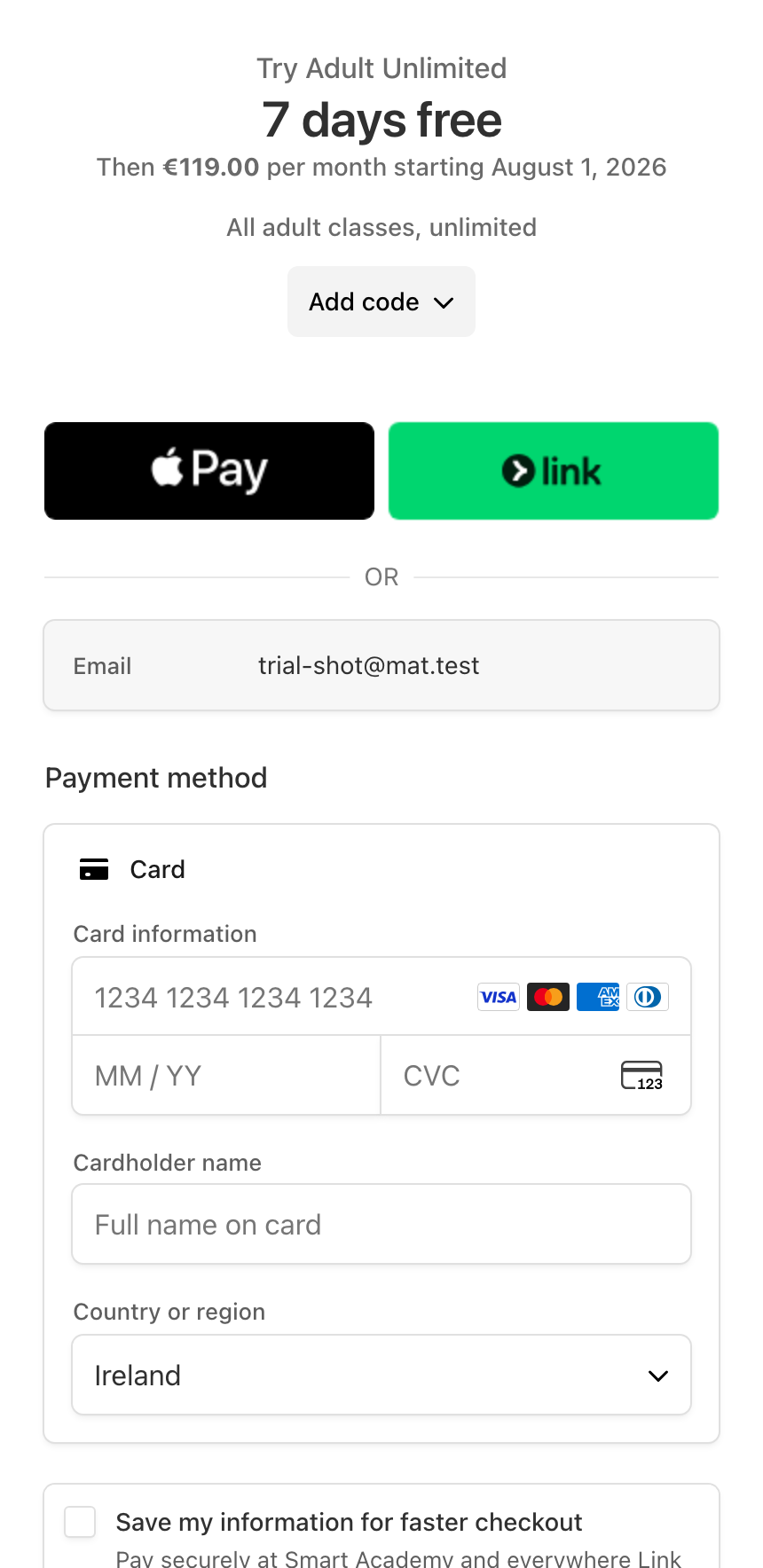
- Checkout shows: "Free for 7 days, then €X/month"
- Member enters card details (required upfront)
- No charge until the trial ends
- Stripe charges automatically once the trial period is over
Cancelling during a trial
If a member cancels before the trial ends, they're not charged. Their trial access ends immediately.
Trial conversion
When a trial converts to a paid subscription, you receive a trial conversion notification (if enabled in Settings → Notifications). This is a useful signal: conversions indicate members who found value in your gym.
Repeat trials
MatPilot doesn't track whether a specific member has already used a plan's trial. If someone cancels and later resubscribes to the same plan, Stripe applies the trial again. If you'd rather not offer a second trial to a returning member, switch them to a plan without one or handle it as a one-off arrangement.
No Stripe trial (granted trial)
If you want to give a member a trial without requiring a card, use the Granted trial feature instead (see "Granting a free trial to a member").