Help Center › Membership Plans
Programs and structured courses
A 12-week camp is a different sale than 'join the gym'; programs run and charge for it cleanly.
Creating a program
- Go to Academy → Programs → + New program
- Fill in:
- Title, e.g. "Summer Fundamentals Camp"
- Duration, number of sessions and, optionally, start and end dates
- Price, one-time or installments
- Capacity, maximum enrolees (leave blank for unlimited)
- Curriculum, optional session-by-session breakdown
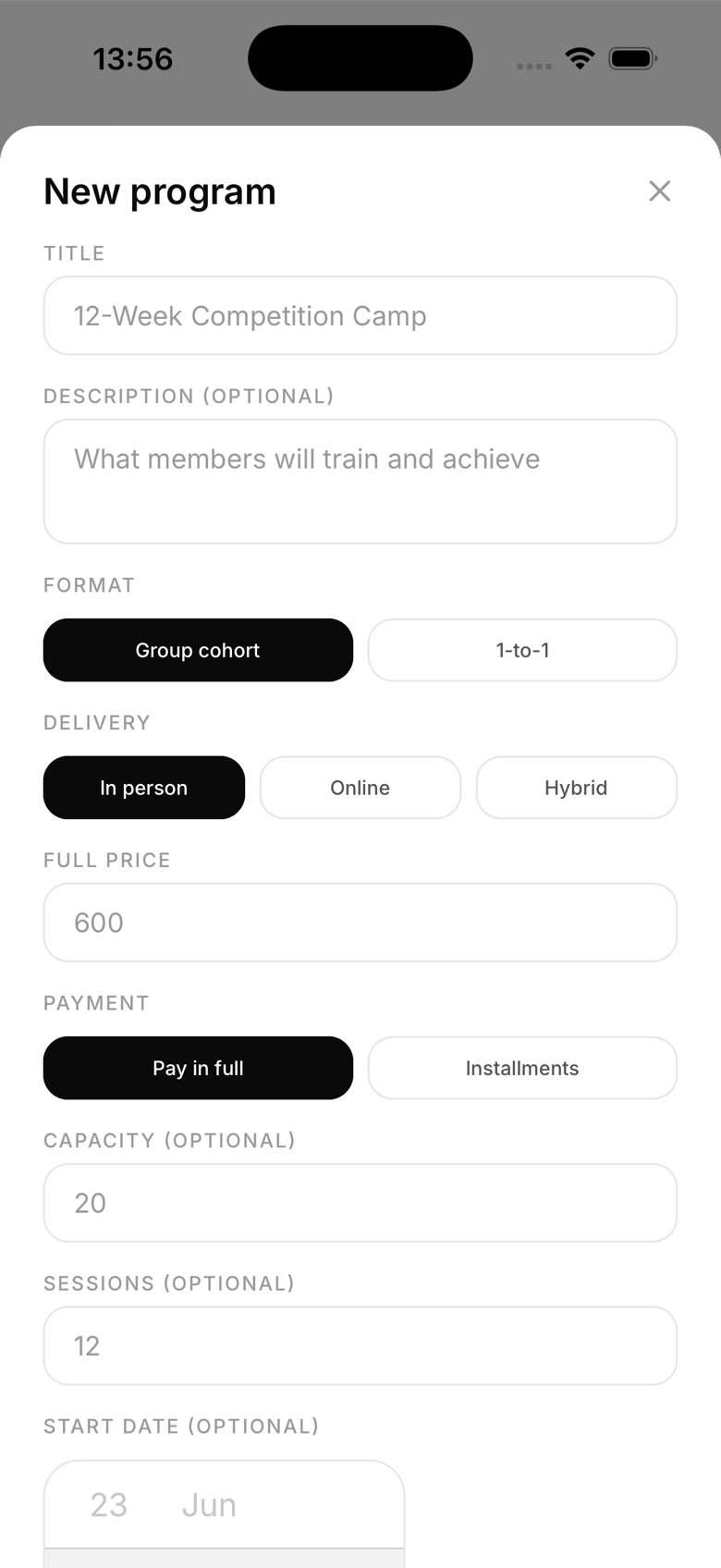
Payment options
- One-time payment, full price paid at checkout; a shareable public payment link is generated so you can share it outside the app too
- Installments, monthly payments split over at least 2 instalments; available for in-app enrolment only, since there's no public payment link for a recurring charge
Tracking progress
For each enrolled member, you can mark individual sessions as complete from the program roster. Members can see their own progress in the My programs section.
Program roster
Go to Programs → [Program name] to see all enrolled members, their payment status (for installment programs), and their session completion.
Waitlist
If a program is full, additional applicants see a "full" message when they try to enrol. There's no built-in waitlist yet, so reach out manually if you want to line them up for the next cohort.