Changing prices with the AI
Ask in plain language
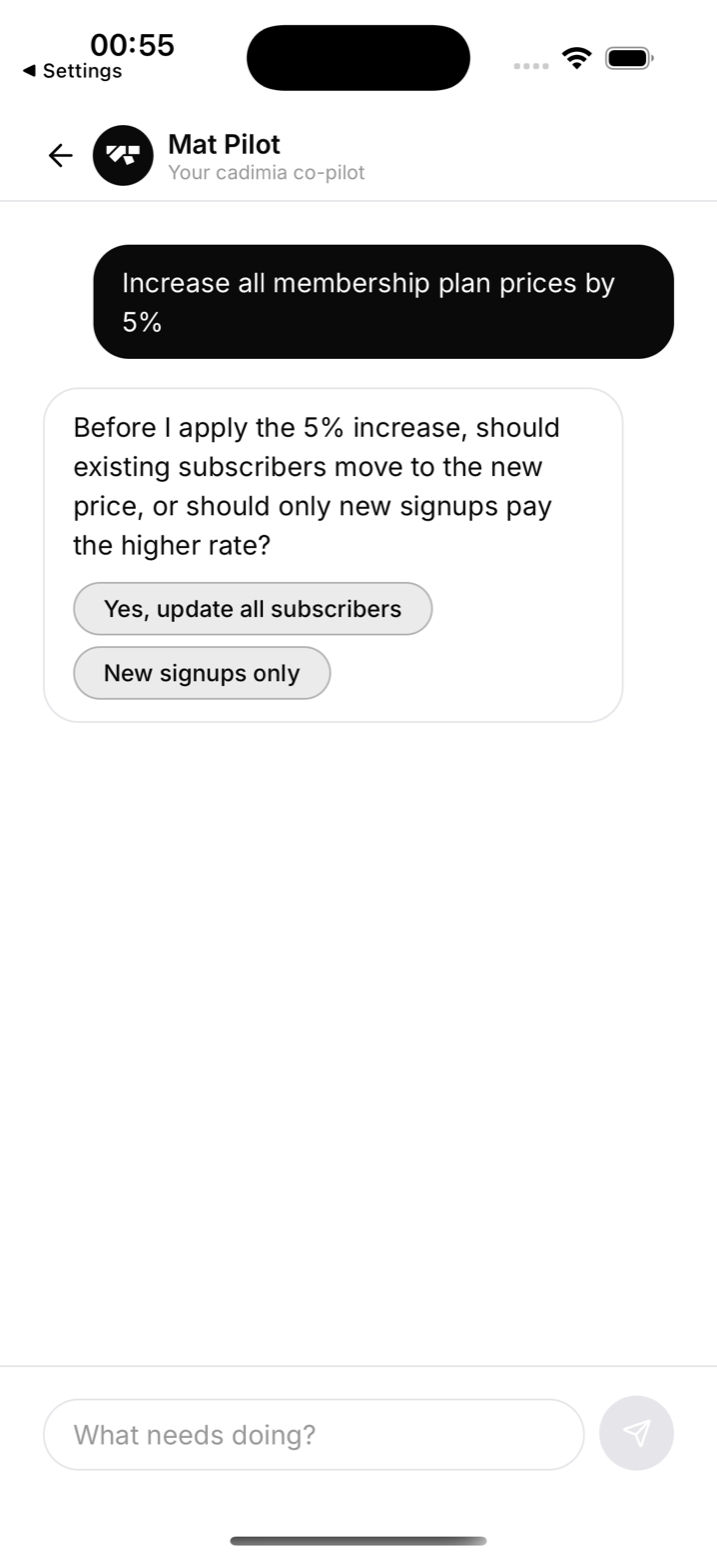
Tell the co-pilot what you want: "Increase all membership plan prices by 5%", "Put BJJ Membership up to €110", or "Move everyone from Basic to the new Standard plan". Before doing anything, it asks the question that matters most:
The preview card
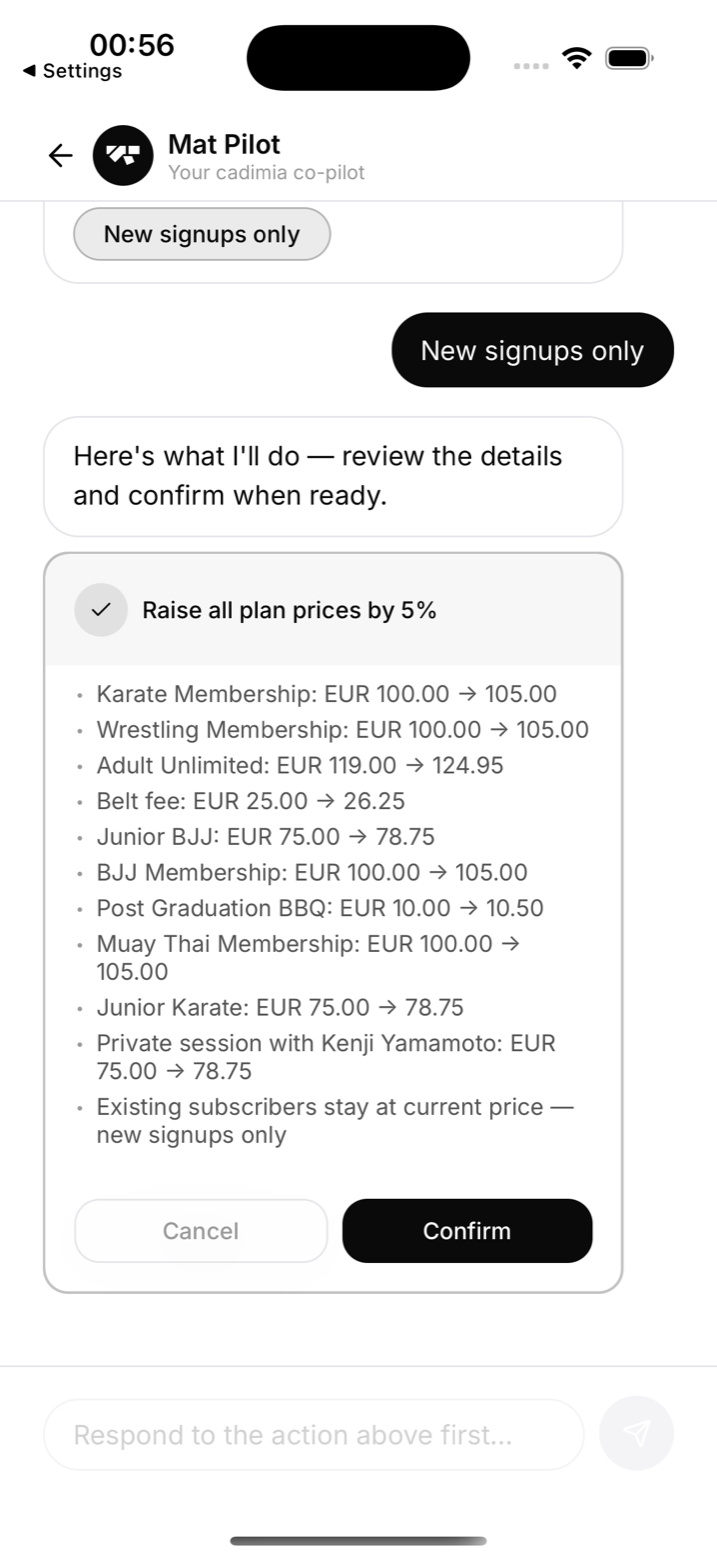
You always get a full preview before anything happens: every plan, its current price, and its new price. The card's Confirm button is the only thing that executes a change; Cancel costs nothing.
New signups or everyone?
- New signups only: existing members keep their current price; the new price applies from the next signup. Safe and quiet.
- Move existing subscribers: today's subscribers move to the new price. This is a bigger step, so the AI marks it as a destructive action with an orange warning, and it deserves an announcement first.
The confirm card carries the real numbers for the plan: how many subscribers would move, how many are on an agreed rate, and how many have no live subscription. Read those before you confirm. The same question, with the same numbers, appears when you edit a plan's price on the Plans screen.
Two rules worth knowing before you confirm
- The change lands at the next renewal, with no proration. A subscriber who moves keeps paying the old price for the rest of the current cycle and is billed the new price from their next renewal. Nothing extra is charged mid-cycle.
- An agreed rate is never overwritten. A member you put on a custom price keeps it, whatever happens to the plan's list price. If you want them on the new price too, change it on their membership.
A subscription that is not live in Stripe (cancelled, or a checkout that was never completed) is left alone. Members on the plan who pay outside Stripe are not touched either, because there is nothing to change for them.
What the reply tells you
After the change the AI reports exactly what happened: how many subscribers moved, how many kept an agreed rate, how many were left alone, and, by name, anyone whose subscription could not be updated and why. A zero is never a silent no-op: if nobody moved, the reply says why.
One plan, or a migration
The same flow handles a single plan ("raise Adult Unlimited to €125") and full migrations ("move all Karate members onto the new Karate plan"). Every executed change is written to the audit log with the AI named as the actor.