Sending announcements with AI
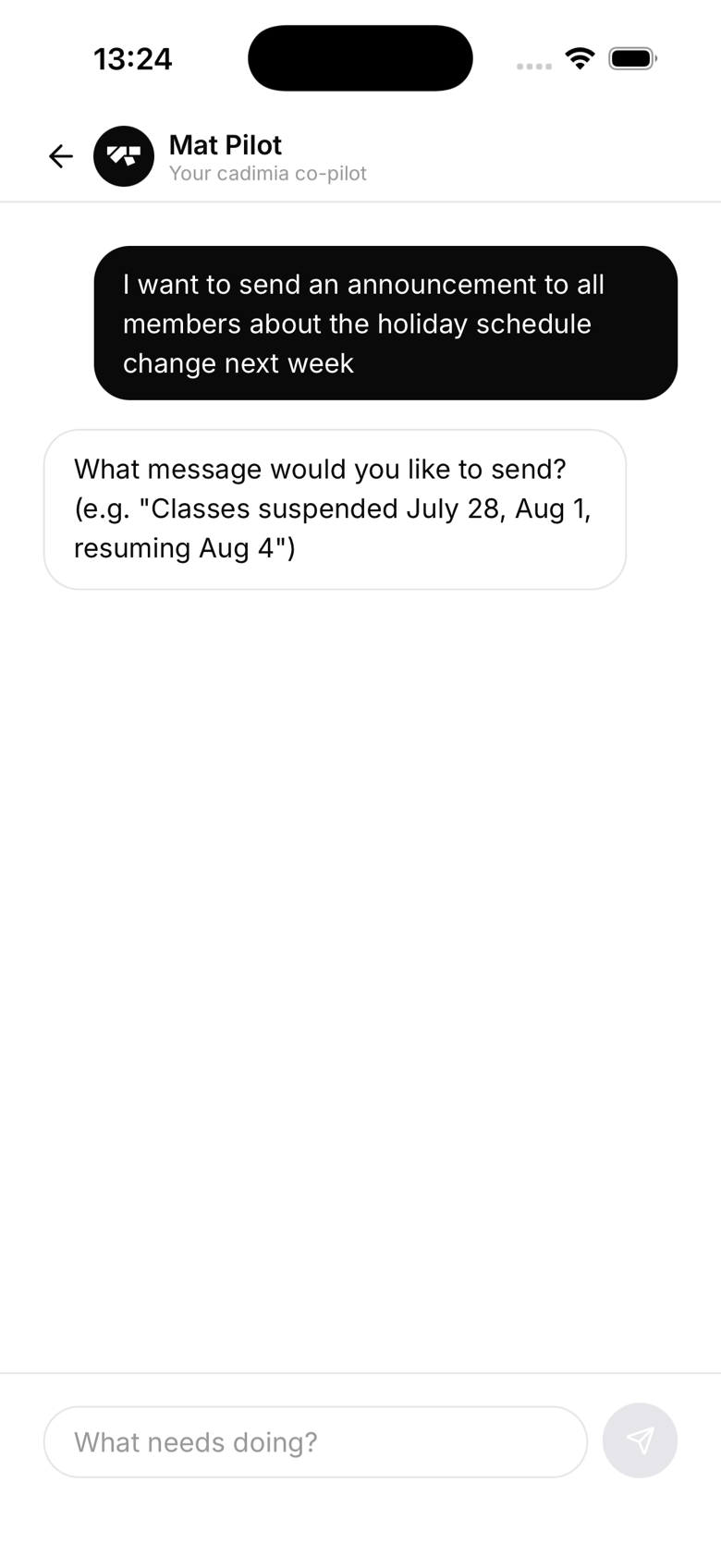
How to send an announcement
In the AI chat, say:
- "Send an announcement that class is cancelled tomorrow due to a bank holiday"
- "Tell all active members about the grading next Saturday"
- "Notify members that the gym will close at 8pm this Friday"
The AI drafts the message
The AI writes a message based on your request and asks which channels to use if you haven't said. You'll see the draft before it's sent:
Announcement to all active members, push and email: "Class cancelled tomorrow (Mon 7 Jul), Bank Holiday. Normal schedule resumes Tuesday. See you on the mat!"
Tap Confirm to send, or tell the AI what to change first.
Who receives it
By default, announcements go to all active members. You can ask the AI to target a narrower audience instead:
- "Send this only to members who haven't trained in 30 days"
- "Notify only members on the Kids plan"
- "Send this to parents of minors"
Timing
Announcements are sent immediately after you confirm. There's no scheduling feature, if you need to send at a specific time, come back to the AI when that time arrives.
Delivery
Members receive it by push notification, email, or both, depending on the channels you chose. Members who have disabled push notifications won't get a push, and the same goes for email if they've opted out.