Promoting a member with AI
How to promote via AI
In the AI chat, say something like:
- "Promote Sarah to blue belt"
- "Give Marcus his second stripe on purple"
- "James is ready for his brown belt in BJJ"
How the AI identifies the member
The AI searches your member list by name. If there are multiple members with similar names, it will ask you to clarify.
The preview
Before applying the promotion, the AI shows:
Promote member: Sarah Murphy BJJ: White Belt to Blue Belt
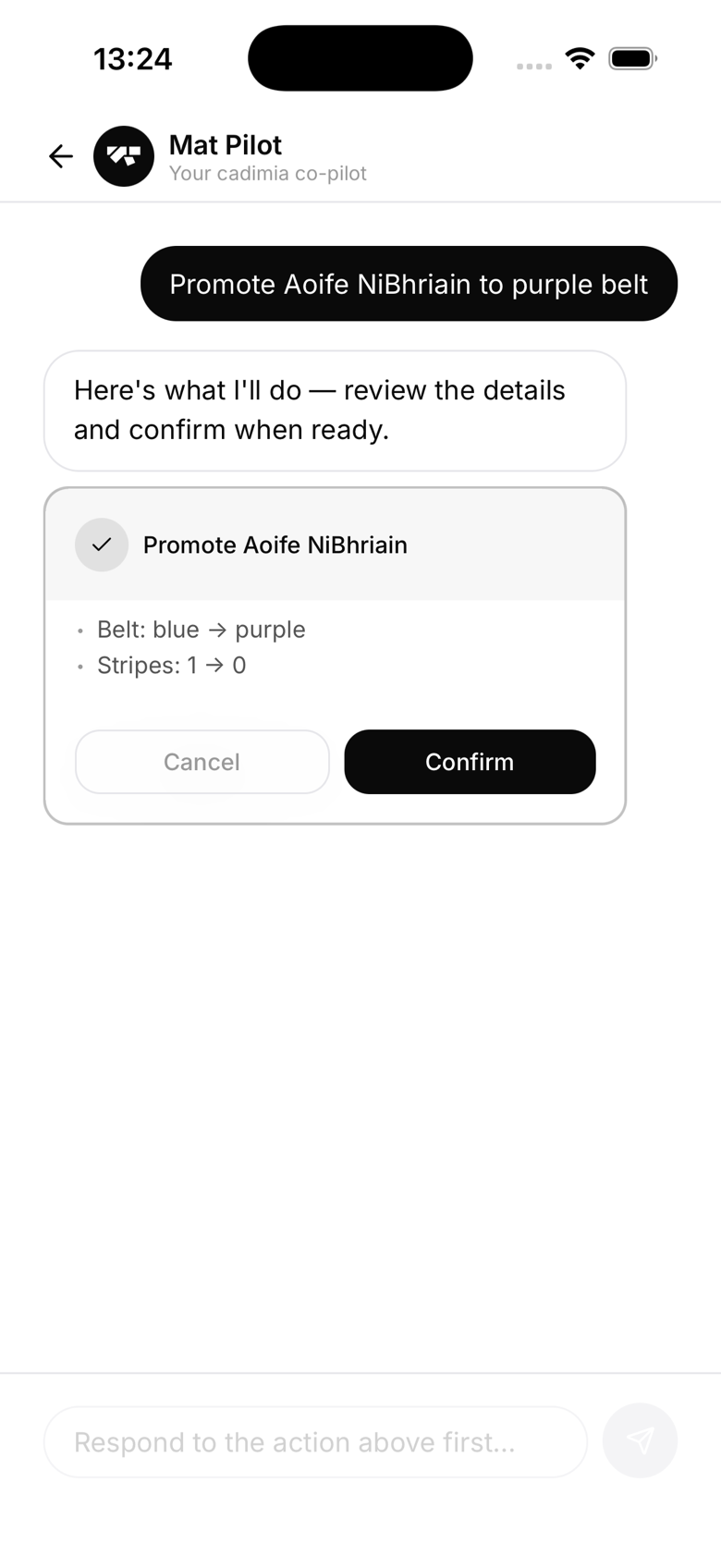
Confirm to apply the promotion. This updates Sarah's belt on her profile and records the change in her promotion history.
Generating a diploma
Promoting through the AI doesn't generate a diploma automatically. Head to Sarah's profile, Ranks tab, to generate one for the promotion whenever you're ready, or use the bulk diploma tool from the members list for a group of promotions at once.
Bulk promotions
For grading ceremonies with multiple promotions, use Graduation Day (Gym → Graduation Day) rather than promoting one-by-one through the AI. The AI is best for individual spot promotions.