Help Center › Grading & Promotions
Planning a Graduation Day
Candidates, RSVPs, belt fees, diplomas: one screen, and nothing changes until you confirm.
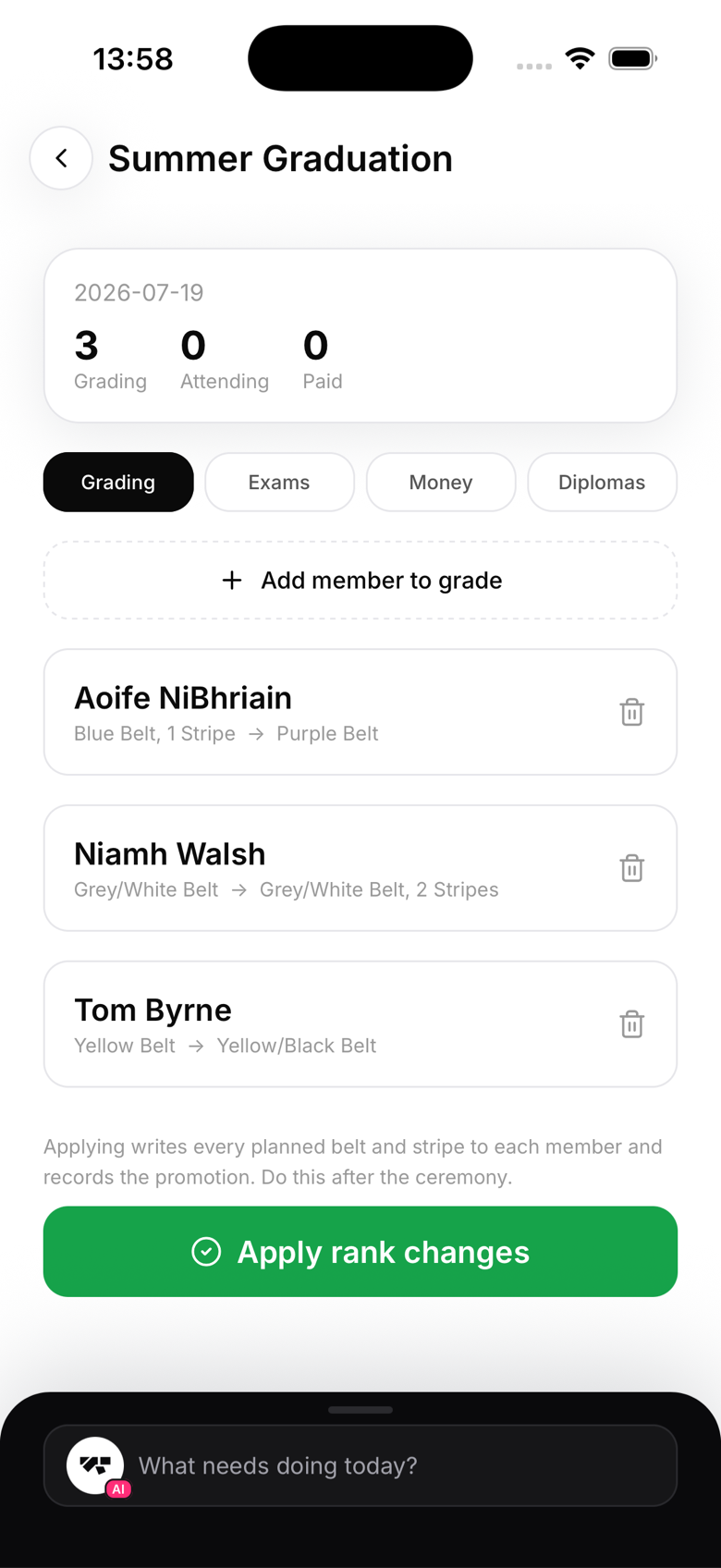
Create the event
- Go to Events in the menu (More on a phone), then Graduation Day, and tap New
- Add a title and a date
Build the candidate list
On the Grading tab, add each member and set their target belt and stripes. The list shows the change plainly, for example "Blue Belt, 1 Stripe to Purple Belt", so mistakes are caught before the ceremony, not after.
Exams, money, and RSVPs
- Exams: record scorecards on the day
- Money: charge a belt fee or a meal, per attendee, through your connected Stripe account
- Diplomas: bulk-generate certificates for everyone being graded (see "Bulk promotions for a ceremony")
- Members RSVP in their app, so you know how many are attending
Apply the changes
After the ceremony, tap Apply rank changes. Every planned belt and stripe is written to each member and recorded in their promotion history. Do this after the event, ranks only change when you confirm.