Help Center › Grading & Promotions
Diploma design and customisation
Design options
Theme Choose from curated presets: Classic, Modern, Minimal, Premium, Competition, and Kids, plus art-specific traditional themes for BJJ, Judo, Karate, and Muay Thai.
Layout
- Orientation: Portrait or Landscape
- Size: A4 or US Letter
Background Multiple procedural backgrounds are available, no image files needed:
- Plain, clean and minimal
- Subtle paper
- Rice paper
- Tatami, textured martial arts feel
- Canvas
- Light parchment, warm and traditional
- Dark premium, high contrast
- Geometric, modern
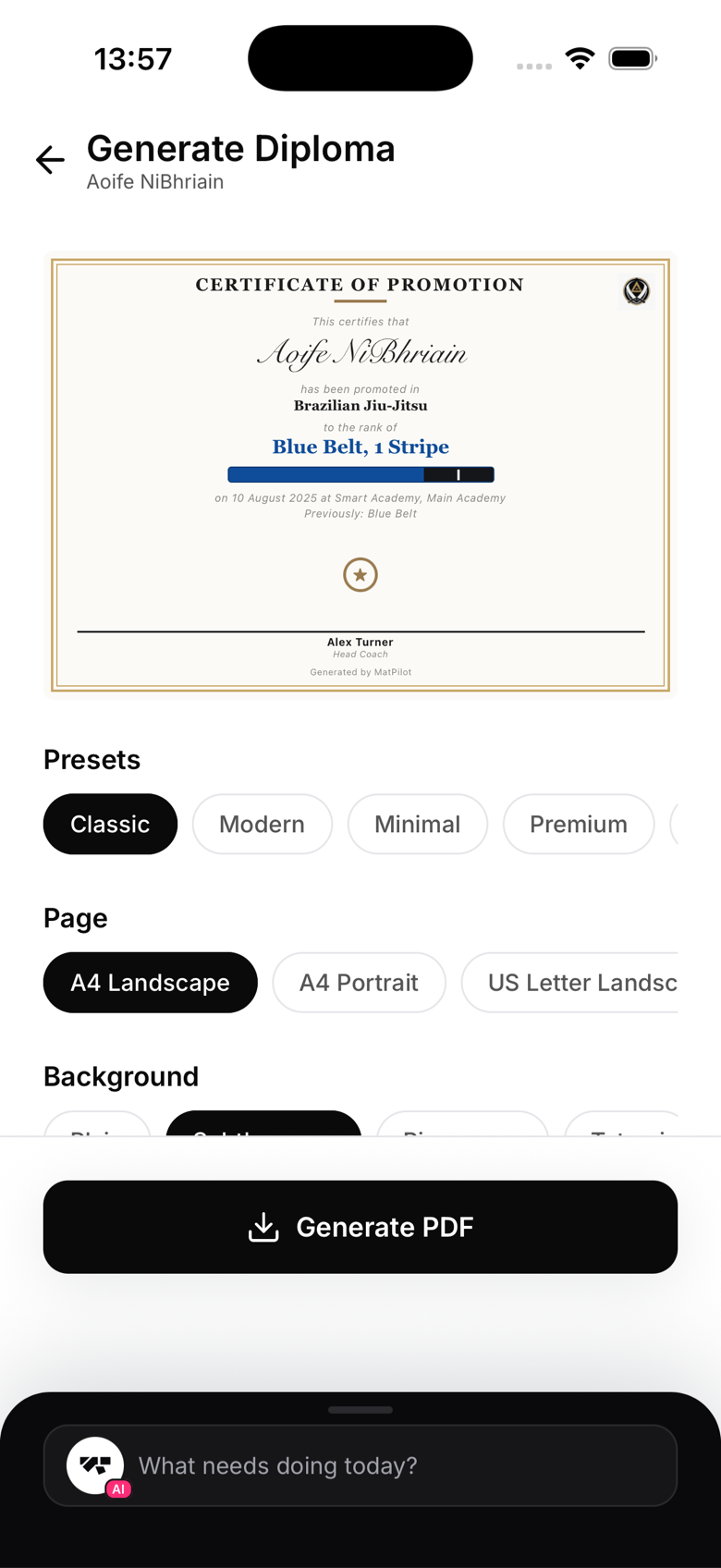
Accent colour Override the theme accent with any hex colour to match your gym's branding.
Belt graphic For belted arts, a vector belt graphic is drawn automatically in the correct colour and format for that art, stripes for BJJ, a dan bar for Judo or Karate black belts. For non-belted arts, the rank level is shown as text instead.
Signatories Add one or more signature lines with name and title. Once you pass three signatories, they switch to a compact grid so the layout stays clean.
Certificate wording The body text is fully editable. The default wording is professional but you can personalise it for your gym's voice.
Saving design preferences
Your last-used design settings carry over to the next diploma you generate, so you won't need to reconfigure the theme every time.