Help Center › Grading & Promotions
Promotion history and records
Viewing a member's promotion history
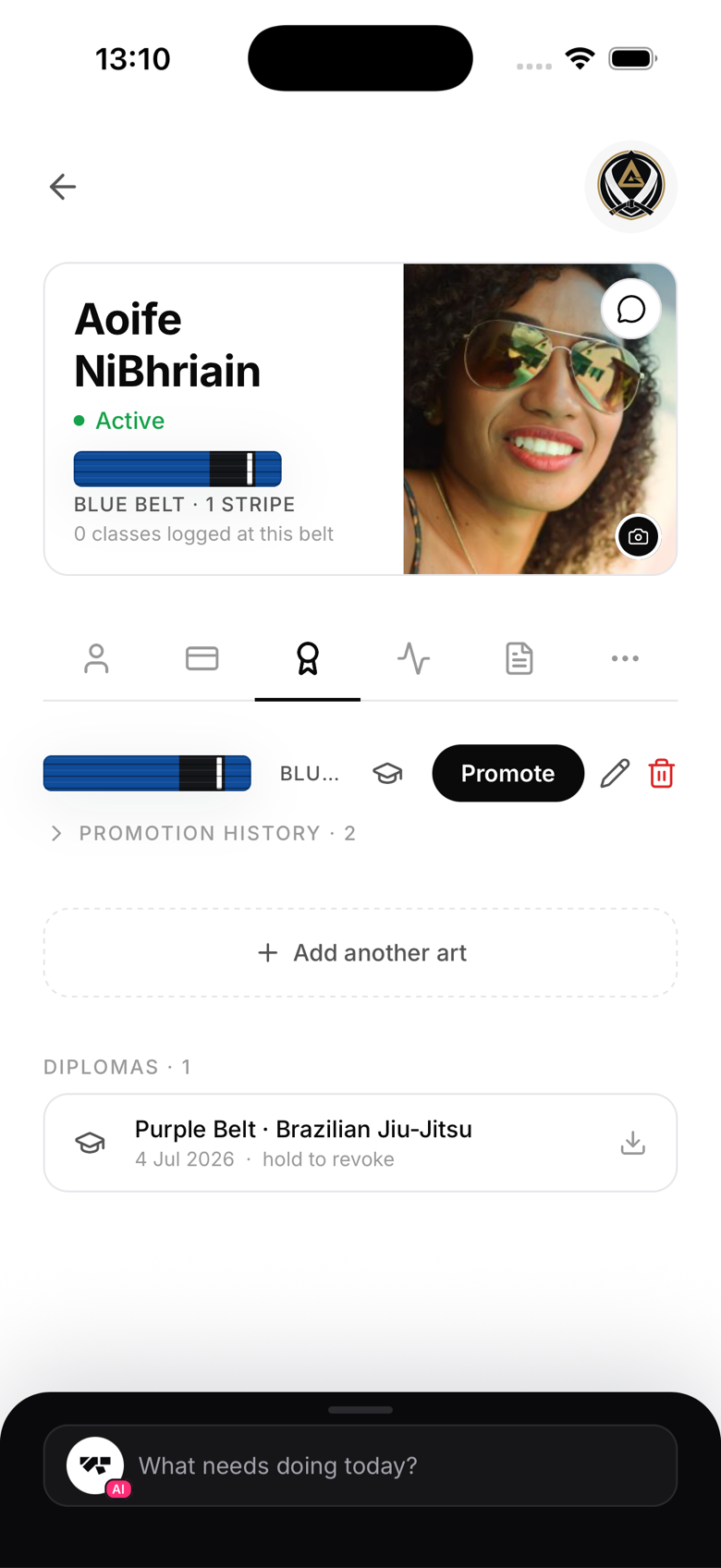
Open the member's profile, Ranks tab. You'll see a chronological timeline of every rank change, including:
- Date
- Art
- From rank, to rank
- Instructor name
- Diploma link (if generated)
What members see
Members can see their full promotion history in the Progress section of their own app. This is one of the most motivating screens, seeing the journey from white belt to their current rank laid out in order.
Instructor attribution
When a promotion is recorded, the logged-in user (owner or instructor) is credited as the promoting instructor. For a Graduation Day ceremony, that credit goes to whoever taps Apply after the event, so make sure the right person is logged in when you do.
The promotion record format
Each record stores a snapshot of the exact data at the time of promotion: member name, belt, date, gym name. This means the record stays accurate even if you later change the gym name or the member updates their own name.
Cannot be edited or deleted
Promotion records are immutable by design. If you made an error, correct the member's current belt using the Set belt option on their Ranks tab, the incorrect promotion stays in history for the record. For anything more serious, contact MatPilot support.