Help Center › Grading & Promotions
Generating a promotion diploma
A real certificate beats a handshake; professional PDFs straight from the promotion record.
Generating a diploma
After promoting a member, tap Generate diploma from the confirmation screen. Or go to the member's profile, Ranks tab, and tap Generate diploma for their current rank.
The diploma designer
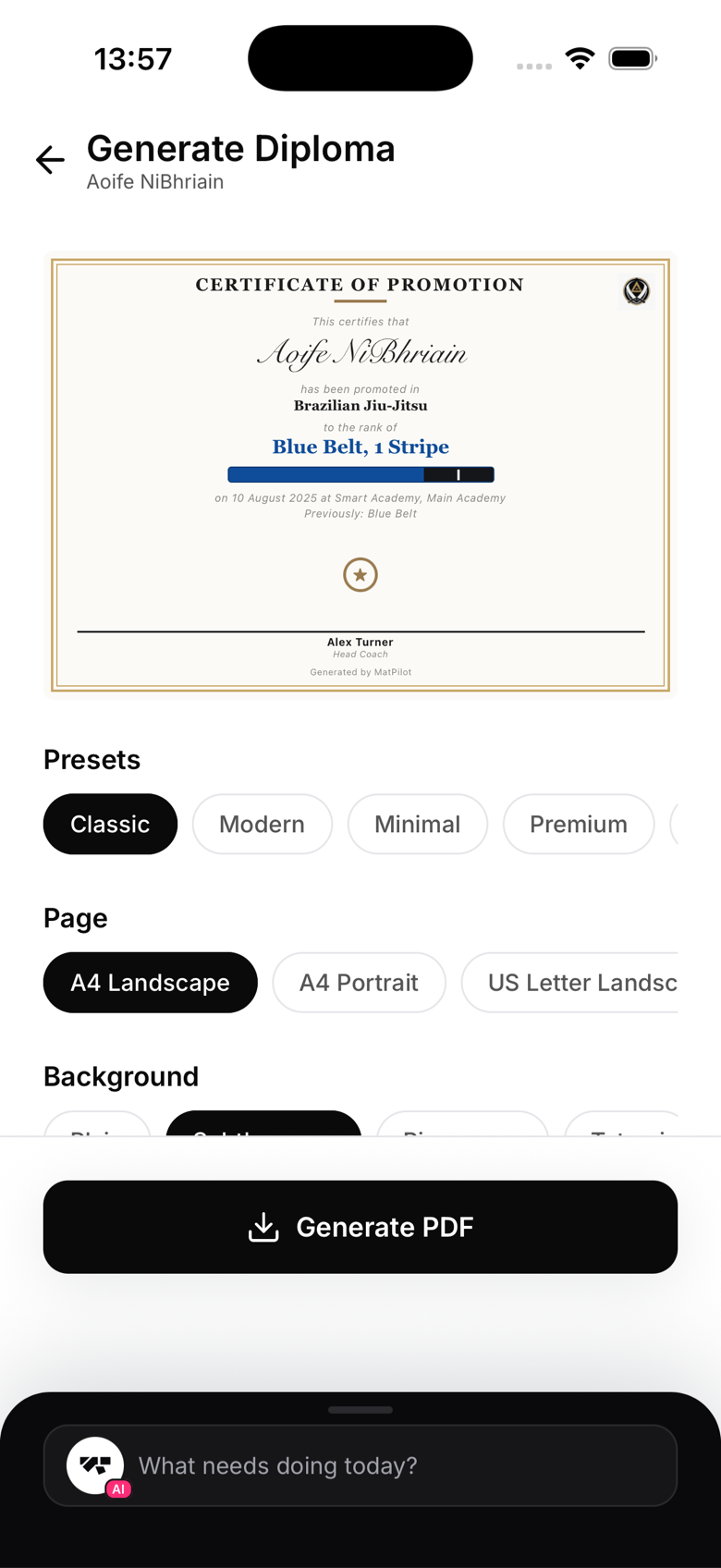
The designer lets you customise:
- Theme, a set of curated presets (Classic, Modern, Minimal, Premium, Competition, Kids, plus art-specific themes for BJJ, Judo, Karate, and Muay Thai)
- Layout, portrait or landscape, A4 or US Letter
- Background, paper, parchment, tatami, canvas, geometric, dark, and more, all drawn procedurally, no image files needed
- Belt graphic, shown automatically for belted arts and rendered art-aware, a Judo black belt gets a dan bar, not a BJJ stripe
- Coach title, "Head Coach", "Sensei", "Professor", and other suggestions tailored to the art
- Signatories, add one or more instructors with their name and title. Past three, they switch to a compact grid layout
- Wording, the certificate body text is fully editable
Preview
The diploma preview updates live as you change settings. What you see is what prints.
Generating and sharing
Tap Generate to create the PDF. You'll see options to:
- Share, send via AirDrop, Messages, WhatsApp, and more
- Open, view in your default PDF viewer for printing
- Save, saved automatically to the member's profile for later access
QR verification
You can opt in to a certificate number and a QR code that links to a public verification page. Recipients can scan it to confirm the promotion is genuine, useful for competitions or club transfers.