Help Center › Marketing & Growth
Shortlinks, QR codes, and landing pages
A poster is only as good as what happens when someone acts on it; give every campaign a trackable link.
Shortlinks
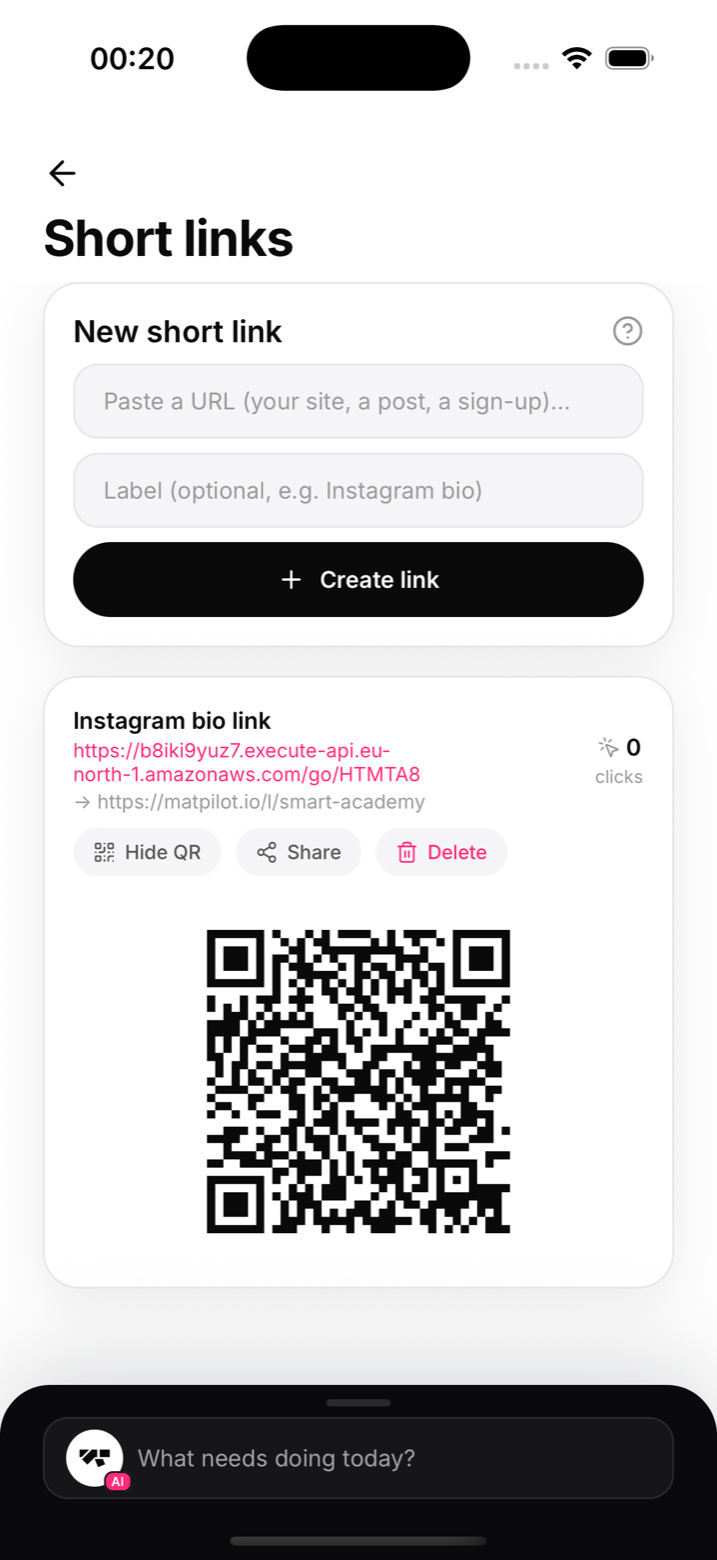
Create a shortlink from the Marketing screen and you get a clean URL on the MatPilot domain (matpilot.io/go/yourcode) that redirects wherever you point it: your lead form, a seminar payment link, your timetable. Because the link is yours, you can see that it's actually being used.
QR codes
Every shortlink comes with a QR code, sized for print. Gym window, flyers, the back of a business card: someone scans, they land exactly where you chose.
Landing pages
For campaigns that need more than a redirect, create a hosted landing page (matpilot.io/l/yourpage) with your gym's branding, a pitch, and a lead form wired to your Leads screen. No web developer required.
A simple playbook
- Landing page for "2 free classes"
- Shortlink pointing at it, QR poster in the window
- Enquiries land in Leads, you reply same day
- Convert to member with the prefilled sheet
Notes
- Links keep working if you edit the destination later
- Use a separate shortlink per placement to see which locations pull weight