Help Center › Marketing & Growth
The referral program
Your best marketing channel already trains here twice a week; give them a reason to say so.
Turn it on
- Open My Academy in the menu (More on a phone), go to the Money tab and tap Referrals
- Enable the referral program
- Choose the reward:
- Free class credits (set how many, and an optional expiry in days)
- % off next invoice
- Optionally write a short blurb members see when sharing
How it works
Every member gets a personal code to share. When someone they refer joins and makes their first payment, the referrer is rewarded automatically. No claim forms, no "did my mate sign up yet": the payment is the trigger, so rewards only go out for referrals that actually became paying members.
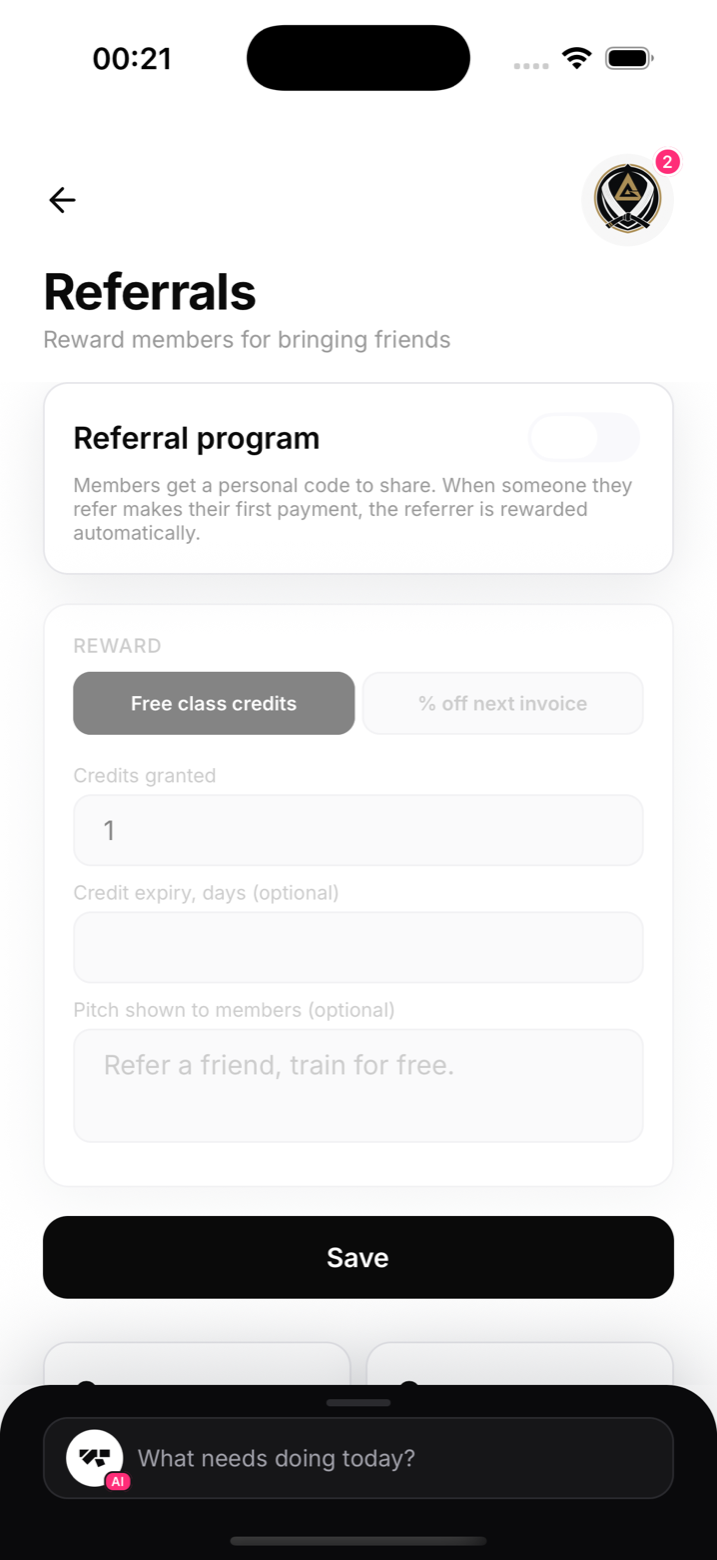
Choosing the reward
Class credits cost you nearly nothing at the margin and feel generous. A percentage off the next invoice is cleaner for members on unlimited plans who can't use extra credits. Either way, the reward should feel like a thank-you, not a bribe.
Notes
- Rewards are granted automatically and visible on the member's profile
- Combine with a discount code for the new joiner and both sides of the referral win