Suspending or reactivating members with AI
Suspension is a real consequence, so the AI treats it like one: preview, orange warning, your confirmation.
Suspending via AI
In the chat, say:
- "Suspend John Doe's account"
- "Remove access for Marcus until he pays his bill"
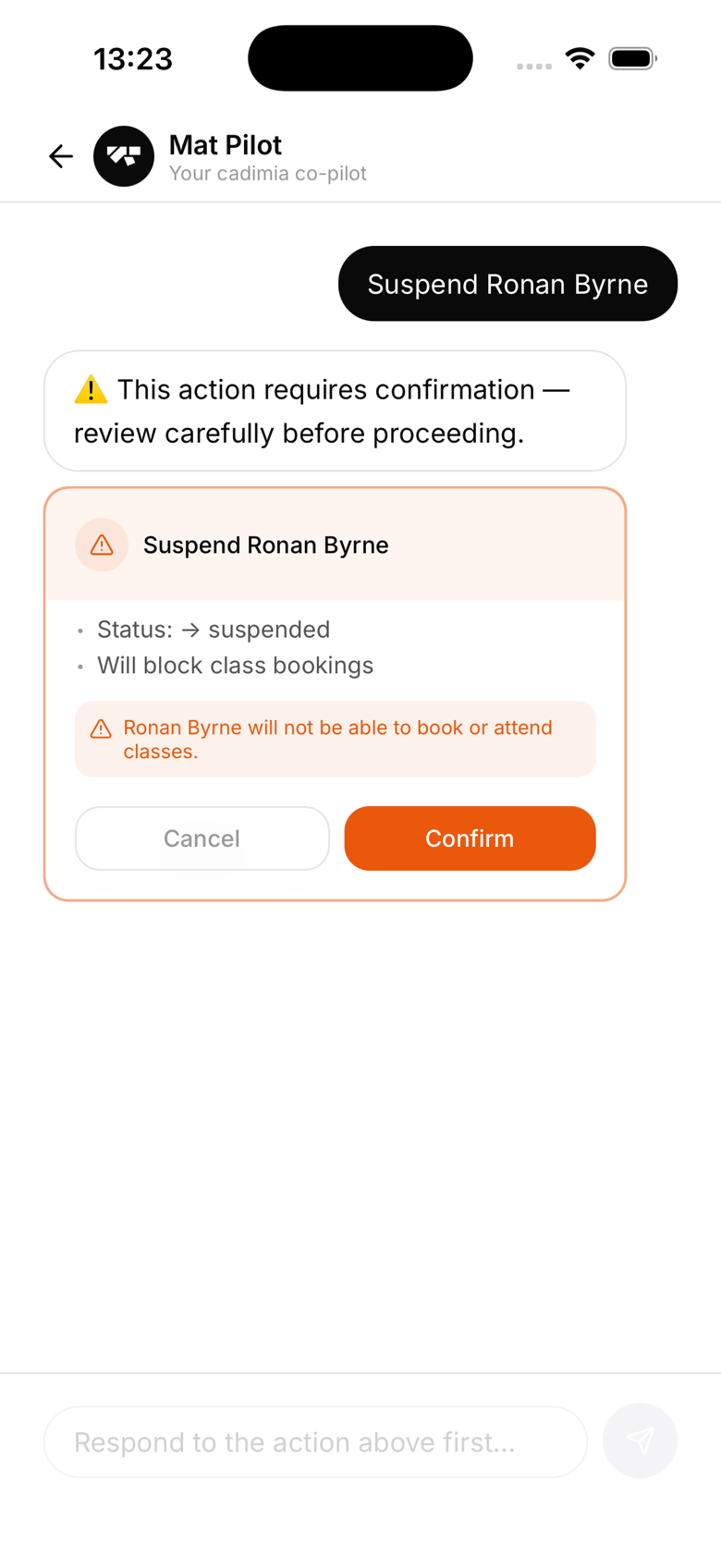
Because suspension is flagged as a destructive action, the AI shows an orange warning card instead of the usual preview:
⚠️ Suspend member John Doe will not be able to book or attend classes. This does not cancel their Stripe subscription, billing continues as normal.
You must tap Confirm to proceed. The AI won't suspend anyone without that explicit approval.
What suspension does
- Member's status changes to suspended
- They cannot book classes or check in
- Their Stripe subscription remains active, billing continues
- They can still log in and view their profile
Reactivating via AI
To restore access:
- "Reactivate John Doe"
- "Reinstate Marcus's membership"
Reactivating still shows a preview card and needs your confirmation, it's just not flagged as destructive since it only restores access. Access is restored immediately after confirming.
Suspension vs. archiving
- Suspend, temporary. Access removed but data and subscription intact. Use for payment disputes or temporary bans.
- Archive, permanent offboarding. Use when a member leaves the gym.