Help Center › Phone & WhatsApp
Call forwarding, opening hours and voicemail in MatPilot Phone
Opening hours
Every answer below depends on whether you are open. Out of the box, calls are answered during your classes, plus 30 minutes either side, so the phone follows your timetable without you setting anything. You can set your own hours instead: a day switched off is a closed day, and times are in your academy's timezone.
Outside your hours:
- calls go to voicemail, or to another number if you enter one under Send out-of-hours calls to
- numbers you add under Always ring through get through whatever the time. A withheld number cannot match.
Who the phone rings
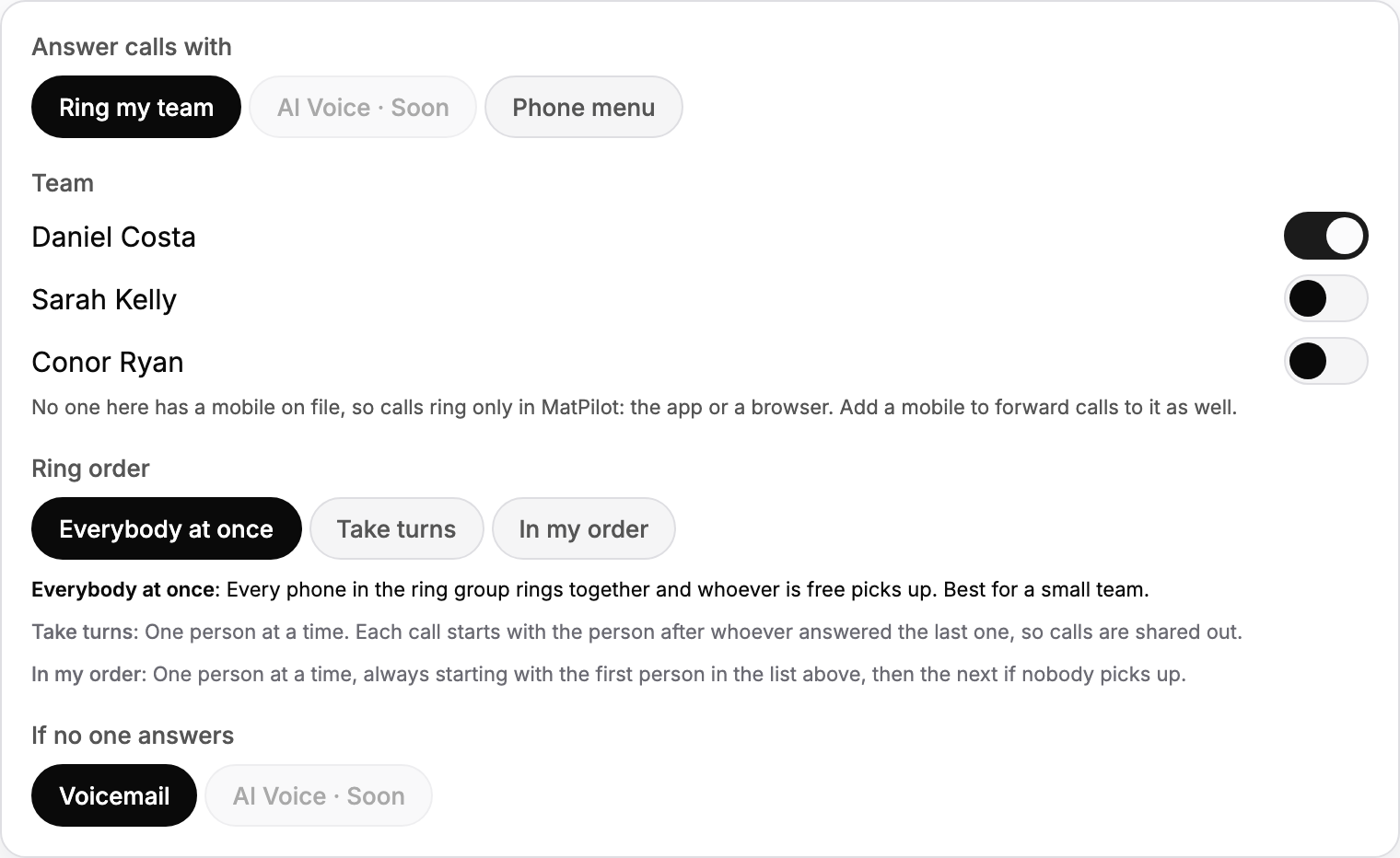
Under Answer calls with, choose Ring my team. A Phone menu, where callers press a number first, is there if you want one; most academies don't.
In Team, switch on each person the phone should ring. Only owners and managers can be in it, and whoever answers sees the caller card: who they are, their plan and their family.
Calls ring in MatPilot, in the app and in a browser. If a person has a mobile number on their profile, the call is forwarded to that mobile as well, so it reaches them with MatPilot closed. Forwarded minutes have their own rate and do not use your free minutes.
Ring order
- Everybody at once: every phone rings together and whoever is free picks up. Best for a small team.
- Take turns: one person at a time, starting with the person after whoever answered last, so calls are shared out.
- In my order: one person at a time, always starting with the first person in the list, then the next if nobody picks up.
When nobody answers
Unanswered calls, and calls while you are closed, go to voicemail. Set the greeting in Settings, Phone, Settings: type the words callers hear, or Record your own in your own voice. There is a separate Closed greeting for when you are closed.
Every voicemail shows in Calls with a play button, and with a transcript when transcription is on. See Answering, returning and logging calls in MatPilot Phone.