Staff roles explained
Role overview
Owner. Full access: billing, Stripe, settings, member management, revenue, and the AI co-pilot. Every gym normally has a single owner account.
Manager. Almost everything an owner can do, including billing actions, connecting Stripe, membership plans, kiosk setup, gym settings, and promotions. The two things reserved for the owner are changing anyone's staff role and, by default, viewing the audit log.
Instructor. Operational access: view rosters, take attendance, and generate promotion diplomas. Instructors cannot change a member's belt or stripes themselves, that stays with the owner and manager, and they can't see billing or revenue data.
Reception. Front desk access: check members in and view the class schedule. Reception can't edit member profiles, take payments, or see financial data.
Student. Member access: their own profile, schedule, payment history, and belt progress. They can't see any other member's data.
Choosing the right role
Most gym owners use:
- Manager for a trusted co-owner or head instructor who helps run the business
- Instructor for coaches and assistant instructors
- Reception for admin volunteers or front-desk staff
Changing a role
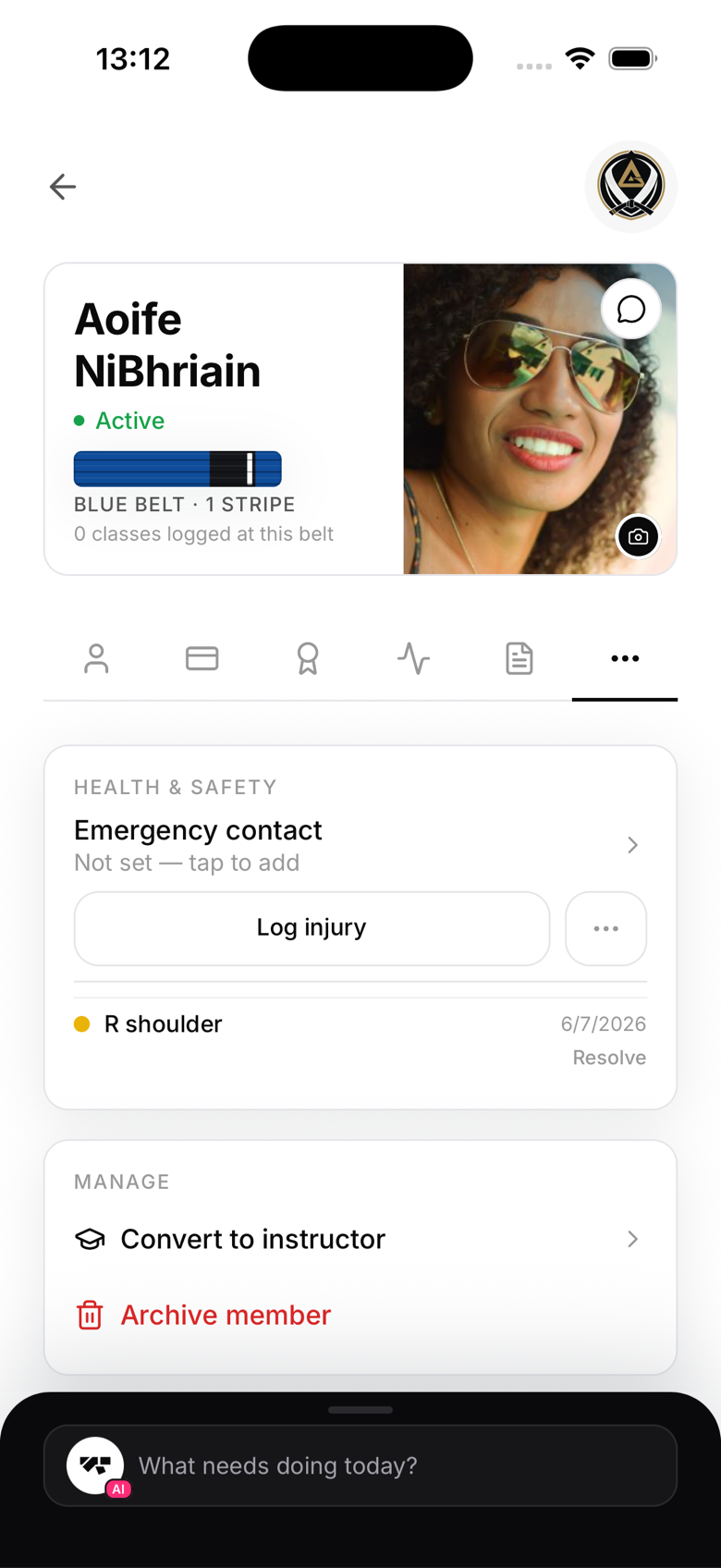
From an owner account, open the member's profile and use the Manage section. Convert to instructor turns a student into a coach and lets you pick which arts they teach. Remove staff role moves a staff member back to a regular student. Only the owner can make these changes, a manager can't change anyone's role. Manager and Reception roles aren't self-service from the app today, if you need one set up, contact MatPilot support. Changes take effect immediately since your role is checked fresh from your membership record on every request, there's no session to refresh or sign out of.