What reception staff can access
What reception can see
- Class schedule: all upcoming classes with times, instructors, and capacity
- Class roster: who's booked for each class
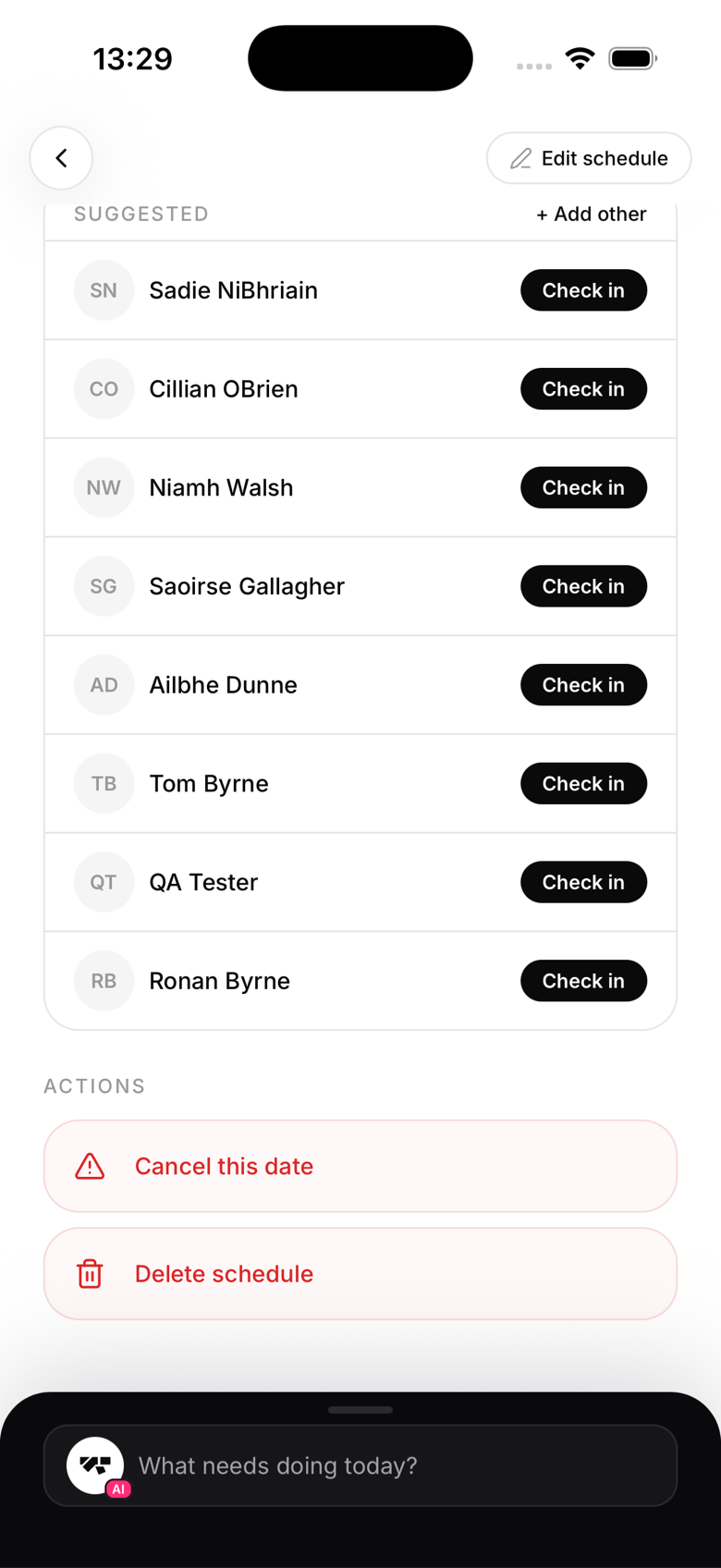
- Check-in screen: mark members as checked in from the class roster
What reception cannot see
In their staff view, reception doesn't see member profile details, payment status, or financial data, and they don't have access to the AI co-pilot or any management tools. At the API level, actions that move money, retrying a payment, taking a charge, issuing a refund, connecting Stripe, are hard-blocked for reception no matter what.
Check-in
Reception can mark members in from the roster the same way any other staff member can, including retroactively for a past date. There's no restriction limiting them to the current or next class only.
Kiosk vs. reception app
The kiosk mode and the reception role serve similar purposes but in different contexts:
- Kiosk: a shared tablet paired to the gym, no login required, designed for member self-service
- Reception role: a personal device, logged in as a specific person, designed for staff assistance
Both record check-ins with the appropriate attribution.
Moving reception into an instructor role
There's no direct "reception to instructor" switch today. The app only supports two transitions from a member's profile: converting a student into an instructor, or removing a staff role back to student. To move someone from reception into coaching, an owner first removes their staff role (back to student), then converts them to instructor and picks the arts they'll teach. Both steps are owner-only.