What is kiosk mode?
A tablet at the door handles the greeting, the check-in and the paperwork, so whoever is teaching can start warm-ups on time.
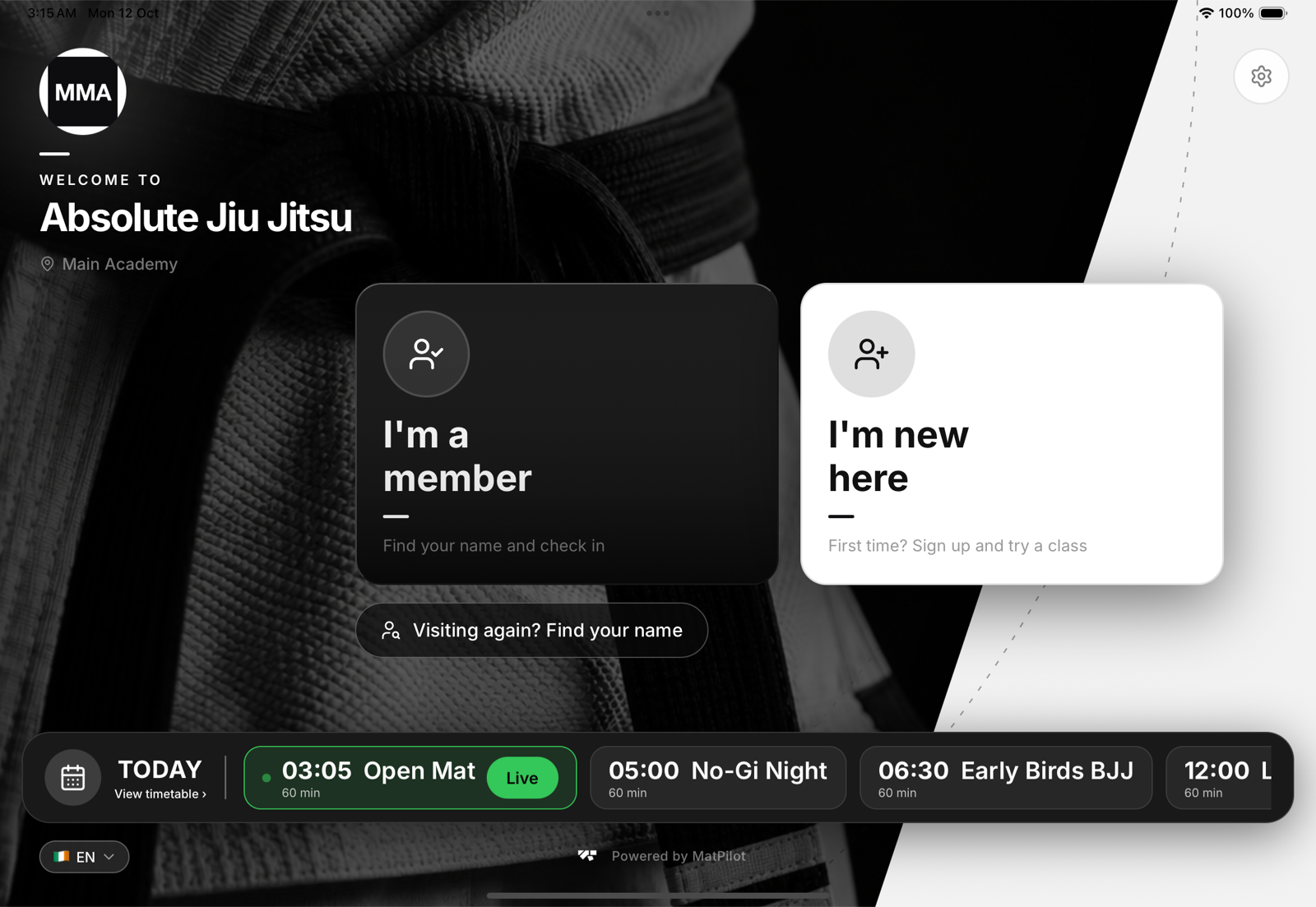
What kiosk mode does
- Self check-in. Members type a few letters of their name, tap themselves and check in to the class that is on. See Member self check-in via kiosk.
- Walk-in sign-up. Someone new taps I'm new here, fills in their details, signs your documents and starts the free trial you set. See Walk-in enrolment via kiosk.
- Returning visitors. Visiting again? Find your name lets a drop-in who came before find themselves. See Returning visitors at the kiosk.
- Documents before training. Anyone who owes a waiver signs it on the tablet before they are checked in. See Waivers at the kiosk.
What it never shows
The kiosk is a locked, single-purpose screen. It shows a first name and a surname initial, belt, age and recent attendance so people can tell themselves apart, and that is all. No contact details, no payments, no settings: the gear icon leads to a staff-only lock. See Kiosk security and access codes.
It keeps working without internet
If the Wi-Fi drops, the tablet keeps today's timetable, lets people find their name from a list saved on the tablet and keeps their check-ins until the connection is back. See When the kiosk loses its internet connection.
Supported devices
Any iPad or Android tablet runs it. A 10 inch screen or bigger works best at a busy door. See Choosing a tablet for your kiosk.