Member self check-in via kiosk
How members check in
- Tap I'm a member.
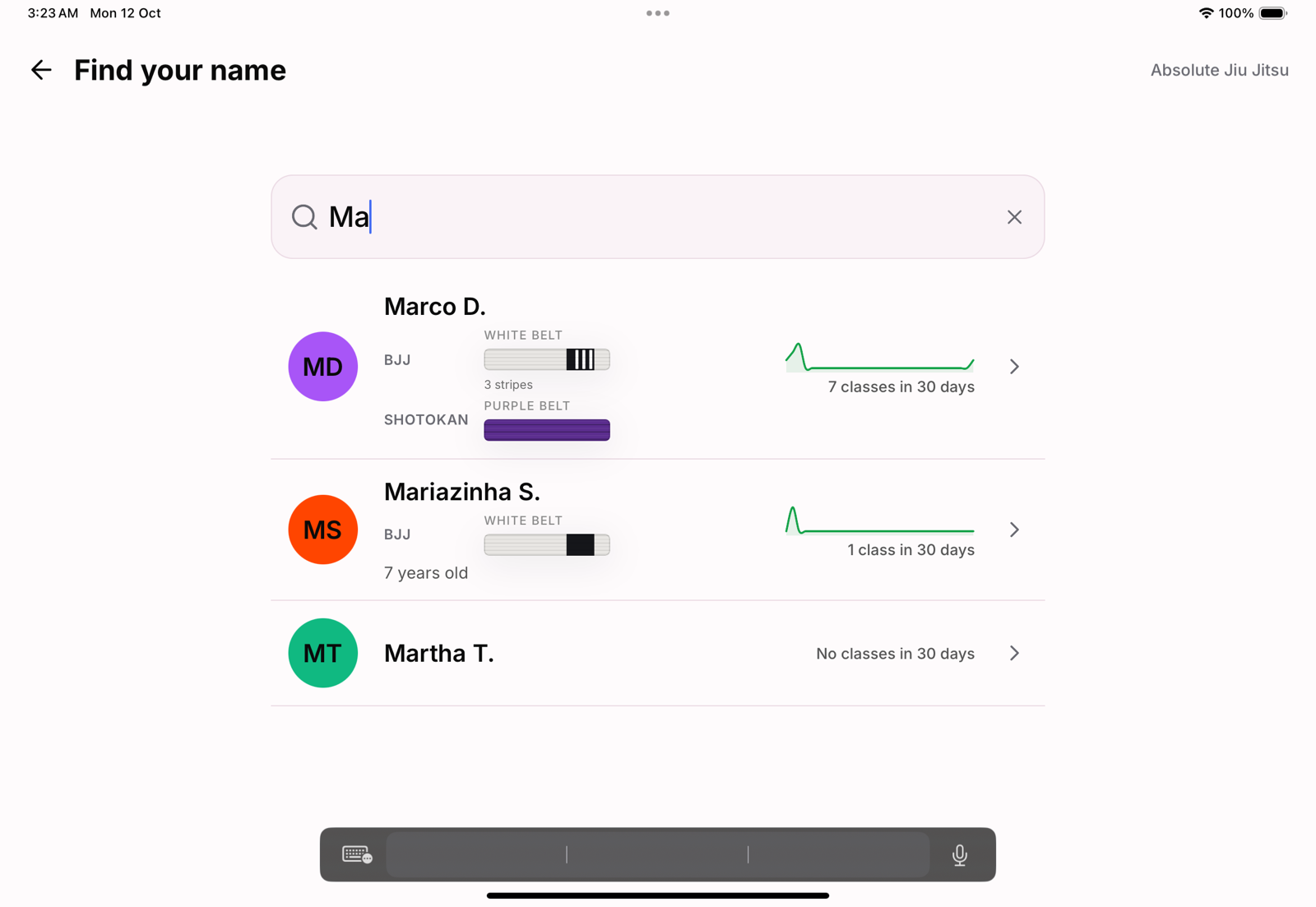
- Type a few letters of your name.
- Tap yourself in the list.
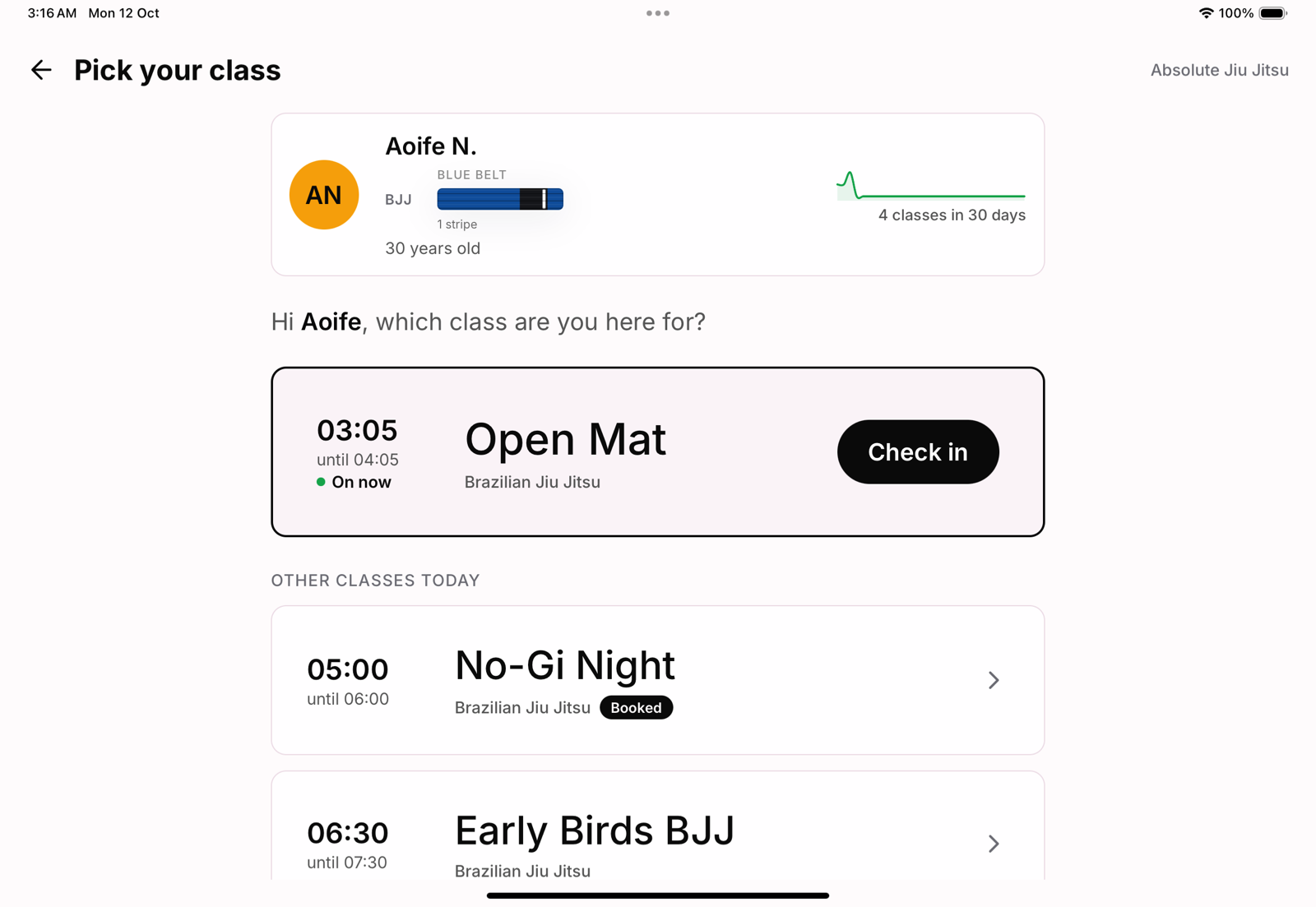
- Tap Check in on the class that is on now, or pick another of today's classes.
Making sure it is really them
There is no photo ID step. Each name in the list shows as first name and surname initial, with the belt and stripes for each art, the person's age when you have their date of birth, and the same 30-day attendance line as your members list. Two people called Aoife can tell themselves apart at a glance, and the same card stays at the top of the next screen, so a wrong tap is obvious before anyone is checked in.
The class that is on now
If one class is on or starts within 30 minutes, the kiosk puts it first with one big Check in button. A class the member booked in the app is marked Booked, and it goes first when it is on or about to start. Two classes at once, for example kids and adults side by side, is a real choice, so nothing is suggested and the member picks. Classes that have already finished are not offered; staff add late arrivals from the roster.
Booking is not needed
A member does not need to book to check in. Checking in to a booked class confirms the booking; checking in without one still records the attendance.
When the kiosk says no
If the academy would not let the member train (a membership on hold, a payment overdue, a trial that has ended, a class their plan does not include), the kiosk says why in plain words and, where it helps, offers Choose another class. See The kiosk check-in flow, tap by tap.
After check-in
The check-in appears on the class roster straight away, marked as a kiosk check-in, on the TV display if you run one, and in the member's history.