When the kiosk loses its internet connection
A Wi-Fi drop no longer stops the front desk. The kiosk keeps checking people in and catches up when the connection returns.
What keeps working
- The home screen, with your photo and today's classes as they were last loaded. A small Offline badge shows in the corner.
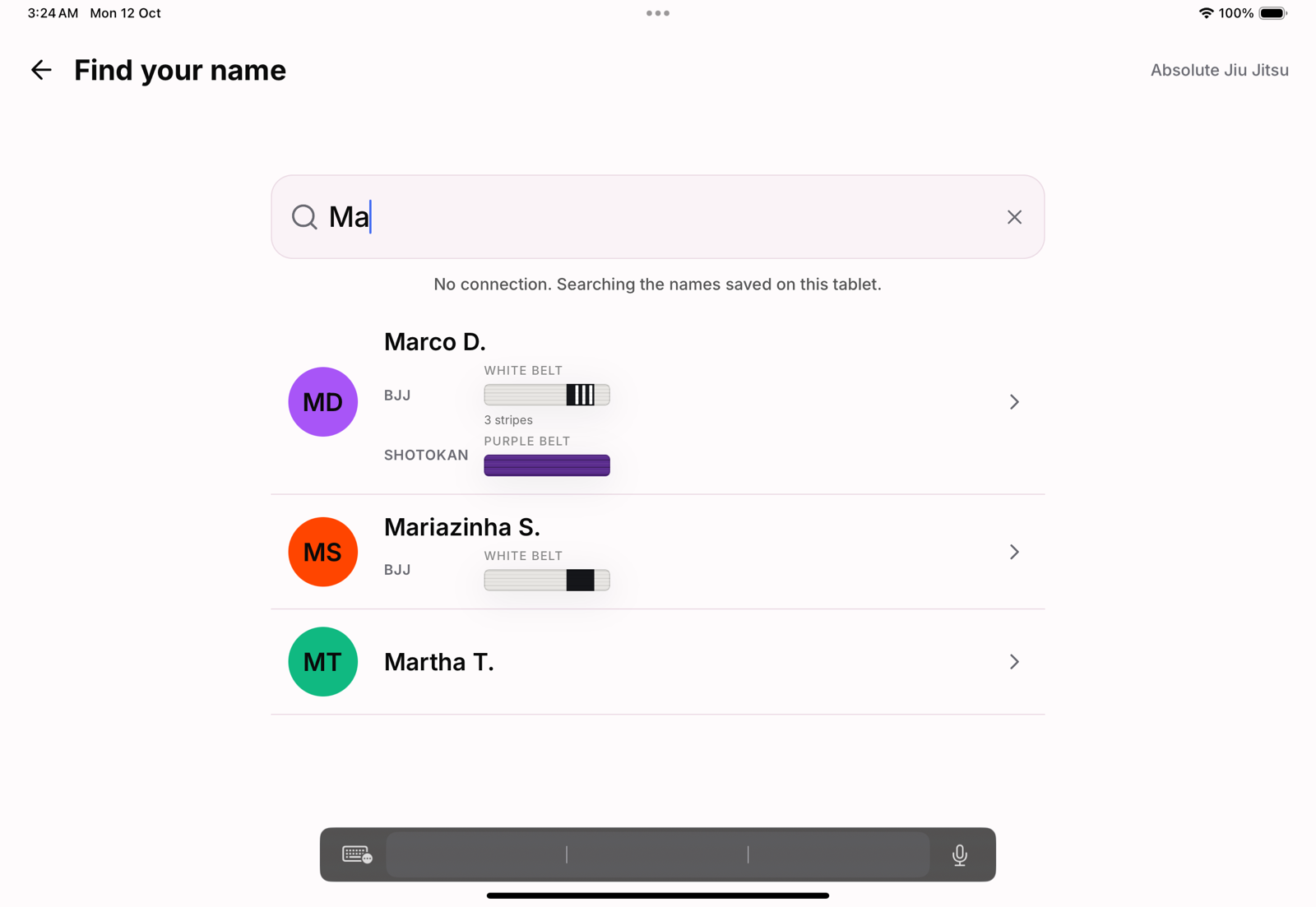
- Finding a name. The tablet keeps a list of names and refreshes it while it is online, so members can still find themselves by typing their first name. They show as first name and surname initial with their belt, without age or attendance.
- Checking in. The check-in is saved on the tablet and the member sees that it will be sent when the connection is back.
- Settings. The code the tablet was paired with still opens them.
When the connection comes back
The kiosk checks again every 30 seconds while it is offline. Once it is back, the badge clears and saved check-ins are sent in the order they were made. The academy's rules apply when they arrive, so a check-in the academy would have refused, for a membership on hold for example, is not recorded.
What it cannot do offline
- Sign up a walk-in or sign documents: both need the connection.
- Find someone who joined since the tablet last refreshed its list.
- Keep check-ins for days. A saved check-in older than 20 hours is dropped rather than filed on the wrong day.
Never back to pairing
A tablet is only sent back to the pairing screen when it has been signed out. A dropped connection, a slow network or a server hiccup never unpairs it. See Signing out kiosk tablets.