Check-in methods at the kiosk
Current check-in method
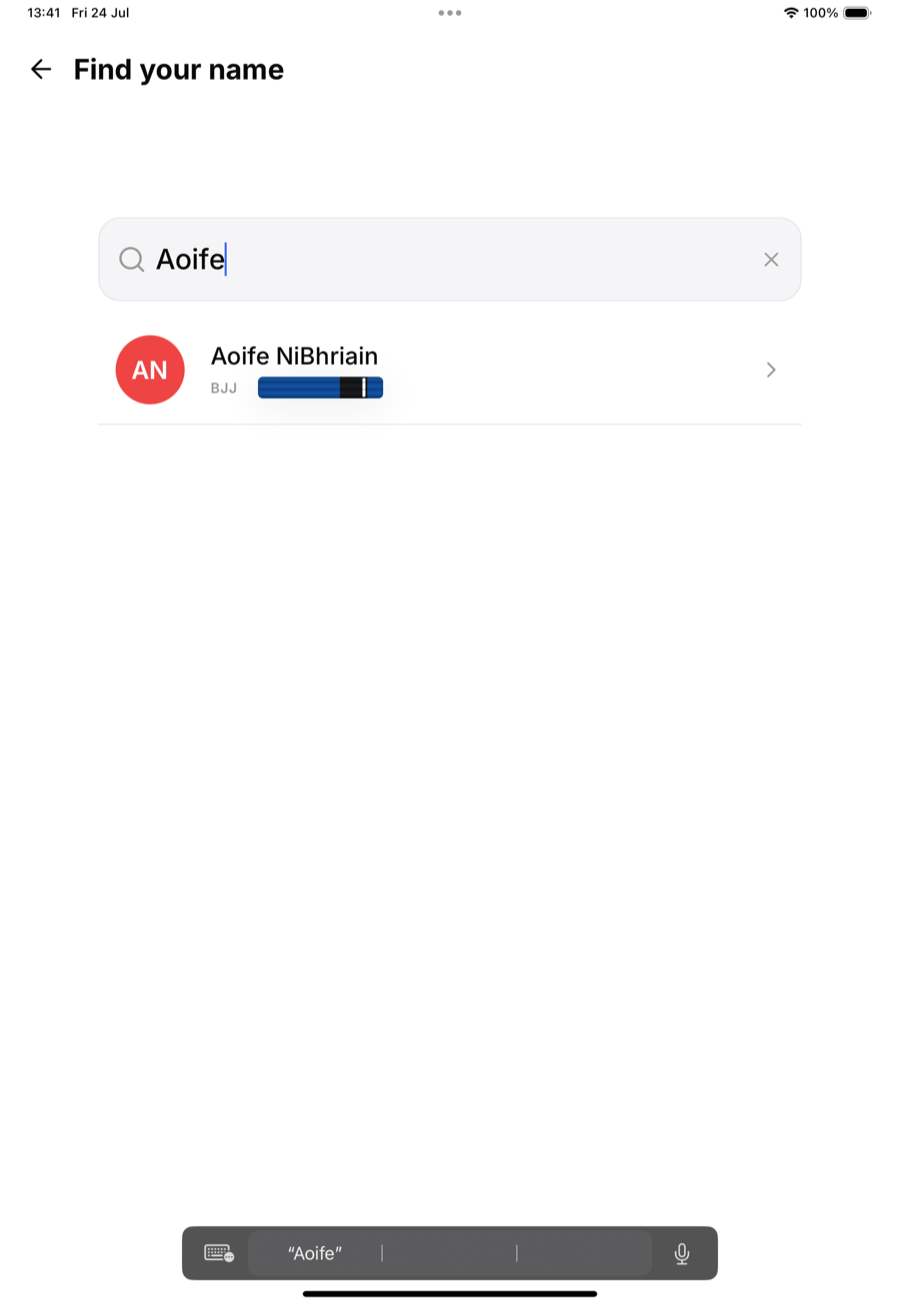
MatPilot's front-desk kiosk does not support QR code scanning or NFC tapping today. Self check-in works by name search: the member types the first couple of letters of their name on the kiosk screen and taps the matching result. See "Member self check-in via kiosk" for the full walkthrough.
Why name search for now
Name search keeps the kiosk simple. No camera permissions to manage, no printed cards to reissue when a member joins or leaves, and no extra hardware to buy or maintain. It's fast enough for most gyms, since the list narrows to a handful of names after two or three letters.
If you've seen this mentioned elsewhere
Some older material or third-party comparisons may reference QR or NFC check-in for MatPilot. That isn't part of the product today. If your gym specifically needs badge or tag based check-in, let us know, it helps us prioritise future kiosk features.
Related articles
See "Member self check-in via kiosk" for the everyday check-in flow, and "Kiosk security and access codes" for how the kiosk itself is paired and secured.