Help Center › Xero Integration
Connect your gym to Xero
Xero is cloud accounting software. Connect it to MatPilot and every member payment — subscriptions and one-off charges — becomes an invoice and a matching payment in your Xero automatically, with the correct VAT. You never re-type a payment into your books again.
It's a one-way push into the Xero you own: MatPilot only ever writes the sales it creates, your Xero stays the source of truth, and you can disconnect at any time — everything already pushed stays in Xero.
Before you start
You'll need a Xero account (any plan works). If you don't have one yet, sign up at xero.com first.
Connect Xero
- In MatPilot, open Settings → Xero (accounting).
- Tap Connect Xero.
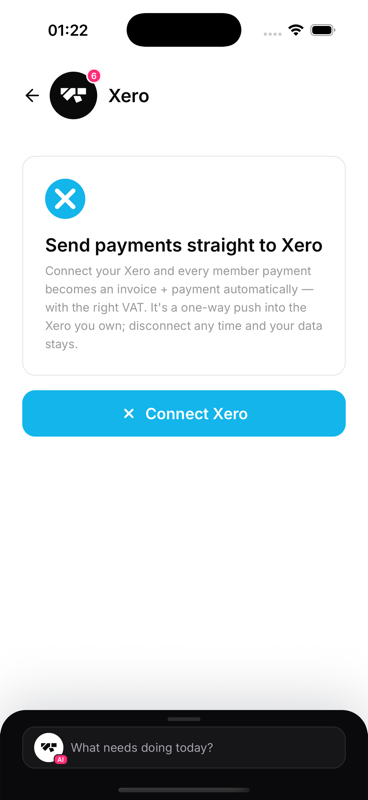
- Sign in to Xero and choose the organisation you want to link.
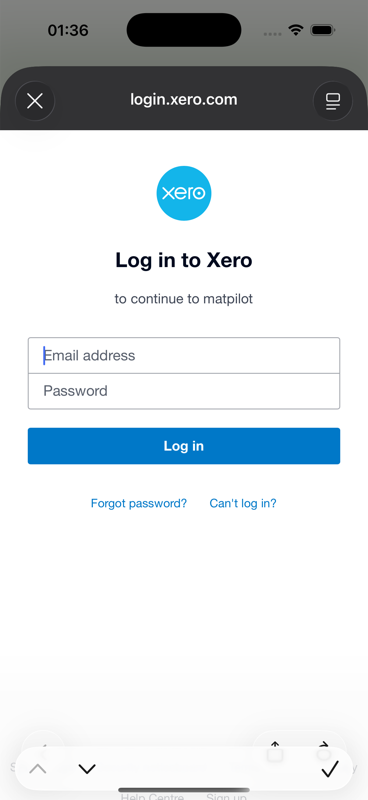
- Tap Allow to authorise MatPilot. You'll be returned to the app, now showing Connected.
That's it — MatPilot is linked to your Xero. Next, set up your account mapping so payments book to the right places (see Set up your Xero mapping).
Is my data safe?
Yes. MatPilot only sends what an invoice needs — a member's name and email, as a Xero contact. No health, attendance or grading data ever goes to Xero, and the connection is a one-way push you can revoke in a single tap.