Help Center › Xero Integration
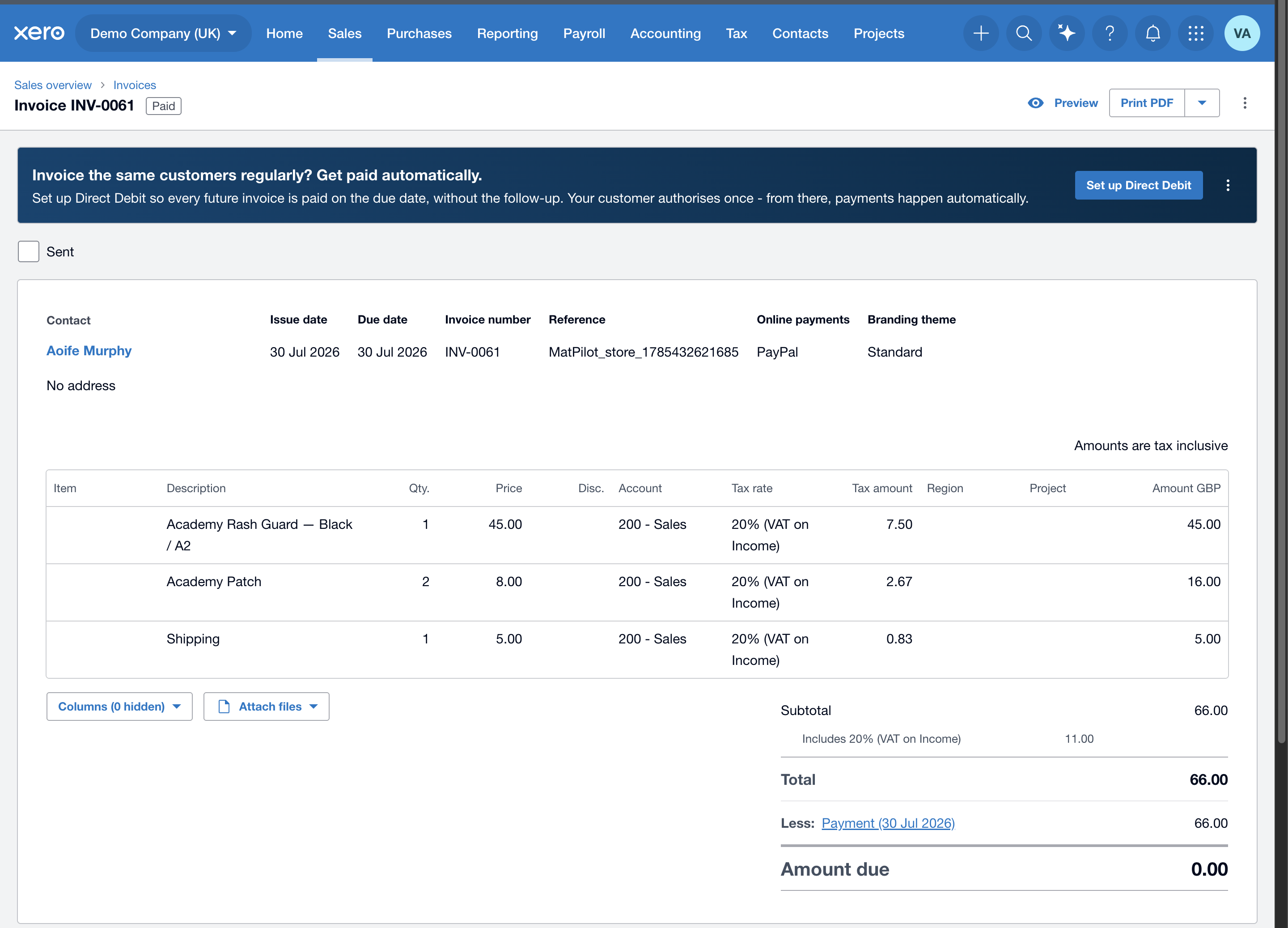
Selling merch — how store sales reach Xero
Merch and gear sold through your Academy Store flow into Xero automatically, one invoice per order.
What happens
- A member buys gear.
- MatPilot creates an approved invoice in your Xero with one line per item (plus a Shipping line if you charge postage), paid into your Stripe clearing account.
- VAT uses your gym's default rate; the invoice is VAT-inclusive.
- Each item books to the product's own Xero income account if you gave it one (under More details on the product), else to its category's account from Store sales by category on the Xero screen, else to your default income account. Shipping always goes to the default.
- A kit's saving is a negative line. It comes off the kits account when you set one in Store sales by category, or off the goods' account when they all book to the same one, else off the default.
In-person card / Tap to Pay sales reach Xero the same way. Every entry carries a MatPilot_ reference.