Help Center › Xero Integration
Every payment appears in Xero
Once your gym is connected to Xero, every kind of money you take through MatPilot is booked to your accounts automatically, not just memberships. You never re-type a payment into Xero again, and nothing is quietly left out of your books.
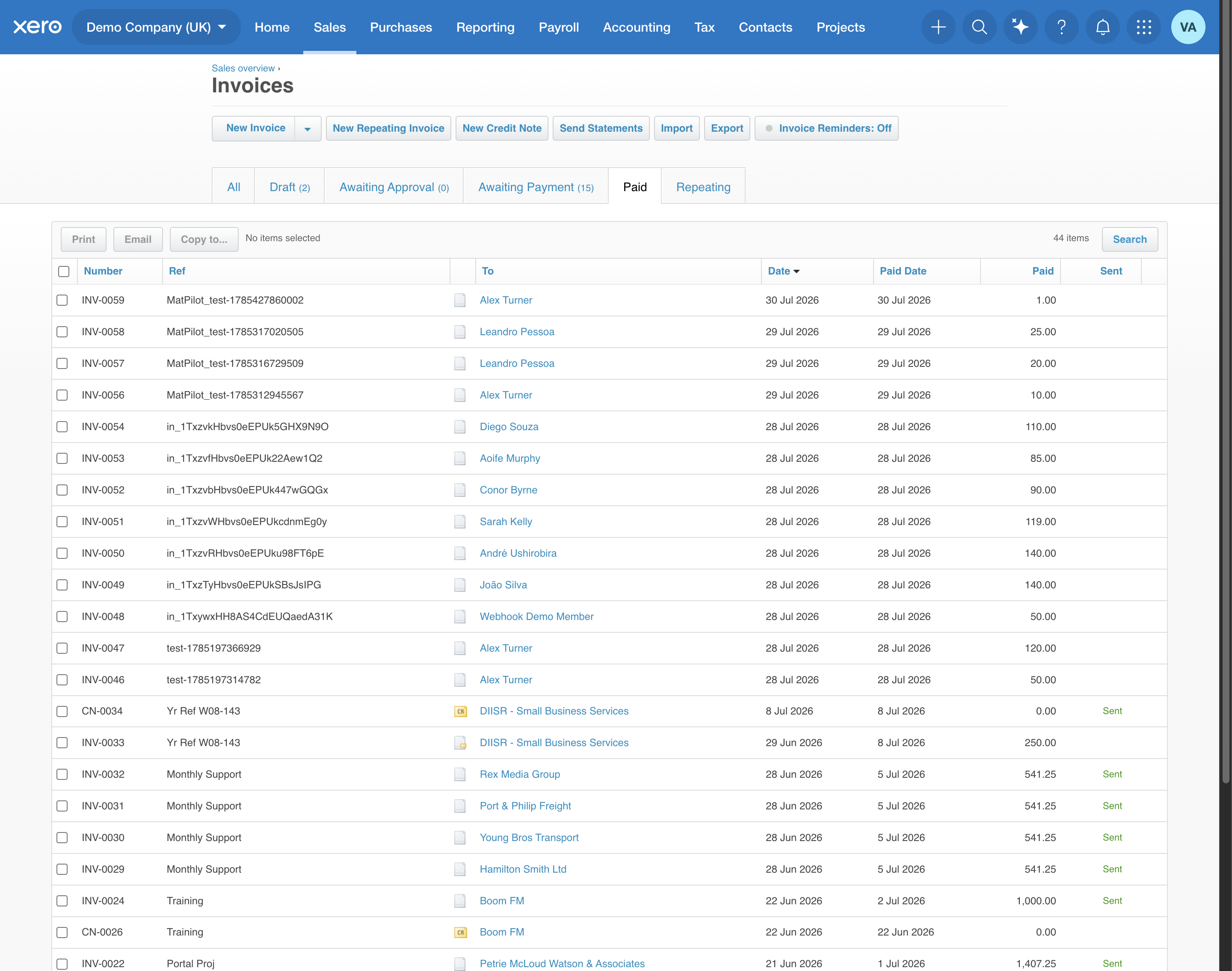
What syncs, and how it appears
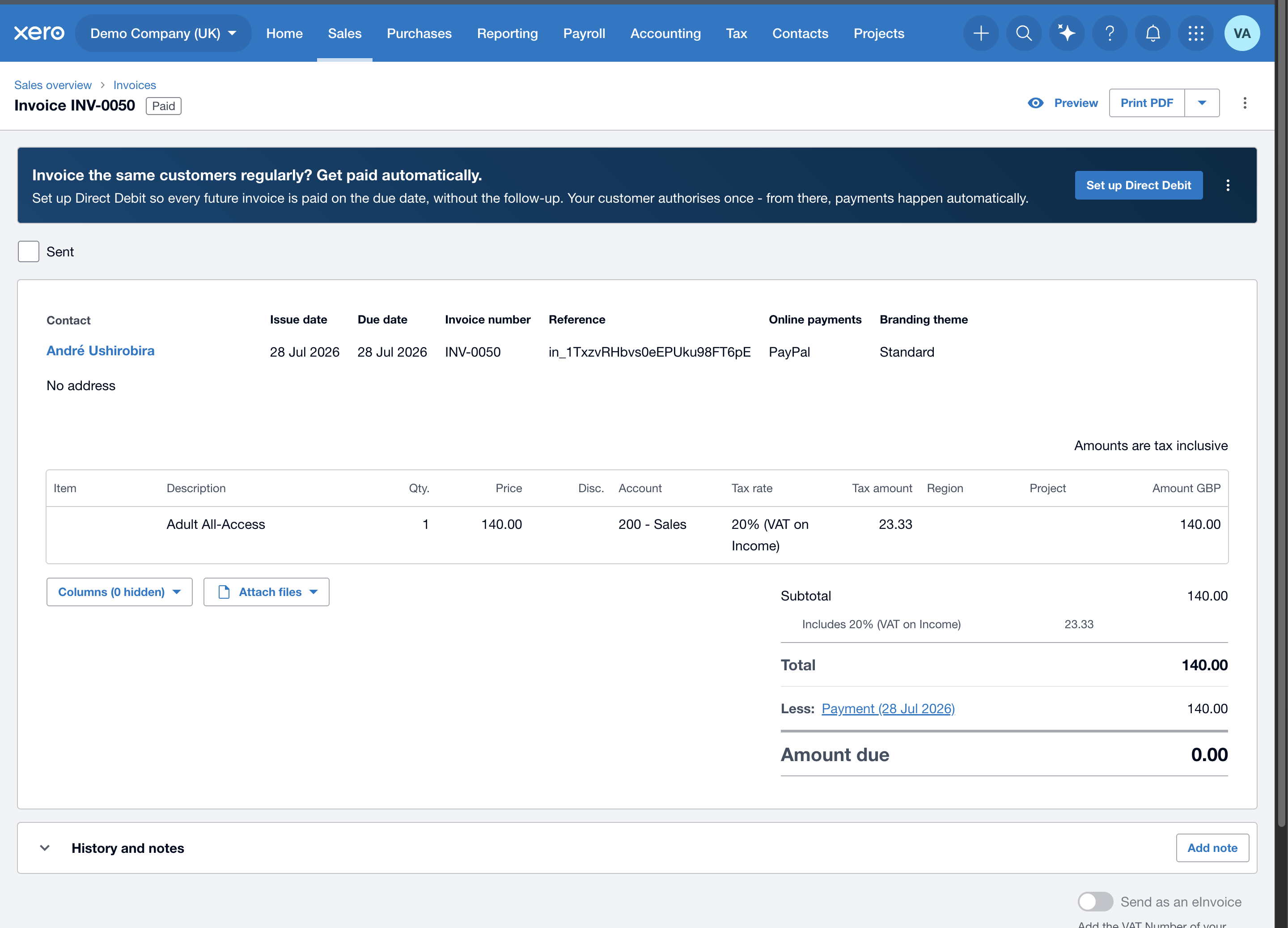
Each payment becomes an approved sales invoice in Xero, marked paid into your Stripe clearing account, at the VAT rate you mapped. Every entry carries a MatPilot_ reference so your accountant can tell our entries apart from anything they enter by hand.
| What the member pays for | How it appears in Xero |
|---|---|
| Membership (subscription), first payment and every renewal | Sales invoice, on your default income account |
| Class packs / drop-ins | Sales invoice |
| Seminars (in-app or the shareable link) | Sales invoice |
| Programs / courses, paid in full or in installments | Sales invoice per payment |
| Private 1:1 sessions | Sales invoice |
| Graduation extras (belt fee, meal) | Sales invoice |
| Content / Academy+ video purchases and subscriptions | Sales invoice |
| Store / merch orders | One invoice with a line per item, plus shipping |
| Late & no-show fees | Sales invoice |
| Cash / in-person sales (optional) | Sales invoice to your cash account |
Public-link buyers who aren't members yet (a seminar or program bought from a shared link) are added to Xero as a contact using the name and email they paid with, so the sale still lands cleanly.
Which income account each sale uses
Every sale books to your default income account unless you choose otherwise. Plans, class packs, seminars, courses, session types, graduation days, paid videos, Academy+ and store products can each have their own Xero income account, set in the item's editor; drop-ins and session passes have one on the Xero screen, and store sales can also be split by category. Ad-hoc charges, cash or bank transfers you record on a member by hand, and late-cancel and no-show fees always use the default. See Set up your Xero mapping.
Refunds and money going out
- Refunds, whether you issue them inside MatPilot or straight from your Stripe dashboard, create a credit note in Xero against the original invoice, on the income account the sale used, so your VAT nets off correctly. It's matched to the refund, so it can never double up.
- Paying instructors books an approved bill against your wages account (see the instructor-pay guide). This is opt-in: it only happens once you map a wages account.
Two things to know
- It never holds up a payment. Booking to Xero happens quietly in the background. If Xero is briefly unavailable, the member's payment still goes through, and MatPilot retries the sync on its own, so a hiccup never costs you a sale.
- VAT is set the way you mapped it. Each invoice is posted VAT-inclusive with the exact tax amount, so your VAT return is right to the cent. Which rate applies to which product is a classification decision, so check with your accountant.
What is not sent to Xero: Stripe's payout to your bank (that just moves money you've already booked), and your own MatPilot subscription (that's us billing you, not your gym's revenue).