Help Center › Xero Integration
Pay instructors and record cash sales in Xero
Two things gyms pay and receive outside of card payments, what you pay your instructors and cash you take in person, can now flow into Xero too. Both are optional: they only sync once you point them at an account, so nothing changes until you're ready.
Paying instructors
Record what you pay a coach and MatPilot books it to Xero as a bill (an approved ACCPAY expense) against your wages account. MatPilot doesn't move the money; you pay your instructors however you already do. This just keeps your books in sync.
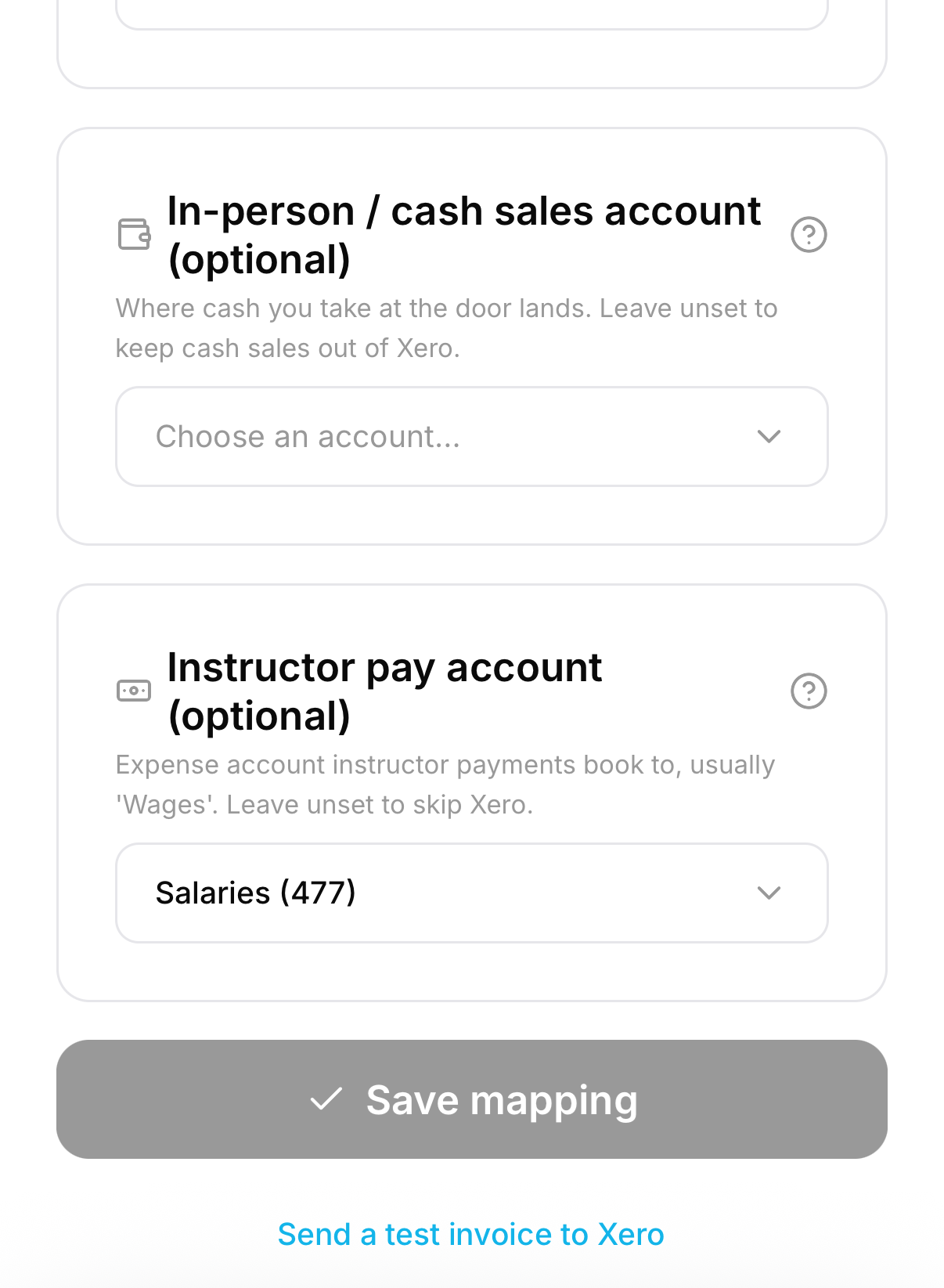
1. Point instructor pay at an account. In Settings → Xero (accounting), scroll to Instructor pay account and choose the expense account you book wages to, usually Wages or Salaries. Leave it unset to keep payroll out of Xero entirely. The In-person / cash sales account just below it works the same way for cash (see below).
2. Record a payment. Open a staff member, and on their Compensation card tap Record a payment. Enter the amount and an optional note.
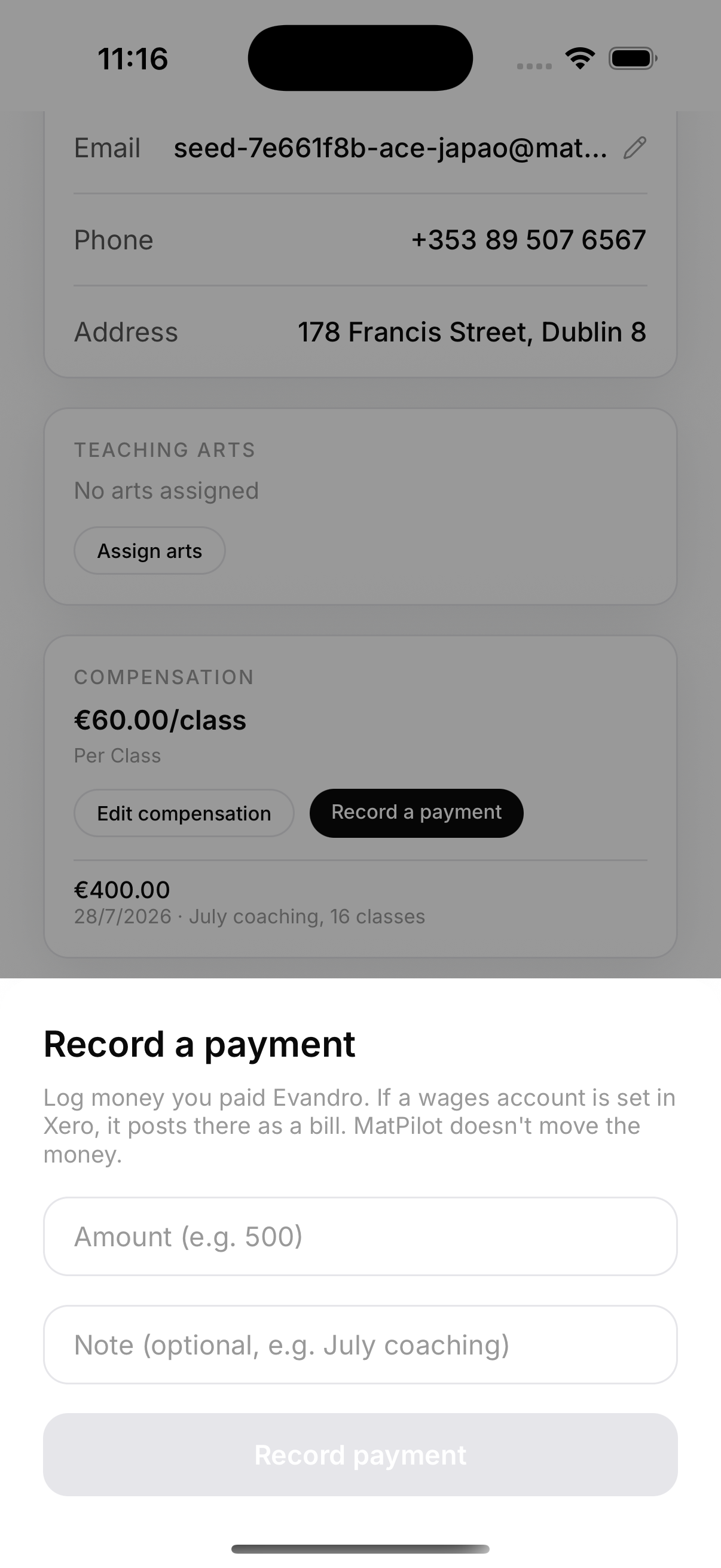
Each payment you record is listed on the card, so you always have the history to hand.
3. It appears in Xero as a bill. The payment becomes an approved bill against your wages account, with the instructor as the contact and no VAT (wages aren't a taxable supply). Every entry carries a MatPilot_ reference so your accountant can tell it apart from anything they enter by hand.
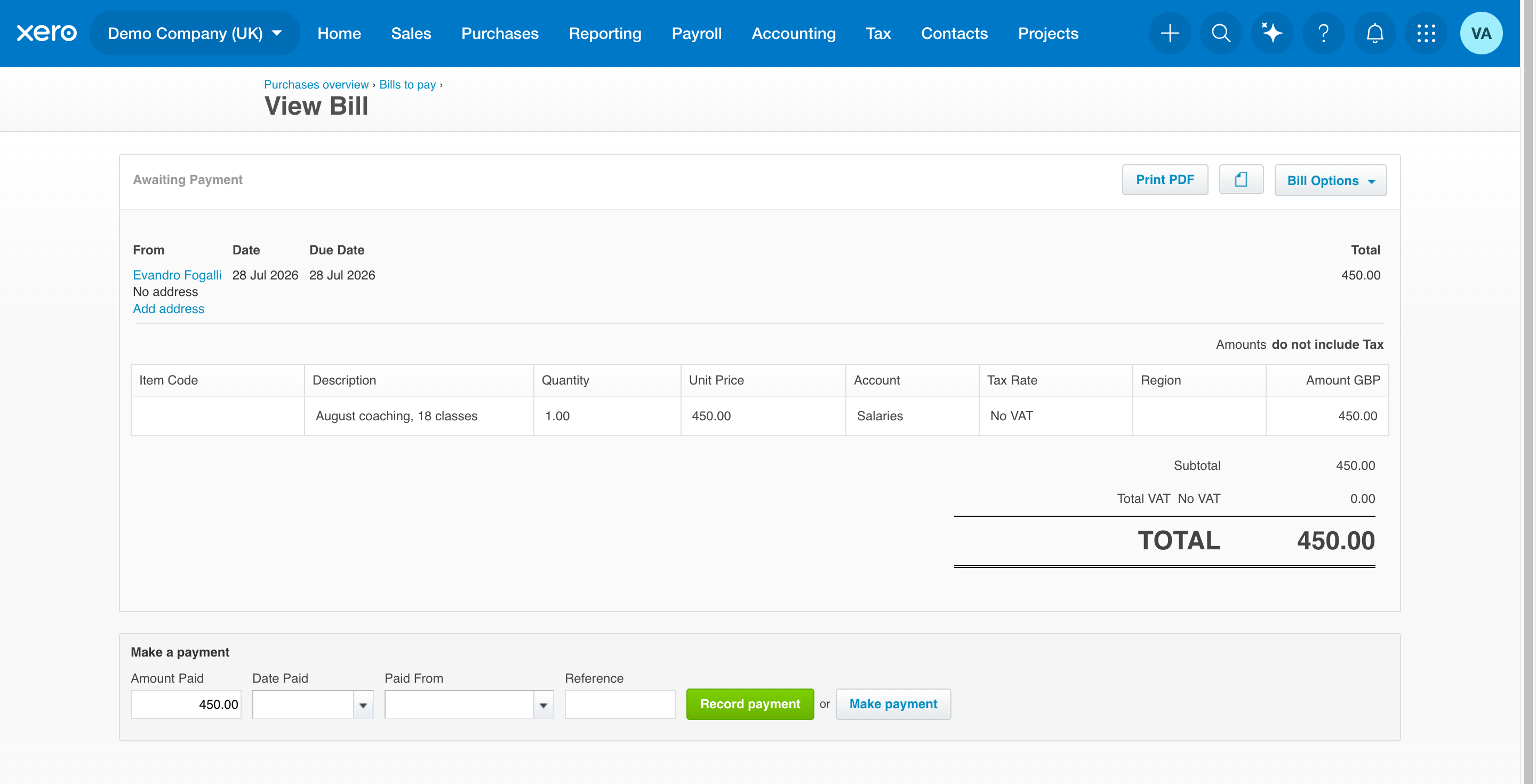
Where to find them. The instructor is added to Xero as a contact (a supplier), and each payment lands under Business → Bills to pay. They will not appear under Payroll → Employees, because MatPilot records instructor pay as bills, not through Xero Payroll, so there is no PAYE setup to do here. If you run formal payroll for employed staff, keep doing that in Xero Payroll and leave the Instructor pay account unset for those people.
Cash and in-person sales
Sometimes money comes in that MatPilot doesn't process, like a T-shirt bought with cash or a drop-in paid at the door. When you record one of these in MatPilot, it can post to Xero as a paid sale.
In Settings → Xero (accounting), set the In-person / cash sales account to the account the money actually lands in (for example Cash on hand, or your current account if you bank it). Unlike Stripe payments, this isn't a clearing account; it's where the cash truly sits. Leave it unset and cash sales stay out of Xero.
Good to know
- Both features are opt-in. No wages account set means no payroll in Xero; no cash account set means no cash sales in Xero.
- MatPilot never moves this money; recording a payment or a cash sale keeps your books accurate, nothing more.
- Payroll taxes (PAYE/PRSI) and how you classify staff are decisions for your accountant. MatPilot books the gross amount you enter.