Help Center › Xero Integration
How member payments appear in Xero
Once Xero is connected and mapped, you don't have to do anything — each member payment appears in your Xero automatically.
What gets created
For every paid member invoice, MatPilot creates in your Xero:
- A contact for the member (created once, then reused)
- An approved sales invoice with the correct VAT
- A payment against it, into your Stripe clearing account
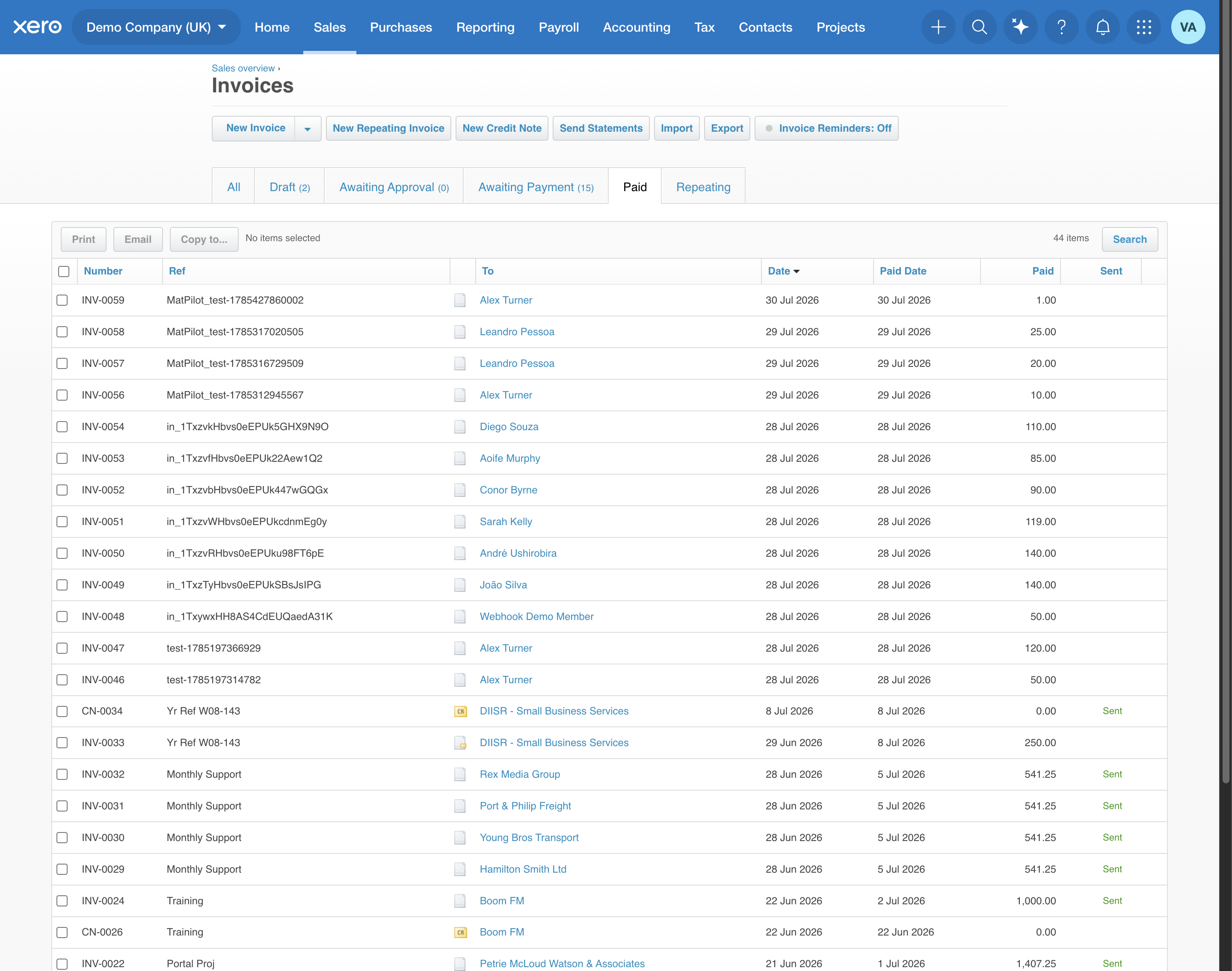
Here's a set of member payments as they appear in Xero:
VAT, done right
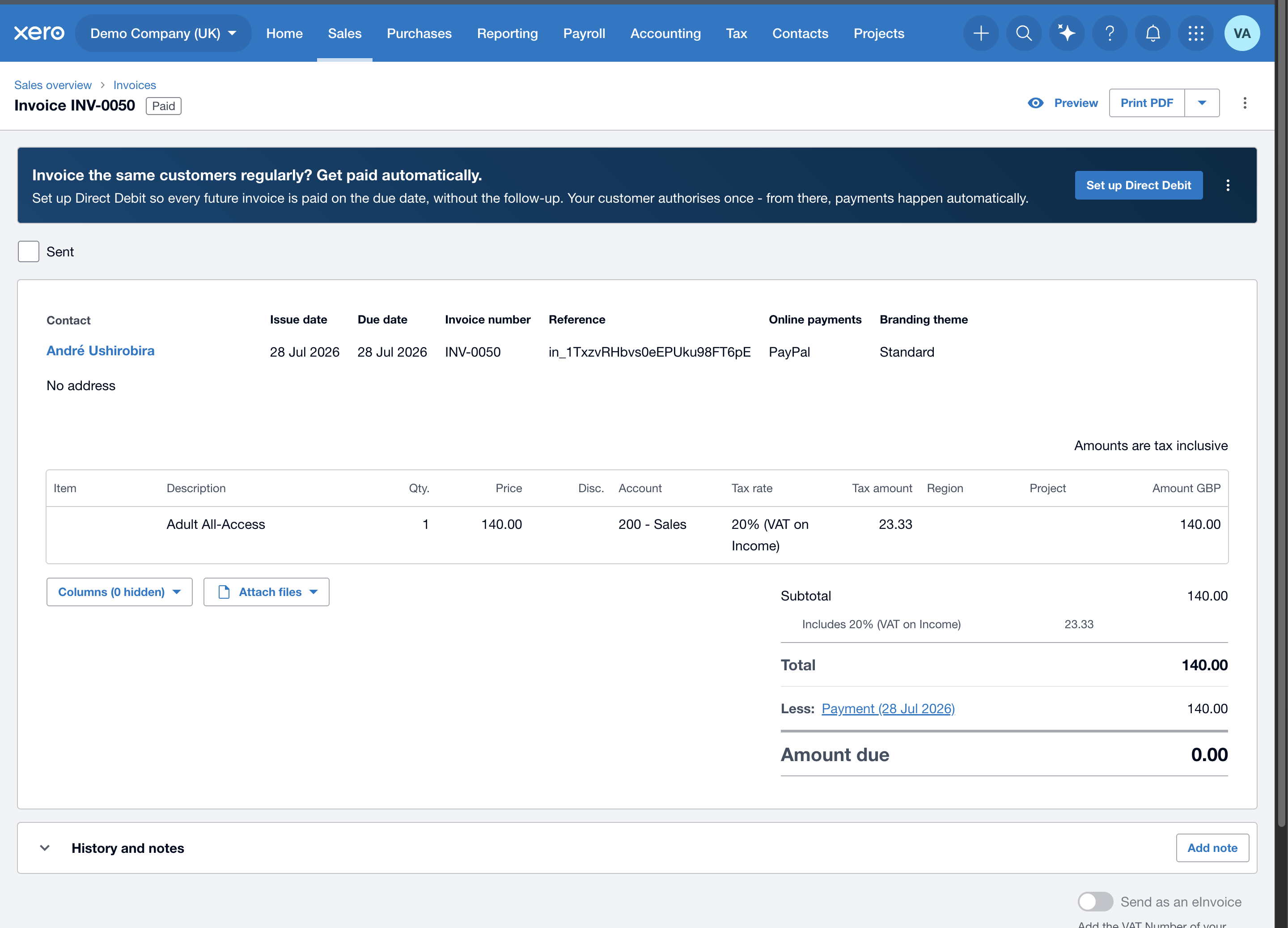
Prices are posted VAT-inclusive and the tax is set to match the charge exactly. Open any invoice and you'll see the net, the VAT line, the revenue account, and the payment:
One-click reconciliation
Because every payment posts to your Stripe clearing account, when Stripe pays out to your real bank you match that single deposit once — and the whole batch of member invoices reconciles together. The clearing account nets to zero each cycle, exactly the pattern your accountant expects.