Help Center › Billing & Payments
Understand your payment fees
Every online payment carries a processing fee. MatPilot shows you exactly what each payment costs: what Stripe takes, what MatPilot takes, and what lands in your account. For real payments the figures come straight from Stripe, not a guess.
Open it
Go to Gym, and under Money tap Payment fees.
What you see
At the top, across your recent payments: the total charged to members, the Stripe fee, the MatPilot fee, and your net. Below that, a card-vs-direct-debit split showing how each method performs for you.
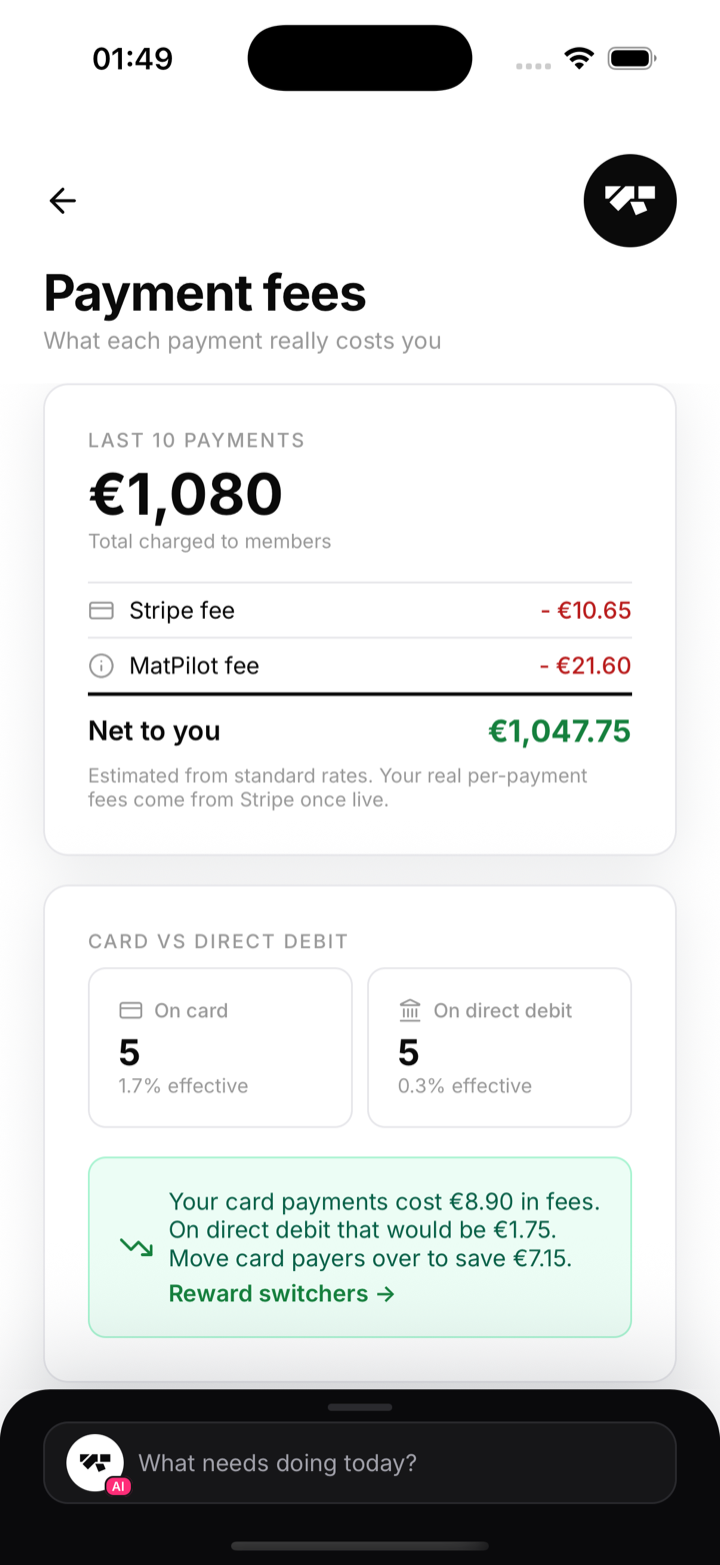
Why card and direct debit differ
Scroll to How fees work:
- Cards (EEA): a percentage of each payment plus a small fixed fee.
- International cards: more, because cards issued outside the EEA cost more to process.
- Direct debit (SEPA): a low flat fee per payment.
- MatPilot platform fee: your plan's rate.
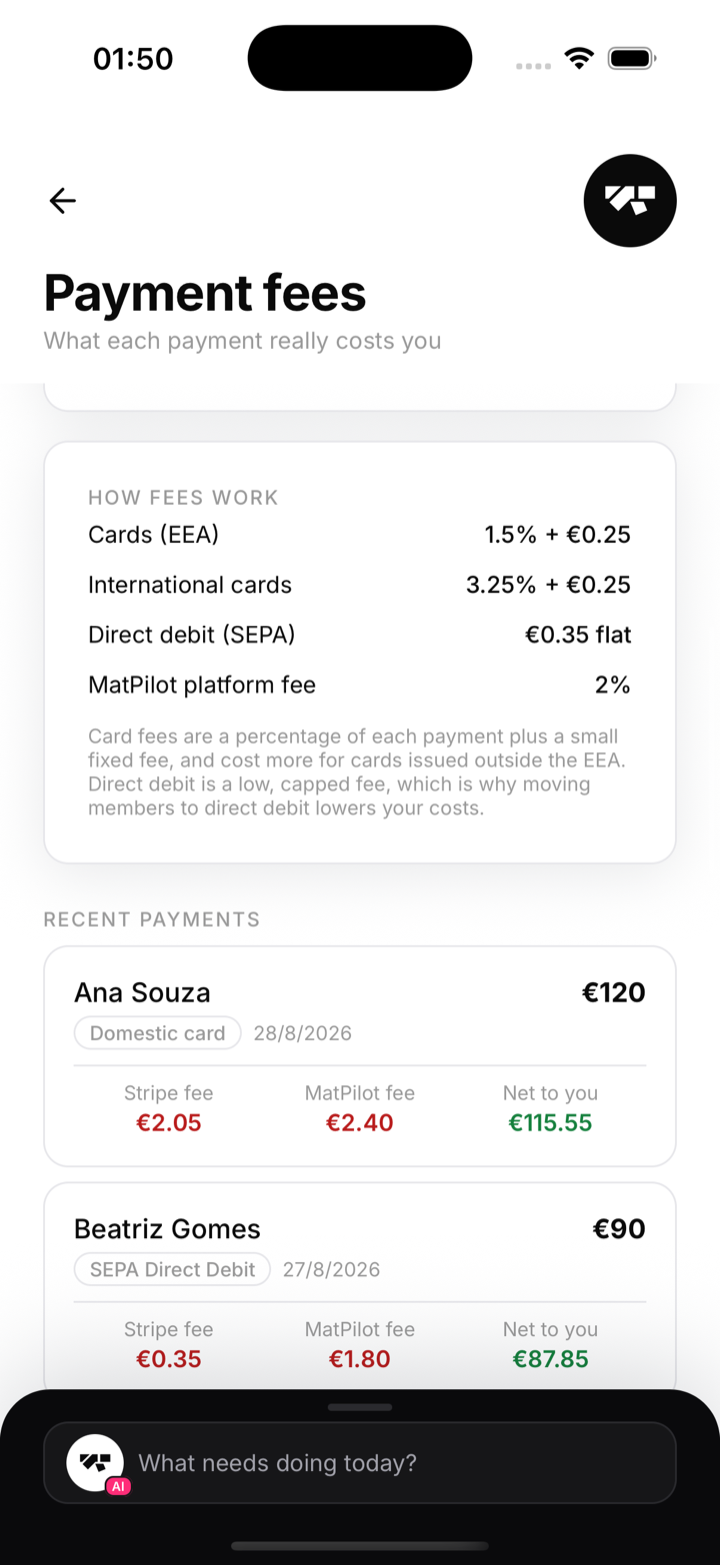
That is why a €120 card payment and a €120 direct-debit payment do not cost you the same.
Per-payment detail
Scroll to Recent payments. Each one shows its method (domestic card, international card, or SEPA direct debit) and its own breakdown: Stripe fee, MatPilot fee, and net to you.
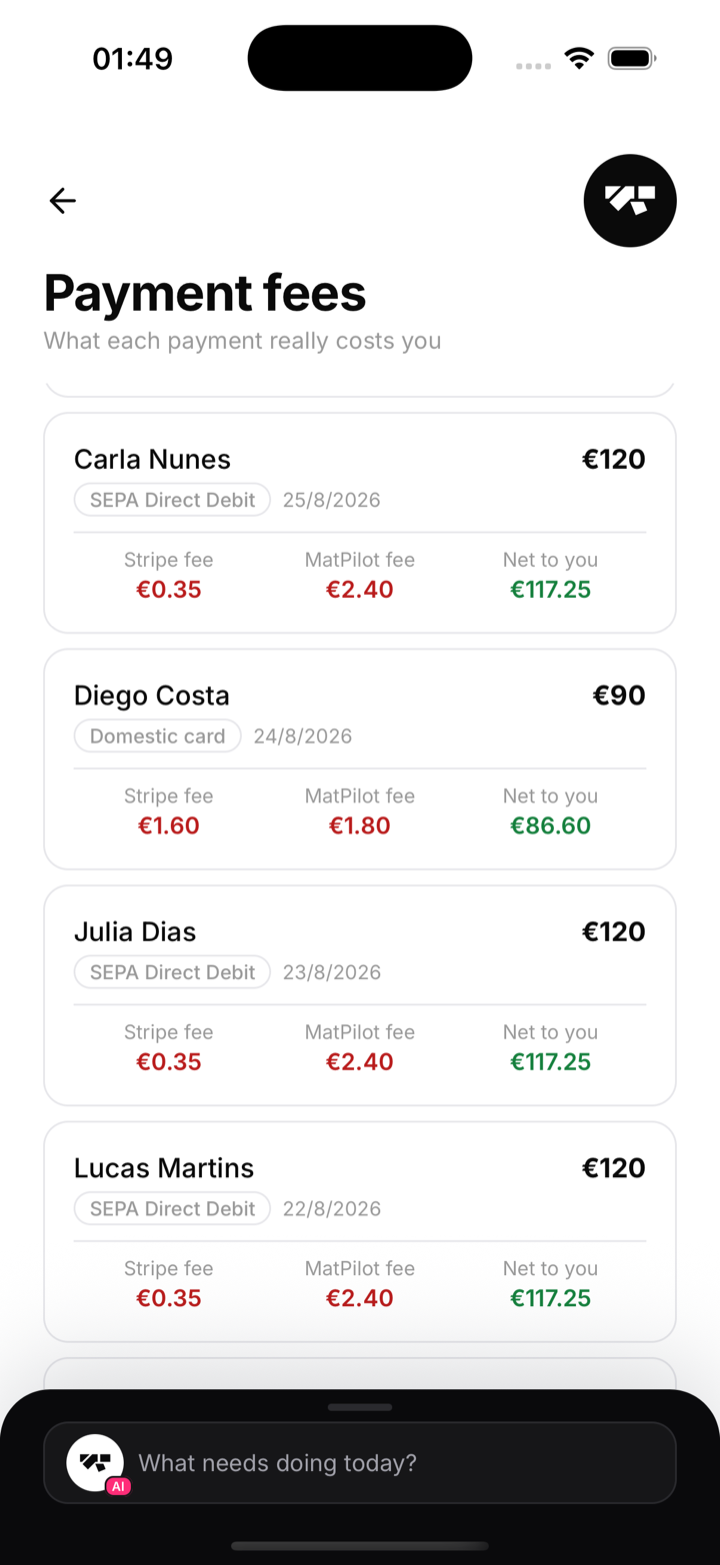
Good to know
- The fees shown for real payments are Stripe's own records, so they match your Stripe payouts.
- Card origin is detected automatically, so you can see when an international card cost you more.
- If most of your revenue is on card, the next guide shows how to lower it.