Help Center › Billing & Payments
How members pay for plans
Two ways a member pays
They choose a plan themselves. The member opens Plans in the app, picks one, and pays there and then.
You assign the plan and send a link. This is the usual way to bring an existing roster across. You assign the plan on the member's profile and MatPilot emails them a payment link.
Both end on the same Stripe checkout page. What that page asks for depends on when the first payment is due.
When the first payment is due
If the money is due now, the page shows the amount and takes it as soon as they confirm.
If your academy collects on a fixed day of the month, the page shows "€0.00 due today" and, underneath, the real amount and the date it starts. Nothing is taken at checkout. The subscription is created and the first invoice goes out on your collection day.
How to tell whether they actually finished
On the member's profile, a plan waiting to be paid for says which of two things happened:
- Not opened yet. They have not clicked the link. Send a reminder.
- They opened it and did not finish. They reached the checkout page and stopped. A second identical link rarely helps; ask them what they saw.
Once they finish, that card disappears and the member reads as active. If someone tells you they have paid and the card is still there, they have not finished — MatPilot checks with Stripe directly, so it is not a display lag.
Links expire
A payment link is good for a few days, and the checkout page behind it expires sooner than that. Someone who opens the link and returns to it the next day may find it dead. Use Resend link on their profile to issue a fresh one.
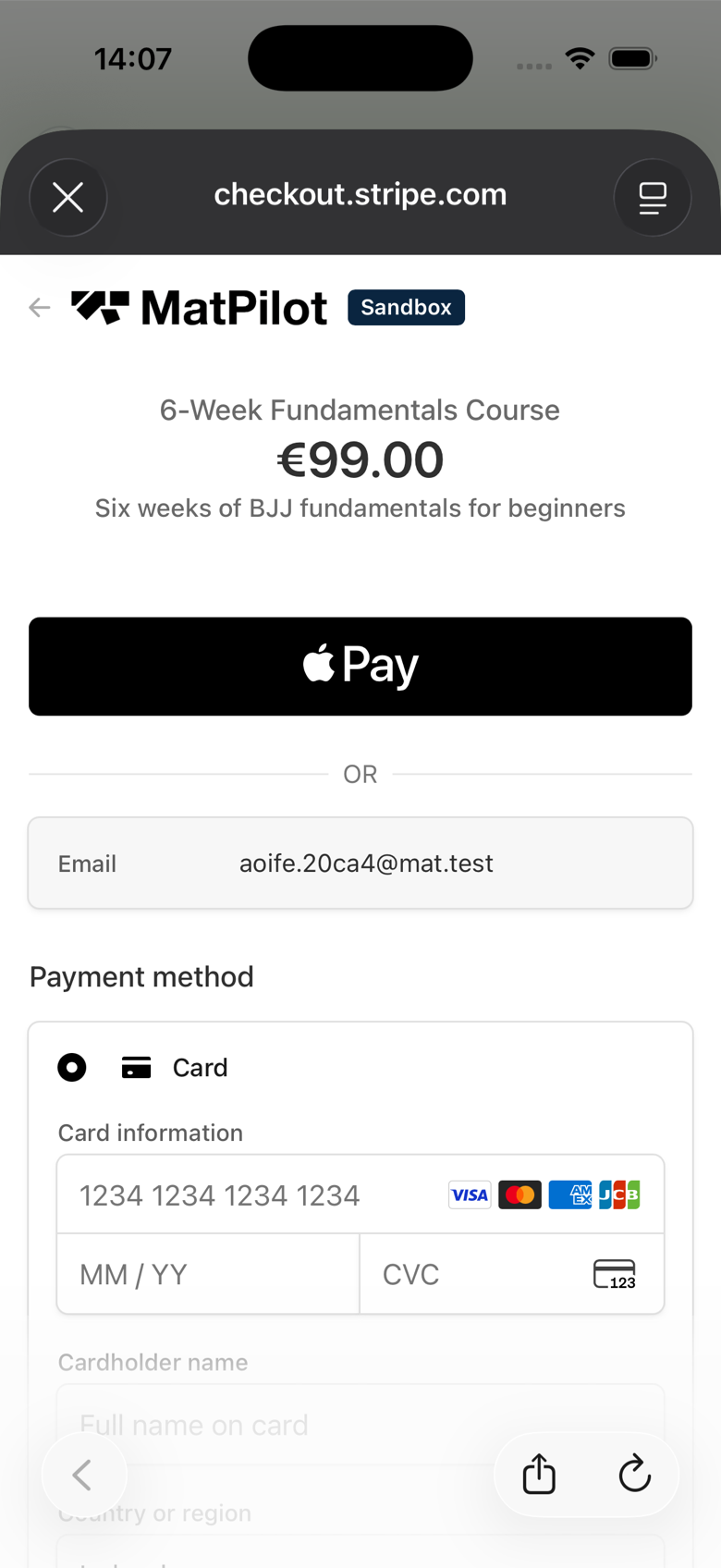
What the member sees
The checkout page shows:
- Plan name and price
- Billing frequency (monthly, annual)
- Any trial period
- Terms acceptance checkbox
Trial plans
If the plan has a trial period, the member's card is saved during checkout but not charged until the trial ends. They see a clear message: "Your card will be charged on [date]".
Failed checkout
If a card is declined during checkout, the member is shown an error and can try a different card. No membership is created until payment succeeds.
Receipts
Members receive an automatic payment receipt by email after each successful charge.
Viewing payment history
Members open Billing in the menu to see everything they have paid the academy and the receipt for each of it, without leaving MatPilot. Changing the card itself still opens a secure Stripe page, because that genuinely is Stripe's job.