Help Center › Members & Profiles
Adding emergency contacts
When something happens on the mat, the right phone number should be one tap away.
Adding an emergency contact
- Open the member's profile
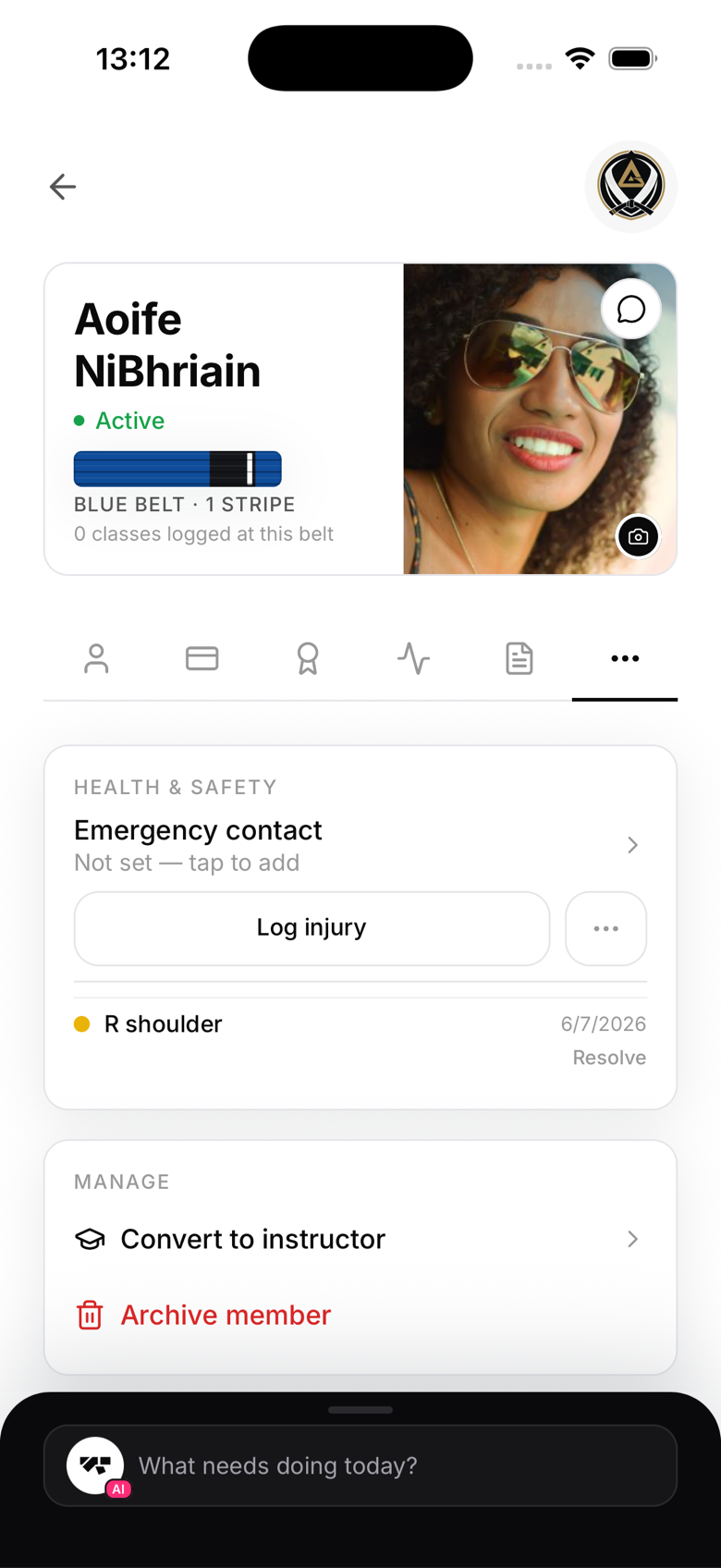
- Go to the More tab, under Health & safety
- Tap Emergency contact
- Enter a name, relationship, and phone number, then save
MatPilot stores one emergency contact per member. If you need to update it, tap the same row again and overwrite it.
Who can see emergency contacts
Emergency contacts are visible to owners, managers, instructors, and reception staff. Students can't see other members' contacts.
Why this matters
Most public liability insurance policies require gyms to hold emergency contact information for members, particularly minors. Having it in MatPilot means it's always accessible, even from the mat, rather than buried in a filing cabinet.
Privacy
Emergency contacts are never shared with other members or visible publicly. They are included in a member's full data export under GDPR.