Help Center › Members & Profiles
Setting a member's belt rank
A blue belt from another academy should be a blue belt on day one, not a white belt in your records.
Quick edit (no history)
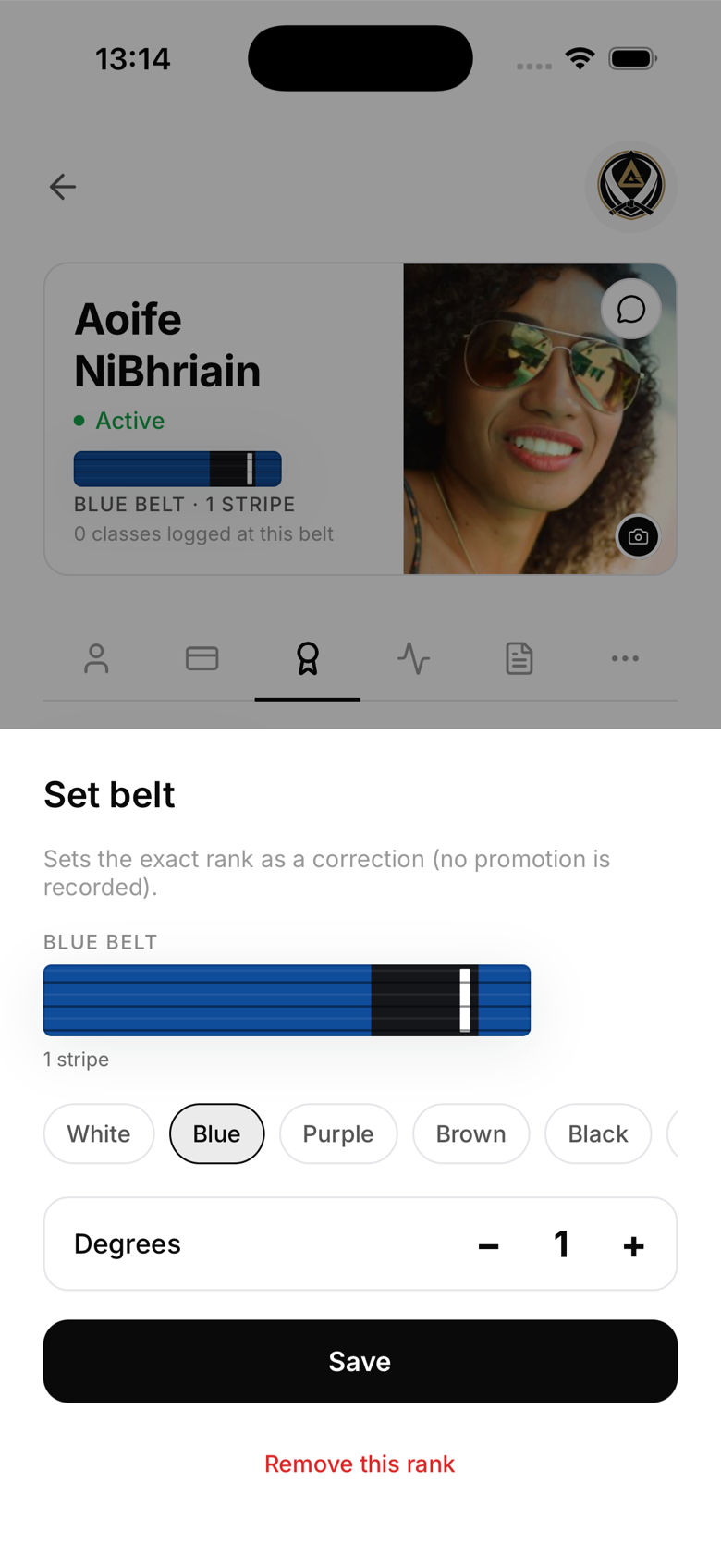
If you just want to set their current rank without logging it as a promotion:
- Open the member's profile
- Go to the Ranks tab
- Tap the pencil icon next to their rank
- Select the art, belt, and stripe count, then save
This updates their rank immediately. No promotion record or diploma is created, so it's the right choice for setting a starting rank rather than recording a grading.
Promote action (with history)
For an actual grading at your gym, tap Promote under that art on the Ranks tab. MatPilot automatically advances them to the very next belt or stripe in the ladder, you can't skip ranks, and records it as a promotion with today's date. You'll be offered the chance to generate a diploma right after.
Belt systems by art
- BJJ — white, blue, purple, brown, black, with coral belts at the highest black-belt degrees. Kids run a separate, more granular ladder (white through green, with sub-stripes).
- Judo, Karate, Taekwondo — standard coloured belt progressions.
- Striking arts (boxing, Muay Thai, kickboxing, MMA) — no belt system by default; some gyms use the Muay Thai armband variant instead.
Kids vs. adults
The correct ladder is applied automatically based on the member's date of birth. Make sure it's set correctly for minors, since it also drives their belt progression.