Help Center › Family & Parents
Booking classes for your child
Sunday evening, planning the week: three kids, three timetables, one screen.
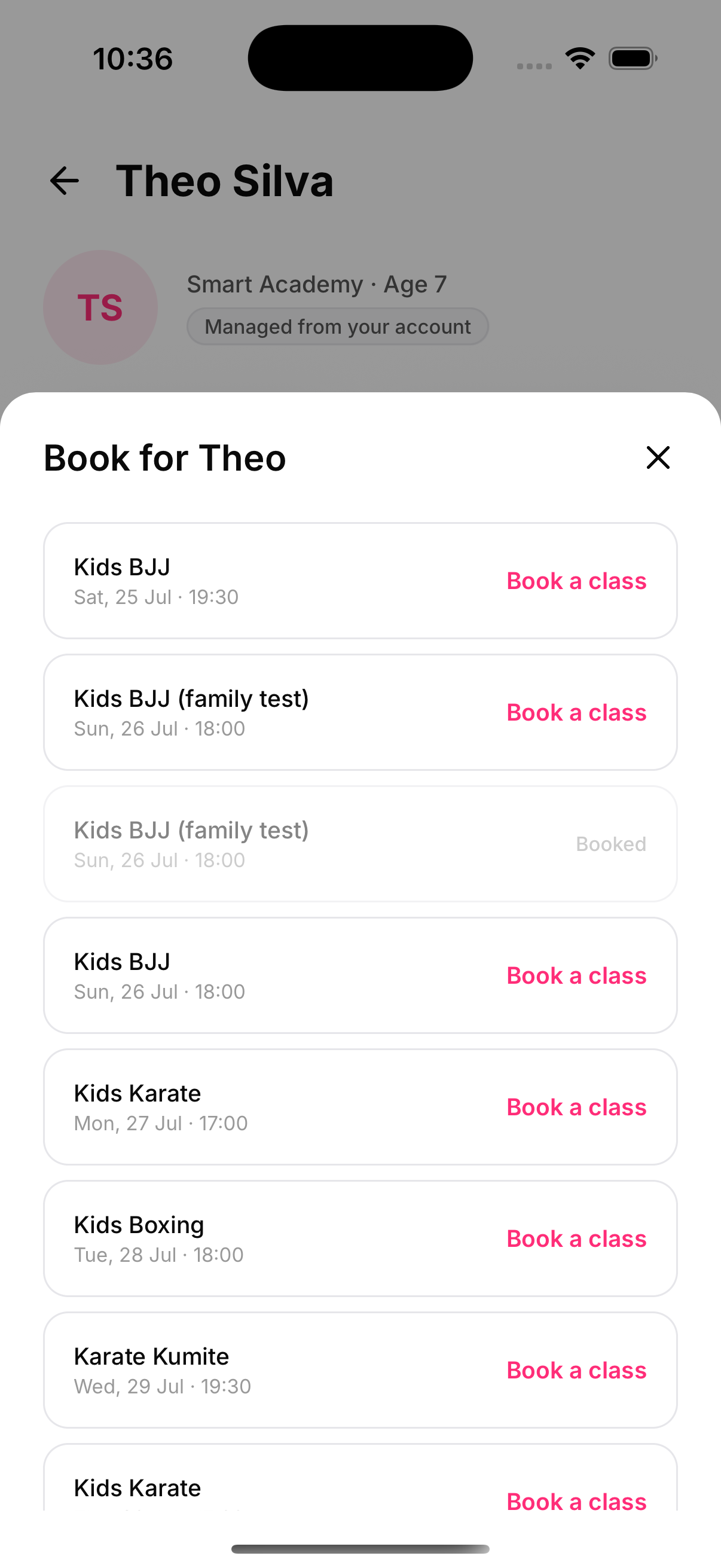
Tap Book a class on the child's page for the next seven days at their academy. The sheet only offers classes the child can actually attend — a kids' account is never shown an adults-only or gender-scoped class.
The child's rules, not the parent's
Every booking runs the child's own gates on the academy's side: unsigned documents block, capacity and waitlists apply, booking windows apply, and a suspended or overdue membership can't book. A parent can never book a child into a class the child couldn't book themselves.
Cancelling
The × next to any upcoming booking cancels it. If the class had a waitlist, the freed spot auto-promotes the longest-waiting member, exactly as with any cancellation.