Help Center › Family & Parents
What is the family portal?
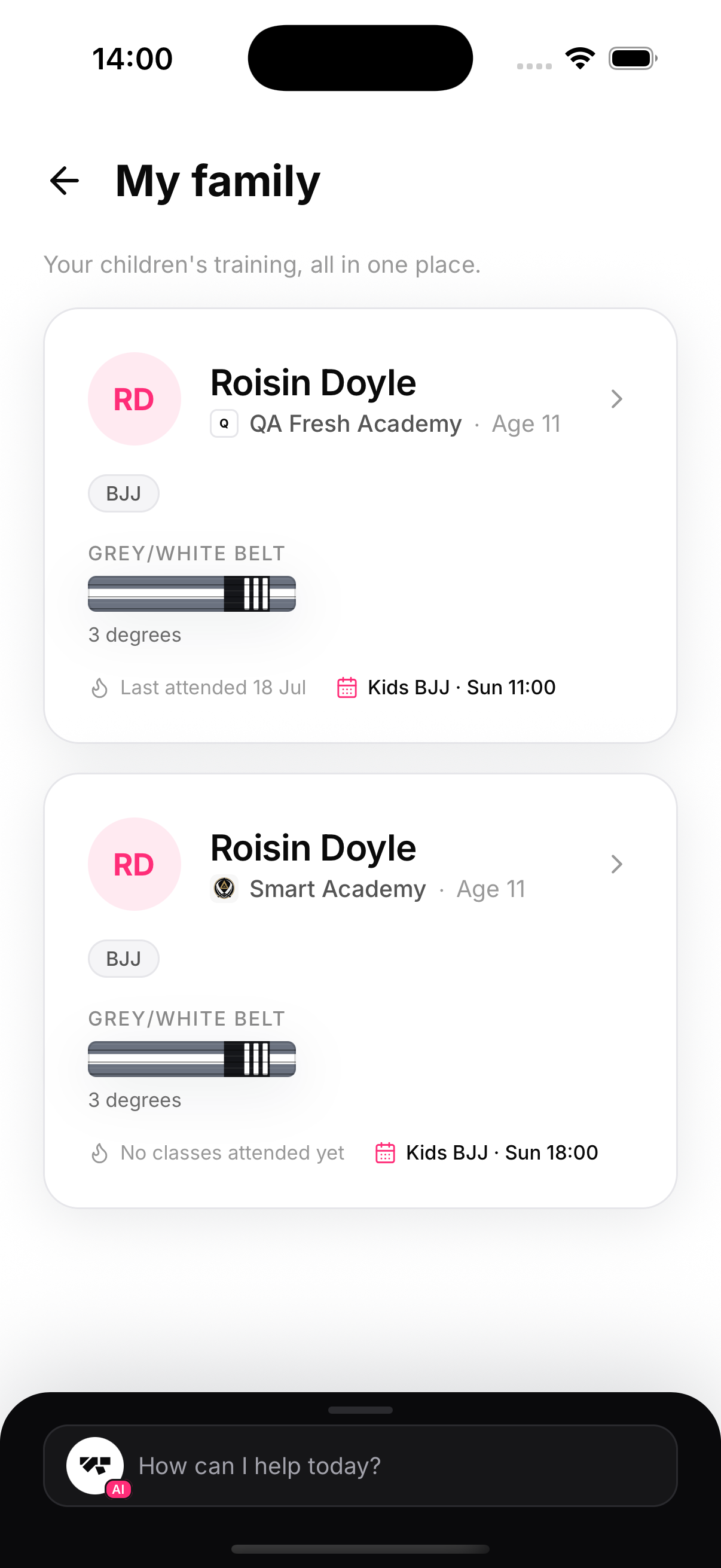
The family portal gives every parent or guardian one place in their own MatPilot account to follow every child they have training at your academy: current belt and progress, attendance and streaks, upcoming classes, documents, and membership status. It works across academies too — a parent with kids at two MatPilot gyms sees both in the same list.
How a parent gets it
There's nothing to install or configure. The link is the guardian's email on the child's member profile — wherever that email gets recorded (front desk, kiosk, or the Guardian card), the portal lights up automatically for whoever signs in with it. Parents who also train see it inside their own member app; parents who don't train (even grandparents) sign in and go straight to My family.
What a parent can do
- See every linked child, each with rank, enrolled arts, attendance pulse and next class
- Open a child for the full picture: stats, timeline, promotions, diplomas
- Book and cancel classes on the child's behalf
- Read and sign required documents — waivers, PAR-Q, consents
- Ask the AI how their child is getting on
What a parent can never do
See other members' data, your finances, or anything for a child whose guardian email doesn't match their sign-in email. Every request re-checks the live member record — see privacy and security.