Help Center › Settings & Account
Deleting your MatPilot account
Before you request deletion
- If you're the sole owner of a gym that still has other active members, your account can't be erased until the gym is transferred to someone else or wound down. MatPilot will flag this if it applies to you.
- Deleting your account cancels any of your own active membership subscriptions.
- If you want to keep a copy of your data first, export it before you request deletion (see "GDPR data export").
How to request deletion
- In the app, go to Profile → Privacy & data (owners will find the same section under Settings → Account)
- Tap Delete account
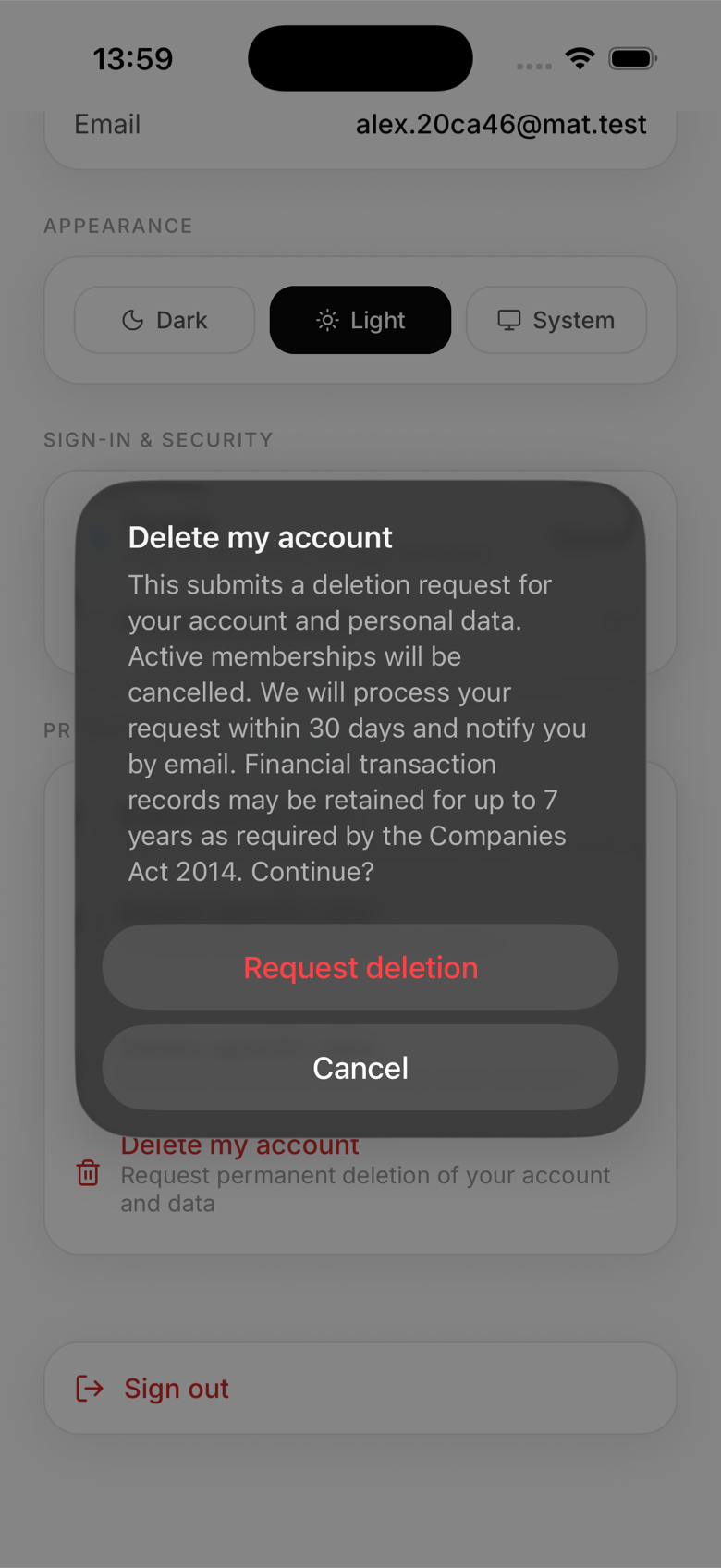
- Confirm. You'll be told that active memberships will be cancelled and that financial records may be retained separately for legal reasons
What happens next
Deletion isn't instant. MatPilot reviews and processes requests within 30 days, then emails you once it's done. When it runs, we cancel any live subscriptions tied to your memberships, permanently delete your personal data (profile, membership history, bookings, check-ins, signed documents, uploaded files, chat activity, and more), and delete your login so you can no longer sign back in.
What stays
Financial and transaction records may be retained for up to 7 years, as required under the Companies Act 2014, even after your personal profile is erased. Gyms you belonged to keep a record in their own audit log that your data was erased, for their own compliance purposes, but that entry no longer contains your personal details.
Deleting only some of your data
If you'd rather keep your account than lose it entirely, use Delete specific data instead. This removes selected categories, like attendance history, uploaded files, or chat threads, while keeping your login and membership active.
Restarting
If you change your mind before the request is processed, contact MatPilot support. Once deletion is complete, there's no way to recover the account, you'd need to start again with a new one.