Help Center › Settings & Account
App language and region settings
Changing the language
The quickest way is inside the app: open My Account (your avatar or the menu), scroll to Language, and tap 🇬🇧 English, 🇧🇷 Português or 🇪🇸 Español. The switch is instant, no restart needed.
By default MatPilot follows your device's system language, so if you never touch the picker, the app simply matches your phone.
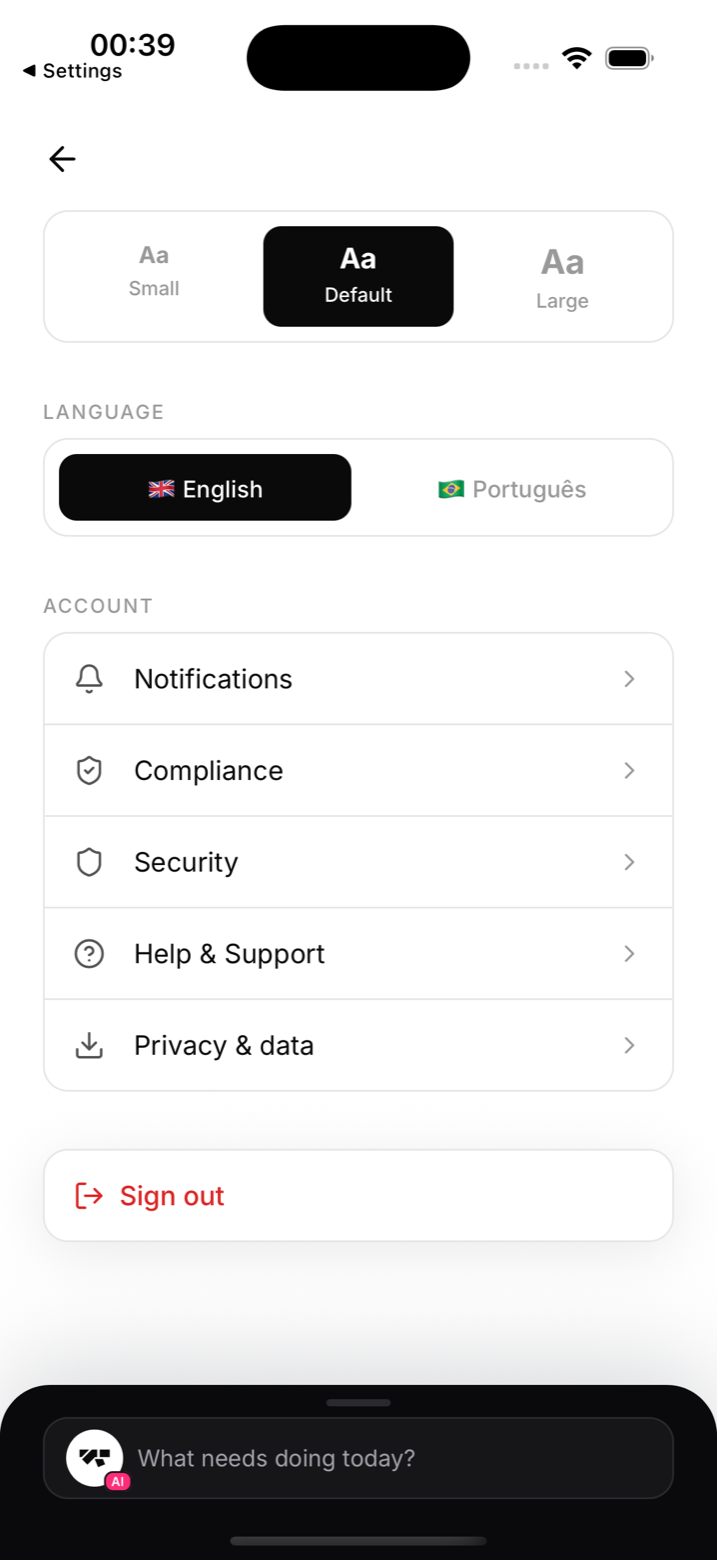
Supported languages
- English (en) - default
- Brazilian Portuguese (pt-BR)
- Spanish (es)
MatPilot's interface is fully translated in all three. Other device languages will fall back to English.
Partial translations
Some elements, like diploma certificate wording or gym-specific custom text, remain in the language you entered them. For example, if you wrote your gym name and welcome message in English, they'll appear in English even if the app interface is in Portuguese.
Currency and date formats
Currency symbols follow your gym's configured currency, and date formats follow your device's region settings. These are independent of the app language.
Requesting a new language
If you'd like to see a specific language added, contact support at admin@matpilot.io and let us know. We can't promise a timeline, but demand from gyms helps us prioritise what to translate next.
AI co-pilot language
The AI co-pilot responds in the language you write to it. If you write in Portuguese, it responds in Portuguese. The morning briefing is generated in English regardless of your language setting.