Help Center › Settings & Account
Building your intake form
Every gym asks new members something different; decide what, without a single paper form.
What members already provide
Standard onboarding collects name, email, date of birth (optional), phone, and emergency contact. The intake builder is for everything on top of that.
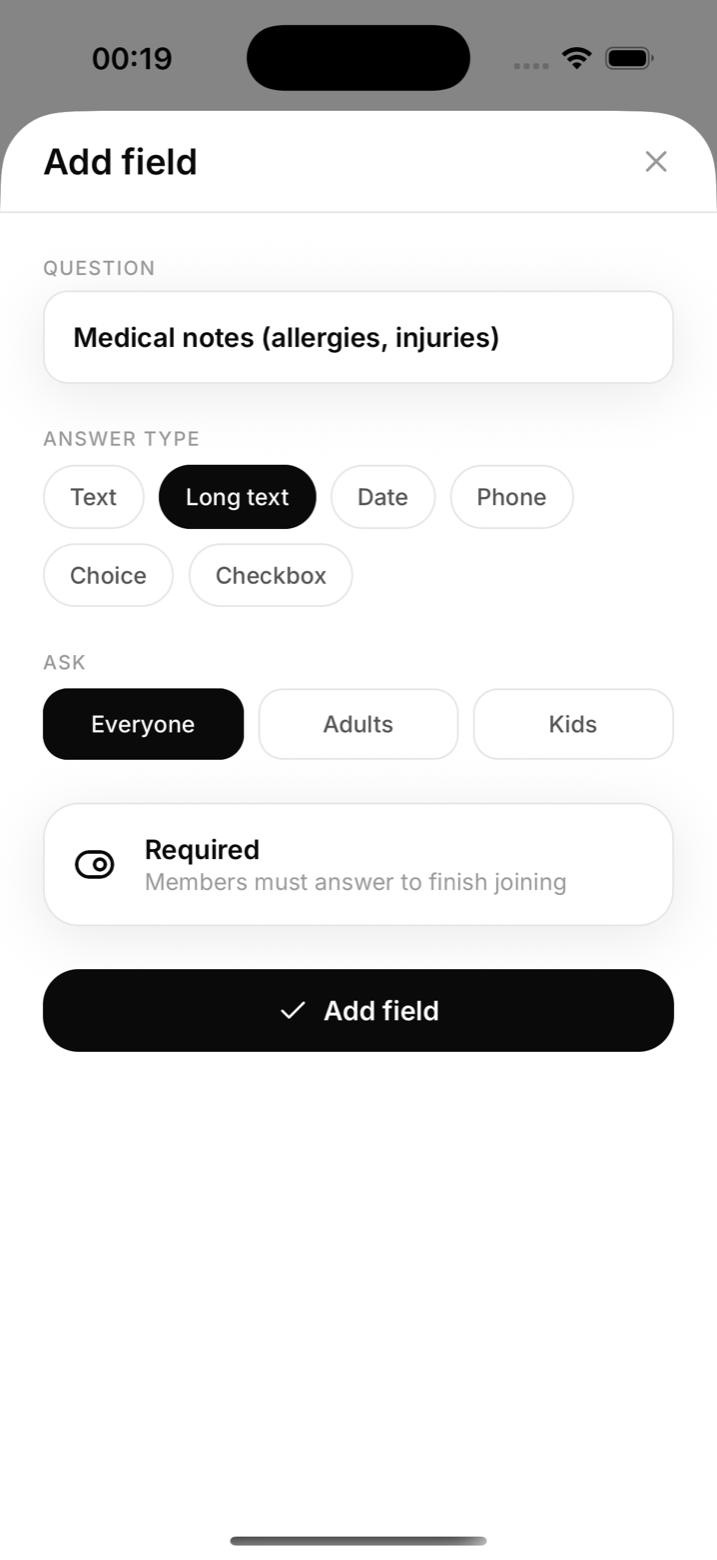
Add a field
- Go to Settings and open Intake
- Tap Add field and choose a type: short text, long text, date, phone, select (your own options), or checkbox
- Write the label, decide whether it's required, and who it applies to: everyone, adults only, or children only
- Save
Where answers go
New members answer during onboarding, before their first class. A required field must have an answer before onboarding counts as complete, and required documents work the same way. Staff can read a member's answers from their profile.
Good fields to add
- "Any injuries or medical conditions we should know about?" (long text, required)
- "How did you hear about us?" (select: Instagram, Google, referral, walk-in)
- "Photo consent" (checkbox, applies to children)
Notes
- A field for children is answered by the guardian during enrolment
- Changing a field later doesn't erase past answers