Help Center › Settings & Account
Push notification preferences
Your push notifications
Go to Settings → Notifications. This is the same screen as your email preferences, each event has its own in-app, email, and push toggle. The push-enabled events are:
- New payment received
- Payment failed
- Trial converted to paid
- New member joined
- Grading ready
- Payment dispute alert
- New message (push only, for direct messages in chat)
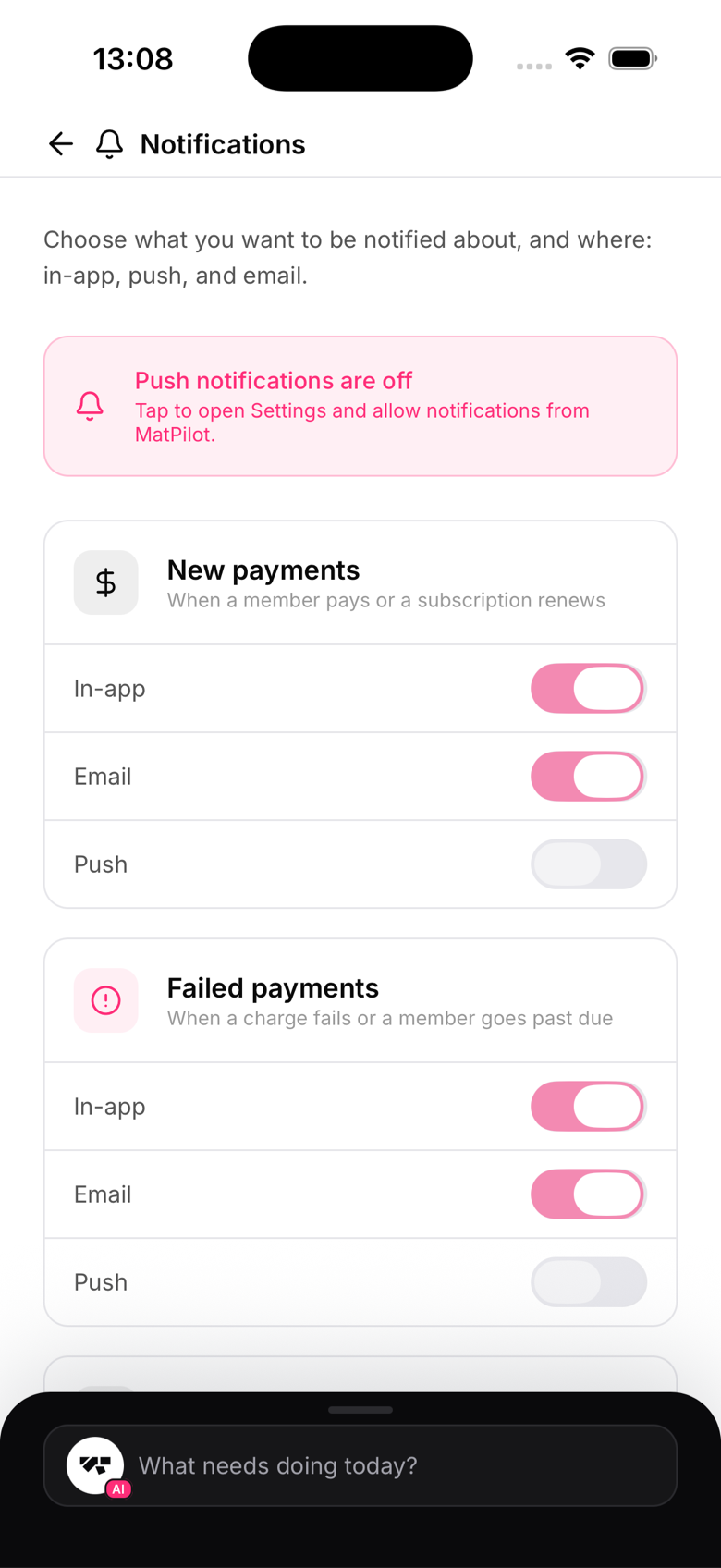
Enabling push notifications
If you haven't enabled push notifications on your device, you'll see a banner in Settings. Tap it to go to your device's notification settings and enable them for MatPilot.
Member push notifications
Members manage their own push notifications from Profile → Notifications. There are two toggles:
- New messages - direct messages and chat activity
- Announcements - broadcasts sent by the gym
Announcement delivery
Announcements you send (via the AI co-pilot or the broadcast feature) are delivered as push notifications to members who have the Announcements toggle enabled. There's no guarantee of delivery to members who've turned it off.
Quiet hours
MatPilot doesn't currently support quiet hours for notifications. If you're sending announcements, be mindful of timing for your members.