Help Center › Settings & Account
Uploading your gym logo
Thirty seconds to put the new logo everywhere your brand lives: diplomas, kiosk, emails.
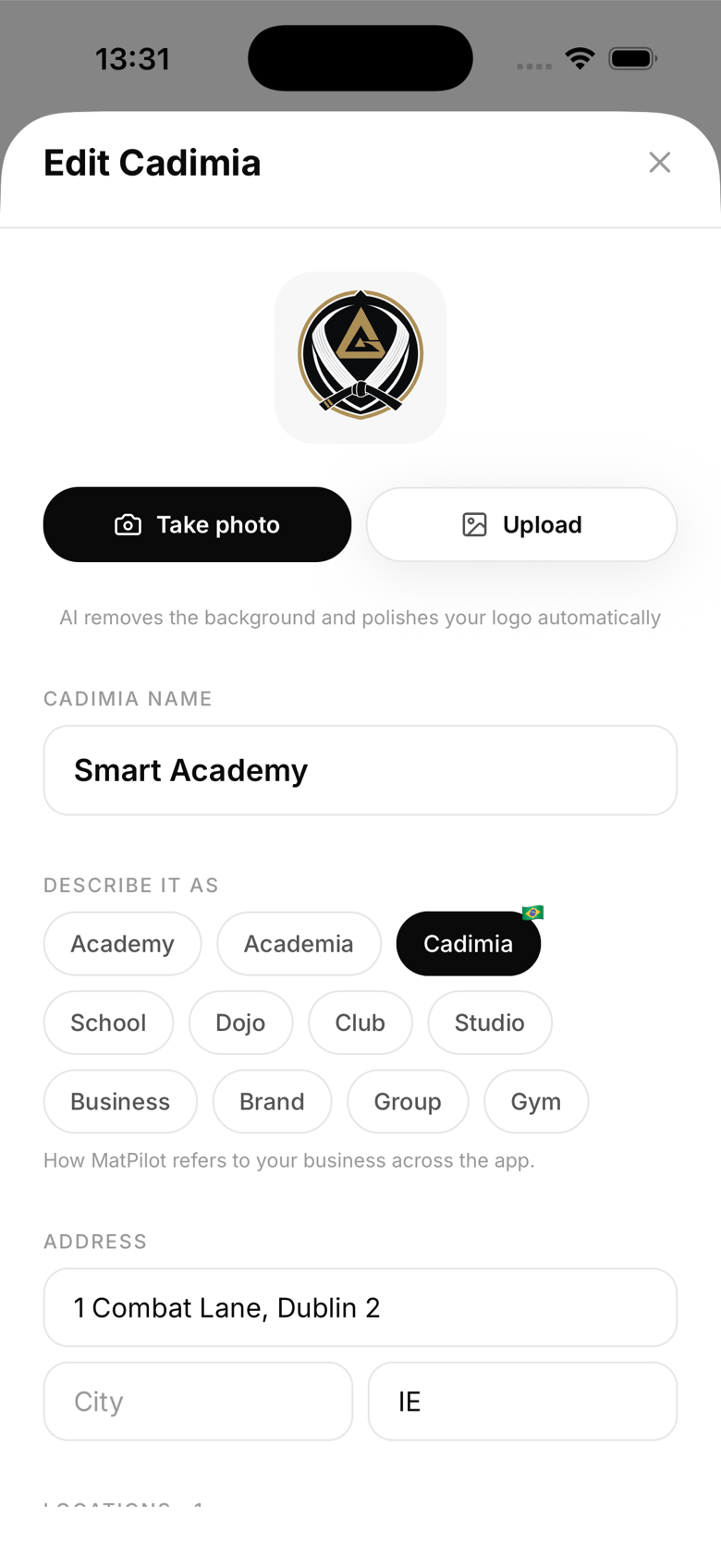
How to upload
- Go to Settings → Gym details → Logo
- Tap Upload logo
- Choose from your photo library or take a photo
- Crop if needed and save
Best format
- Square - the logo is displayed in a square container in most places
- PNG with transparent background - looks best on diplomas (no white box around the logo)
- Minimum 512x512px - ensures sharp rendering on high-resolution screens and printed diplomas
- Maximum 5MB - larger files are rejected
Logo on diplomas
The diploma designer uses your logo in the header. You can toggle it on or off per-diploma if you prefer a cleaner look.
Logo on the kiosk
Your logo appears at the top of the kiosk home screen as a welcome message for members.
Logo on emails
Email notifications sent by MatPilot (new member welcome, payment receipts, and others) use your logo in the header. Keep it legible at small sizes.
Updating the logo
You can update your logo at any time. The new logo applies to all future diplomas and emails. Previously generated diplomas retain their original logo.