Instructor pay and the teaching log
Coach pay is usually a spreadsheet nobody trusts; keep the rate on the profile and let the app do the arithmetic.
Set a coach's compensation
- Open the staff member's profile
- In the compensation section, choose how they're paid:
- a monthly amount
- per class taught
- per N classes (for example, a flat amount per 10 classes)
- Save. The rate applies from now on
The Payroll screen
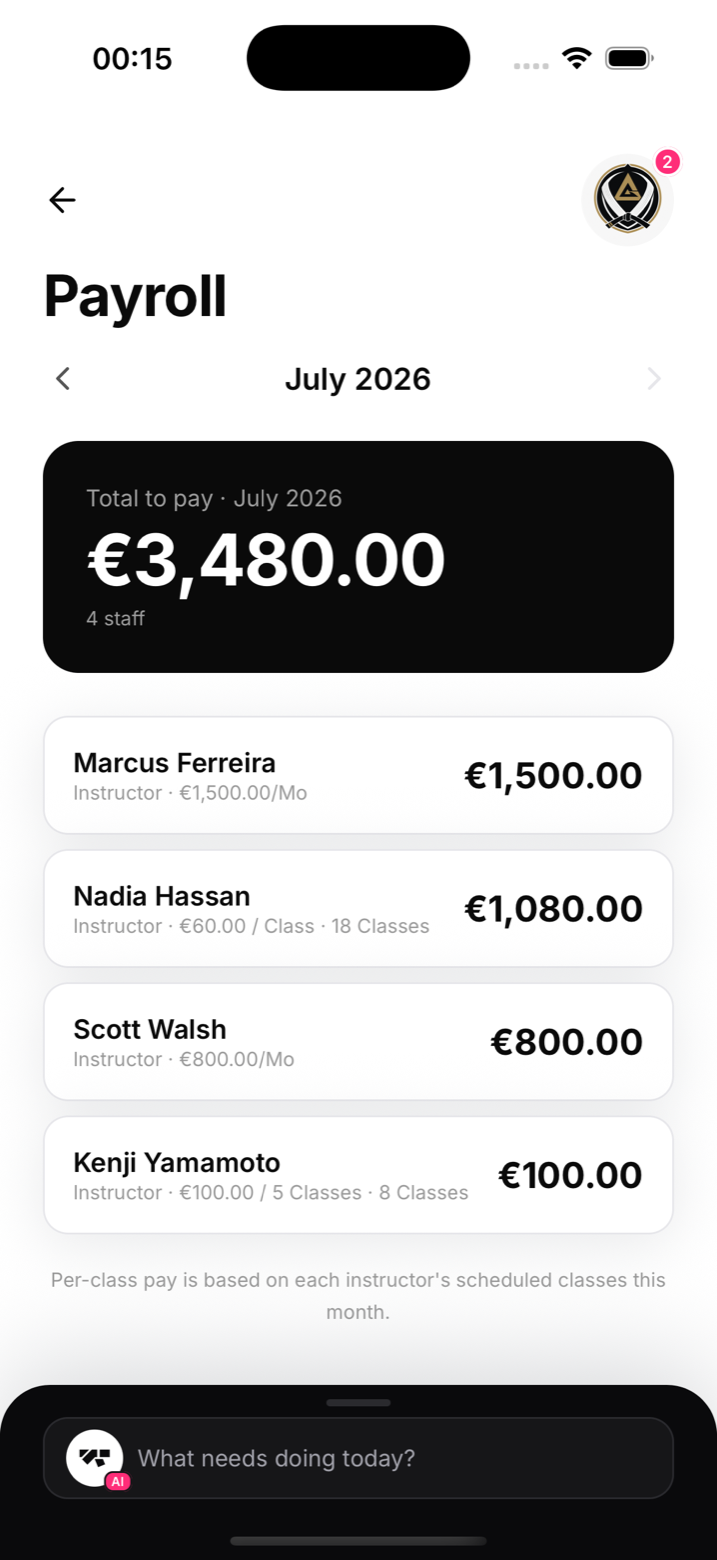
Payroll (in My Academy, on the Money tab) lists every paid role, owner to instructor, with their rate and what the current period adds up to. It's the number you need on the first of the month, without opening a spreadsheet.
The teaching log
The teaching log records classes each instructor has actually taught, with attendance per class. Use it to sanity-check per-class pay, and to see load: if one coach taught 40 of last month's 60 classes, you know it before they burn out. Analytics shows the same picture in trend form ("who's carrying the timetable").
Notes
- Instructor class assignments come from the class schedule; assign classes to coaches and the log fills itself
- Compensation figures are visible to owners and managers only