Kiosk branding: backgrounds and colours
Your own photo
The strongest change is a photo of your own mats. Add it from Settings, Kiosk & invites, Tablet appearance in the app, choose Medium or Dark for the shade over it, and every tablet at that location shows it within a few minutes. See Your academy's photo on the kiosk.
Built-in backgrounds
On the tablet, behind the gear icon, there is a set of martial-art backgrounds (belt, BJJ, boxing, kickboxing, taekwondo, judo, karate, MMA, wrestling) or none for a plain dark look, with an overlay to keep the text readable. Your own photo takes priority over these.
Colours
The tablet's settings have a row of swatches for each part of the screen: the accent, the main and secondary text, the member card, the new-here card and the class bar. The live preview shows each change.
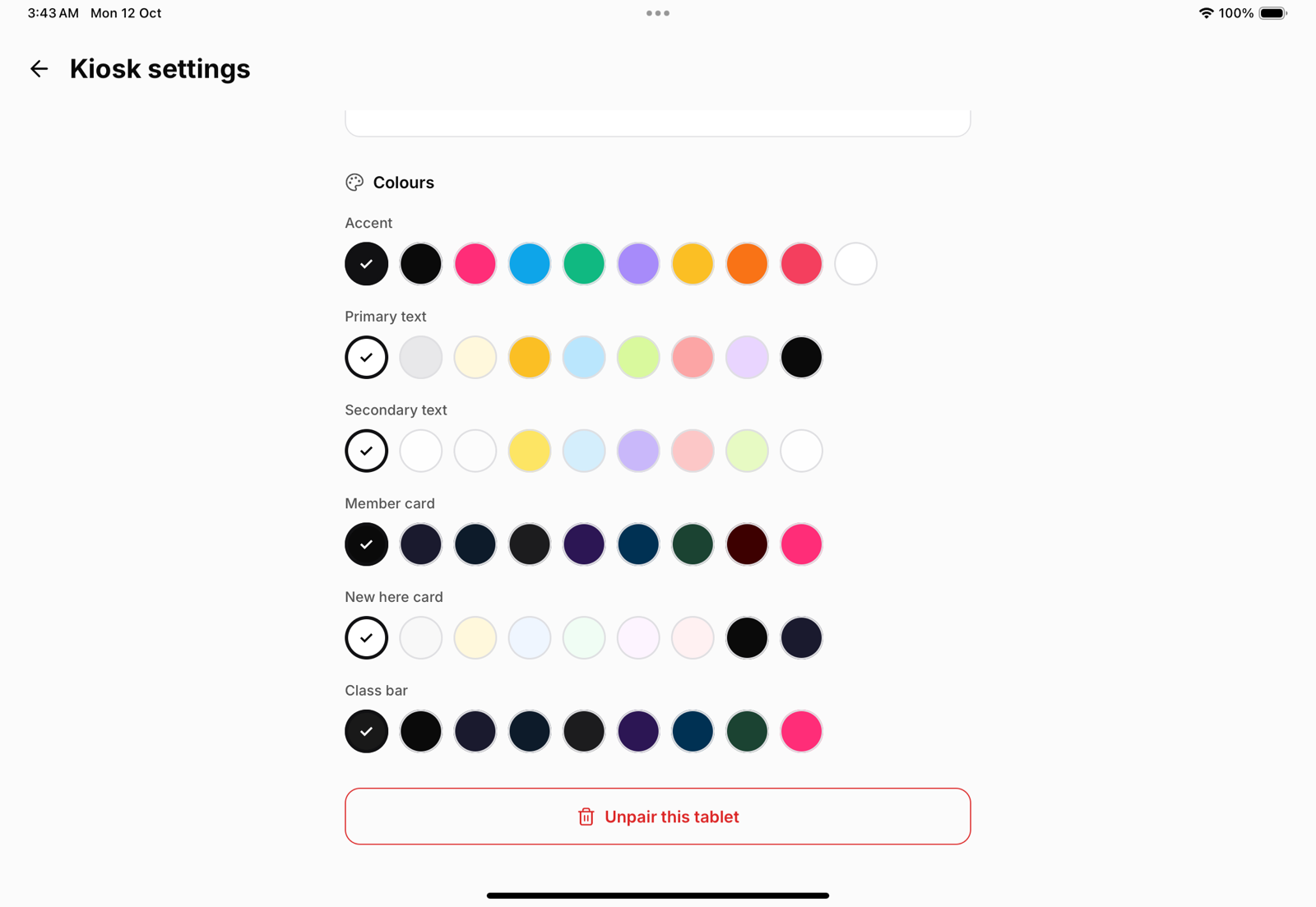
The default accent is black. Wherever an accent would disappear against a dark surface, the kiosk draws it in white instead, so a black accent over a dark photo still shows.
Want ideas?
Five looks for your kiosk shows five ready-made combinations.