Help Center › Grading & Promotions
Revoking or correcting a promotion
Revoking a diploma
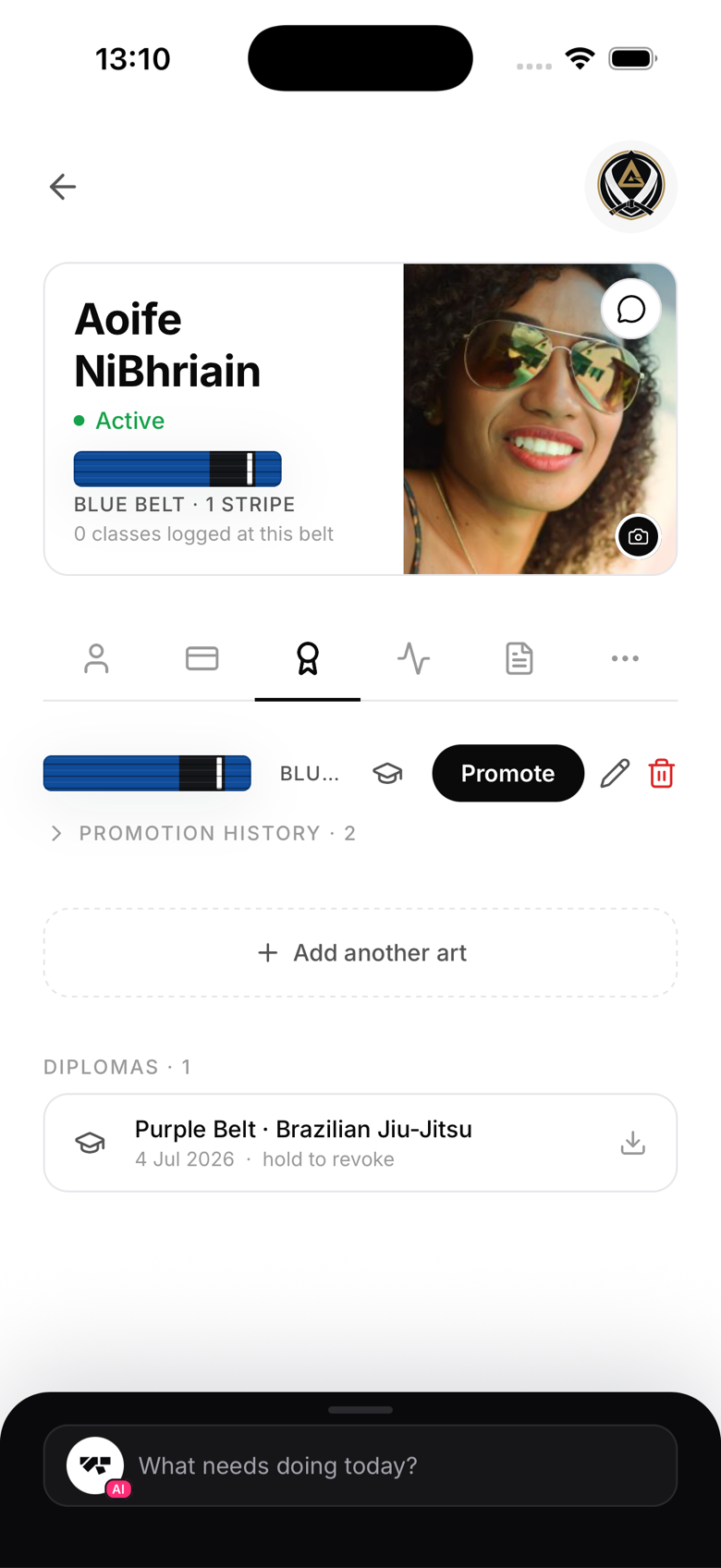
If the wrong diploma was generated (wrong rank, wrong name):
- Go to the member's profile, Ranks tab
- Find the diploma in the saved diplomas list
- Long press, Revoke
The diploma is marked as revoked. The member can still see it in their list, but it shows a "Revoked" badge, and the QR verification page shows it as revoked rather than valid. You can reinstate it the same way if needed.
After revoking, generate a new diploma with the correct details.
Correcting a belt rank
If you promoted a member to the wrong belt:
- Go to the member's profile, Ranks tab
- Tap the pencil icon next to Promote
- In the Set belt sheet, set the correct belt and stripe count
- Save
This sets the exact rank as a correction, it's not recorded as a new promotion. The incorrect promotion still exists in history. To note why the correction was made, add it to the member's internal notes.
When to contact support
For serious errors, promoting the wrong member entirely, or needing to delete a promotion record outright, contact MatPilot support at admin@matpilot.io. We can make adjustments that aren't possible from within the app.