Help Center › Grading & Promotions
Verifying a diploma
Turning verification on
When generating a diploma, two toggles in the design options add verification: a certificate number (like MP-2026-154F0) printed on the document, and a QR code in the corner. Both are per-diploma choices; a plain certificate is always available.
What a scan shows
The QR opens a public page at matpilot.io/verify with exactly the facts a certificate should prove, and nothing more:
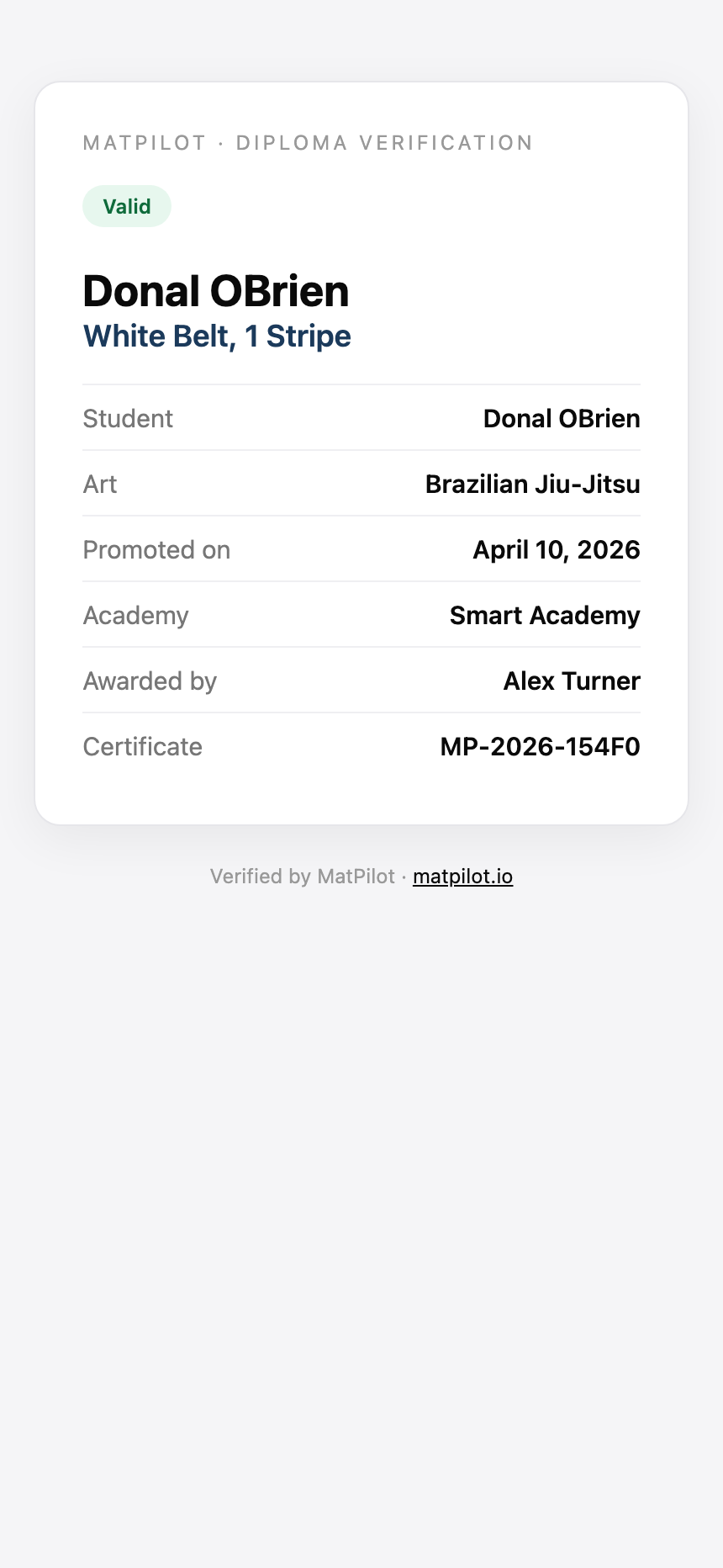
Student name, art, rank, promotion date, academy, awarding coach, and the certificate number. No contact details, no membership data, nothing private.
Revoking a diploma
Mistakes and fallings-out happen. Long-press a saved diploma on the member's Ranks tab to revoke it: the verification page immediately shows it as revoked, and the same menu reinstates it later. Revocations are recorded in the audit log.
Why bother?
Belt verification is a real problem in martial arts. A gym whose certificates can be checked in three seconds protects its students' credentials and its own name; the fake-black-belt story never starts.