Brazilian Jiu Jitsu

BJJ Gym and Academy Management Software.

Belts, stripes, attendance, family billing, payments, trials, classes and grading in one place. Built for Brazilian Jiu Jitsu from the start, not adapted from generic fitness software. Every academy runs on the same few things, so BJJ gym management software should know what a stripe is before you explain it.

Free up to 20 members, no card required. Pro is $79 a month plus 0.49% on payments, unlimited members, no contract.

Why not generic gym software

Generic gym software understands members, cards and classes. A BJJ academy also has kids and adult belt systems, stripes, families, gi and no-gi, drop-ins, grading days and years of progression history. MatPilot treats those as core data, not custom fields.

From first trial to black belt

The whole journey, on one member record.

Lead, trial, waiver, payment, member, attendance, progress, promotion, events, retention, a second location. Every step writes to the same profile, on the desktop and on the phone, so nothing about a student lives in a second system or a notebook.

01 · Lead

They find you, and press one button.

A free-trial button on your site, a QR code on the door, the join link. Every enquiry lands as a lead.

  • Website, kiosk, Instagram, walk-in: every source recorded.
  • A parent with two kids is one household lead.
An academy website with a Book a free trial button
An academy's own website, built and hosted by MatPilot, on a phone
02 · Trial

The pipeline, with the family in it.

A trial books itself into a real class and moves from new to trialled as it happens.

  • The coach sees a first-timer on the roster.
  • You see every trial that has not come back.
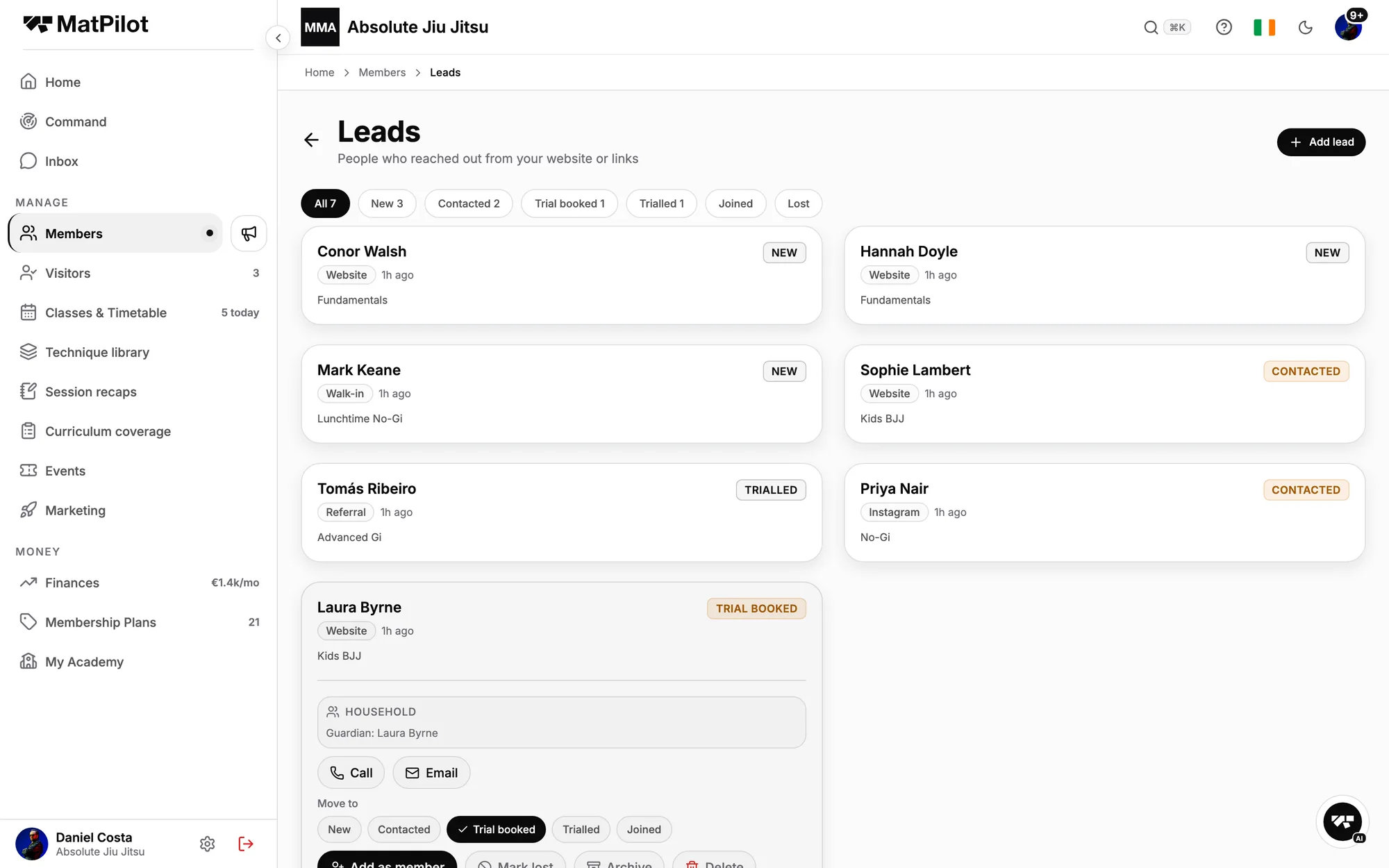
The leads pipeline, with a family lead open showing the parent and both children
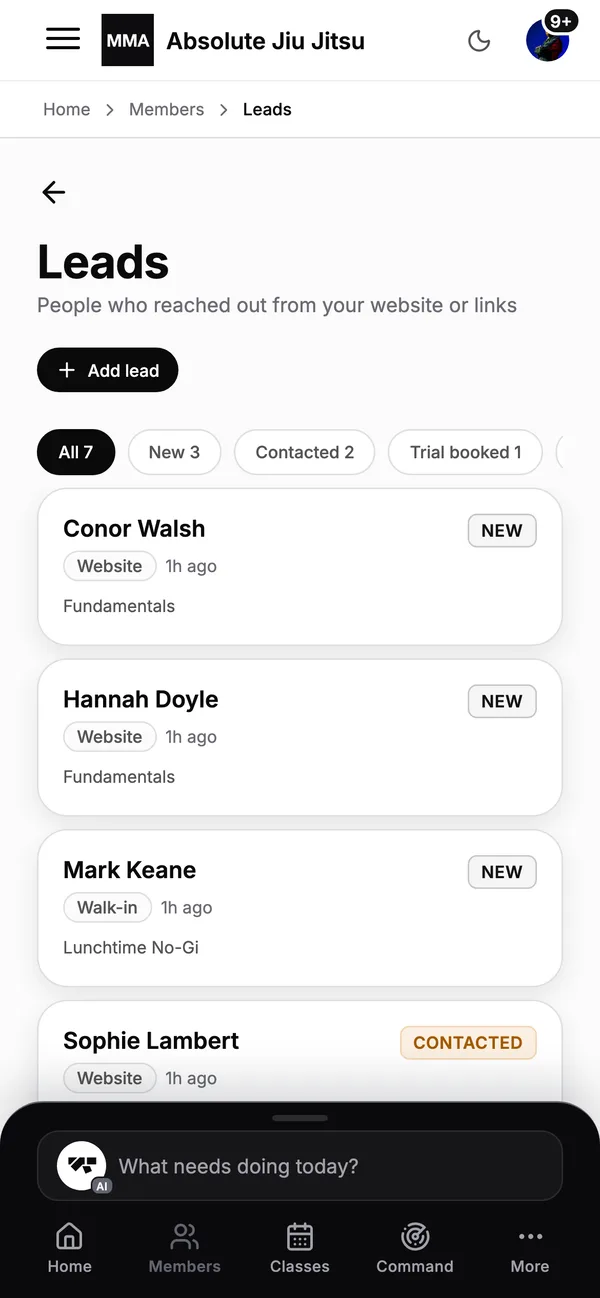
The lead pipeline on a phone: enquiries from first contact to signed up
03 · Waiver

Signed before they step on the mat.

Waiver, agreement and health form, set up once and signed on the phone at joining.

  • A guardian signs for under-18s.
  • Nobody trains unsigned.
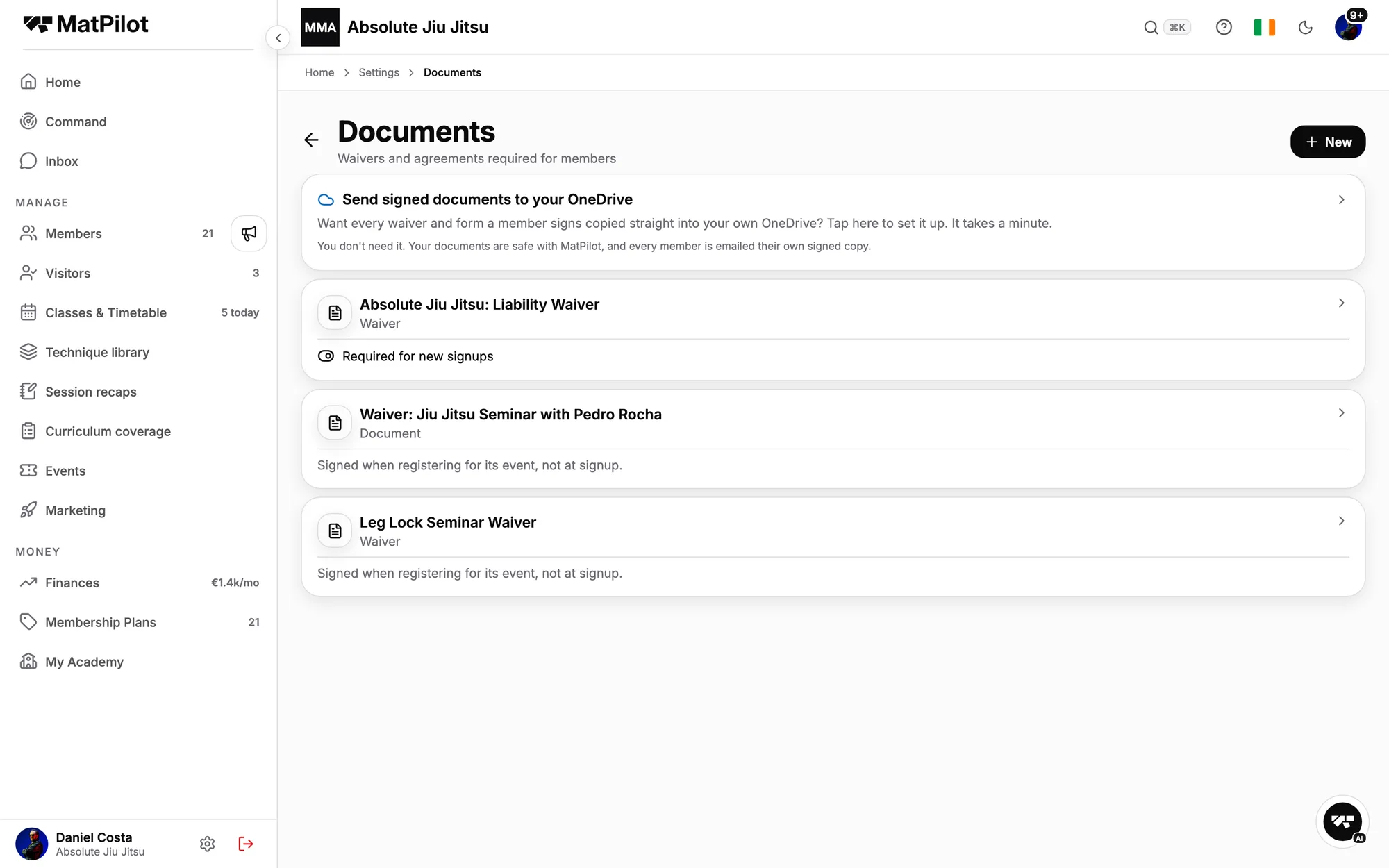
The owner's Documents screen: the waiver required for new signups, an event waiver
A liability waiver signed on a phone before the first class
04 · Payment

Paid, on your own Stripe.

They pick a plan and pay. The money goes straight to your Stripe account; a failed card is retried and chased.

  • Plans, class packs, drop-ins, seminars: one ledger.
  • 0.49% platform fee on Pro.
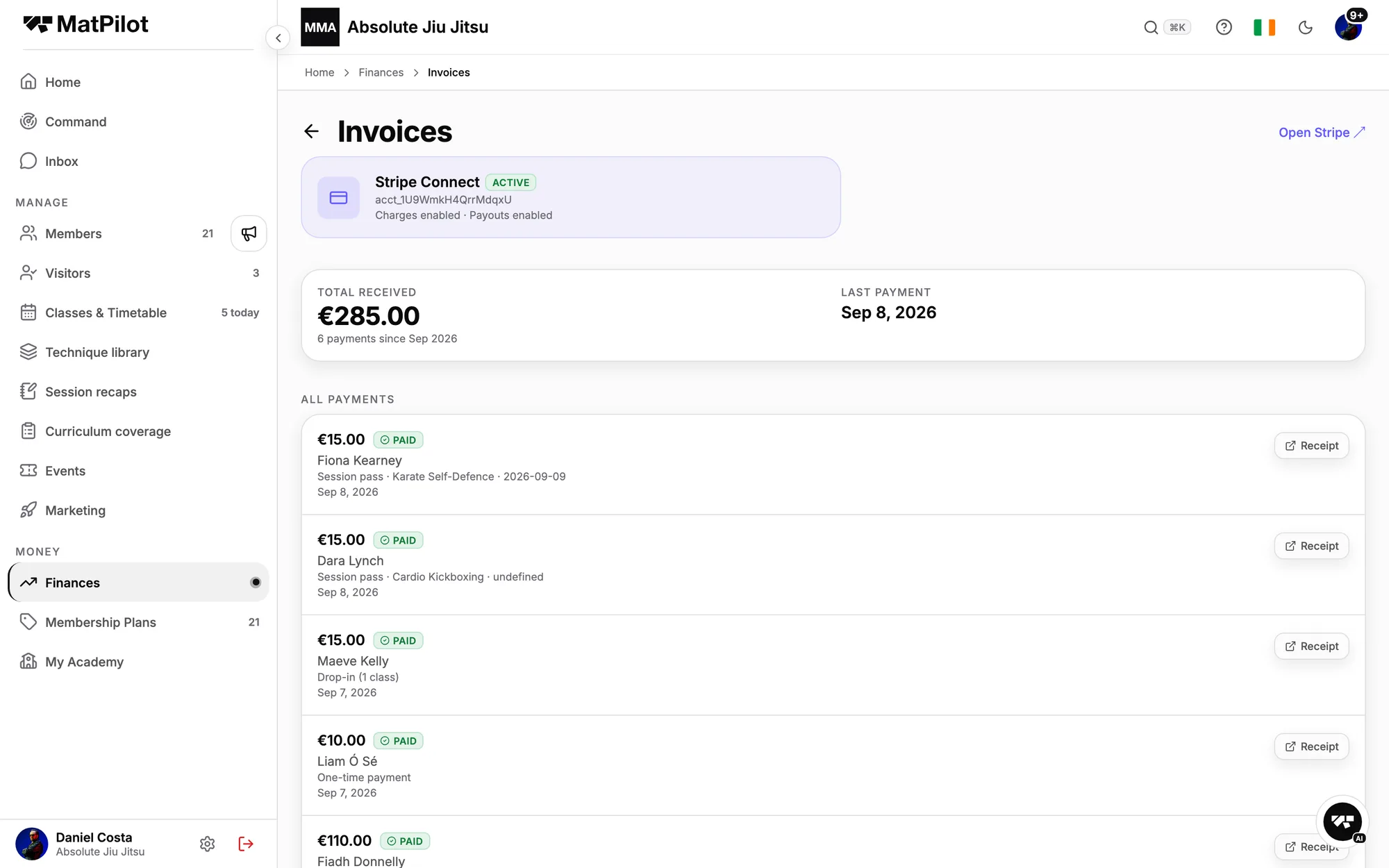
Every payment listed with its receipt, and the Stripe account it landed in
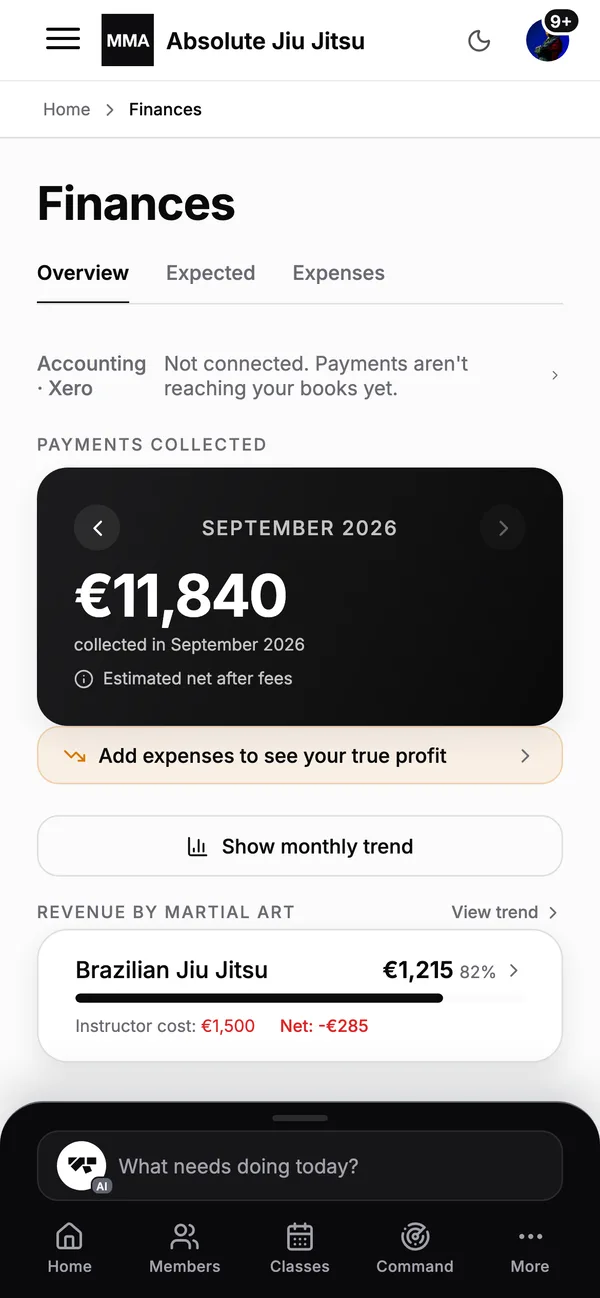
The finances screen on a phone: payments collected and money expected
05 · Member

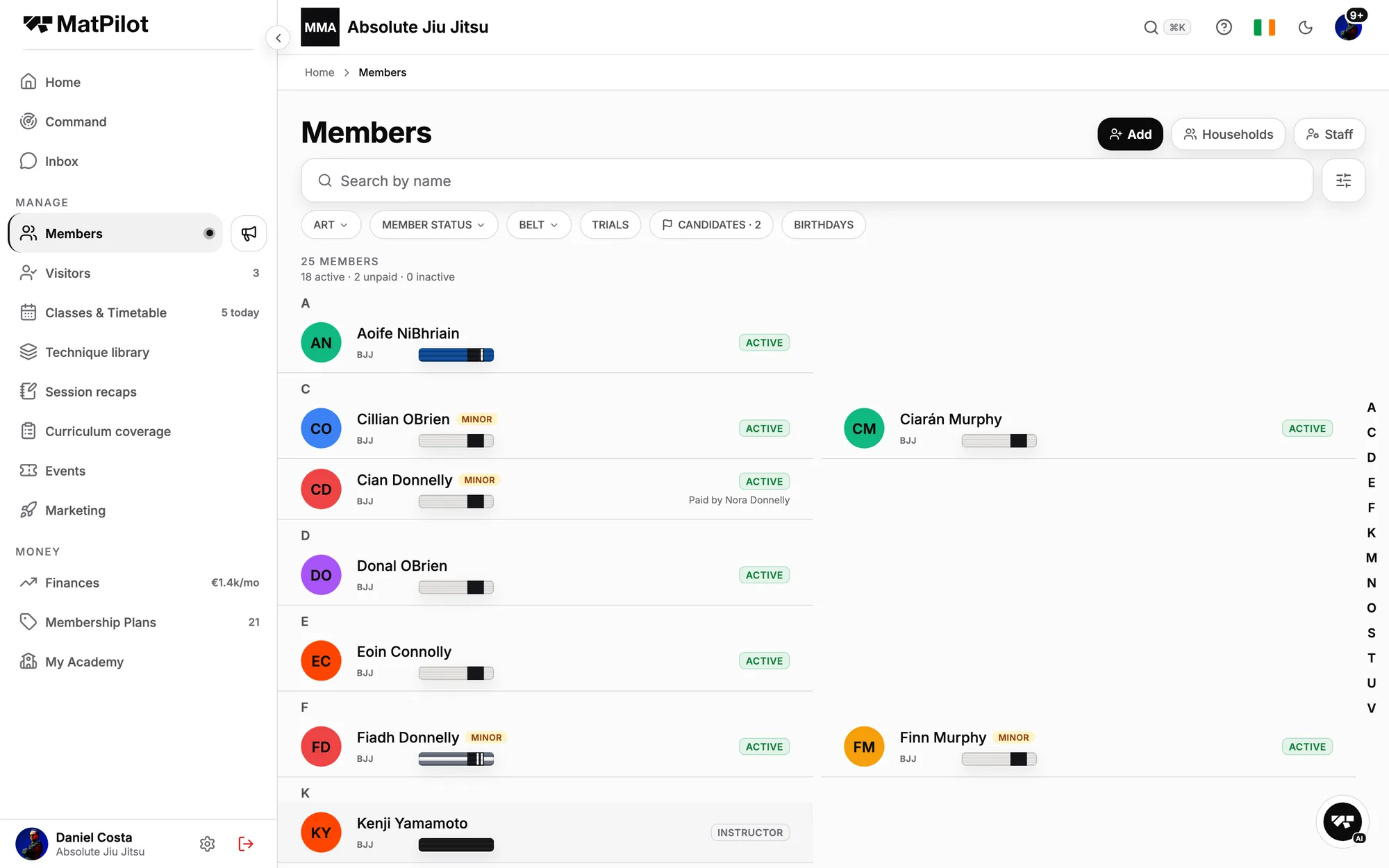
One profile from day one.

Subscription, household, documents, injuries and every rank on one record.

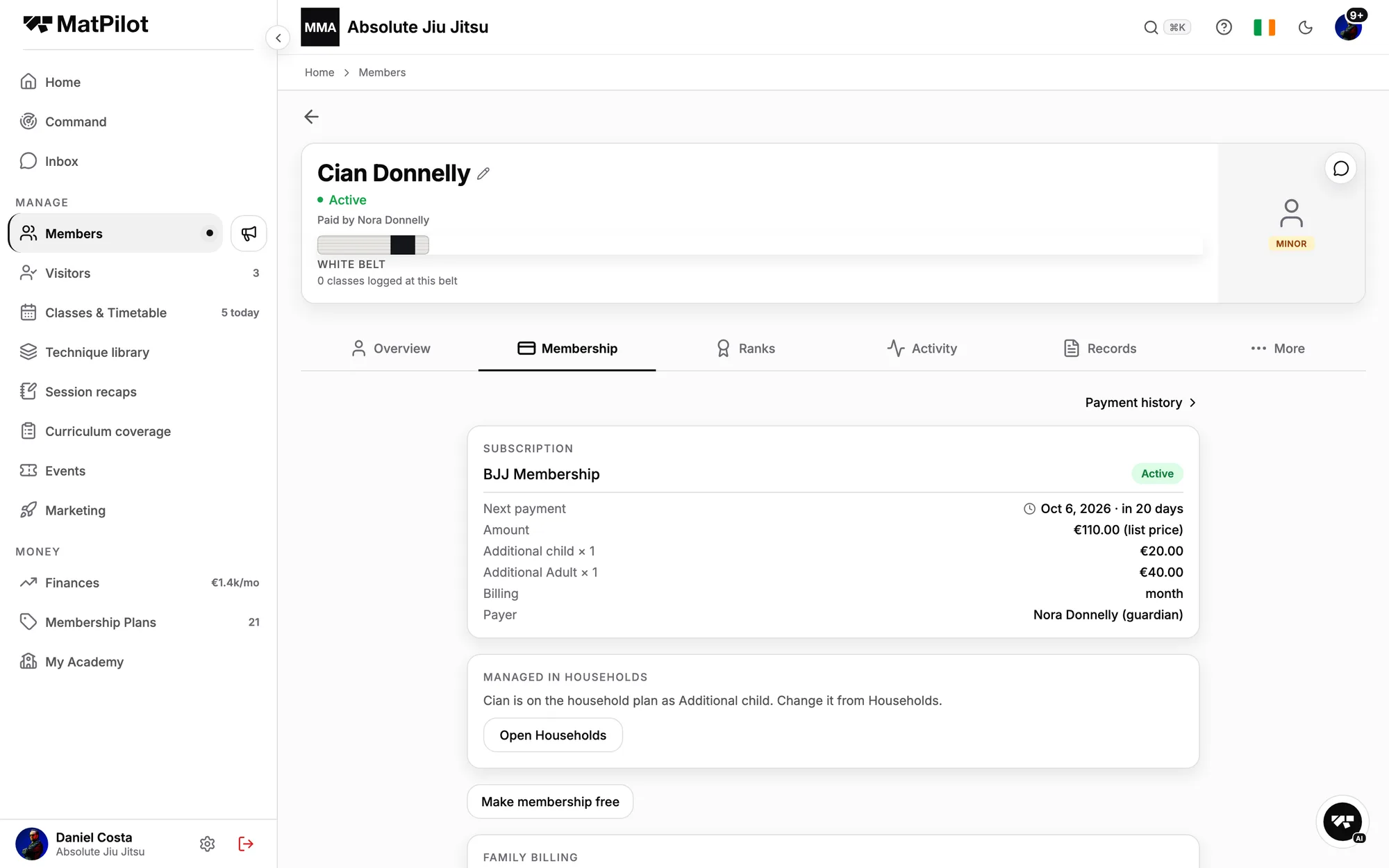
  • A child sits in a household, paid by the parent.
  • Add a rank for another art in one tap.
A child's profile, Membership tab: an active subscription paid by the parent through the household
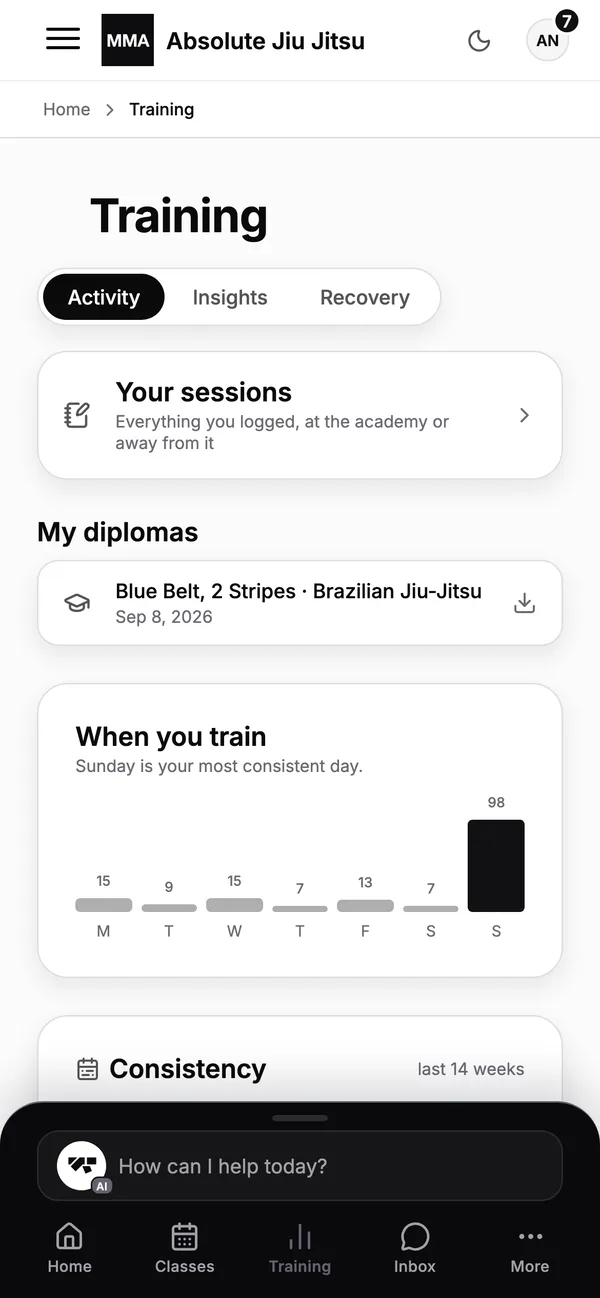
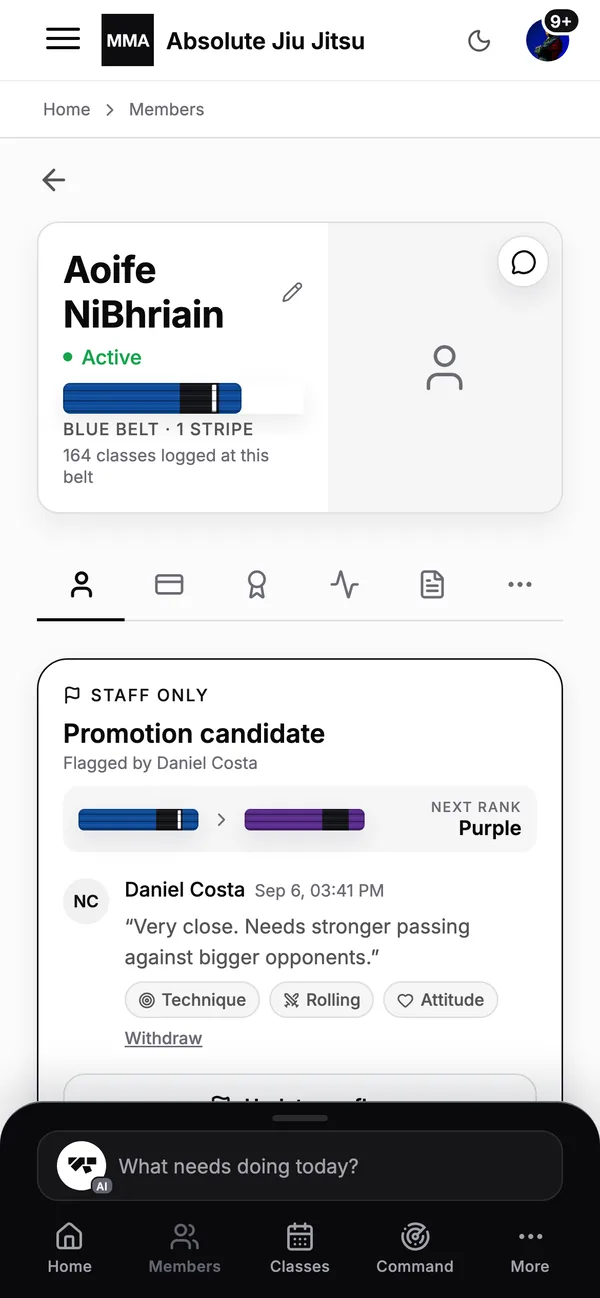
A Brazilian jiu jitsu student's profile on a phone: belt, attendance and membership
06 · Attendance

Every class, counted, from both sides.

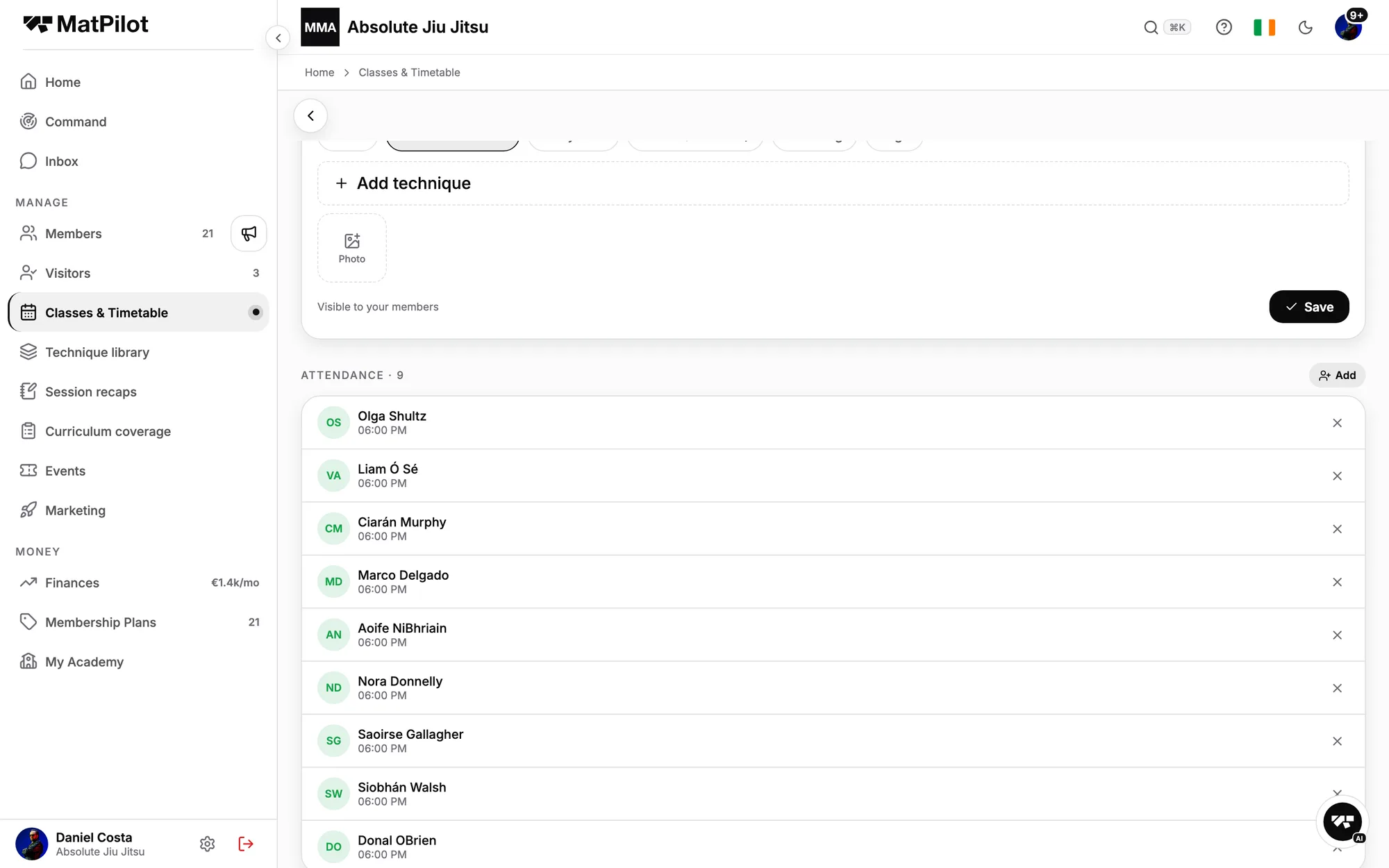
Members check in from the app or the kiosk; the coach marks the roster and logs what was taught.

  • Each session lands on the profile as a record.
  • The member sees their own consistency.
A BJJ Fundamentals class as the coach sees it: the attendance list
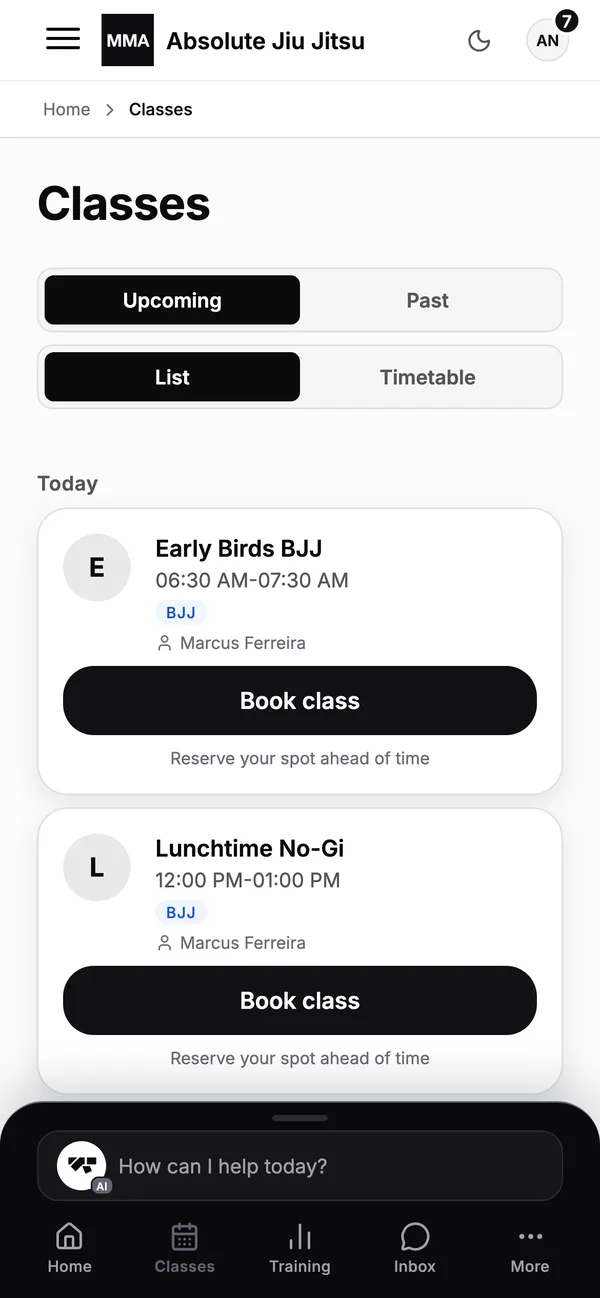
The class timetable on a phone: today's classes with spots left
07 · Progress

What they have practised.

Tick what you taught and every student who was there gets those techniques on their record.

  • Coach and member logs, reconciled.
  • What they have done, not just how long they have paid.
A member's practised techniques, ticked per class
A student's training log: sessions, techniques drilled and rounds rolled
08 · Promotion

The professor decides, the app records.

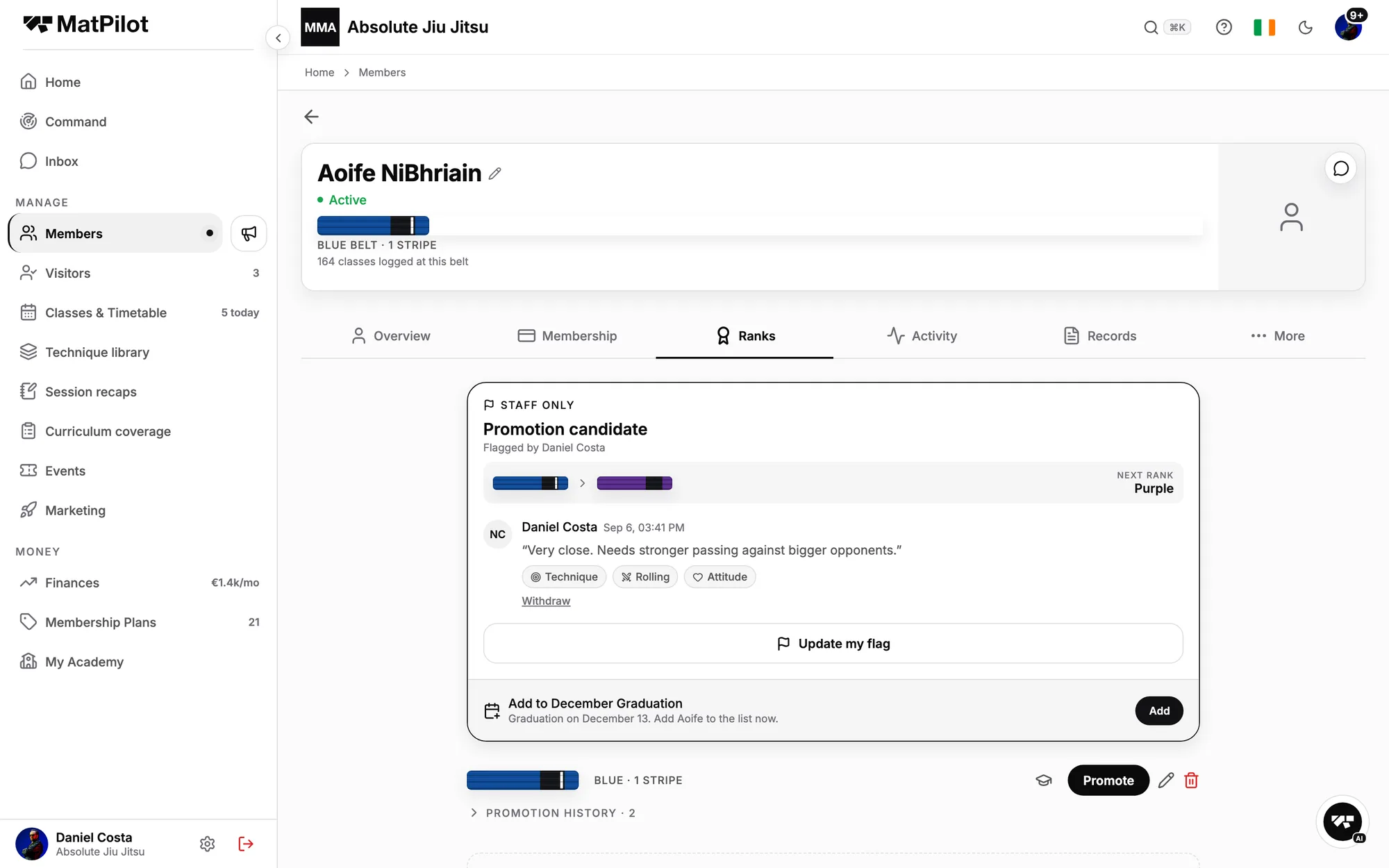
A staff-only flag, the IBJJF minimums in view, and a verified diploma the moment you promote.

  • It never says "ready".
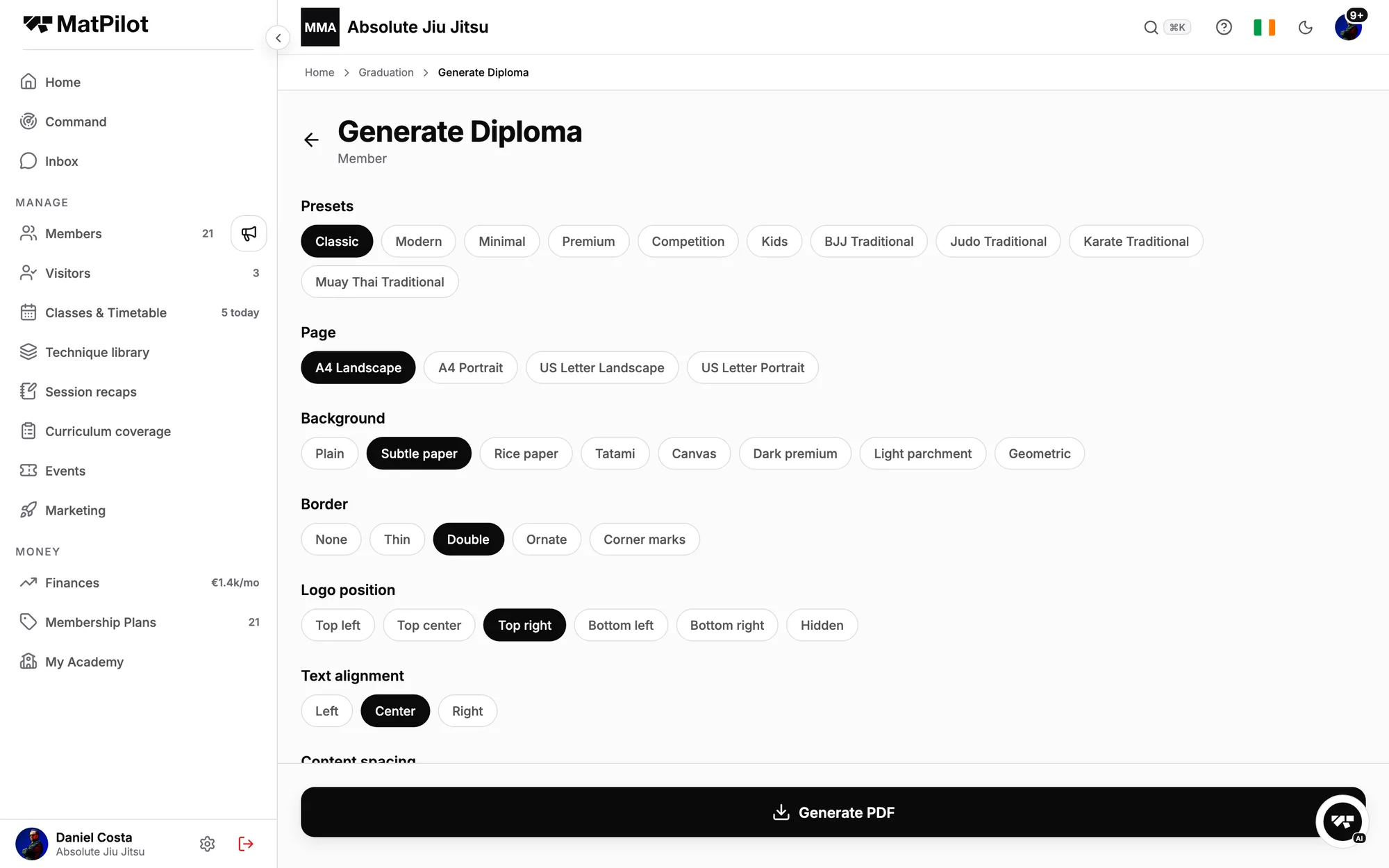
  • Diplomas in your colours, A4 or US Letter.
A member's Ranks tab: a staff-only promotion candidate flag and the promotion history
Generating a promotion diploma: presets, page size, background, border
09 · Events

A seminar, sold and postered.

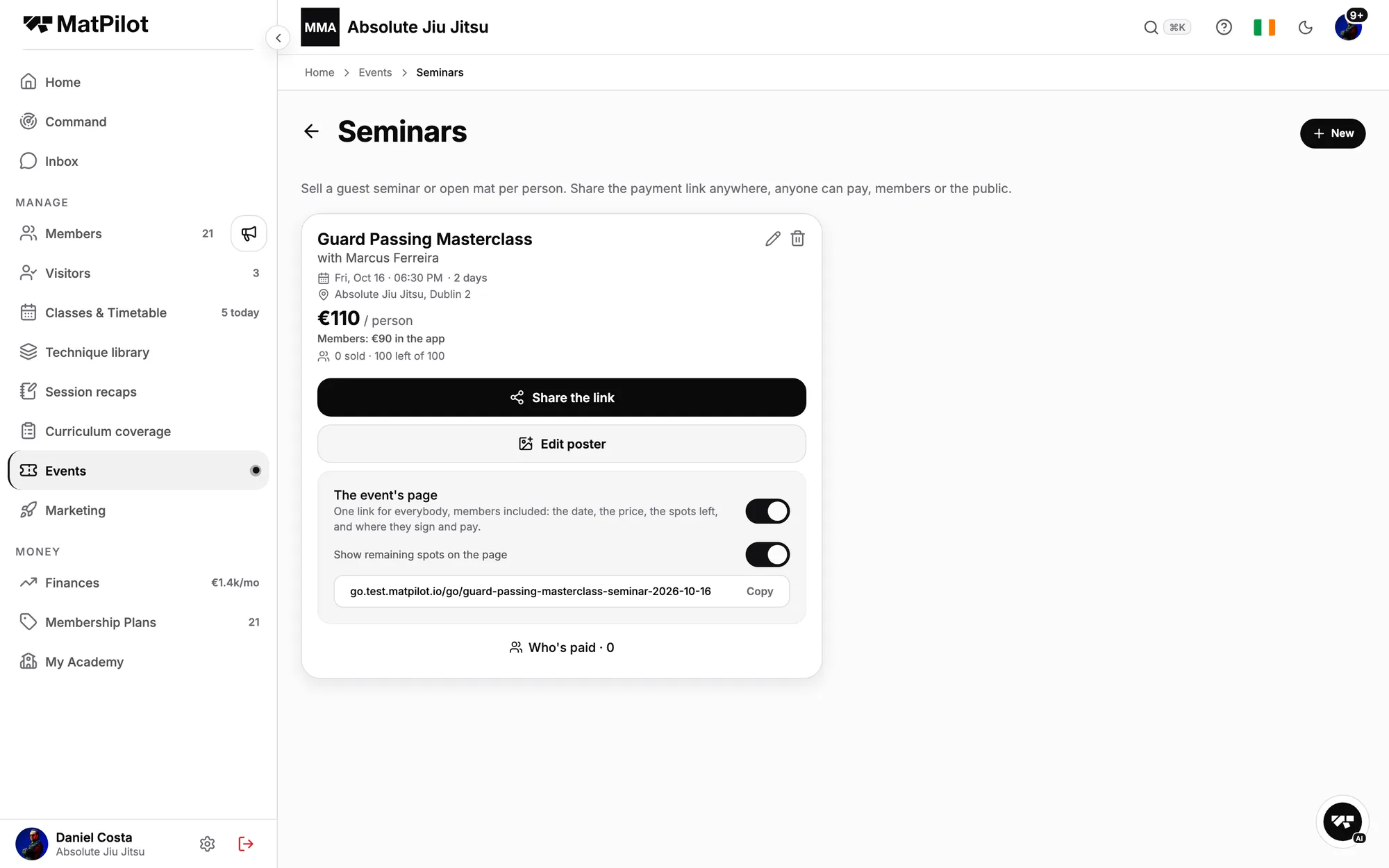
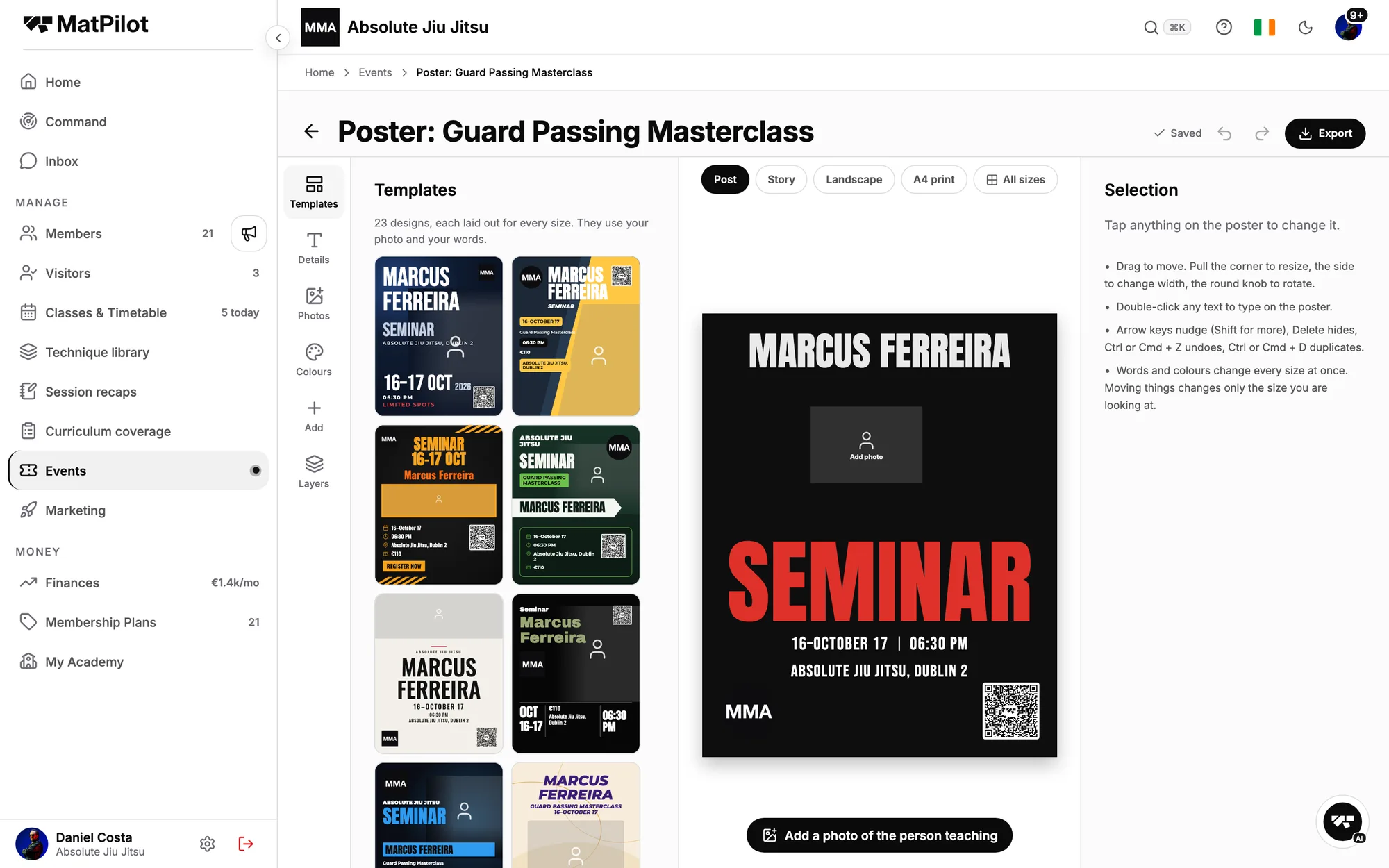
One link to register, sign and pay, members at the member price, then a poster in minutes.

  • Courses, seminars and graduation days in one hub.
  • Twenty-four designs per size.
A seminar with its share link, member price and event page
The poster studio: designs filled from the seminar's details
10 · Retention

Who is slipping, before they cancel.

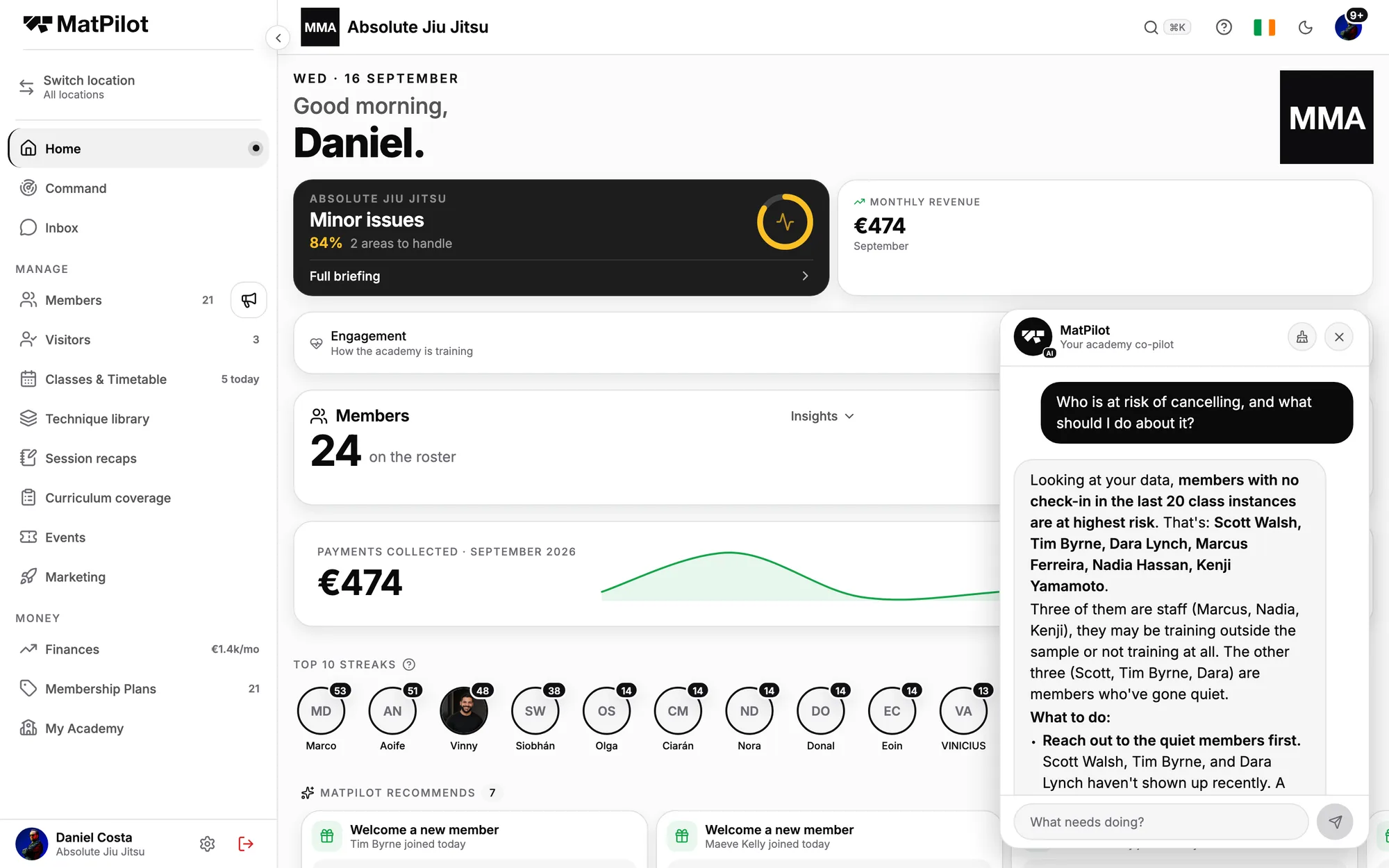
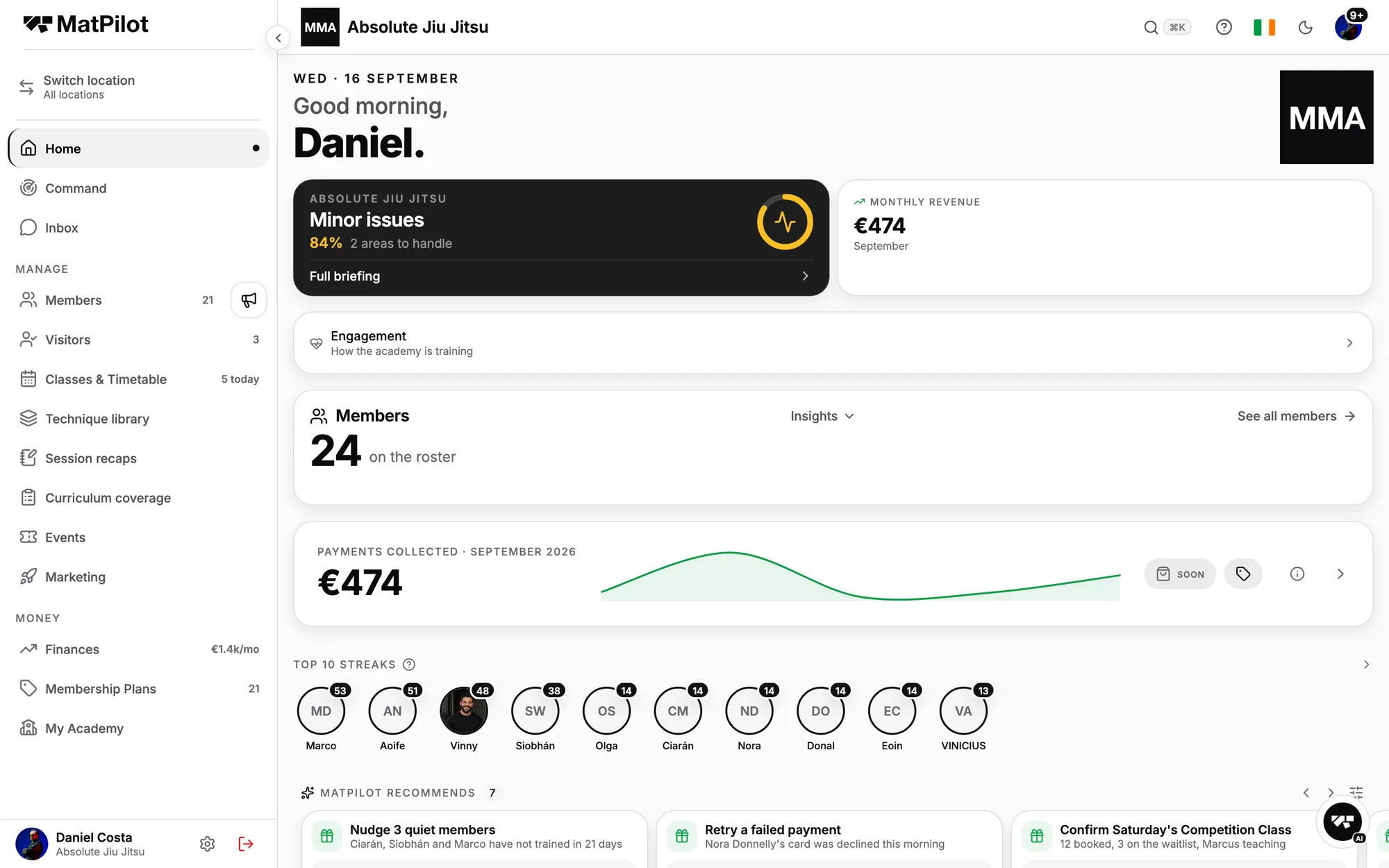
Ask who is at risk and get names, not a chart. Or let MatPilot recommend the nudge and send it when you approve.

  • Triggered: a failed card, a missed month, a lapsed trial.
  • Proactive: quiet members, a fading class.
The co-pilot answering who is at risk of cancelling, with names and what to do
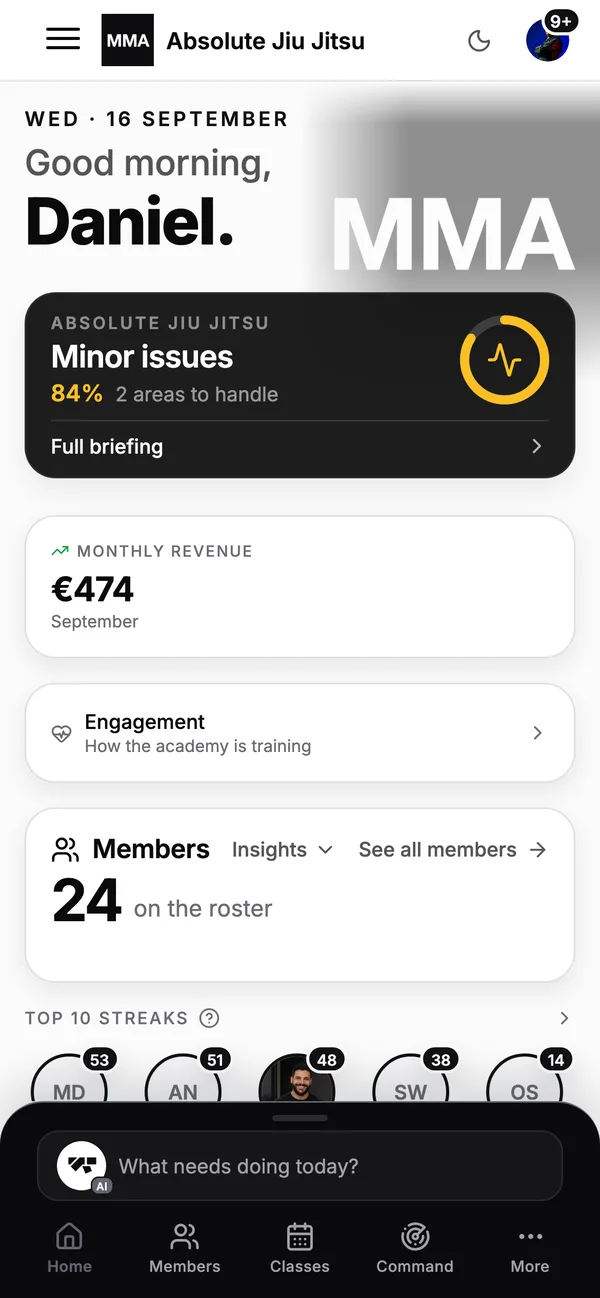
An academy owner's home screen on a phone: what needs doing today
11 · Expand

A second location, same academy.

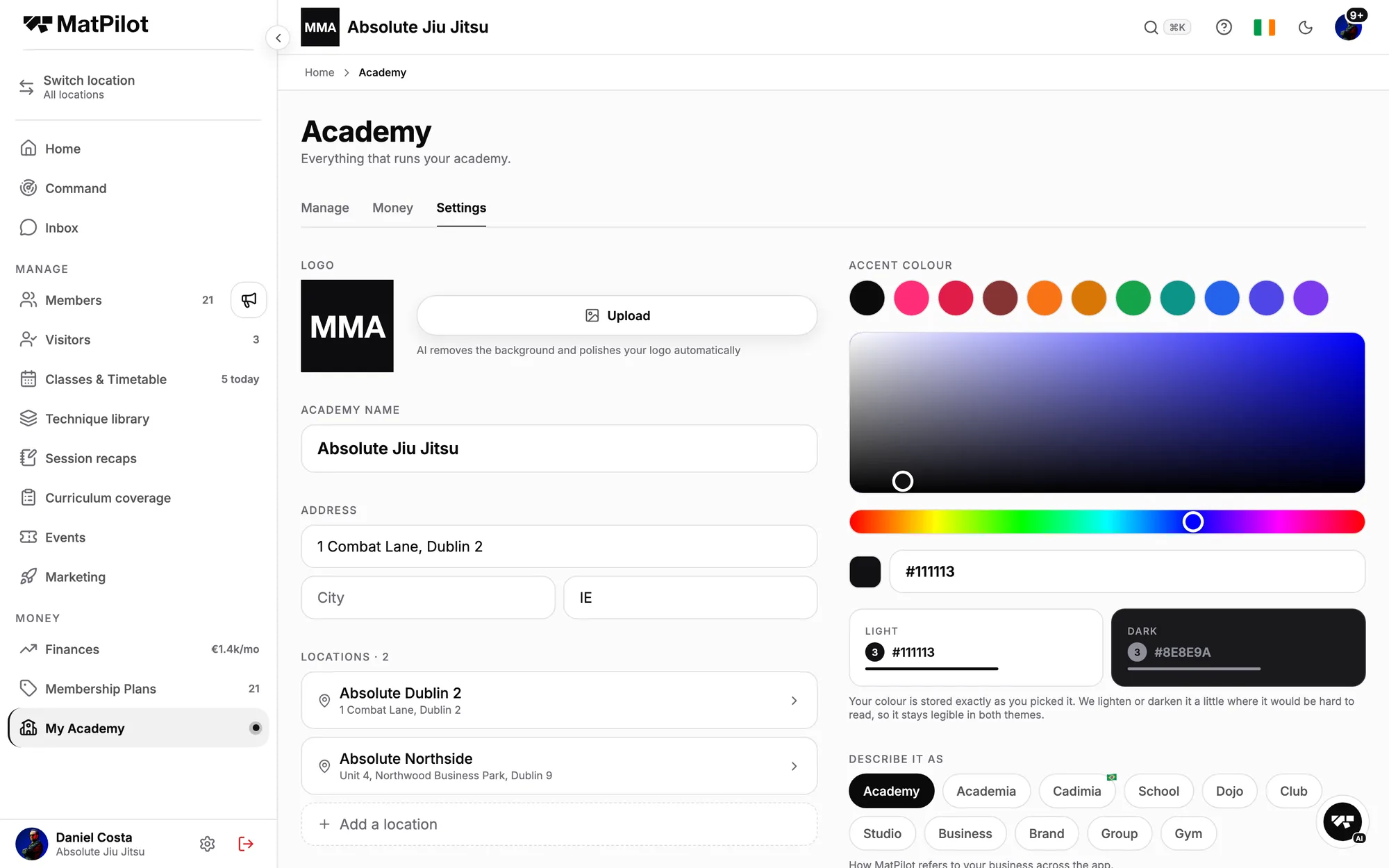
Its own timetable, roster and staff; one Stripe account, one set of plans, one member record.

  • Members belong to the locations they train at.
  • A manager runs one site without seeing the books.
Academy settings with two locations, Dublin 2 and Northside, and the accent colour

MatPilot keeps the entire journey on one member record.

What it runs for you

Jiu jitsu academy software: billing, trials, belts, attendance and scheduling.

01

Collect every membership, and know who has not paid

Monthly plans. Family billing, where one parent pays once for every child on one subscription split per plan. Drop-in visitors who buy a single class without becoming members. A seminar sold through one link, waiver before the card.

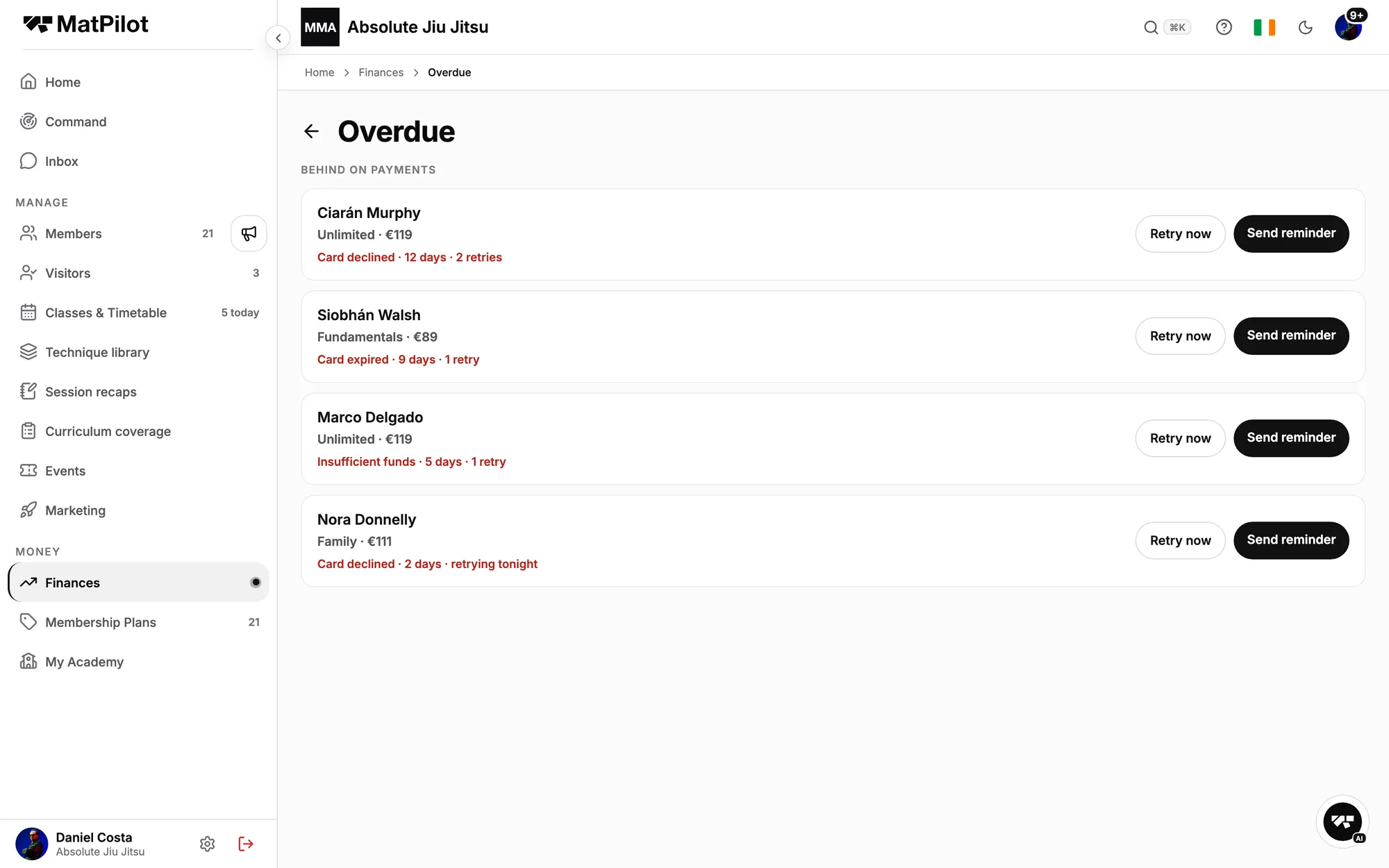
Every payment goes directly to your own Stripe account. 0.49% platform fee on Pro. When a card fails, MatPilot retries it, then reminds the member, and the Overdue list shows who still owes what, how long, and why. When a payment is due, the member gets a push before it is late. You get the same thing proactively: a card on your home screen when a payment fails, and a co-pilot you can ask to chase the lot.

The Overdue screen: four members behind on payments, why, and a retry and reminder for each
The finances screen on a phone: payments collected and money expected
02

Turn a trial into a member without the front desk

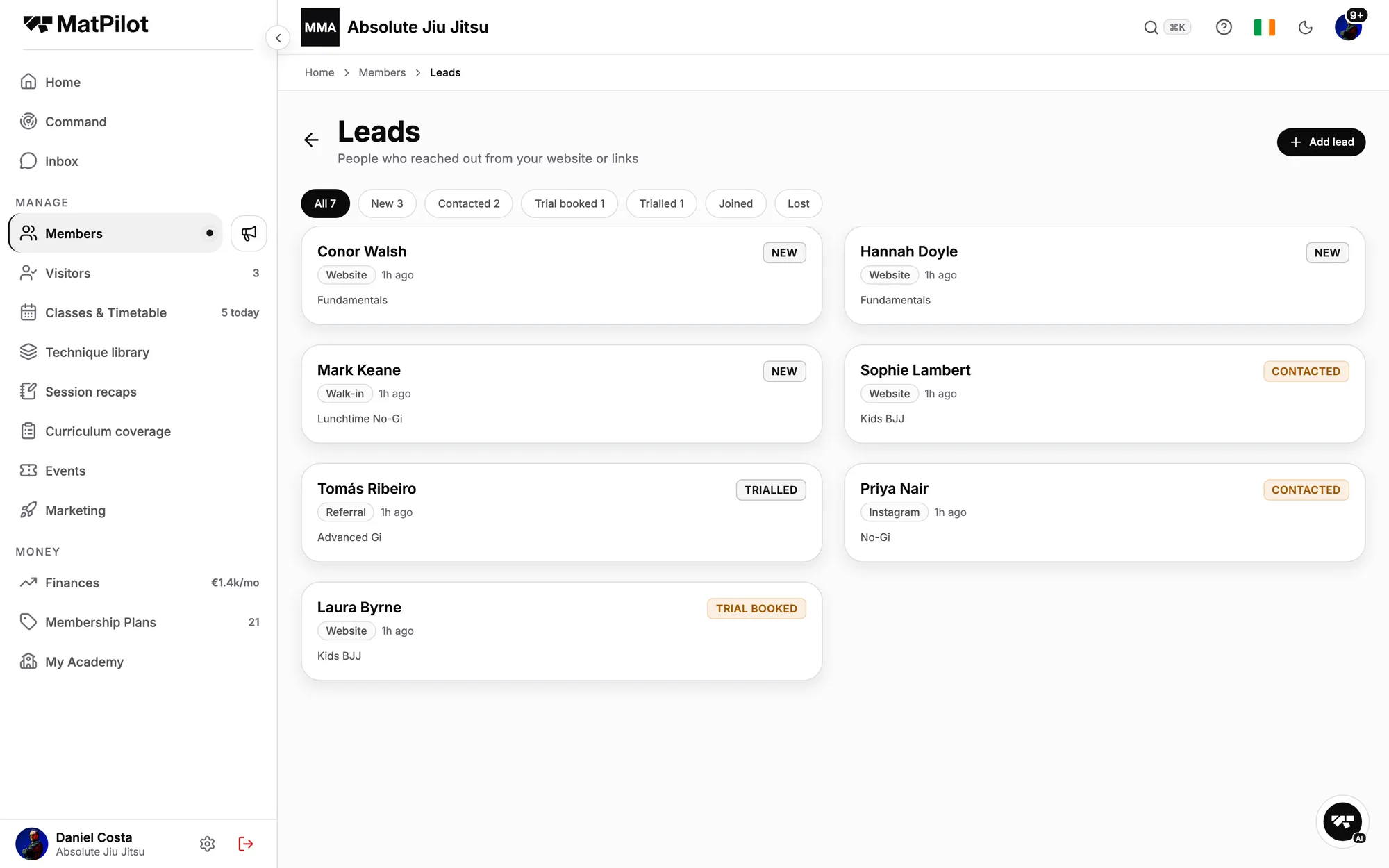
The join link takes a new student from first enquiry to paying member on their phone: details, plan, documents signed, card saved. A trial books a real class, the pipeline moves it from booked to trialled by itself, and a trial that has not come back shows up as one, with a nudge drafted for you to approve.

Walk-ins enrol at the kiosk. A parent adds their children and signs for them.

The leads pipeline: new, contacted, trial booked, trialled, joined
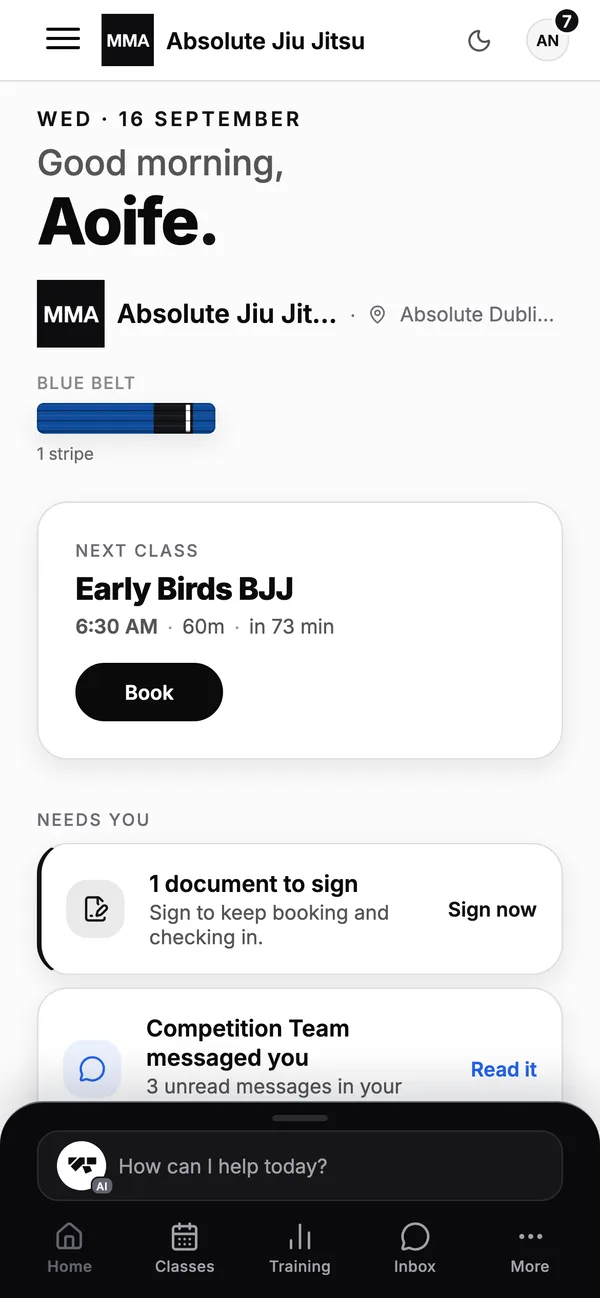
A student's home screen: their next class, streak and belt progress
03

The belt ladder is built in, both of them

Adult ranks from white to black with stripes and degrees, coral and red where they apply; the kids ladder from grey through yellow, orange and green with its own stripes. Year of birth decides which ladder applies, the way the IBJJF divides juveniles from adults, and a student's history carries across when they move up.

Every promotion is recorded with the date and who gave it, so a profile carries its whole history: first stripe, each belt, the professor's name beside it.

A member's rank history: belt, stripes and every promotion with its date
A Brazilian jiu jitsu student's profile on a phone: belt, attendance and membership
04

Attendance that counts, and shows who is slipping

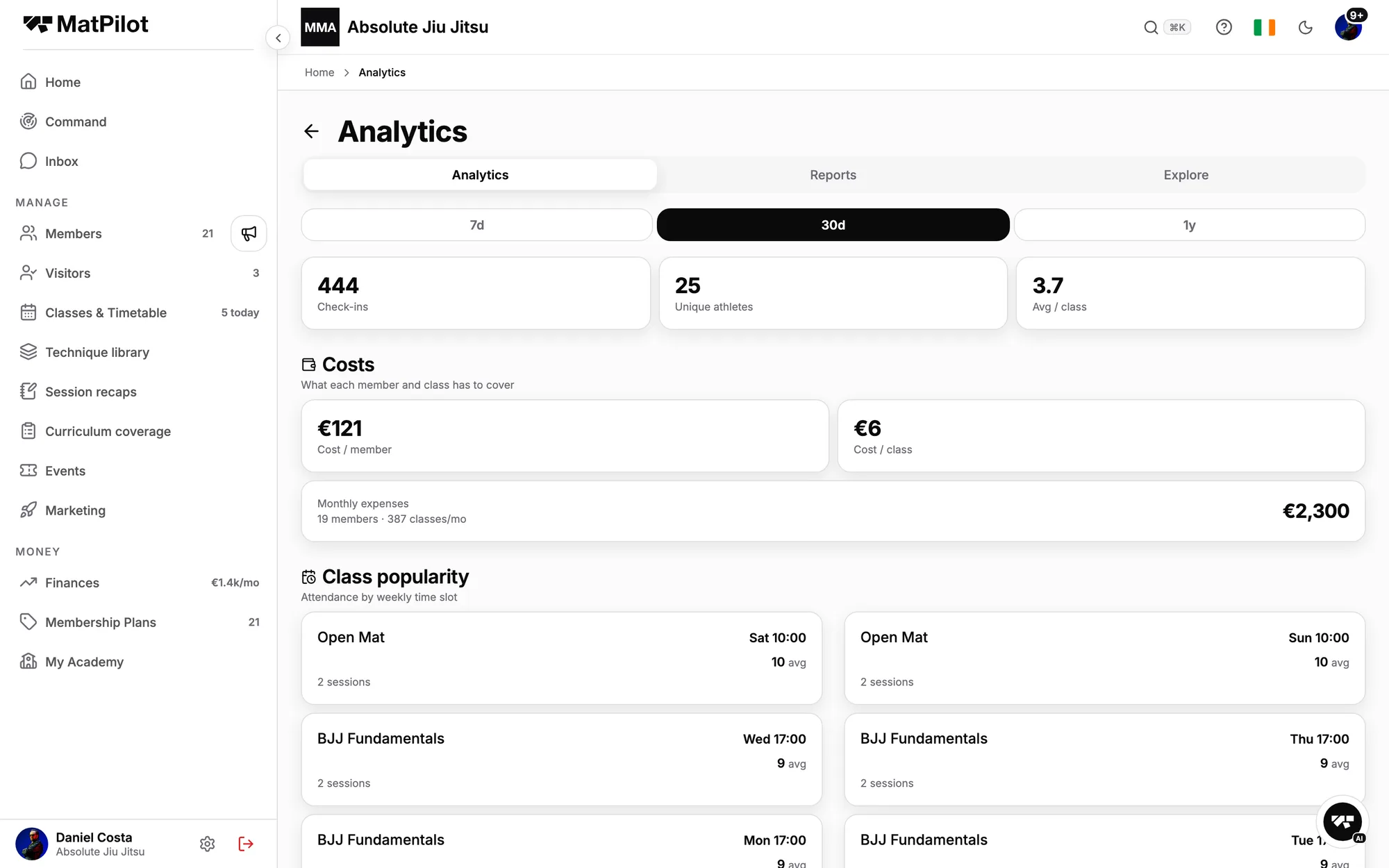
Members check themselves in from the app or at a front-desk kiosk, a coach can mark the roster, and every check-in lands on the profile: which classes, which coach, how often. The professor's report reads the same record: which class is losing people, which is growing, average heads per session, and the members who were regulars and have gone quiet.

When a grading is coming, the shortlist keeps the applicable IBJJF minimum graduation periods in view and sorts the roster into strong, review and possibly overlooked. It never says "ready". That word belongs to the professor.

Analytics: check-ins, unique athletes, cost per member, and class popularity for each BJJ class
The class timetable on a phone: today's classes with spots left
05

Gi, no-gi and kids on one timetable, and every student on the app

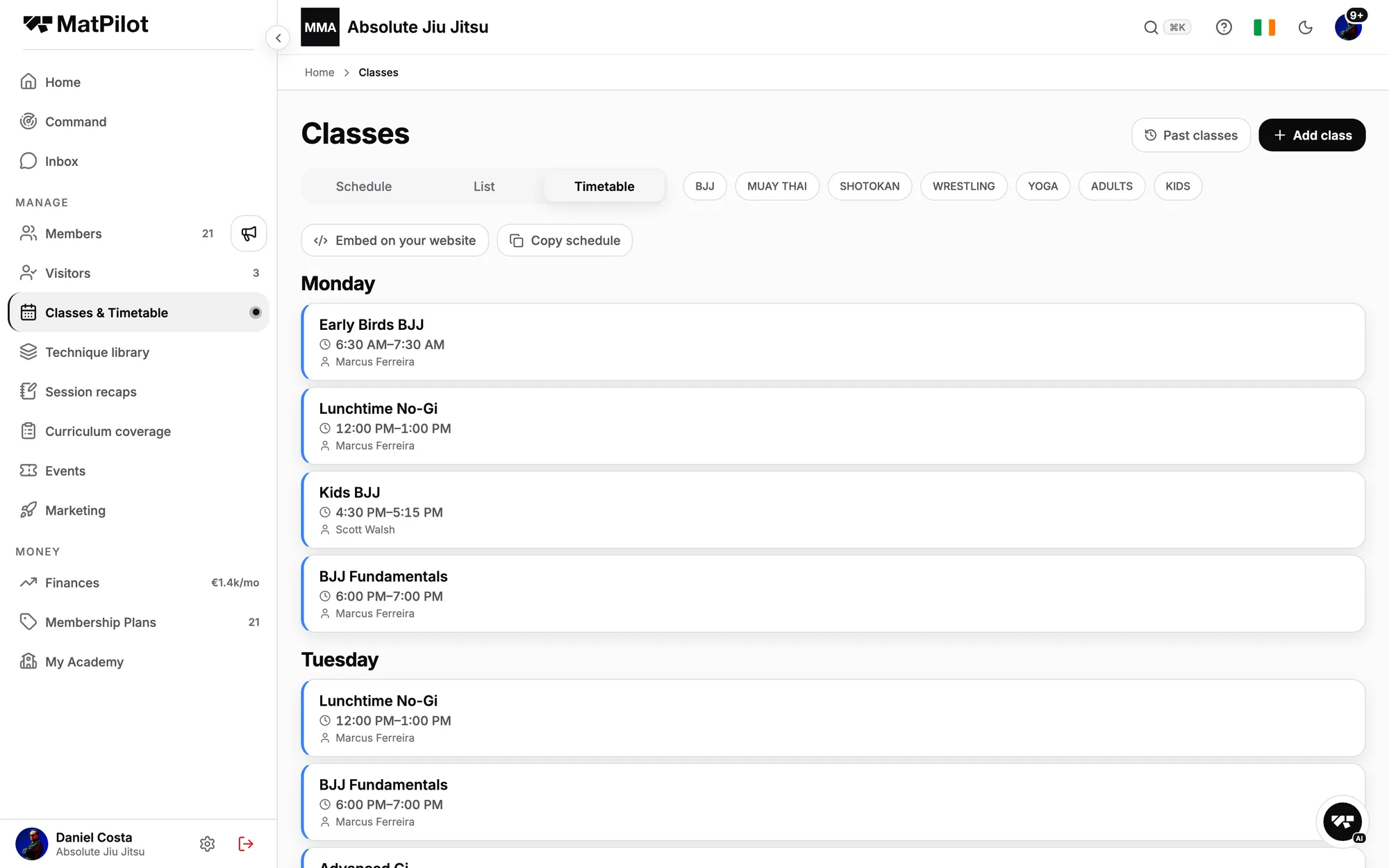
Fundamentals, early birds, lunchtime no-gi, kids, advanced gi, competition class, open mat: recurring classes with a capacity, a waitlist that offers the seat to the next person when someone drops, kids classes gated by age, and a TV mode with the round timer and today's roster on the wall.

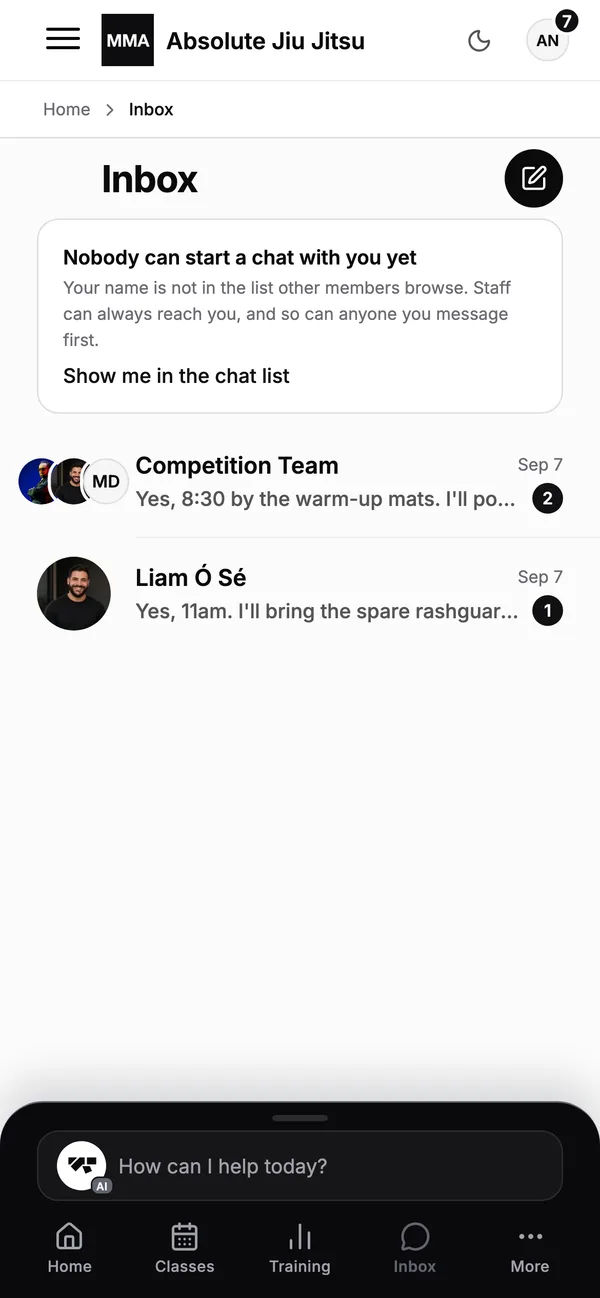
Students book, check in, see their belt and message the academy from the iPhone and Android app. You message them back, one at a time or all at once.

The weekly timetable: Early Birds BJJ, Lunchtime No-Gi, Kids BJJ, BJJ Fundamentals
The academy inbox on a phone: messages between staff and members
0

member record, from first trial to black belt

0

belt ladders, adult and kids, with stripes on both

0%

platform fee on Pro, on top of Stripe's own

$0

for the Free plan, up to 20 members, 2% on payments

Beyond basic gym management

The things MatPilot does differently.

  • A co-pilot that acts
    A co-pilot that actsAsk it to announce a closure, cancel a class, chase failed payments or name who is at risk of cancelling. It shows the action, you confirm, it runs. And it recommends before you ask.Read how it works
  • Seminars, sold and postered
    Seminars, sold and posteredOne link for a visiting black belt's seminar: register, sign the waiver, pay, members at the member price. Then a poster for Instagram, a story or A4, in minutes.Read how it works
  • Curriculum intelligence
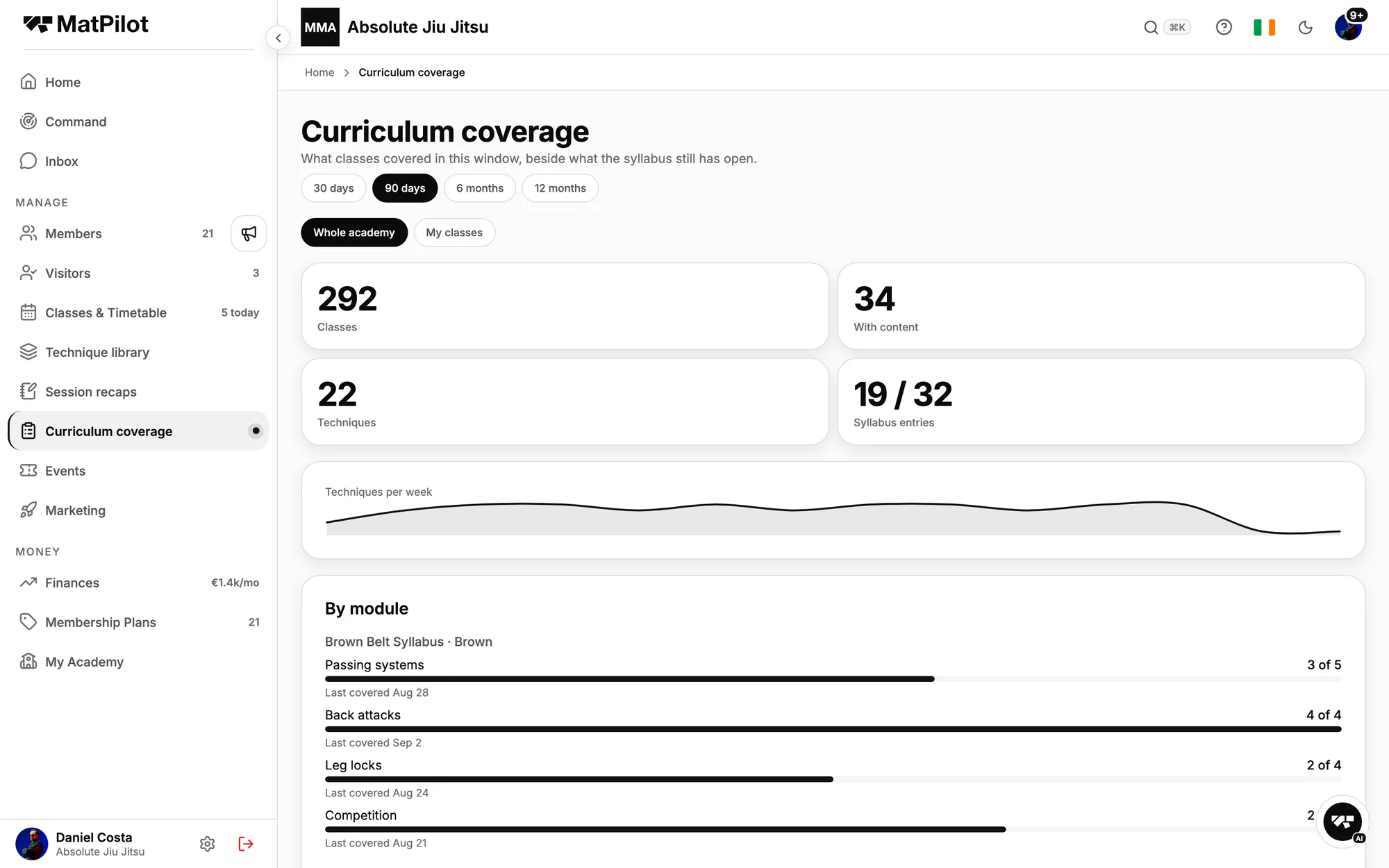
    Curriculum intelligenceA BJJ technique library connected by position, entries, counters and follow-ups. Your syllabus points at it, coverage shows what was actually taught, and each student's record fills in as classes happen.Read how it works
  • Engagement
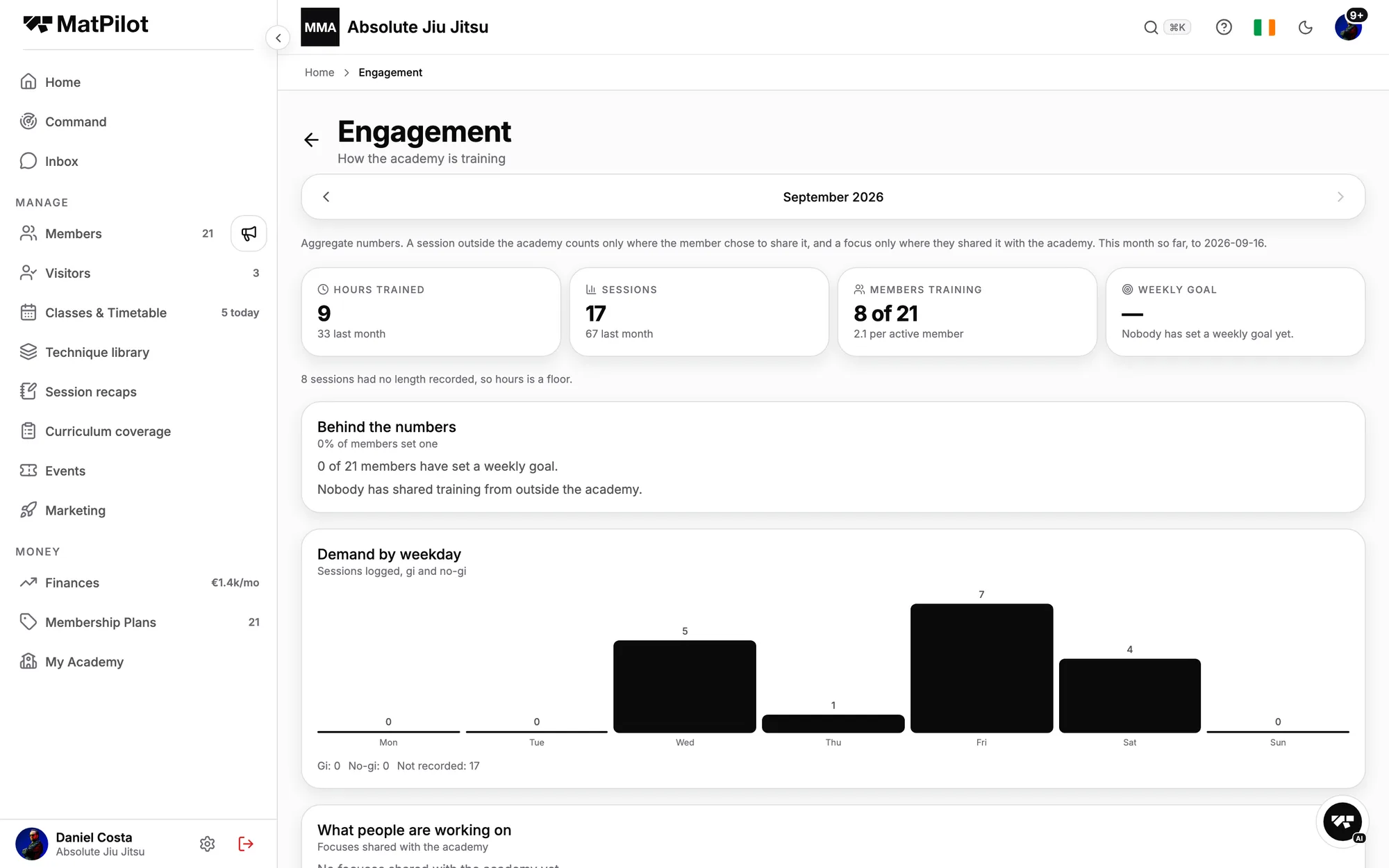
    Engagement, measuredHours trained, sessions, members training this month, demand by weekday, and what people are working on. How the academy is training, not just how many are paying.See all features
  • Kudos and the suggestion box
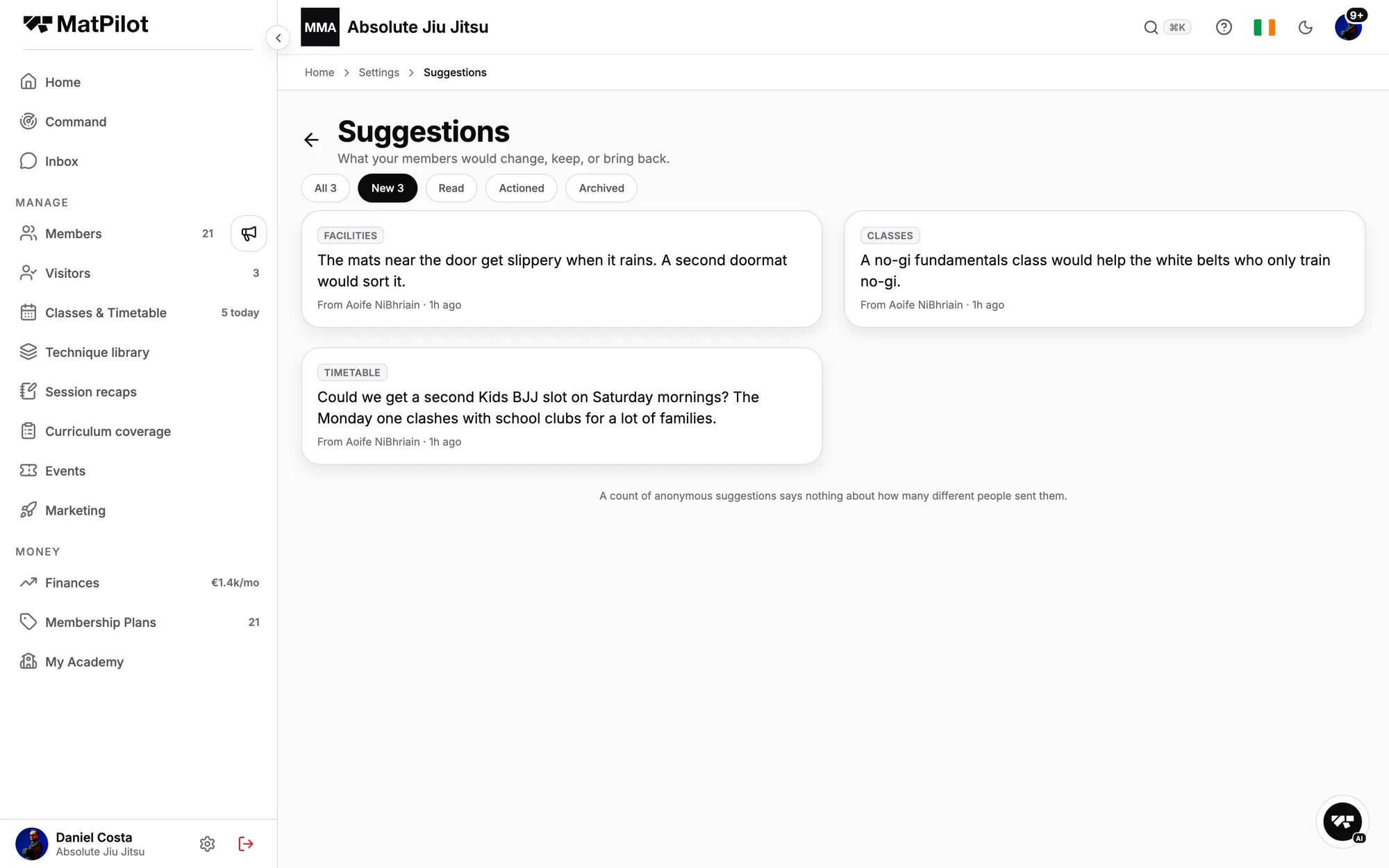
    Kudos, suggestions, reportsMembers give each other kudos after a roll, drop an idea in the suggestion box, anonymously if you allow it, and can report a problem to staff. The mat has a voice, and you hear it before it becomes a cancellation.See all features
  • The report builder
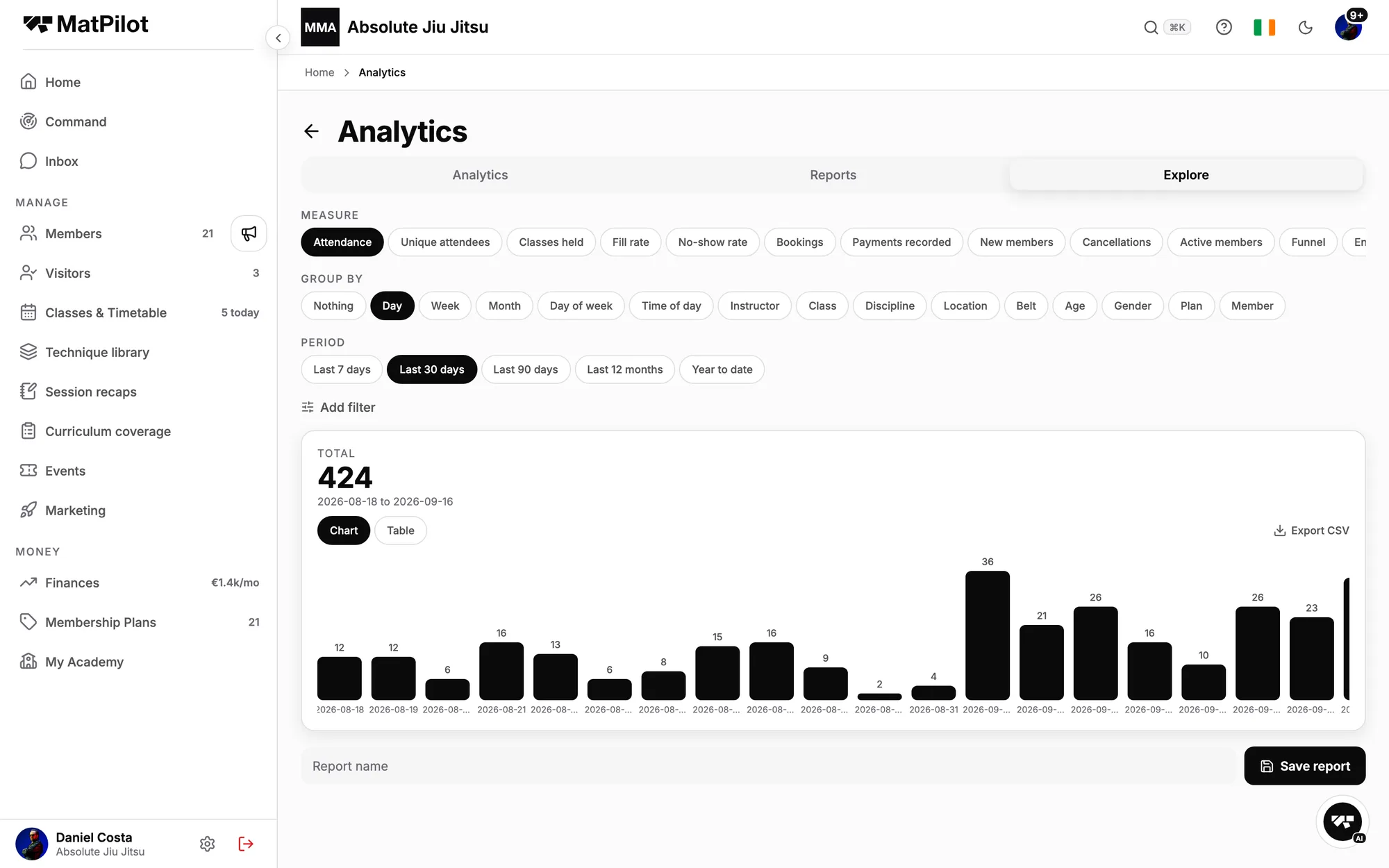
    Reporting you build yourselfAttendance, bookings, payments, new members, cancellations, by class, coach, belt, plan or location, for any period. Save it, schedule it, and it lands in your inbox every Monday.Read how it works

See all features

Onboarding

Onboarding tailored to your academy.

Every academy is different. Some want to be running the same afternoon. Others are leaving a platform they have used for years and want a hand. We built the onboarding around you, and once you are live, a real person answers.

1

Hit the ground running

Know what you need? Sign up, create the academy, connect Stripe, paste your roster from a spreadsheet, and start taking check-ins the same day. No hand-holding required, and the help centre covers every screen.

Free and Pro · same day
2

Get coached through your migration

Switching from another platform? We walk you through the move on a call, map your plans and workflows onto MatPilot, and run a staff onboarding session with your team before go-live.

Pro · a call, with your team
3

We move your data, side by side

We import your members, belts, promotion history, households, plans and attendance, and check it with you before anything goes live, so nothing gets lost and your members do not start from scratch.

Pro · with you, never without you

No card to start. No contract. Cancel any time.

Moving to MatPilot

Coming from Gymdesk, Kicksite, BJJLINK or a spreadsheet? Bring the history with you.

Members, ranks, promotion history, plans, attendance and whatever your current system will export. We help you move it across and check it before you go live. The pace is set by one thing: how quickly your members save a card, which is why they move in waves.

Discovery · a couple of days

We learn your setup

Your export, your plans and prices, card versus bank payers, and the day each member is charged. You can pull the export yourself; if you would rather we wrote the request, we send you the wording.

Half a day

The plan, agreed

We pick the workable payment path for your case, write up the migration plan, and you sign it off. You name one point of contact at the academy for the move.

Days

We build it

Roster, belts, families, plans and waivers, imported by us and checked with you. Your timetable transcribed. You connect your own Stripe account from inside the app; a call with us is optional, and we never ask for your Stripe credentials.

Weeks two to four

Members move in waves

Instructors and free trainers first, to get used to it. Then paying adults. Then families. Each wave saves a card once, and the billing policy sets their first charge to their usual day, so nobody pays twice.

Go-live

The old system off, member by member

As each member moves, their old autopay stops. When the last one is across, cancel the old system. We walk the go-live checklist with you, and run a staff onboarding session with your team.

Payments: three cases
Your old system created Stripe subscriptions in your account

Connect the same account and import: customers, saved cards, direct-debit mandates and the live subscriptions come across with no payment created, moved or interrupted. Same amount, same day, same card.

Your old system only charged cards through Stripe on its own scheduler

If your previous system charged saved cards through Stripe using its own billing scheduler, your customers and their saved cards still come across when you connect the account. We recreate each subscription on the saved card, with the first charge on the member's usual day, and confirm the list with you before it runs.

You were billed elsewhere, or by hand

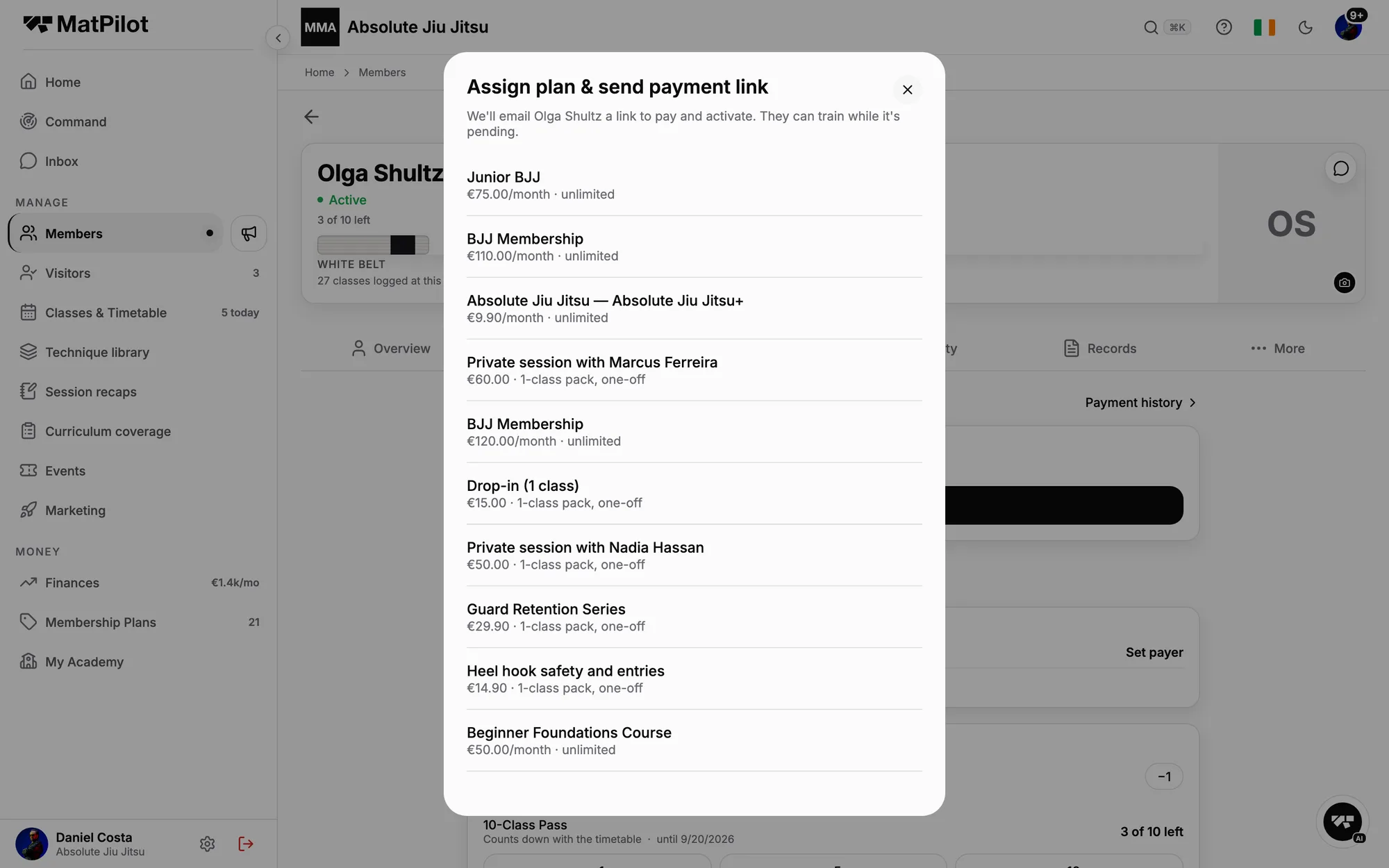
Each member gets a link, saves a card once, and their first charge lands on their usual day. You assign the plan from their profile and pick when the first money moves: now, on a date, already paid elsewhere, or their own billing day. Nobody gets a new billing day.

Read the details: how a move goes, the Stripe import, moving off another biller, and the go-live checklist. Comparisons: Gymdesk, Kicksite.

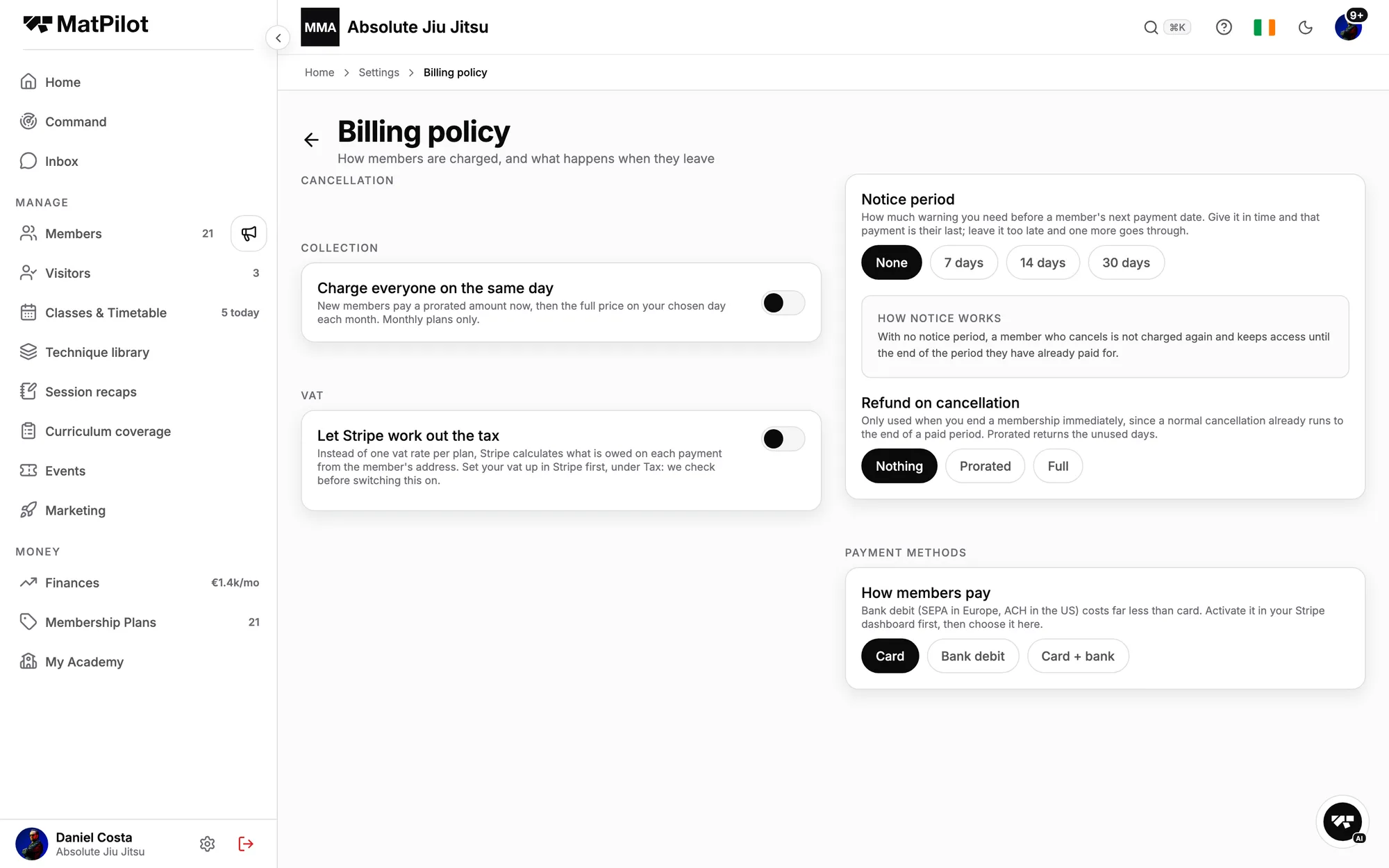
The billing policy: collection day, notice period, refund on cancellation, payment methods
Assigning a plan to a member and sending the payment link
Pricing

Two plans. No contract. No card to start.

Free
$0/ month

Up to 20 members. 2% on payments you take through us.

  • Members, classes and the timetable
  • Attendance and the self check-in kiosk
  • Payments to your own Stripe account
  • The member app on iPhone and Android
Start free
Pro
$79/ month + 0.49%

Unlimited members, and the platform fee drops to 0.49%.

  • Promotions, rank history, the grading shortlist and diplomas
  • Family billing, leads, the join link and multiple locations
  • AI co-pilot, seminars, poster studio and Xero
Start on Pro

No contract. No card to start. Your payments go to your own Stripe account. · Full pricing, fees and the website add-on

FAQ

Questions jiu jitsu academies ask before switching

Can you migrate my academy from Gymdesk, Kicksite or another system?

Yes. Export from your current system (you can do it yourself, or we send you the wording to ask for it), send it to us, and we import members, belts, households, plans and attendance history, then check it with you before you go live. What happens to payments depends on how you were billed. If your old system created Stripe subscriptions, connect the same Stripe account and they carry over untouched. If it only charged cards through Stripe on its own scheduler, the customers and saved cards come across and we recreate each subscription on the saved card, first charge on the usual day. If you were billed elsewhere, each member saves a card once and their first charge lands on their usual day. We never ask for your Stripe credentials.

Do students get an iPhone and Android app?

The MatPilot app on iOS and Android is included on every plan, and the same app runs in a browser at app.matpilot.io. From it a student books classes, checks in, sees their belt and every promotion with its date, signs documents, pays, and messages the academy. Parents see their children in it. The promotion shortlist and any coach flags stay staff-only.

Can parents manage multiple children?

Yes. A guardian links their children to their own account, books and checks them in, signs documents on their behalf, and pays for all of them on one subscription split per plan. A child under 18 never needs a login of their own.

Can I use my existing Stripe account?

Yes, and if you are switching you should. You connect it yourself from inside the app, through Stripe's own screen; we never see or ask for your Stripe login. If your old system created subscriptions in that account, they carry over untouched. If it only charged cards through it, the customers and saved cards come across and the subscriptions are recreated on those cards. If you do not have a Stripe account, create one from inside the app in a few minutes.

Can I export my data if I leave?

Yes. There is no contract, and your members, their payment methods and their subscriptions live in your own Stripe account, which you keep. Pro exports members and attendance as CSV from the app, and on any plan you can ask us for a full export of your academy's records: members, ranks and promotion history, attendance, documents.

Does MatPilot work for multiple locations?

Yes. An academy on Pro can run several locations, each with its own timetable, roster and staff. A member belongs to the locations they train at, and a manager can be scoped to one location without ever seeing the academy's finances.

How long does setup take?

Creating the academy takes a few minutes: name it, pick the arts you teach, connect Stripe. Add your waiver and a plan, transcribe the timetable, then import your members from a spreadsheet or from Stripe. A small academy is running in an afternoon. A move from another system is paced by how quickly your members save a card, which is why members move in waves.

Can I run trials and collect waivers online?

Yes. A trial books itself into a real class from your join link or your website, the student gets the app, and you see every trial that has not come back. The waiver, the membership agreement and a health questionnaire are signed on the phone at joining, before the first class, and a guardian signs for a minor.

Does it handle kids belts separately from adults?

Yes. The kids ladder (grey, yellow, orange, green, each with stripes) and the adult ladder (white to black, with stripes and degrees) are both built in. Year of birth decides which ladder applies, the same way the IBJJF divides juveniles from adults, and a student's history carries across when they move up.

Can it tell me who is ready for promotion?

No, and on purpose. It shows you the record: mat time with the applicable IBJJF minimum graduation periods in view, attendance, the techniques practised, and any flag a coach has raised. The shortlist sorts members into strong, review and possibly overlooked. The decision stays with the professor, and nothing here is visible to the member.

Does it work for a no-gi academy, or one that also teaches MMA?

Yes. Gi and no-gi classes sit on one timetable, and a no-gi only academy can run without a belt ladder at all. If you also teach Muay Thai, MMA, judo, wrestling or another art, each class is set to its art and members carry a rank per art. Nineteen arts are built in, and you can add your own with its own ladder.

How does class scheduling work for a BJJ academy?

You set the week up once: recurring classes from Monday to Sunday, each with its art, a capacity and, for kids, an age range, so gi, no-gi, kids and open mat sit on one timetable. Students book from the iPhone and Android app, and when a class is full the waitlist offers the seat to the next person as soon as someone drops. At class time you check students in from the roster, or they check themselves in at the front-desk kiosk, and every check-in counts toward their mat time for grading.

How do billing and failed payments work?

Every payment goes directly to your own Stripe account, with a 0.49% platform fee on Pro. Monthly plans, family billing (one parent pays once for every child on one subscription split per plan) and drop-in visitors all run through it. When a card fails, MatPilot retries it, then reminds the member, and the Overdue list shows who still owes what, how long, and why. Members get a push before a payment is due, and you get a card on your home screen when one fails, plus a co-pilot you can ask to chase the lot.

What does it cost a 60-member academy?

On Pro, $79 a month plus 0.49% of payments taken through MatPilot: about $49 in fees on $10,000 of monthly memberships, plus Stripe's own processing. On the Free plan the platform fee is 2% and there is no monthly charge, up to 20 members.
Next step

See it with your own roster.

No card required. Import your members from a spreadsheet in an afternoon, or ask us to move you.