Can gym software track attendance across locations?

Yes. Gym software can track attendance across locations when it links each check-in to a shared member record, a specific branch, and a class session. The caveat is that a combined attendance total does not prove the system can separate branch activity, enforce access rules, or preserve discipline-specific training history.
- Can gym software track attendance across locations? Yes, with shared member records and location-specific attendance events.
- Test branch reports and academy-wide totals against the same attendance records before choosing software.
- MatPilot suits martial arts owners who need attendance alongside billing and per-art rank tracking.
- Keep attendance, membership access, and promotion approval separate; a check-in does not establish eligibility.
Why this matters
A student who changes training venues has not necessarily stopped training. If each branch keeps an isolated register, your staff must reconcile those records before assessing attendance or following up on an apparent absence.
For your 2026 software review, separate two questions: can staff operate several branches, and can they follow the same student across those branches? The guide to running multiple martial arts locations from one account addresses the account question. This page focuses on the attendance record and the checks that make it useful.
Can gym software track attendance across locations?
Yes, but require a demonstration of the complete attendance trail—not just a dashboard showing several branches. The system should retain who attended, where they trained, which class they joined, and when the session happened.
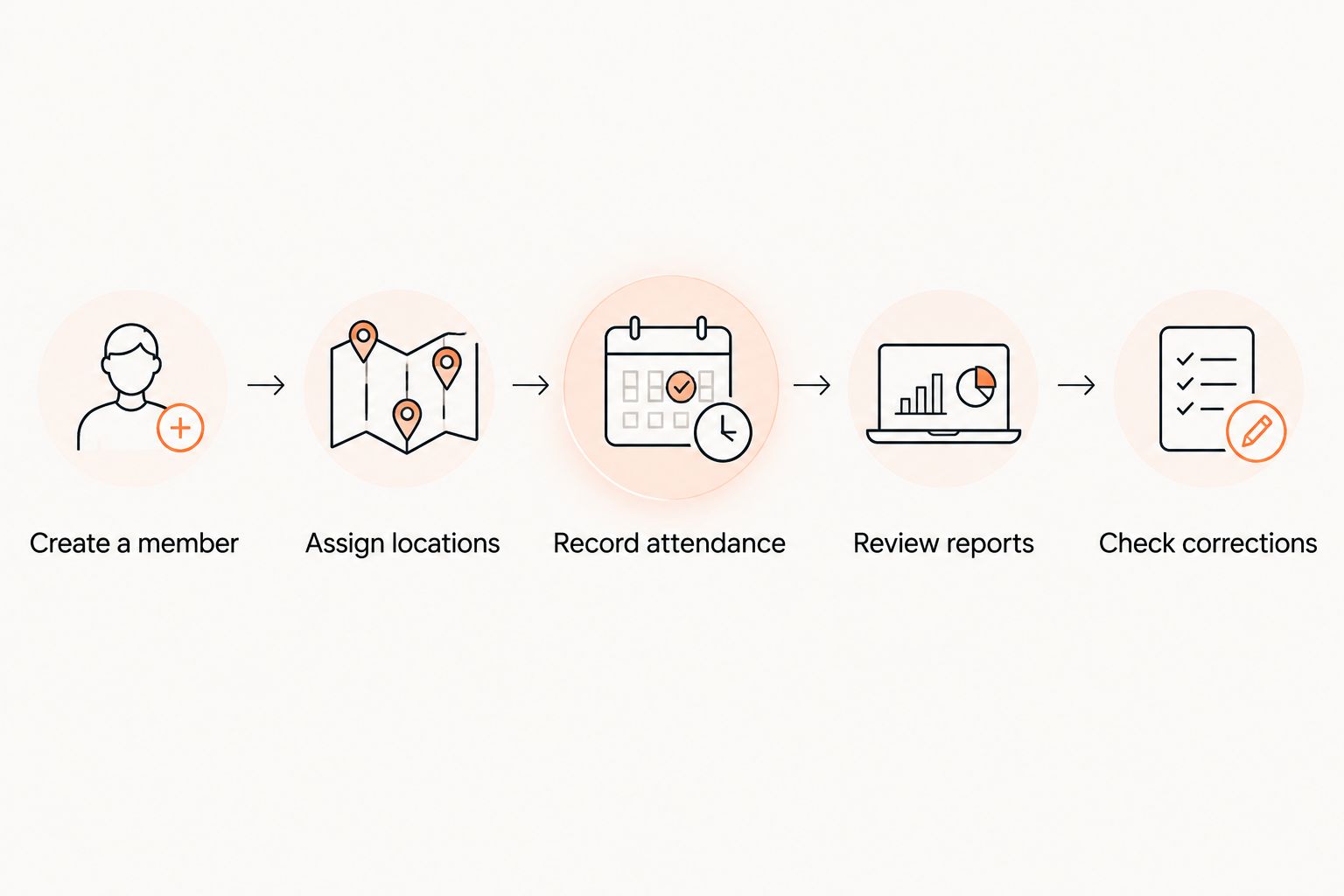
Use the following acceptance test during a demonstration. These are test conditions, not claims about any particular software.
- Create a member. Use 1 test member with a single identity. Do not create a second profile to permit training at another branch.
- Assign locations. Set up 2 test locations. Give each a distinct class session so you can identify where attendance belongs.
- Record attendance. Enter 3 test sessions: two at the first branch and one at the second. Keep the dates and class names visible.
- Review reports. Confirm that the member history shows all three sessions, while each branch report shows only its own sessions.
- Check corrections. Remove an incorrect attendance entry. Confirm that the member history and relevant reports reflect the correction.
The expected result is straightforward: one student history, separate branch totals, and an academy-wide total that agrees with the underlying sessions. Ask the demonstrator to open the records behind the total.
Keep the test results in your 2026 selection notes. A screenshot of a summary is not a substitute for seeing the same attendance event appear correctly in the member history and branch report.
Which attendance setup fits your academy?
There are several ways to organize branch registers. Compare the work each setup requires rather than assuming every multi-location account shares records in the same way.
| Setup | Best for | Practical advantage | Limitation to check |
|---|---|---|---|
| Shared member record with location-tagged sessions | Academies where students train across branches | Keeps cross-branch history attached to one identity | Requires clear branch permissions and access rules |
| Separate branch registers with a combined report | Branches that operate independently but need central oversight | Preserves local registers while supporting a central review | Check how the combined report matches the same student across branches |
| Separate registers with manual reconciliation | Owners maintaining independent attendance systems | Lets each branch keep its existing register | Requires staff to match identities and reconcile corrections |
For students who train across branches, prefer a shared member record with location-tagged sessions. The trade-off is configuration: decide who can see each branch, who can amend records, and which memberships permit cross-branch attendance.
Separate registers serve a different purpose. They preserve local independence, but a central report still needs a dependable method of recognizing the same person. Matching names alone is not a sufficient acceptance test; demonstrate what happens when names are identical or a student changes their contact details.
Why cross-location attendance tracking varies
The useful differences are in the record structure and operating rules. Use these five factors to organize your 2026 demonstration questions:
- Member identity. Establish whether a student has one academy-wide profile or separate branch profiles. Ask how staff resolve duplicates without losing attendance history.
- Session structure. Require attendance to identify the branch, class, discipline, and session date. A building-entry record answers a different question from a class register.
- Membership access. Check whether a membership permits training at the selected branch. Recording attendance and granting access are separate decisions.
- Staff permissions. Define who can view academy-wide activity and who can edit local records. Test the instructor account as well as the owner account.
- Reporting scope. Check whether reports count visits, sessions, or distinct members. Confirm how date filters and attendance corrections affect each view.
Write the required behavior before comparing vendors. Otherwise, a feature labelled multi-location can appear to answer questions that the demonstration has not actually covered.
What should an attendance record contain?
Ask to inspect an individual attendance event. The record should give staff enough context to understand the visit without looking through messages or a separate paper register.
Your acceptance checklist should include:
- A stable member identity, not just a typed name.
- The branch where training happened.
- The class and discipline attended.
- The session date and time.
- A distinction between a booking and confirmed attendance.
- A way to identify and correct mistaken entries.
For BJJ, a student’s attendance history should remain understandable when they train at different branches. For boxing or Muay Thai, retain the same distinction between the student, the venue, and the actual class. Do not treat striking classes as generic visits while keeping detailed records only for grappling.
A booking is an intention to attend; an attendance record confirms participation. Ask the vendor to show a booked student who does not attend, then show how that differs from a completed check-in.
How do I stop duplicate check-ins across branches?
Start with a shared identity and test duplicate handling explicitly. Do not assume a system prevents duplicate attendance simply because it recognizes the member’s name.
During the demonstration, repeat the same check-in for the same session. Ask whether the system blocks the duplicate, warns staff, or records another event that someone must remove. Each behavior creates a different operating task.
Then test a legitimate second class. A student attending BJJ and boxing on the same day has a different record from a student checked into the same BJJ session twice. Your rules must preserve the legitimate attendance while identifying the mistaken entry.
Document who fixes an error and where the correction appears. If a branch register changes but the central report retains the original count, staff cannot rely on those views to reconcile attendance.
Does attendance at another branch count toward belt grading?
Cross-branch attendance should count toward grading only according to your academy’s rules. A recorded session establishes attendance; it does not establish technical competence or authorize a promotion.
For your 2026 grading process, define which classes contribute to attendance requirements. Keep BJJ, judo, karate, and taekwondo rank histories distinct where students train in more than one art. Boxing and Muay Thai attendance still belongs in the training history, without automatically becoming evidence for an unrelated belt promotion.
Ask the demonstrator to show how an instructor reviews qualifying sessions. A combined total is insufficient if the instructor cannot identify the discipline and class behind it.
Keep the promotion decision with the authorized instructor. Attendance supports the review; the syllabus, assessment, and approval process determine what happens next.
Can I compare branch attendance without counting students twice?
Yes, provided the report distinguishes attendance visits from distinct members. A student who trains at both branches contributes activity to each branch, but remains the same person in an academy-wide member count.
Use the earlier test of 1 member, 2 locations, and 3 sessions. The attendance total is three sessions; the distinct-member total is one member. These are expected results for the test, not performance benchmarks.
Before comparing branches, align the reporting period and class definitions. A report covering all sessions at one branch should not be compared with a report covering only adult evening classes at another.
Ask these questions before exporting a report:
- Does the report count people or attendance events?
- Does the branch filter refer to the training venue or the member’s home branch?
- Are canceled sessions and unconfirmed bookings excluded from attendance?
- Do corrections appear in both local and academy-wide views?
The answer determines what the report means. A larger visit total does not, by itself, establish stronger retention or better instruction.
Where MatPilot fits in the evaluation
MatPilot suits martial arts owners who need attendance alongside billing and per-art rank tracking. Its stated scope includes member management, scheduling, attendance, Stripe billing, and belt grading, with web, iOS, and Android access.
For MatPilot gym management software, make the cross-location attendance test part of the demonstration. Ask to see the shared identity, branch-specific records, permissions, and combined report before selecting it for that workflow. Attendance functionality alone does not establish how every multi-branch requirement works.
The practical advantage is the stated combination of martial arts administration functions. The selection constraint is equally concrete: your branch structure, access policy, and reporting requirements still need to pass the test. Do not replace that check with a feature list.
What should you settle before rollout?
Finish your 2026 rollout plan with operating decisions, not just software settings. Give instructors a short written rule for recording attendance and correcting mistakes.
Assign responsibility for member identity, local register corrections, and academy-wide reporting. Decide whether a visiting student uses an existing profile, how staff check branch access, and who resolves an ambiguous match.
If you import historical attendance, inspect sample records before relying on the totals. Check whether the old records identify a training branch or merely the branch that held the membership. Those fields answer different questions.
Keep the previous records accessible during your review. Confirm that imported dates, disciplines, and member identities mean the same thing in the new system before using that history for grading or follow-up decisions.
FAQ
Can gym software track attendance across locations?
Yes, when attendance events connect a shared member identity to a specific location and class session. Verify both the member’s combined history and each branch’s separate register in a demonstration.
Do members need a separate profile for every gym branch?
A shared-record setup does not require a separate member identity for each branch. Ask the vendor to show how a student attends another location without creating a duplicate profile.
Is checking into the building the same as attending a class?
No. Building entry records a visit, while class attendance identifies the session the student joined. Choose the record that answers your scheduling, attendance, and grading questions.
Can a student attend BJJ and boxing on the same day?
Your attendance rules should allow legitimate participation in separate classes without treating it as a duplicate. Test this separately from repeating a check-in for the same session.
Should attendance at another branch count toward a belt promotion?
Only attendance that meets your academy’s grading rules should contribute to a promotion review. Preserve the discipline and session details, and leave promotion approval with the authorized instructor.
Does MatPilot include attendance and belt tracking?
MatPilot includes attendance and per-art rank and belt grading features alongside member management, scheduling, and billing. Demonstrate your specific branch-sharing and reporting requirements before choosing it for cross-location attendance.
What is the best way to test cross-location attendance reports?
Use 1 test member across 2 locations and record 3 sessions. Check that the member history contains all three sessions, the branch reports contain their respective sessions, and the academy-wide distinct-member count remains one.
One last thing
A home branch is not necessarily a training location. A student can belong to one branch administratively and train at another. Before trusting a location filter, ask which of those fields it uses.
That distinction is a useful final acceptance check. Open a visiting student’s attendance event and confirm that the report attributes the session to the place where training happened—not simply the branch attached to the membership.