Can I run multiple martial arts locations from one account?
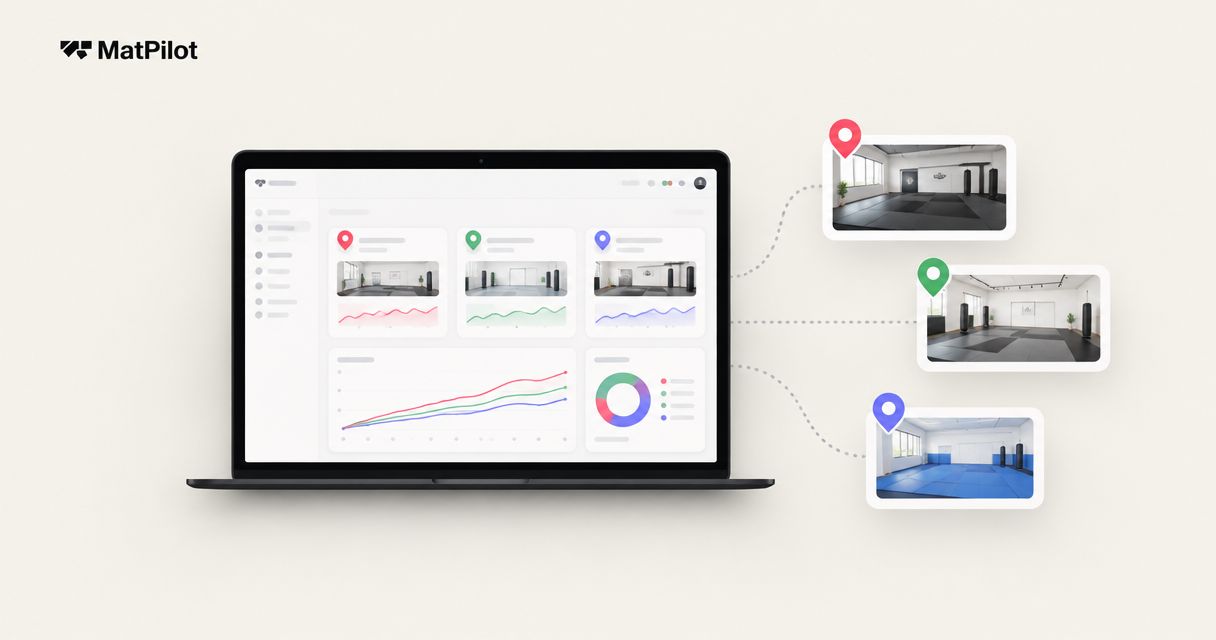
Yes—if your martial arts management software supports multiple locations under the same owner account, with separate schedules, attendance records, and access rules for each site. A shared login is not the same as shared operations: before you commit, require a demonstration of cross-location memberships, payment handling, and staff permissions using your academy’s actual setup.
- Can I run multiple martial arts locations from one account? Yes, if the software supports location-specific operations.
- Test shared memberships, separate schedules, staff permissions, and payment routing before moving your records.
- MatPilot serves martial arts academies; evaluate multi-location requirements separately from its member, billing, and grading tools.
- Choose account structure around ownership and member access, not just the convenience of a shared login.
Can I run multiple martial arts locations from one account?
Yes, provided the account structure matches how your locations operate. Your owner account needs a reliable way to distinguish where a class happens, where a member can train, and who can change each record. Switching between locations is only the starting point.
For your 2026 software evaluation, compare these operating structures. These are requirements to assess, not claims that every platform supports each arrangement.
| Account structure | Best for | Advantage | Trade-off to test |
|---|---|---|---|
| Shared organization with location-specific records | Academies under shared ownership | Central oversight without treating every class as the same site | Staff access and member entitlements need clear boundaries |
| Separate location accounts under an owner login | Sites that operate independently | Local records remain distinct | Shared members and combined reporting need explicit handling |
| Fully separate accounts | Separately operated schools | Each school manages its own records | Owners must reconcile activity across accounts |
Use the multi-location martial arts academy software guide to organize your shortlist. Then ask each provider to demonstrate the same tasks. A feature label is not a substitute for seeing the workflow.
Why this matters
A student can train at different addresses while remaining the same member. Your records should reflect that relationship without confusing attendance, membership access, or grading history.
The same distinction applies to staff. A coach who teaches at several sites needs the right class information, but that does not automatically mean access to every payment record or membership change.
Choose the structure that preserves your operating rules, not simply the one with the fewest logins. Convenience matters only after the system handles the work correctly.
Shared ownership: central oversight with local records
If you own all locations, start by defining what belongs to the academy and what belongs to a site. Member identity, discipline, and grading history need deliberate treatment. Timetables, rooms, and local attendance need a location context.
Ask the provider to open a member record, show an upcoming class at another site, and explain what changes when that member books or checks in there. Watch for duplicate records and manual workarounds. Do not accept a location name typed into a notes field as proof of location-specific management.
Central oversight also needs boundaries. An owner should be able to understand academy activity without losing the ability to inspect an individual site. Ask how the software distinguishes a member’s home location from the location where they attended.
Best for: academies that share ownership and allow coordinated operations. The advantage is connected information; the trade-off is the work required to define access and reporting consistently.
Independent locations: keep operational boundaries clear
A common brand does not necessarily mean a common business. Locations can have different operators, membership agreements, billing arrangements, and staff responsibilities.
If that describes your academy, write down which records each operator controls before choosing an account structure. Ask who can export member information, edit a membership, issue a refund, or remove staff access. Confirm what happens when a location leaves the group.
A shared owner login does not answer those questions. Neither does a combined dashboard. You need an explanation of the underlying permissions and record ownership, supported by a demonstration.
Best for: schools that need independent local administration. Separate records preserve boundaries, but shared memberships and group-level reporting require additional scrutiny.
How to test a multi-location account before switching
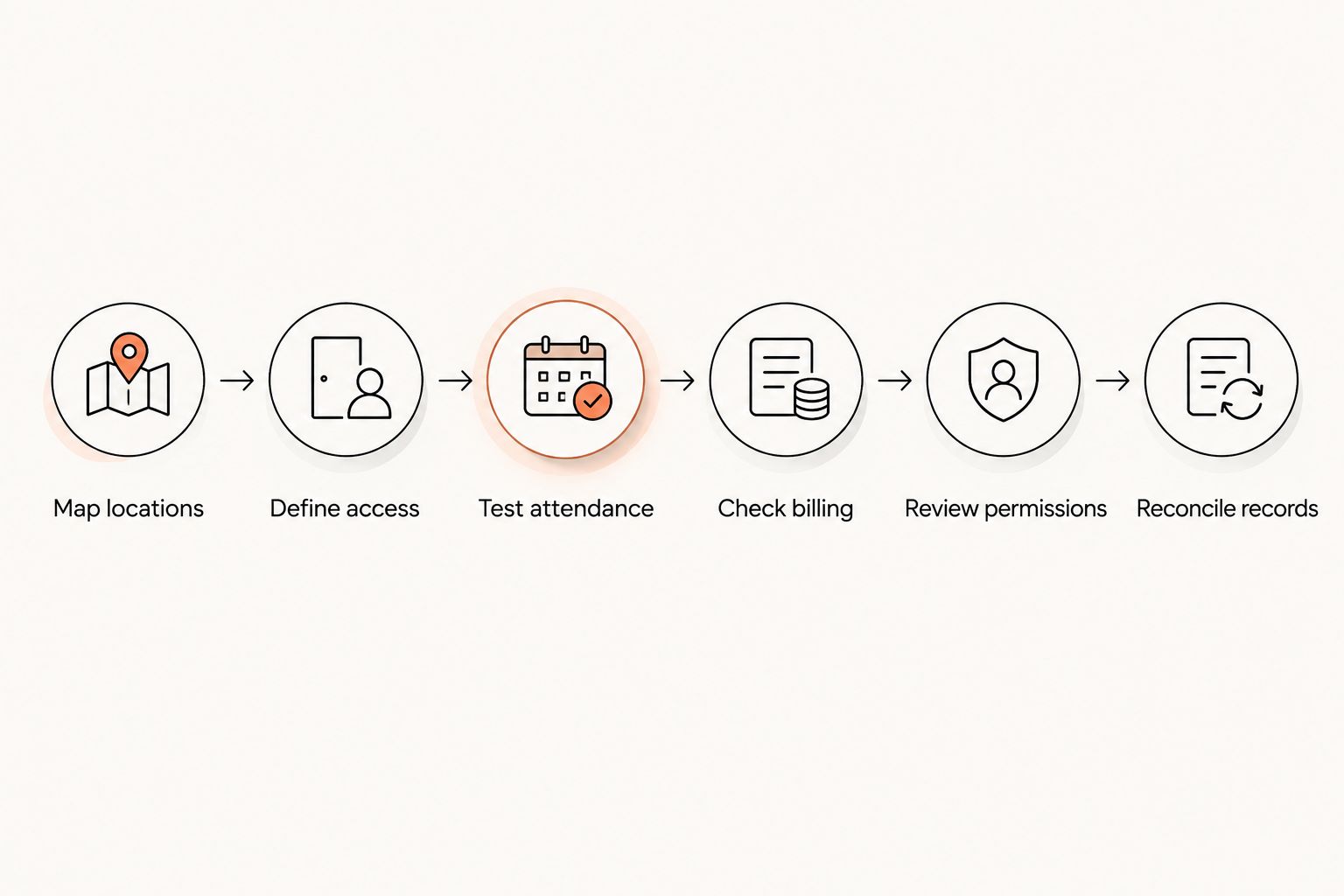
Use this sequence in your 2026 demonstration. Bring representative scenarios without exposing real member payment details. Ask the provider to complete each task in the product rather than describing a future feature.
- Map locations. Identify each training address and the classes held there. State which locations share ownership and which operate independently.
- Define access. Describe where each membership permits training. Include restricted access and academy-wide access if your school uses both.
- Test attendance. Book a member into an allowed class, record attendance, and inspect the resulting member history and location report.
- Check billing. Trace the membership charge to the intended business and explain how a cancellation, failed payment, or refund is handled.
- Review permissions. Sign in as a coach or location manager and attempt tasks that role should not perform.
- Reconcile records. Compare the member history, location activity, and owner view. Identify any manual work needed to make them agree.
Keep a written result for each task: works as demonstrated, requires a manual process, or does not meet your requirement. Record the product and evaluation date. A 2026 shortlist should reflect the version you can use, not a promised release.
Why multi-location requirements vary
The right account structure depends on your academy’s rules. Define these factors before comparing software:
- Ownership: Decide whether locations belong to the same operator or require independent administration.
- Training access: Specify whether members train only at their home site or can attend elsewhere.
- Payment handling: Identify which business receives each payment and who handles payment problems.
- Staff responsibilities: Separate teaching access from authority over memberships, billing, and account settings.
- Discipline and grading: Define how BJJ, boxing, Muay Thai, judo, karate, and other programs keep the appropriate training records.
- Reporting needs: State whether you need local activity, academy-wide activity, or both, and how shared members should appear.
Do not collapse these decisions into a single question about location limits. A system can support several addresses while still requiring workarounds for the way your school operates.
Can members train at different locations under one membership?
Yes, if the membership rules and software both support cross-location access. An academy-wide membership should have a clear definition of where the member can book and attend.
Test an allowed booking and a booking outside the member’s entitlement. Inspect what the member sees and what staff can override. If an override is possible, establish who has that authority.
Then check the resulting attendance history. You need to distinguish the member’s home site from the class location without creating a second identity or losing the original training record.
For striking programs, test the same access logic you use for grappling. A boxing member’s eligibility for a Muay Thai class is a membership decision, not something the software should infer from a shared address.
Can I keep billing separate while sharing an owner login?
Yes, if the platform supports the billing separation your businesses require. Verify payment routing and permissions separately from account access.
Ask the provider to trace a charge from membership setup through payment status and the accounting record. Then test a failed payment and a cancellation. Identify which staff member sees the issue and who can act on it.
Family memberships deserve their own test. Explain how your academy handles a household whose members train at different sites, and ask the provider to show the exact arrangement. Do not assume that a shared payer automatically creates shared training access.
If you operate in Ireland and the United States, specify the relevant business, currency, and payment arrangements for each location. Availability in both markets does not establish that a single account can combine their operations.
Will attendance and belt history follow a student between sites?
They should follow the student according to your academy’s record rules, but you must test how the software implements that relationship. Open the same member after attendance at another location and inspect the history.
For BJJ, judo, karate, and taekwondo, keep rank attached to the correct discipline. For boxing and Muay Thai, check the training records and class eligibility your school actually uses. Do not impose a belt workflow on a program that does not use one.
Attendance is evidence of participation, not an automatic promotion decision. Define who reviews readiness and who approves a rank change. Then test whether moving a member’s home location preserves the information that reviewer needs.
Where MatPilot fits in the evaluation
MatPilot fits BJJ and multi-discipline academy owners who need martial arts member management, scheduling, billing, and per-art grading. It is available through the web and native iOS and Android apps. Its martial arts gym management tools also include attendance, Stripe billing, Xero sync, and an AI co-pilot with approval gates.
Those capabilities address daily academy work. They do not replace a demonstration of your multi-location account requirements. Apply the same tests for permissions, shared memberships, payment routing, and record continuity before choosing an account structure.
For your 2026 evaluation, ask MatPilot to show the work from the owner’s perspective and the coach’s perspective. Check what the co-pilot proposes and where owner approval occurs. Treat location-specific requirements as acceptance criteria, not assumptions based on the broader feature list.
The relevant benefit is managing martial arts operations together. The selection constraint is whether the live setup matches your particular ownership and access rules.
What should I document before moving member records?
Create a migration sheet that describes the rules the new setup must preserve. Include home location, permitted training locations, active membership, payer relationship, discipline, rank, and the attendance history you need to retain.
Write down staff responsibilities separately. A membership record does not explain who can change billing or approve a promotion. Ask how those responsibilities will be assigned in the destination account.
Before your 2026 cutover, agree on how exceptions will be handled. Examples include a member moving sites, a coach covering another location, or a household with different training entitlements. Name the person who checks each result.
Do not switch until the demonstrated workflow matches the documented rule. If a task requires manual reconciliation, assign that work explicitly rather than discovering it after member records have moved.
FAQ
Can I manage multiple martial arts locations with one login?
Yes, if the software supports your required locations under an owner login. Confirm whether that login opens a shared organization or separate accounts, because the operational consequences differ.
Does one account mean every coach can see every location?
No. Account structure and staff permissions are separate requirements; test what a coach can view, edit, and export before granting access.
Can a member attend BJJ at one site and boxing at another?
Yes, if your membership rules allow it and the software enforces those permissions. Test booking and attendance for each discipline and location.
Can I keep payments separate for different gym locations?
You need software that supports your required payment separation. Ask the provider to demonstrate the receiving business, payment status, refund authority, and accounting record for each location.
Does MatPilot manage more than belt grading?
Yes. MatPilot includes member management, scheduling, attendance, Stripe billing, Xero sync, and an AI co-pilot with approval gates, alongside per-art ranks and grading.
Will switching locations erase a student's grading history?
Preserving grading history should be an explicit acceptance requirement. Test a home-location change and inspect the member's discipline, rank, and training records before migrating.
What should I ask in a multi-location software demo in 2026?
Ask the provider to demonstrate member access, cross-location attendance, payment handling, staff restrictions, and reporting. Use your academy's rules and record any manual steps required.
One last thing
Test a member transfer, not just a new signup. Move a member’s home location, preserve their training history, check future bookings, and inspect billing responsibility.
That exercise exposes the account boundaries behind the interface. If the provider cannot demonstrate the transfer clearly, resolve the workflow before you move your academy.