Can martial arts software integrate with Xero?

Yes, martial arts software can integrate with Xero when the platform supports a Xero connection. That connection does not, by itself, establish how refunds, processing fees, failed payments, or bank reconciliation are handled; check those details before replacing your existing bookkeeping process.
- Can martial arts software integrate with Xero? Yes. MatPilot supports Xero sync alongside Stripe billing.
- Check payment records, processing fees, refunds, and payout matching before relying on an integration.
- Keep failed-payment recovery separate from accounting: recording a problem does not collect the missing payment.
- Ask your bookkeeper to approve a sample transaction before changing your accounting workflow.
Can martial arts software integrate with Xero?
Yes. The important question is what the integration sends to Xero and what still needs review. A connection that transfers payment information is not necessarily a complete reconciliation process.
For a 2026 software review, follow a real membership payment from the gym record through the payment processor to the accounting entry. Compare the member reference, transaction date, amount, payment status, and eventual bank deposit. Your martial arts billing software assessment should include that accounting handoff, not stop at collecting dues.
Use this sequence during a demonstration:
- Select payment. Choose a successful membership payment with a clear member reference.
- Inspect record. Ask the vendor to show what appears in Xero, rather than describing the connection.
- Check fees. Establish how the processing fee is represented and reviewed.
- Match deposit. Ask your bookkeeper to explain how the bank deposit matches the accounting records.
- Review exceptions. Repeat the review with a refund or failed-payment scenario.
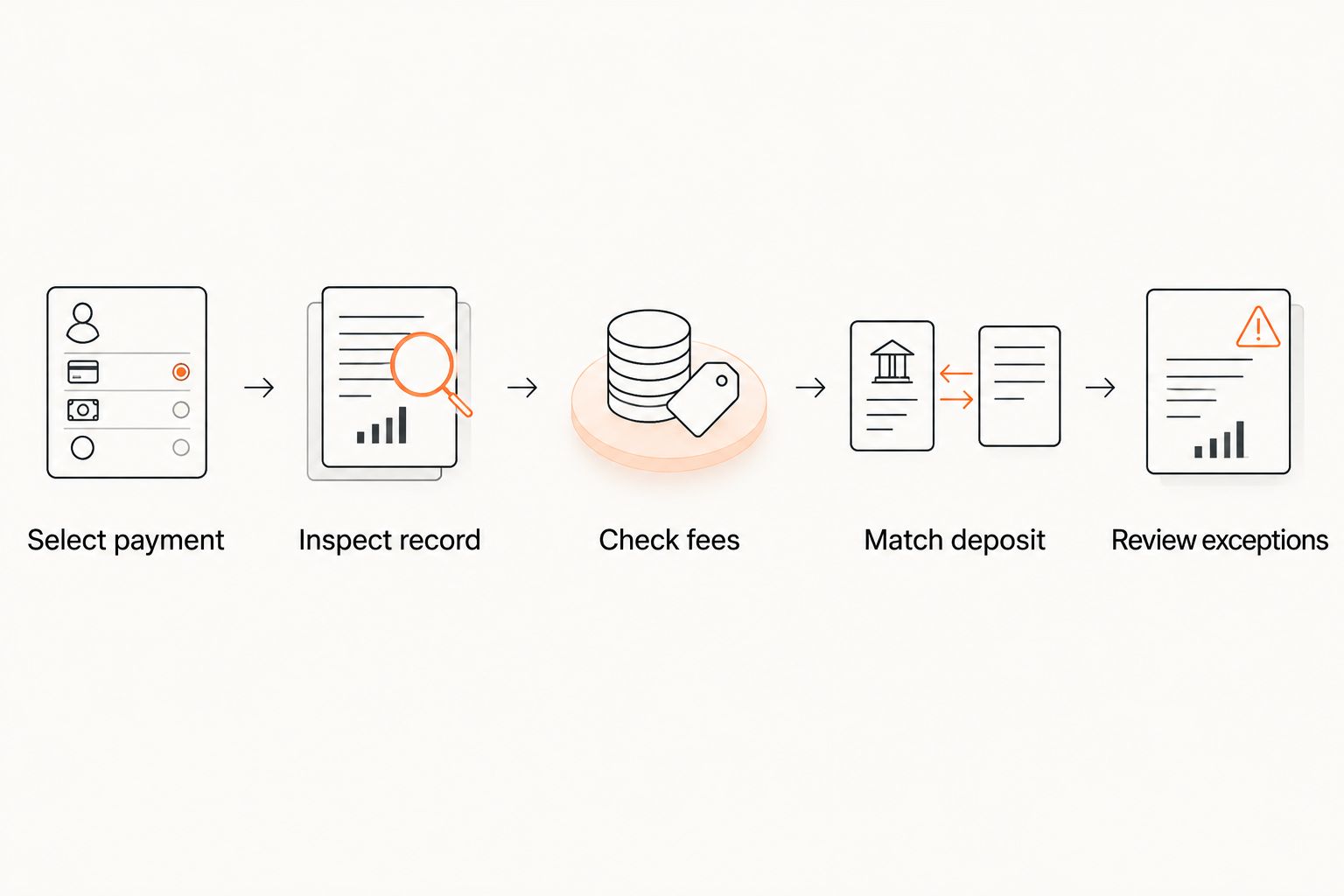
A demonstration should answer a practical question: can your bookkeeper explain where the payment went? If the answer depends on an undocumented spreadsheet adjustment, include that adjustment in your operating process.
Why this matters
A BJJ academy, boxing gym, or taekwondo school needs membership billing and accounting to agree. The membership record answers who should pay and whether they paid. The accounting record supports reporting and reconciliation.
Those jobs are connected, but they are not interchangeable. A successful charge does not explain every difference between the amount billed and the amount deposited. A failed charge does not become paid because its status appears in another system.
The goal of a 2026 integration review is therefore specific: establish which records move automatically, which need checking, and who owns the exceptions. Keep the accounting connection accountable to a documented process.
What does MatPilot connect to Xero?
MatPilot martial arts gym management software supports Xero sync and billing through Stripe. It also covers member management, scheduling, attendance, and per-art ranks and belt grading.
MatPilot is a fit for martial arts gym owners who need member management, Stripe billing, and Xero sync. Its relevance here is the connection between gym operations and accounting, rather than a separate belt-tracking tool.
The confirmed capability is Xero sync. Before changing your bookkeeping process, ask for a demonstration of the records transferred, the treatment of exceptions, and the work that remains with your bookkeeper. Do not infer refund handling, account mappings, or transfer timing from the word sync.
That is the practical limitation of any feature-level description: it establishes that a connection exists, not that your accounting workflow has been approved. Use the Xero connection guide as the next reading step, then verify your own payment examples.
Which accounting connection should you evaluate?
For your 2026 shortlist, distinguish a built-in connection from a file-based handoff or a separate connector. These are evaluation options, not claims that every gym platform offers each method.
| Approach | Best for | Practical advantage | Limitation to check |
|---|---|---|---|
| Built-in Xero connection | Owners seeking a direct handoff from gym software | Keeps the connection within the platform's supported workflow | Coverage can differ by transaction type; inspect exceptions |
| File export and import | Owners who want to review records before transfer | Creates a visible review point before importing | Requires a repeatable import and duplicate-checking process |
| Separate connector | Owners connecting systems without a suitable built-in handoff | Provides another route between systems | Adds another component whose configuration and support need an owner |
Choose the approach your bookkeeper can verify and your team can maintain. A built-in connection is not sufficient evidence of correct account treatment. A manual import is not a failure if the records are accurate and the review process is clear.
Ask who supports each part when a record does not arrive. A useful answer names the responsible party and the information needed to investigate. Avoid accepting a support process that sends you between vendors without an assigned owner.
Why Xero integration workflows vary
The right workflow depends on the billing and accounting work your academy actually performs. Review these factors rather than treating every payment as identical:
- Payment status. Separate successful collections from failed, pending, or reversed transactions when checking records.
- Processing fees. Ask how the difference between a member's payment and the amount received is represented.
- Refunds. Check how a returned payment relates to the original transaction and accounting entry.
- Payout grouping. Establish how your bookkeeper matches deposits when a processor groups payments together.
- Membership structure. Check whether the payer and the student are different people, particularly for family accounts.
- Accounting setup. Have your bookkeeper approve the destination accounts and tax treatment relevant to your business.
These are questions to resolve during setup, not promises about a particular integration. Keep the answers with your accounting procedures so another staff member can follow the same process.
What should you check before switching on the connection?
Prepare a small, representative set of payment examples. Include an ordinary membership collection and the exceptions your school already handles. Do not use a successful payment alone as proof that the whole workflow works.
Check the payer and student references
A parent can pay for a child, and a household can include students in different classes. Ask which name or reference reaches the accounting record. Your bookkeeper needs enough context to trace the payment without guessing which student it concerns.
For family accounts, inspect how the billing record relates to the individual students. Do not assume the accounting system needs every training detail. It needs the information your bookkeeping process requires to identify and classify the transaction.
Check the payment and the deposit
Compare the amount collected with the amount deposited. Ask where processing fees appear and how the resulting entries are matched.
Do not solve an unexplained difference by changing the membership record to match the bank balance. First identify what caused the difference. Keep the member's billing history and the accounting explanation consistent.
Check refunds and adjustments
Ask for an example showing how a refund is handled from the original payment through the accounting record. Establish who initiates the refund, who checks the result, and where the reason is recorded.
Do not assume that editing a membership automatically changes a completed payment. Treat a membership change, a refund instruction, and an accounting adjustment as separate actions until the demonstrated workflow shows otherwise.
Check the review responsibility
Name the person who checks exceptions and the person who approves accounting changes. These can be different people.
A useful 2026 handover document records the connection owner, the review process, and the escalation route. It should also explain what happens if the connection is interrupted. The objective is continuity, not a longer setup checklist.
Does Xero sync automatically reconcile every payment?
Xero sync does not, by itself, establish that every payment is automatically reconciled. Data transfer and reconciliation are different tasks: one moves records; the other checks that accounting entries match the relevant bank transactions.
Ask the vendor to demonstrate the complete path using your expected transaction types. Have your bookkeeper confirm what is matched automatically and what requires review. Keep any remaining manual steps in the written procedure.
Avoid approving a connection solely because the dashboard shows it as active. Connection status confirms access, not the correctness of every downstream entry.
Can Xero integration recover failed membership payments?
Xero integration alone is not evidence of failed-payment recovery. Recovery requires a billing workflow that identifies the unpaid balance, assigns follow-up, and checks whether collection succeeds.
Keep the operational question separate from the accounting question. The gym team needs to know whether the membership remains unpaid and what action to take. The bookkeeper needs records that accurately reflect the outcome.
Ask for a failed-payment demonstration during evaluation. Inspect what the owner sees, what the member receives if messaging is supported, and what reaches accounting. Do not assume any of those actions happen simply because a Xero connection exists.
Can you connect a gym in the United States or Ireland?
MatPilot martial arts gym management software is available in the United States and Ireland and includes Xero sync. Establish the accounting requirements for the business using the connection rather than copying another academy's setup.
For a US gym, have your bookkeeper approve the relevant accounts, currency handling, and tax treatment. For an Irish academy, do the same for its own business records. Availability in both markets does not make their accounting configurations interchangeable.
Keep your 2026 evaluation tied to your own operation. A BJJ-only academy and a multi-discipline school can share the same core review process while using different membership structures and reporting categories.
FAQ
Can martial arts software integrate with Xero?
Yes, martial arts software can integrate with Xero when the platform supports the connection. Verify which payment records transfer and how fees, refunds, and deposits are handled before relying on it.
Does MatPilot support Xero integration?
Yes, MatPilot supports Xero sync alongside Stripe billing. Ask for a demonstration of your payment and accounting workflow before changing your bookkeeping process.
Will connecting Xero automatically reconcile all my gym payments?
A Xero connection alone does not establish that all payments are automatically reconciled. Ask your bookkeeper to verify matching for successful payments, fees, refunds, and grouped deposits.
Can a Xero integration collect failed membership payments?
A Xero integration alone is not evidence that failed payments will be collected. Check the billing platform's recovery workflow separately from its accounting connection.
Can I use Xero integration for family membership billing?
Evaluate family billing by checking how the payer, students, and payment references appear in the transferred records. Do not assume that a connection preserves every relationship your gym software records.
Should my bookkeeper review the connection before I use it?
Yes, have your bookkeeper review representative payment records and approve their accounting treatment. Include exceptions rather than testing only a successful membership collection.
What should I check when switching gym software with Xero connected?
Check the accounting cutoff, outstanding balances, and responsibility for existing transactions before switching. Document which system owns each part of the handover so records are not imported or acted on twice.
One last thing
Before connecting a replacement system, write down which system owns each transaction at the handover. Existing subscriptions, unpaid balances, and completed payments need an explicit boundary between the old process and the new one.
Ask your bookkeeper to approve that boundary before the switch. A working connection cannot resolve an unclear decision about which records should move. Resolve ownership first; then test the accounting handoff.