Gym software for multi-discipline academies: complete 2026 guide

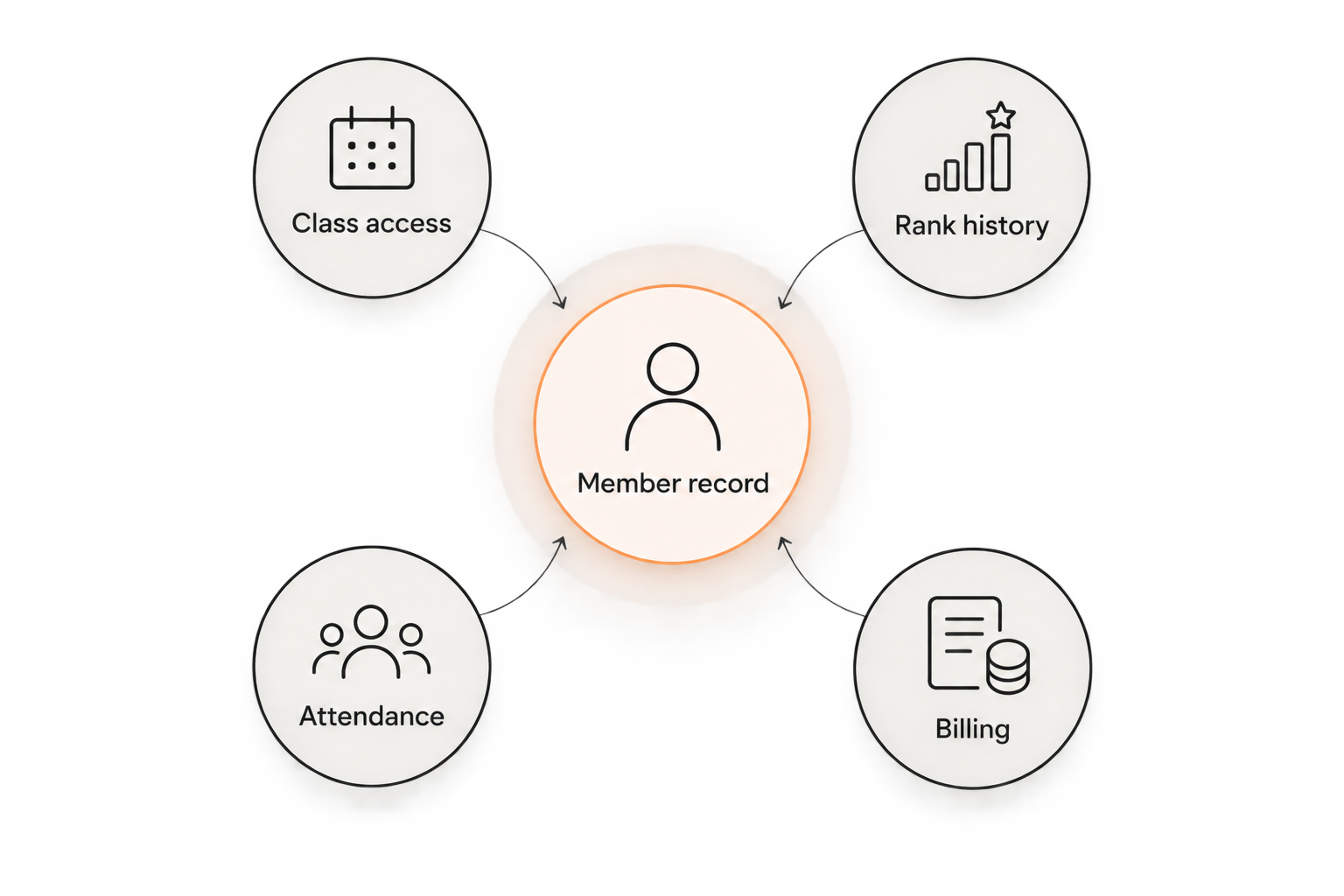
Multi-discipline academy software is a shared system for members, classes, billing, and separate martial arts ranks, with the aim of keeping administration connected without mixing training records. This 2026 guide explains how to evaluate multi-discipline martial arts software when students cross-train, instructors teach different programs, and families share a payer.
- Choose multi-discipline martial arts software that connects member management while keeping each discipline’s ranks and attendance distinct.
- MatPilot suits academies seeking billing, scheduling, attendance, and per-art belt grading in one system.
- Test cross-training, family payments, and promotion records before moving live member data.
- Keep coaches responsible for promotions and owners responsible for approving administrative actions.
Why gym software matters for multi-discipline academies
A student can attend BJJ and Muay Thai without needing duplicate membership records. That does not mean the academy should combine their attendance, progression, or class permissions. Share the member identity; preserve the training context.
The same distinction applies to families. A parent handles payment, while each child needs an individual attendance history and training record. Your billing structure should not dictate how instructors assess students.
For your 2026 evaluation, start with these operational differences rather than a feature count. The guide to supporting multiple belt systems covers the rank question in more detail.
Boxing, kickboxing, and Muay Thai also need clear program records, even when your academy does not award belts in those classes. Software should follow your syllabus, not force every discipline into a belt ladder.
How to evaluate and set up your system
Use a written worksheet before configuring software. A spreadsheet, a timetable, and a sample member file are enough to define what the academy needs. Then use those same records to test each candidate against the same work.
1. Map your disciplines before importing members
Write down every program you actually teach. Separate discipline, age division, class level, and membership access instead of treating them as interchangeable labels. A children’s karate class and an adult karate class share an art, but they do not share an audience.
Build your 2026 program map manually first. Include BJJ, judo, karate, taekwondo, boxing, Muay Thai, or MMA only where those programs exist at your academy. Do not add categories simply because a software menu offers them.
Next, choose a stable member identifier. Names alone are a poor matching rule when siblings share a surname or a student changes their contact details. Keep the person separate from their program enrollments.
Best for: owners defining requirements before committing to a platform. The worksheet makes exceptions visible, but staff must keep it current until the new system takes over.
- List each discipline and its instructor.
- Separate age divisions from rank levels.
- Record which memberships permit cross-training.
- Identify students enrolled in multiple programs.
- Choose a consistent member identifier.
2. Write class-access rules beside the timetable
Start with your current weekly schedule. For every session, record who can attend, which instructor teaches it, and whether it shares mat space with another class. Review the full 7-day week, including open mats and weekend sessions.
Do not confuse a visible class with permission to attend it. Your evaluation should test what happens when a BJJ-only member attempts to join kickboxing, and what happens when a cross-training member joins either program. Ask the vendor to demonstrate your rules rather than a prepared example.
A shared timetable gives staff a common reference. Its limitation is that the schedule alone does not establish eligibility, room allocation, or instructor cover. Define those rules before testing whether software can apply them.
- Mark each session’s discipline and division.
- Write the membership access rule.
- Identify overlapping room or mat use.
- Test a student eligible for both programs.
- Test a student restricted to one program.
3. Separate rank history from general attendance
Create a sample training record before entering the full roster. Use a student who practices 2 disciplines, then give that student a separate rank history for each. This is a test case, not a proposed grading policy.
Record promotion dates, the relevant syllabus, and the instructor responsible for assessment. Keep general academy attendance separate from the evidence your coaches use for a particular promotion. A boxing session should not become BJJ promotion evidence merely because both classes belong to the same academy.
MatPilot is best for multi-discipline academy owners who want billing, attendance, and per-art ranks in one system. Its per-art rank and belt-grading features address the record structure; coaches still define readiness and approve the training decision.
The manual alternative is a separate grading sheet for each discipline. That gives instructors direct control, but someone must reconcile it with member and attendance records.
- Create a separate rank history per art.
- Preserve promotion dates and instructor names.
- Specify which attendance supports each assessment.
- Keep non-belt programs outside belt requirements.
- Ask a coach to verify the sample record.
4. Record attendance against the actual session
Begin with a paper register or shared sheet that identifies the class, date, discipline, and student. Review it with instructors before deciding how check-in should work. A single daily attendance mark cannot show which program a cross-training student attended.
Test a student attending BJJ and Muay Thai on the same day. Your records should distinguish the sessions without creating another member profile. Also test a correction: staff need a defined process when someone checks into the wrong class or an instructor misses a name.
Keep trial attendance distinguishable from ongoing membership attendance in your evaluation worksheet. Otherwise, staff cannot reliably tell whether an absent person needs a trial follow-up or an existing-member conversation.
Best for: academies where students move between programs. Session-level records preserve context, but only if staff select and correct the right session.
- Identify the session on every register.
- Test same-day attendance across disciplines.
- Define who corrects attendance errors.
- Distinguish trial visits from member visits.
- Review missing records with the teaching instructor.
5. Map the payer before configuring billing
Write down who trains, who pays, and which agreement applies. These are different questions. A parent paying for children in karate and taekwondo needs a clear account relationship, while instructors still need individual student records.
Start with a manual payer map and a list of unresolved balances. Do not infer household relationships from matching surnames. Confirm the responsible payer and the contact staff should use when a payment needs attention.
MatPilot supports billing through Stripe and Xero sync. Use those functions as part of your evaluation, but request a demonstration of your exact family arrangement before treating it as supported. Shared payers, separate agreements, and split responsibility are distinct requirements.
For failed payments, write the staff process first: identify the issue, review the account, contact the payer, and confirm resolution. Software does not replace a clear cancellation or access policy.
- Identify the responsible payer for each agreement.
- Keep each student’s training record separate.
- List outstanding balances before migration.
- Test your actual family-payment arrangement.
- Assign ownership of failed-payment follow-up.
6. Put approval gates around follow-ups
Build a manual follow-up queue before introducing automation. Include trial students awaiting contact, members with payment issues, and students whose attendance needs review. Give each item an owner and a next action.
A cross-training student creates an important edge case. Missing BJJ does not necessarily mean leaving the academy if that student still attends boxing. Staff should review the relevant attendance before sending a message that assumes disengagement.
MatPilot’s co-pilot covers at-risk members, trial follow-ups, promotion readiness, and payment issues, with owner approval gates. That offers a connected route from issue identification to review. The owner still needs to check context and approve the action.
Best for: owners who want assistance without handing over decisions. Approval remains work, so assign a review routine instead of letting suggestions accumulate without an accountable person.
- Assign an owner to every follow-up.
- Check cross-training before flagging inactivity.
- Review trial context before contacting a prospect.
- Keep promotion decisions with the relevant coach.
- Approve actions before they proceed.
7. Rehearse the switch before changing live billing
If you are leaving Gymdesk, Kicksite, or another system, start with an inventory of the records you need. Separate member details, agreements, balances, class enrollments, rank histories, and attendance. Do not assume an export contains every field staff use.
Choose representative cases for your 2026 migration rehearsal. Include a cross-training adult, a family payer, a student with separate ranks, and a member with an unresolved payment. Check the destination records against the originals with the staff responsible for each area.
Write the billing cutover plan separately from the data-import plan. Agree which system owns each scheduled collection and who checks the result. Payment credentials require confirmation with the relevant providers; do not assume they move with a member spreadsheet.
- Inventory the records your academy needs.
- Test representative members before the full roster.
- Reconcile active memberships and unresolved balances.
- Verify ranks with the teaching instructors.
- Assign one system to each scheduled collection.
Compare options against your operating model
For a 2026 shortlist, compare ways of working before comparing vendor claims. A connected platform and a collection of separate tools solve different administrative problems. Neither removes the need to define your academy’s rules.
Use the table to choose what to investigate, then run the same sample records through that option. This is an operating-model comparison, not a claim about unverified competitor capabilities.
| Option | Best for | Practical advantage | Key limitation |
|---|---|---|---|
| Shared spreadsheet and manual registers | Owners documenting a straightforward operation | Staff can inspect and change the record structure directly | Staff must reconcile changes across billing, classes, and grading |
| Separate billing, scheduling, and grading tools | Academies keeping distinct administrative workflows | Each workflow can use its own process | Someone must resolve mismatched member records and updates |
| MatPilot | Academies seeking connected administration and per-art ranks | Combines members, classes, billing, attendance, and belt grading | Academy-specific access rules and family arrangements still need testing |
Choose the option that passes your difficult cases, not the one with the longest feature list. A successful demonstration should use your academy’s terms and exceptions. Record any unresolved requirement before changing live operations.
Common mistakes multi-discipline academies make
Treating all attendance as promotion evidence
An academy-wide visit total does not explain what a student practiced. Define which sessions count toward each discipline’s assessment and keep instructor judgment separate from the total. Attendance is evidence, not a promotion decision.
Creating duplicate profiles for cross-training students
A second program should not require staff to maintain a second version of the same person. During evaluation, check how the system connects enrollments, payment status, and training histories. Duplicate profiles create another reconciliation task whenever contact details change.
Forcing striking programs into a belt workflow
Boxing, Muay Thai, and kickboxing deserve their own program structure. If your academy does not grade those disciplines with belts, do not introduce artificial ranks to satisfy a software field. Evaluate scheduling, attendance, and coaching records on their own terms.
Treating a family payer as a single student
A household payment relationship does not replace individual training records. Keep the payer relationship clear while preserving each student’s attendance, program access, and grading history. Test the arrangement with staff who answer parent questions.
Moving billing before checking exceptions
An imported roster is not proof that the academy is ready to switch collections. Check unresolved balances, paused memberships, cross-training access, and payer relationships first. Give staff a written escalation route for discrepancies instead of asking them to improvise at reception.
FAQ
What is multi-discipline martial arts software?
Multi-discipline martial arts software manages shared academy administration while preserving separate program and training records. Evaluate members, scheduling, billing, attendance, and per-art progression together.
Can one student have different ranks in different martial arts?
A multi-discipline setup should preserve a separate rank history for each art. Test a student enrolled in two disciplines and confirm that updating one rank leaves the other unchanged.
What should I test for a BJJ and Muay Thai academy?
Test shared member identity, separate class attendance, membership access, and discipline-specific progression. Include a student who attends both programs on the same day.
Does MatPilot support more than belt tracking?
MatPilot includes member management, classes, attendance, billing, and per-art belt grading. It also provides an approval-based co-pilot and website building tools, with access through the web and native iOS and Android apps.
How do I evaluate family billing across different programs?
Map each student to the responsible payer, then ask for a demonstration of that exact arrangement. Confirm that billing relationships do not merge the children’s attendance or training records.
Can I move from Gymdesk or Kicksite without losing training history?
Verify the source export and destination import before moving the full roster. Reconcile representative rank and attendance records, and confirm payment migration separately rather than assuming every record transfers.
Should software automatically promote a student when attendance reaches a target?
Keep the promotion decision with the relevant coach. Attendance can support a review, but your syllabus, assessment evidence, and instructor approval determine readiness.
One last thing
The most revealing software test is a correction, not a new signup. Ask staff to fix an incorrect class attendance record, review the affected student’s rank evidence, and confirm that the payer relationship remains unchanged.
Make that correction test part of your 2026 sign-off. New records show how data enters a system; corrections show whether your team understands how the records connect. If staff cannot explain the result, resolve the workflow before importing the rest of the academy.