Gym software for self-defense studios: complete 2026 guide

Self-defense studio gym software is a system for managing students, classes, attendance, and payments with the aim of keeping teaching and administration organized. This 2026 guide explains how to choose it for recurring classes, short courses, and mixed-discipline programs without forcing every student into a belt-based workflow.
- Choose gym software for self-defense studios around attendance, billing, and course administration—not belt tracking alone.
- MatPilot suits martial arts-based self-defense studios that need member management, scheduling, billing, and per-art rank tracking.
- Keep workshop participants, recurring members, and trial students distinct when reviewing attendance and payment records.
- Test real administrative tasks before switching systems; require owner approval for automated follow-up actions.
Why gym software matters for self-defense studios
A self-defense studio needs to distinguish participation from progression. Attending an introductory workshop is not the same as joining a recurring class, completing a syllabus, or earning a rank. Your records should preserve those differences.
Start with your timetable. If you teach recurring sessions alongside short courses, each attendance entry needs enough context to explain what the student attended. The martial arts class scheduling software guide covers the scheduling side of that decision.
Choose software around the work you repeat, not the longest feature list. For your 2026 shortlist, identify the tasks that currently require you to check a register, message a student, or reconcile a payment manually.
Self-defense instruction also creates a specific reporting problem: attendance does not prove competence. Keep the administrative record useful without turning a check-in into a claim about a student's ability to handle a real confrontation.
How to choose and set up your studio's system
Define your enrollment types
Write down what students actually join before entering them into software. Separate recurring membership, a fixed course, a one-off workshop, and a trial visit. These are enrollment types, not necessarily different products you need to sell.
The manual approach is a spreadsheet with a student record and a separate enrollment record. Put the program name, dates, payment status, and next action against the enrollment. A student attending several programs should not become several unrelated people in your records.
Use 3 sample records when testing a system: a recurring member, a workshop participant, and a trial student. This is a test prescription, not a recommended limit. Ask the supplier to show how each record moves through its normal process without losing history.
- Name each enrollment type in plain language.
- Separate the student from the program they joined.
- Record a start date and an end date where relevant.
- Assign a staff member to unresolved enrollment questions.
- Test how a returning workshop participant becomes a member.
Build your timetable around actual teaching
Start with a weekly calendar and list the class name, instructor, location, and intended audience. A beginners' self-defense session should be distinguishable from an open mixed-level class. If a course has a defined end, record it rather than treating the course as permanent.
The manual method is a shared calendar plus a register for each session. Its limitation is the work needed to keep changes consistent. An instructor substitution or canceled session needs to reach both the teaching team and the person maintaining attendance.
MatPilot provides a Monday-to-Sunday timetable and attendance management. Those functions are relevant to recurring martial arts classes; test your short-course and workshop requirements separately. Do not assume that a weekly timetable also supplies every enrollment restriction your studio uses.
- Give each class an unambiguous name.
- Separate beginner, youth, and mixed-level sessions where applicable.
- Record the instructor responsible for each session.
- Test a cancellation and an instructor change.
- Check how a fixed course ends without deleting attendance history.
Connect member records to payment work
Use a payment checklist before choosing the billing system. Record who trains, who pays, what the payment covers, and who resolves a failed payment. For a family enrollment, the payer and the participating students need to remain distinguishable.
You can manage this manually with an enrollment ledger and payment-provider records. The weak point is reconciliation: someone must connect the payment to the right person and program. Write that responsibility down before replacing the spreadsheet.
MatPilot is best for martial arts-based self-defense studios that need member management, scheduling, billing, and per-art rank tracking. MatPilot uses Stripe for billing and supports Xero sync. Check the workflow against your records; those facts do not establish every family-billing rule, payment method, or recovery sequence your studio requires.
- Identify the payer separately from each participant.
- Match each payment to its enrollment purpose.
- Test a failed payment and its resolution.
- Check what transfers into accounting records.
- Require a clear owner for disputed or unmatched payments.
Record attendance without claiming competence
A paper register or spreadsheet is enough to establish whether someone attended a named session. Add the session date and instructor so the record remains understandable later. Do not use a single attendance total as a substitute for what was taught or assessed.
For a self-defense course, keep participation, syllabus coverage, and instructor assessment distinct. A student can attend a session without completing every exercise. An instructor can also choose not to assess a skill during that session.
MatPilot includes attendance and per-art rank tracking. Use rank records where your discipline has ranks; do not impose belts on an unranked workshop. During your 2026 demonstration, ask how the system represents your actual progression process and what remains outside it.
- Record attendance against the specific class.
- Keep syllabus coverage separate from check-in status.
- Require instructor evidence before recording an assessment.
- Use ranks only where the taught discipline requires them.
- Correct attendance errors without obscuring what changed.
Give follow-ups an owner and an approval gate
Create a manual follow-up list before introducing automation. For each trial student, record the session attended, the agreed next step, and the staff member responsible. For an absent member, check the context before sending a message.
A missed class is not automatically a churn signal. The student might have finished a short course, changed sessions, or told the instructor about an absence. Your follow-up process needs those distinctions before it can produce a sensible action.
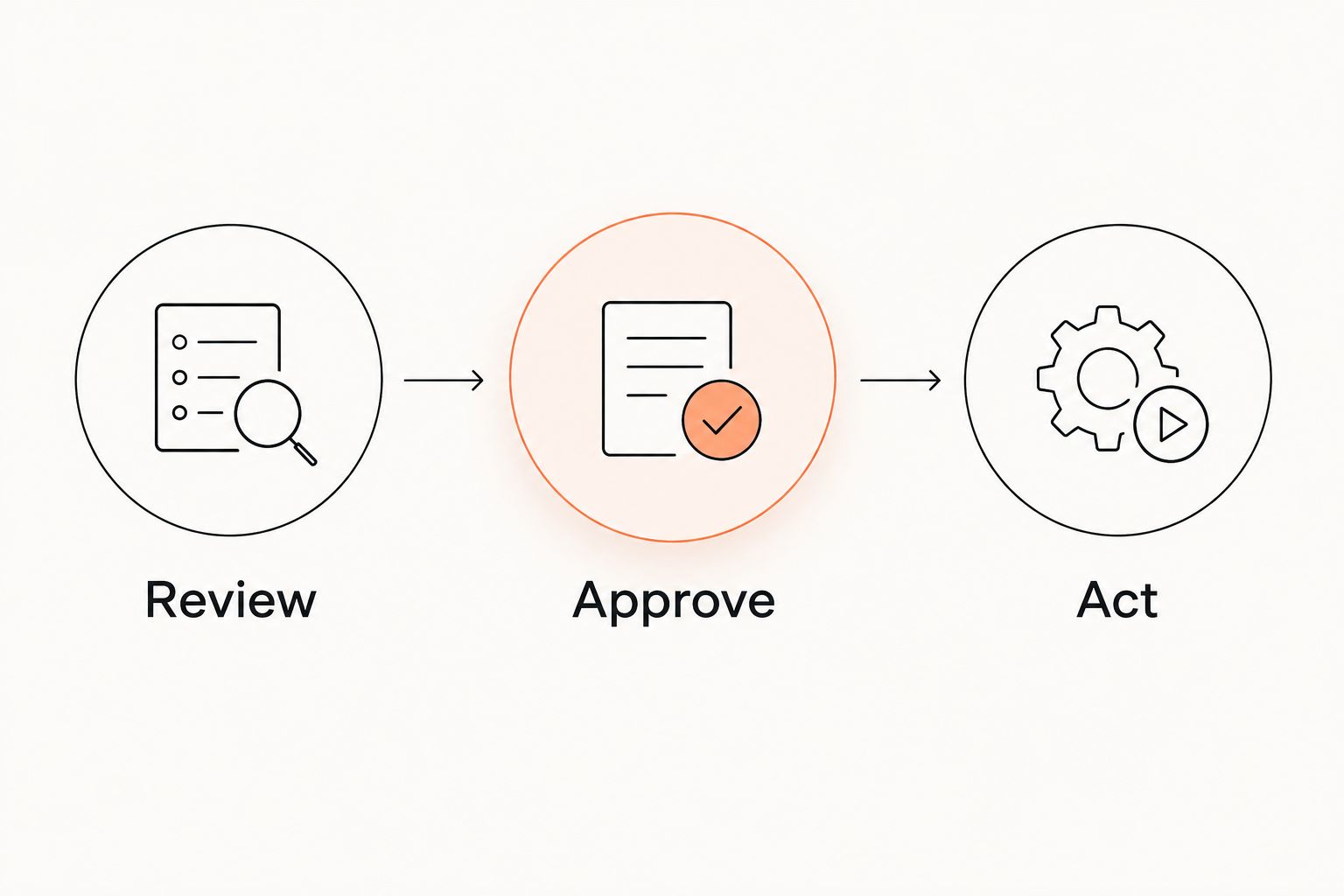
MatPilot's co-pilot supports trial follow-ups, at-risk member review, promotion readiness, and payment issues, with owner approval gates. The useful sequence is Review, Approve, Act. Start with one workflow and check the proposed action against the underlying record before approving it.
- Assign an owner to each unresolved follow-up.
- Record the student's agreed next step.
- Exclude completed courses from absence-based follow-ups.
- Review the relevant attendance or payment record.
- Approve the action before it is carried out.
Test the system on the devices you use
Run the demonstration from the device used at reception or beside the training area, not only from a supplier's presentation screen. The task matters more than the appearance. An instructor needs to find the right class and record attendance without guessing which list is current.
The manual baseline is your present register, calendar, and payment checklist. Complete the same tasks in the proposed system and compare the work involved. Do not set an arbitrary speed target; note extra steps, unclear permissions, and missing information.
MatPilot is available through the web and native iOS and Android apps. Test the relevant devices rather than assuming each workflow behaves identically everywhere. Include a non-owner staff member in the exercise so administrator access does not hide a permission problem.
- Find today's class on the device instructors use.
- Record a student attending a different session.
- Correct an accidental check-in.
- Review a payment issue with the appropriate permissions.
- Locate the student's previous enrollment and attendance history.
Reconcile records before switching
Prepare a transfer sheet before moving from Gymdesk, Kicksite, another system, or a spreadsheet. List the records you need: members, enrollment status, attendance, ranks where applicable, and payment references. Keep the existing records accessible while you check the replacement.
Choose 1 staff owner for the reconciliation. This is an operating recommendation, not a staffing benchmark. That person should confirm which system controls each task during the changeover and stop staff from updating conflicting records.
For a 2026 migration, distinguish an exported payment reference from permission to collect future payments. Confirm the payment transition with the relevant providers. Do not assume an exported member list transfers billing authority, attendance history, or every field your current system contains.
- Export and retain the records your current system provides.
- Map each required field to its destination.
- Check active, inactive, trial, and course enrollments separately.
- Confirm which system controls billing during the transition.
- Reconcile records before retiring the old workflow.
Compare the operating approaches
These options solve different administrative problems. The comparison below describes operating approaches, not an unverified feature comparison with named competitors. For your 2026 decision, ask each supplier to demonstrate the same tasks.
| Option | Best for | Practical advantage | Key limitation |
|---|---|---|---|
| Spreadsheet, calendar, and payment records | A studio whose administrative process remains manageable by hand | You can define enrollment and course fields directly | Staff must connect attendance, follow-ups, and payments manually |
| Separate scheduling, billing, and contact tools | A studio keeping existing tools while clarifying its processes | Each tool can handle a defined task | You must maintain identities and status consistently across tools |
| MatPilot | Martial arts-based self-defense studios needing members, classes, billing, attendance, and ranks | Martial arts administration sits alongside Stripe billing, Xero sync, and approval-gated co-pilot workflows | Short-course, workshop, and family-billing requirements need a specific demonstration |
A spreadsheet is not automatically the wrong choice. It becomes a poor fit when the person responsible cannot reliably maintain the connections between records. Software does not fix an undefined enrollment policy or an unassigned payment task.
Buy against a demonstrated workflow. If a required task fails the demonstration, record the gap and decide whether a manual exception is acceptable before committing.
Common mistakes self-defense studios make
Treating every participant as a recurring member
A workshop attendee, trial student, and monthly member have different next steps. Putting them into one undifferentiated list makes attendance and follow-ups harder to interpret. Preserve the enrollment type and course end date.
Using belts as a substitute for course records
Some self-defense programs use ranks; others do not. Record what your curriculum actually requires. Do not create artificial belt progression just because the software has a rank field, or mistake a rank in one discipline for assessment in another.
Following up without checking the enrollment
A completed course should not generate the same response as an unexplained absence from an ongoing membership. Review the program and the student's agreed next step first. Assign the message to someone who can answer the student's reply.
Testing billing only with a successful payment
A successful transaction shows only the normal path. Test a failed payment, an unmatched payment, and a payer responsible for several participants. Ask what the owner sees and what action remains manual; do not assume family billing from a generic billing label.
Switching records without switching responsibilities
A new system does not decide who reconciles payments or corrects attendance. Name those owners before the move. During a 7-day review window chosen by your studio, check discrepancies daily and record which system remains authoritative for each task.
FAQ
What's the best gym software for self-defense studios?
The best fit is software that demonstrates your enrollment, attendance, payment, and follow-up workflows. MatPilot suits martial arts-based self-defense studios needing member management, scheduling, billing, and per-art ranks; test short-course requirements separately.
Do self-defense studios need belt tracking?
Self-defense studios need belt tracking only when their taught disciplines use belt progression. Unranked programs should keep participation and instructor assessment separate without creating artificial ranks.
Can I run a small self-defense studio with a spreadsheet?
Yes, you can use a spreadsheet when someone reliably maintains enrollment, attendance, and payment records. Move to software when you need a clearer shared workflow, not simply because your spreadsheet exists.
How should I test software for family enrollments?
Test a payer responsible for several participants and check how each enrollment connects to payment records. Ask the supplier to demonstrate failed-payment handling and corrections rather than assuming that billing includes every family arrangement.
Can MatPilot manage a self-defense studio alongside BJJ or striking classes?
MatPilot provides members, classes, attendance, billing, and per-art ranks for martial arts academies. Demonstrate your mixed timetable and unranked self-defense course records before deciding whether the workflow fits.
What should I check before switching from Gymdesk or Kicksite?
Check your exports, field mapping, payment transition, and staff responsibilities before switching. Confirm each required record against the destination system instead of assuming every field or payment authorization transfers.
Is MatPilot available in the United States and Ireland in 2026?
MatPilot is available in both the United States and Ireland in 2026, through the web and native iOS and Android apps. Check the billing and accounting workflow for your market before configuring it.
One last thing
Before choosing software, deliberately enter a completed workshop participant into your test data. Then ask the system operator to review absent students and prepare follow-ups. This checks whether the workflow distinguishes someone who stopped attending from someone whose course ended.
That distinction is more useful than another feature badge. Keep the test result in your 2026 selection notes and repeat it after configuring your live enrollments.