How do I migrate member data from Gymdesk to new software?
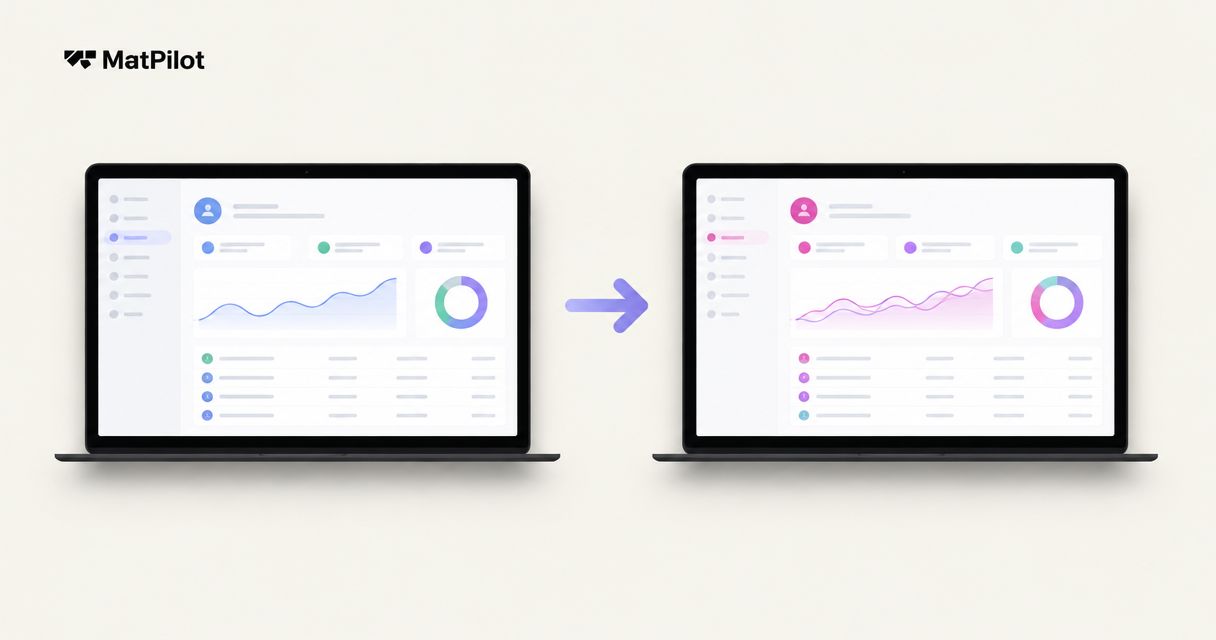
To migrate member data from Gymdesk, confirm which records you can export, map those records to the new system, test an import, and reconcile the results before switching daily operations. Treat recurring payments as a separate handover: importing member details does not establish that payment methods, subscriptions, or collection schedules have transferred.
- Migrate member data from Gymdesk through a tested import, not an unchecked bulk upload.
- Keep family relationships, attendance and per-art belt history attached to the correct student.
- Confirm payment portability separately before changing recurring billing.
- Keep Gymdesk records accessible until you reconcile the replacement system.
How do I migrate member data from Gymdesk to new software?
Export, map, test, reconcile, then switch. Use this sequence for your 2026 migration, with a named owner approving each stage. Do not treat an accepted file as proof that the records are correct.
- Inventory records. List member profiles, memberships, family relationships, attendance, ranks, documents and billing records you need to preserve.
- Confirm exports. Ask Gymdesk which records and file formats are available for your account. Establish how you will retain anything outside those exports.
- Map fields. Match each source field to a destination field. Record anything that needs conversion or manual review.
- Test imports. Use a small, representative sample before uploading the full dataset. Inspect relationships and dates, not just names.
- Reconcile results. Compare source records with imported records and resolve rejected rows, duplicates and missing relationships.
- Switch operations. Complete the billing handover, import final changes and tell staff which system now holds the working record.
Before you close the old account, settle how you will export your data when canceling gym software. Keep that decision separate from the import itself: access, retention and deletion need their own instructions.
Why this matters
A student profile is connected to other records. A child's contact email can belong to a guardian; a current belt can belong to one discipline; an outstanding balance can refer to an earlier billing period. Copying the visible profile without those relationships leaves an incomplete working record.
Your migration succeeds when staff can answer ordinary questions correctly. Who pays for this student? Which class can they attend? What rank do they hold, and what happens on their next billing date? Build your acceptance checks around those questions.
Build a field map before touching the full dataset
Create a mapping sheet for the 2026 handover. Include the source field, destination field, conversion rule and person responsible for unresolved records. Ask the receiving provider for its import requirements before editing your source files.
| Record group | What to map or preserve | What to verify after import |
|---|---|---|
| Member identity | Source identifier, name, contact details | Each person has the correct profile |
| Family relationships | Guardian, student and billing contact | Children remain linked to the right adult |
| Membership | Status, plan reference and relevant dates | Active, paused and ended records remain distinct |
| Martial arts ranks | Discipline, rank and promotion dates | Each rank belongs to the correct art |
| Attendance | Student, class and attendance date | Historical entries retain their meaning |
| Billing records | Balance, paid-through date and collection references | Financial status matches the source |
| Documents | Available files and associated member references | Staff can retrieve the correct document |
Preserve source identifiers wherever the destination supports them. Names alone are not a dependable matching rule. Shared family email addresses also need review before you use email as a unique identifier.
Keep an untouched copy of each export. Make cleanup changes in a separate working copy so you can trace a disputed value back to its source. Restrict both copies to staff who need access.
Test difficult records, not just straightforward members
Choose test records that expose the rules your academy depends on. Include a family account, a paused membership, a student studying multiple arts and a member with an unresolved billing issue, where those situations exist in your data.
For each sample, compare the source and destination side by side. Check the member's status, related people, dates and financial position. Record the expected result before you import; otherwise, an unfamiliar destination screen can become the accidental definition of success.
Use these acceptance checks:
- Identity: the import creates or updates the intended person without an unexplained duplicate.
- Relationships: the guardian, student and billing contact remain correctly connected.
- Dates: start dates, attendance dates and promotion dates retain the intended meaning.
- Status: ended or paused memberships do not become active accidentally.
- History: a historical record does not become a new operational instruction.
Ask how the receiving system handles a repeated import before testing it. Do not assume uploading the same file again will update existing records rather than create additional ones.
Preserve belt history without changing its meaning
A current belt and a promotion history serve different purposes. The current belt tells an instructor where the student is now. Promotion history records how the student reached that position.
For your 2026 migration, map discipline and rank together. A BJJ rank must not overwrite a judo rank simply because both use a field called belt. Apply the same care to karate and taekwondo records, and preserve the terminology your school actually uses.
Attendance also needs context. Ask whether the destination can accept historical attendance as dated entries, a summary, or neither. Do not turn an attendance total into invented class visits just to fill an import template.
If a record cannot transfer faithfully, preserve the original and document how authorized staff will retrieve it. An accessible archive is better than a misleading live field. Make instructors review representative rank records before using the new system for promotion decisions.
Decide what belongs in the live system
Not every historical record needs to become an active membership. Separate operational data from reference material, then confirm how the receiving platform handles each group.
| Data treatment | Best for | Advantage | Limitation |
|---|---|---|---|
| Live import | Records staff need for current operations | Keeps working information in the replacement system | Requires accurate mapping and validation |
| Restricted archive | Historical material that cannot transfer faithfully | Preserves the original record for reference | Staff need a separate retrieval process |
| Manual review | Ambiguous relationships, balances or statuses | Lets an accountable person resolve uncertainty | Adds work before approval |
Do not use the archive to hide unresolved active-member problems. A missing guardian relationship or unclear next payment belongs on the exception list until someone resolves it.
Conversely, do not reactivate an ended membership merely to make historical records visible. Ask the provider how historical access works before deciding where those records should live.
Handle recurring billing as a separate migration
A member import is not a payment migration. Confirm who controls the payment account, how existing subscriptions are managed, and whether the receiving platform can use the relevant payment records. Obtain answers from the providers responsible for the actual accounts.
For the 2026 billing handover, keep a restricted ledger of each affected member's paid-through date, next intended collection date, unresolved balance and system responsible for collecting. Give every exception an owner. Avoid copying sensitive payment credentials into ordinary spreadsheets or support messages.
Work through the handover in this order:
- Account ownership: identify the payment accounts and people authorized to approve changes.
- Payment portability: establish what can transfer and what requires fresh member authorization.
- Collection ownership: assign each upcoming charge to the old or new billing setup.
- Recovery ownership: assign unresolved failed payments and any associated follow-up.
- Reconciliation: confirm actual collections against the handover ledger.
The same ownership rule applies when migrating payment recovery workflows: assign each unresolved payment to a responsible workflow, and document when the old workflow stops. Do not leave both setups responsible for the same recovery attempt.
Ask what happens to pending refunds, disputed transactions and historical receipts after the switch. These questions belong in the handover even when you retain the same payment provider. Do not stop existing collection instructions until the replacement arrangements are confirmed for the affected members.
Why migration work varies between academies
The work depends on your records and the receiving system, not just the number of members. Resolve these factors before choosing a cutover date:
- Export coverage. Establish which datasets are available and which require another preservation method.
- Destination requirements. Confirm accepted file formats, required fields and relationship handling.
- Family structure. Identify shared contact details and distinguish students from guardians and payers.
- Training history. Separate current ranks from promotion history and attendance records.
- Billing arrangements. Confirm subscription handling, payment portability and outstanding collection responsibilities.
- Record quality. Resolve duplicate identities, ambiguous dates and inconsistent membership statuses.
Ask the receiving provider to describe what it will import, what you must prepare and what remains outside the transfer. Keep the answers with the migration plan. A general promise to help with migration does not define the scope.
Cut over with a written approval gate
Set the cutover around verified readiness. Before the final import, agree how staff will record changes made after the initial export. Otherwise, a new registration or membership pause can disappear between datasets.
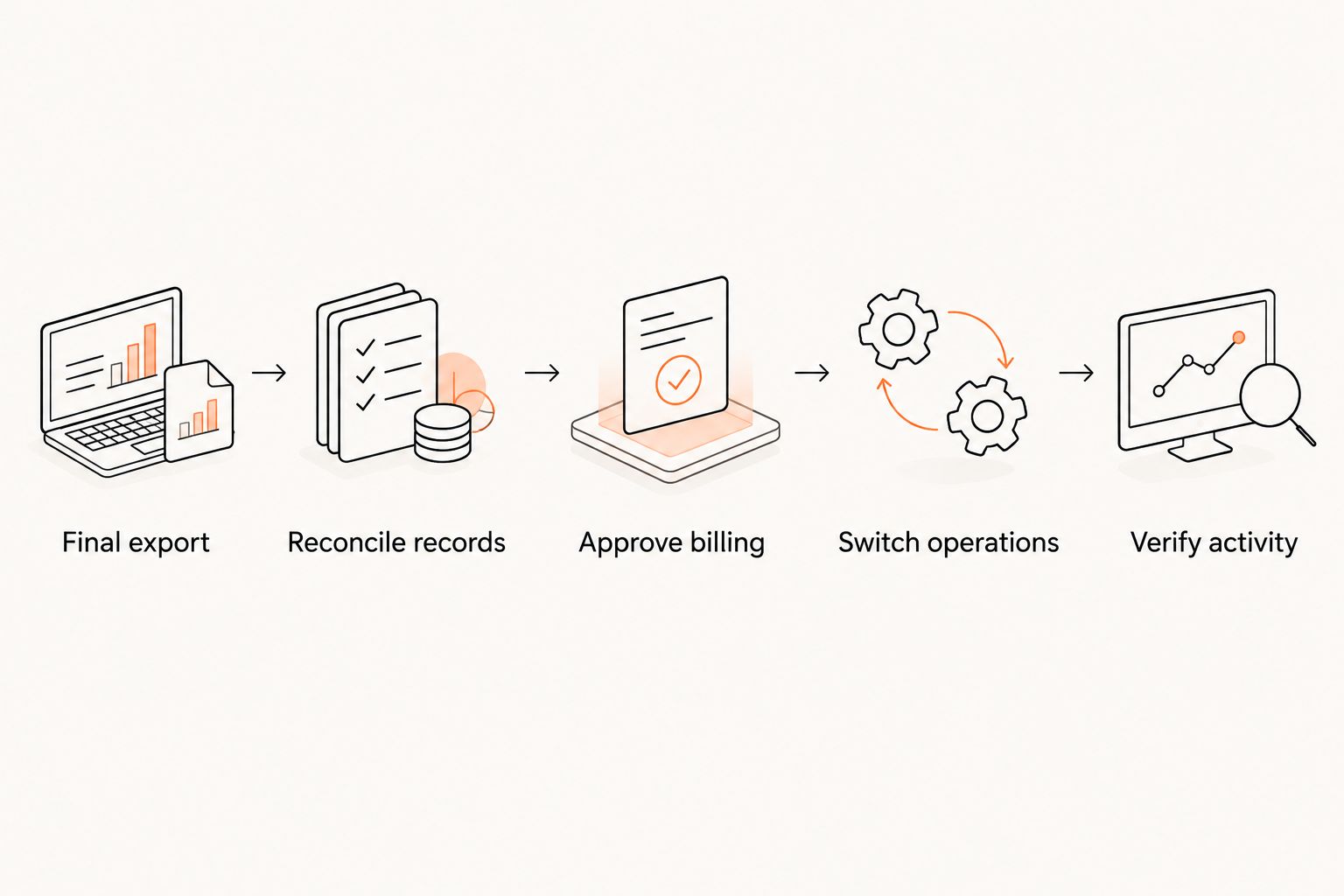
Use a simple approval sequence:
- Final export: capture the agreed final dataset and any changes since testing.
- Reconcile records: resolve import errors and compare source and destination totals by record group.
- Approve billing: confirm collection ownership and member-specific exceptions.
- Switch operations: tell staff where to register members, record attendance and update accounts.
- Verify activity: inspect the first real operational records and collections after the switch.
Keep a written fallback for unresolved failures. Name who can pause the cutover, which records staff should use, and how changes will be captured while a problem is corrected.
Is Matpilot a fit for a martial arts academy switching systems?
Matpilot is best for martial arts owners who want member management, scheduling, billing and per-art ranks in the same platform. The gym management software is available in the United States and Ireland, with web, iOS and Android access.
That scope matches an academy managing both training records and administration. It does not establish that every Gymdesk field, attachment or payment arrangement will transfer. Confirm the import scope against your mapping sheet before committing to a cutover.
FAQ
Can I migrate member data from Gymdesk without losing belt history?
Preserve belt history by mapping discipline, rank and promotion dates separately, then testing representative records. Confirm which historical fields the destination accepts and retain an accessible archive for anything it cannot represent faithfully.
Will member payment details move with my Gymdesk export?
Do not assume payment details move with a member export. Confirm portability, authorizations and subscription handling with the providers responsible for your payment accounts.
Should I cancel Gymdesk before importing my members?
Keep source records accessible until you have validated the replacement system and settled retention arrangements. Check your account's cancellation terms and access rules before giving notice or closing it.
How do I keep parents and children linked during migration?
Map guardians, students and billing contacts as related but distinct records. Test shared email addresses and family relationships before importing the full dataset.
How long does a Gymdesk data migration take?
Set the migration schedule after confirming export coverage, import requirements and payment arrangements. Approve the cutover only after the test import and unresolved exceptions have been reviewed.
Can I keep running classes while I switch gym software?
Plan continued classes around a clearly assigned working system and a process for capturing changes. Tell instructors where to record attendance during the handover and reconcile those entries afterward.
One last thing
Before signing off your 2026 migration, ask an instructor and the person responsible for billing to inspect the same member. Have each explain what they would do next using only the new record. If their answers conflict with the source, the migration is not ready—even if every row imported successfully.