How do I migrate member data from Zen Planner to new software?
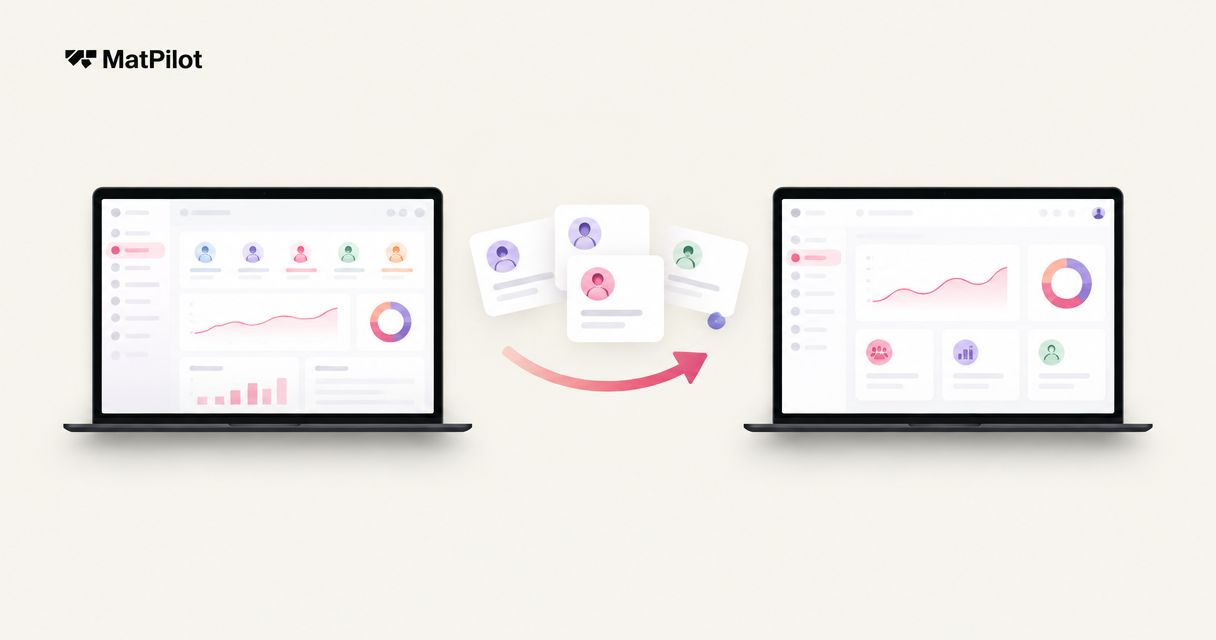
To migrate member data from Zen Planner in 2026, request your available exports, map each field to the new system, test representative records, and reconcile the results before switching daily operations. Treat payment credentials, signed waivers, attendance history, and martial arts ranks as separate migration checks—not automatic parts of a member list. Keep the original records accessible until you have verified the transfer and resolved exceptions.
- How to migrate member data from Zen Planner: export, map, test, reconcile, then switch operations.
- MatPilot suits martial arts owners seeking member management, billing, attendance, and per-art ranks; confirm migration scope separately.
- Do not assume payment credentials or signed waivers transfer with member profiles.
- Approve the switch only after checking family relationships, membership status, billing dates, and rank history.
How do I migrate member data from Zen Planner to new software?
Use a written acceptance checklist. A successful migration preserves the relationships and records your academy needs, not just names and email addresses.
- Define the scope. List what must move, what can remain in an archive, and who approves the result. Build your gym software switching timeline around these checks rather than an assumed completion date.
- Request the available exports. Ask Zen Planner support which records you can retrieve, in which formats, and with which relationships intact. Confirm access arrangements before ending the service.
- Map and test. Ask the receiving provider for its accepted fields and file requirements. Test member profiles alongside household links, membership status, attendance, and ranks where those records are available and supported.
- Reconcile and switch. Compare source records with the imported result, resolve exceptions, and approve the operational handover. Coordinate billing separately so both systems do not collect the same obligation.
These are migration controls, not claims about a particular Zen Planner export screen or a receiving provider's import capabilities. Confirm the actual transfer method with both providers before preparing files.
Why this matters
A member list can look correct while the academy's working records are wrong. A child can have the right name but the wrong guardian. A student can have an active profile but no usable membership assignment.
Judge the migration by whether staff can perform the next real task correctly. Check in a student. Find the responsible payer. Review the student's rank in the correct discipline. Establish which system owns the next collection.
For your 2026 migration, separate data transfer from operational readiness. A completed file upload does not establish that billing, class access, or promotion decisions are ready to use.
Decide what must transfer and what must remain accessible
Create a migration inventory before changing any records. Give each category an owner, a source, a destination, and an acceptance check. Mark records for transfer, secure archiving, or further review.
This table compares the source information you need with the result you should verify. It does not assume either provider supports every transfer.
| Record category | Source information to request | Destination acceptance check |
|---|---|---|
| Member profiles | Identifiers, names, contact details, status | Correct person, no unexplained duplicates |
| Families and guardians | Guardian relationships and payer links | Correct adult linked to each child |
| Memberships | Plan assignment, status, relevant dates | Correct membership and access rules |
| Billing records | Collection dates, balances, transaction references | Clear responsibility for future collections |
| Attendance | Student, class, date, discipline | History belongs to the correct student |
| Ranks and grading | Discipline, rank, award date, grading notes | Rank sits under the correct martial art |
| Waivers and consent | Documents and associated signing records | Records remain retrievable and attributable |
Do not collapse separate records into a single notes field without understanding the consequence. A readable note is not necessarily usable for attendance reporting, billing, or promotion review.
Ask the receiving provider to identify unsupported categories explicitly. An honest exclusion belongs in the plan before the switch, not in a support ticket afterward.
Prepare member identities and family relationships
Use the original member identifier as a reference wherever the receiving process permits. Names alone do not distinguish every student. Shared family email addresses also make email-only matching unsuitable for some households.
Create a mapping sheet that pairs each source field with its destination. Record how you will handle blank values, inconsistent spellings, duplicate profiles, inactive members, and unresolved matches. Preserve an untouched copy of every original export.
For family records, distinguish the student, guardian, payer, and emergency contact. These roles can overlap, but they are not interchangeable. A parent's phone number on a child's profile does not by itself establish the billing relationship.
Use these checks before approving a household:
- The child appears as a student, not as the payer by accident.
- The intended guardian has the correct relationship.
- Shared contact details have not merged different people.
- Membership assignments belong to the correct students.
- Staff can identify whom to contact about attendance or payment issues.
Resolve ambiguous matches manually before enabling operational workflows. Do not turn an uncertain identity match into a billing or messaging decision.
Test the import before moving daily operations
Choose test records by complexity, not alphabetical order. Include an individual member, a household, an inactive member, a paused membership if applicable, and a student training in multiple disciplines. Include imperfect records too; clean examples do not expose every mapping problem.
Follow this sequence for the test:
- Preserve originals. Store the source export securely and work from a copy.
- Map fields. Document destination fields and transformation rules.
- Test records. Import the selected examples through the agreed method.
- Review exceptions. Investigate rejected, changed, missing, or duplicated information.
- Approve transfer. Authorize the wider migration only after resolving the test findings.
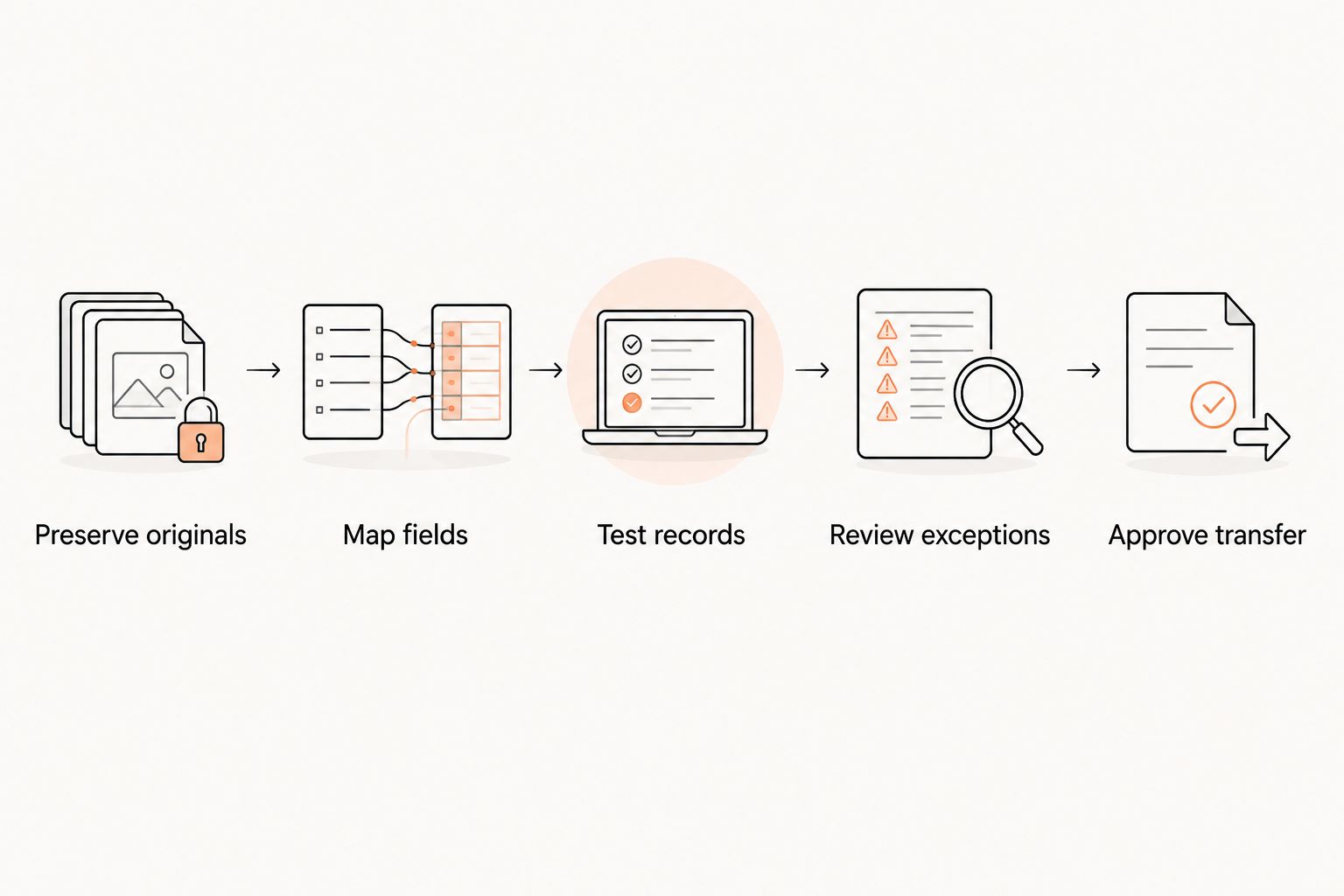
Make each test observable. Instead of recording that a household looks fine, check the student identity, guardian link, membership assignment, and responsible payer separately. Record who reviewed the result.
For a 2026 handover, keep the mapping sheet with the acceptance checklist. Staff need to know which source fields became which destination records when questions arise later.
Handle billing as a separate handover
A member profile import does not prove that payment credentials have transferred. Ask both providers and the relevant payment processor what is transferable, what requires a separate process, and what requires member action. Do not put payment credentials into a general-purpose migration spreadsheet.
Separate historical transactions from future collection instructions. A transaction history answers what happened. A membership's next collection date and payment setup determine what happens next.
Before enabling collections, verify:
- Which system owns each upcoming collection.
- Whether the member's payment setup is usable in the destination.
- Which unresolved balances require review.
- How paused or canceled memberships are treated.
- Who approves changes to collection dates.
- How staff will handle failed payments during the handover.
Keep billing ownership explicit throughout the change. If staff must keep the old system available for reference, document whether it is reference-only or still responsible for particular collections.
Do not cancel an old subscription or activate a replacement solely because the member's name appears in the new system. Review the billing state first. The migration plan should explain how to prevent duplicate collections and missed obligations without inventing a new payment schedule.
Preserve attendance and martial arts ranks separately
Attendance and rank records answer different questions. Attendance establishes participation. A grading record establishes the rank awarded in a particular discipline. Neither should silently substitute for the other.
For a multi-discipline academy, verify each rank against the martial art it belongs to. A student's BJJ rank should not overwrite a karate or taekwondo rank. Preserve relevant grading dates and notes where the agreed migration supports them.
Check historical attendance against the correct student and class. If class names change during the move, document the mapping. Avoid treating a renamed class as evidence that the underlying history transferred correctly.
Where structured history cannot move, agree on an accessible archive and a clear starting point for new records. Tell instructors which information is live and which requires an archive lookup.
MatPilot provides martial arts gym management software with attendance and per-art rank tracking. Confirm which historical records can enter those features before choosing it as the destination; having a feature does not establish that every source format can be imported.
Why migration work varies between academies
The work depends on the records and relationships you need to preserve. Compare providers against your actual inventory rather than a generic promise to move your members.
- Household structure: Family memberships require relationship checks beyond individual contact details.
- Membership states: Active, inactive, paused, and canceled records need agreed handling where those states exist.
- Payment setup: Credential transfer and future collections require confirmation separate from profile migration.
- Historical depth: Attendance, grading, and transaction archives add categories to validate.
- Discipline structure: Multi-art schools need ranks and classes mapped to the correct discipline.
- Data quality: Duplicates, missing identifiers, and inconsistent fields require decisions before approval.
MatPilot suits martial arts academy owners who need member management, billing, attendance, and discipline-specific ranks together. Its fit for your migration still depends on confirmed import scope and acceptance checks, not that feature list alone.
What should I ask the receiving provider before approving the move?
Ask for written answers about accepted formats, supported record categories, rejected-row handling, and the approval process. Establish who prepares the files and who corrects mapping errors.
Use a short set of acceptance questions:
- Can staff distinguish students, guardians, and payers correctly?
- Are imported membership states understood and checked?
- Is billing ownership documented for the handover?
- Can instructors retrieve the attendance and rank information they need?
- Are excluded records preserved in a usable archive?
For the 2026 sign-off, assign a named owner to unresolved exceptions. Do not let an unfinished item disappear behind a general statement that the migration is complete.
Should I keep Zen Planner running during the migration?
Keep access to required source records until you have verified the destination and confirmed your retention arrangements. Check your actual service terms and access conditions before setting a cancellation date.
If both systems remain accessible, define their roles. Staff should know where to record new attendance, where to update contact information, and which system owns billing. Uncontrolled edits in both places create another reconciliation task.
Can I migrate members without their payment details?
Member profiles and payment setup are separate migration categories. Ask the destination provider whether profiles can be prepared independently and what member action is required before collections begin.
Do not treat a successfully imported profile as an active payment arrangement. Track payment readiness separately and communicate any required action directly to the responsible payer.
FAQ
How do I export all my member data from Zen Planner?
Ask Zen Planner support which exports are available for your account and which record categories they include. Request confirmation of formats, identifiers, household relationships, and any history that requires separate retrieval.
Can I migrate family memberships without mixing up parents and children?
Map students, guardians, and payers separately, then test their relationships in the destination. Shared email addresses should not be your only identity-matching rule.
Will stored payment details move with my member list?
Do not assume stored payment details move with a member list. Confirm the separate transfer requirements with both providers and the relevant payment processor before enabling collections.
Can I keep belt ranks and attendance when switching software?
Confirm attendance and rank migration separately with the receiving provider. Check that each record remains linked to the right student and that each rank belongs to the correct martial art.
How do I check a gym software migration in 2026?
Compare source records with destination records and resolve unexplained differences before approval. Check identities, household relationships, membership states, billing ownership, attendance, ranks, and excluded archives.
Is MatPilot suitable for a multi-discipline martial arts academy?
MatPilot provides martial arts gym management software with members, scheduling, billing, attendance, and per-art rank tracking. Confirm the supported migration scope separately before committing your academy's historical records.
When should I cancel my old gym software?
Set the cancellation date after confirming destination readiness, source-record access, billing ownership, and your actual service terms. Preserve required records before losing access.
One last thing
Test the exception you are most worried about before approving the migration. Choose the household with shared contact details or the student with ranks in different disciplines. A difficult record tells you more about operational readiness than a clean member profile.
Write down the expected result before the test. Approval should mean the record behaves correctly—not merely that someone successfully uploaded a file.